1
Introduction to the Multi-Rotor controller
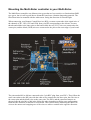
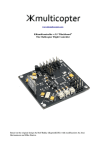
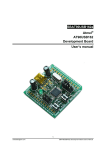
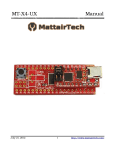
The Multi-Rotor controller is a flight control board for 4 rotor Aircraft (Multi-Rotors). Its purpose is
to stabilise the aircraft during flight. To do this it takes the signal from the three gyros on the board
(roll, pitch and yaw) and feeds the information into the Integrated Circuit (Atmega IC). This then
processes the information according the software and sends out a control signal to the Electronic
Speed Controllers (ESCs) which are plugged onto the board and also connected to the motors.
Depending upon the signal from the IC the ESCs will either speed up or slow down the motors in
order to establish level flight.
The board also takes a control signal from the Remote Control Receiver (RX) and feeds this into the
IC via the ail, ele, thr and rud pins on the board. After processing this information, the IC will then
send out a signal to the motors (Via the M1 to M4 pins on the board) to speed up or slow down to
achieve controlled flight (up, down, backwards, forwards, left, right, yaw) on the command from
the RC Pilot sent via his Transmitter (TX).
Flight Configurations
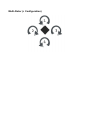
The Multi-Rotor flight configurations depend on which firmware is loaded onto the chip.
This configuration is Multi-Rotor (4 Rotor + configuration).