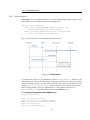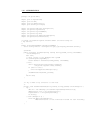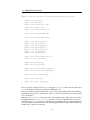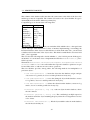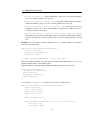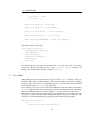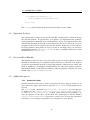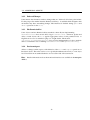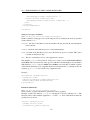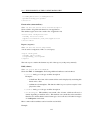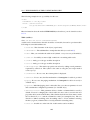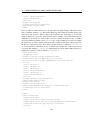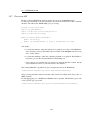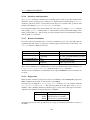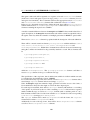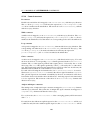
1
@enterprise 9.0 Application Development Guide December 2015 Groiss Informatics GmbH Groiss Informatics GmbH Strutzmannstraße 10/4 9020 Klagenfurt Austria Tel: +43 463 504694 - 0 Fax: +43 463 504594 - 10 Email: [email protected] Document Version 9.0.19684 Copyright © 2001 - 2015 Groiss Informatics GmbH. All rights reserved. The information in this document is subject to change without notice. If you find any problems in the documentation, please report them to us in writing. Groiss Informatics GmbH does not warrant that this document is error-free. No part of this document may be photocopied, reproduced or translated to another language without the prior written consent of Groiss Informatics GmbH. @enterprise is a trademark of Groiss Informatics GmbH, other names may be trademarks of their respective companies. Contents 1 Overview 2 Servlet Methods 2.1 The Dispatcher Servlet . . . . . . 2.2 Demo Package . . . . . . . . . . 2.3 Page . . . . . . . . . . . . . . . . 2.4 HTMLPage . . . . . . . . . . . . 2.5 XHTML . . . . . . . . . . . . . . 2.6 XForm . . . . . . . . . . . . . . . 2.7 Velocity Page . . . . . . . . . . . 2.8 File Upload . . . . . . . . . . . . 2.9 Making the web application secure 2.9.1 Defining the access mode . 2.9.2 Checking rights . . . . . . 2.9.3 Common security pitfalls . 2.10 Authorization . . . . . . . . . . . . . . . . . . . . . . . . . . . . . . . . . . . . . . . . . . . . . . . . . . . . . . . . . . . . . . . . . . . . . . . . . . . . . . . . . . . . . . . . . . . . . . . . . . . . . . . . . . . . . . . . . . . . . . . . . . . . . . . . . . . . . . . . . . . . . . . . . . . . . . . . . . . . . . . . . . . . . . . . . . . . . . . . . . . . . . . . . . . . . . . . . . . . . . . . . . . . . . . . . . . . . . . . . . . . . . . . . . . . . . . . . . . . . . . . . . . . . . . . . . . . . . . . . . . . . . . . . . . . . . . . . . . . . . . . . . . . . . . . . . . . . . . . . 10 11 11 12 13 14 19 23 24 25 26 26 27 28 Persistence Layer 3.1 Database Connection Pool 3.2 Persistent Objects . . . . . 3.3 Lazy filling . . . . . . . . 3.4 Optimistic Locking . . . . 3.5 PersistentEventHandler . . 3.6 Additional aspects . . . . . 3.6.1 Permission checks 3.6.2 DeferredChanges . 3.6.3 HasPermissionList 3.6.4 PersistentAspect . . . . . . . . . . . . . . . . . . . . . . . . . . . . . . . . . . . . . . . . . . . . . . . . . . . . . . . . . . . . . . . . . . . . . . . . . . . . . . . . . . . . . . . . . . . . . . . . . . . . . . . . . . . . . . . . . . . . . . . . . . . . . . . . . . . . . . . . . . . . . . . . . . . . . . . . . . . . . . . . . . . . . . . . . . . . . . . . . . . . . . . . . . . . . . . . . . . . . . . . . . . . . . . . . . . . . . . . . . . . . . . . . . . . . . . . . . . . . . . . . . . . . . . . . . . . . . . . . . . . . 32 32 32 36 37 37 37 37 38 38 38 Utilities and Data Structures 4.1 Data Structures . . . . . 4.1.1 KeyValuePair . . 4.1.2 Pair . . . . . . . 4.1.3 MultiMap . . . . 4.1.4 KeyedList . . . . . . . . . . . . . . . . . . . . . . . . . . . . . . . . . . . . . . . . . . . . . . . . . . . . . . . . . . . . . . . . . . . . . . . . . . . . . . . . . . . . . . . . . . . . . . . . . . . . . . . . . . . . . . . . . . . . . . . . . . . . . . . . . . . . . . 39 39 39 39 39 39 3 4 9 . . . . . 3 CONTENTS 4.2 4.3 4.4 4.5 4.6 4.7 4.8 4.9 5 6 4.1.5 CountedSemaphore . . . . . . . . . . . 4.1.6 Caching . . . . . . . . . . . . . . . . . StringUtil and FileUtil . . . . . . . . . . . . . Date/Time Handling . . . . . . . . . . . . . . 4.3.1 CalUtil . . . . . . . . . . . . . . . . . 4.3.2 Holidays . . . . . . . . . . . . . . . . 4.3.3 Application dependent calendar-events ThreadContext . . . . . . . . . . . . . . . . . Logging . . . . . . . . . . . . . . . . . . . . . Timer . . . . . . . . . . . . . . . . . . . . . . Beans . . . . . . . . . . . . . . . . . . . . . . Resource Files . . . . . . . . . . . . . . . . . . Error Handling . . . . . . . . . . . . . . . . . . . . . . . . . . . . . . . . . . . . . . . . . . . . . . . . . . . . . . . . . . . . . . . . . . . . . . . . . . . . . . . . . . . . . . . . . . . . . . . . . . . . . . . . . . . . . . . . . . . . . . . . . . . . . . . . . . . . . . . . . . . . . . . . . . . . . . . . . . . . . . . . . . . . . . . . . . . . . . . . . . . . . . . . . . . . . . . . . . . . . . . . . . . . . . . . . . . . 40 40 40 41 41 41 42 42 43 44 46 48 49 Structure of Applications in @enterprise 5.1 Organization of Files . . . . . . . . . . . . . . . . 5.2 The Configuration File . . . . . . . . . . . . . . . 5.3 The Application Class . . . . . . . . . . . . . . . . 5.4 Documentation of Applications . . . . . . . . . . . 5.4.1 Using context sensitive help in applications 5.5 Internationalization of Applications . . . . . . . . 5.6 Startup and Shutdown . . . . . . . . . . . . . . . . 5.7 Installation . . . . . . . . . . . . . . . . . . . . . 5.8 Upgrading/Patching . . . . . . . . . . . . . . . . . 5.8.1 Creating patch archives . . . . . . . . . . . 5.9 Mapping of URLs to files or methods . . . . . . . . . . . . . . . . . . . . . . . . . . . . . . . . . . . . . . . . . . . . . . . . . . . . . . . . . . . . . . . . . . . . . . . . . . . . . . . . . . . . . . . . . . . . . . . . . . . . . . . . . . . . . . . . . . . . . . . . . . . . . . . . . . . . . . . . . . . . . . . . . . . . . . 50 50 52 55 56 56 57 58 58 58 58 60 Organizational Data 6.1 Users, their Roles and Rights . . . . 6.2 Dababase operations . . . . . . . . 6.3 Password Policies . . . . . . . . . . 6.4 Adding tab Additional Info . . . . 6.5 Deleting master data with references . . . . . . . . . . . . . . . . . . . . . . . . . . . . . . . . . . . . . . . . . . . . . . . . . . . . . . . . . . . . . . . . . 63 63 64 65 65 66 . . . . . . . . . . . . . . . . . . . . . . . . . . . . . . . . . . . 7 HTML Components 8 The Workflow Engine 8.1 Process definition and execution . . . . . . . . . 8.1.1 Structure of run-time data . . . . . . . . 8.2 Forms . . . . . . . . . . . . . . . . . . . . . . . 8.3 The @enterprise workflow API . . . . . . . . . 8.3.1 Create a process instance . . . . . . . . . 8.3.2 Find process instances . . . . . . . . . . 8.3.3 Get information about a process instance 8.3.4 Manipulation of process instances . . . . 8.3.5 Getting the context . . . . . . . . . . . . 8.3.6 Methods for process instances . . . . . . . . . . . 67 4 . . . . . . . . . . . . . . . . . . . . . . . . . . . . . . . . . . . . . . . . . . . . . . . . . . . . . . . . . . . . . . . . . . . . . . . . . . . . . . . . . . . . . . . . . . . . . . . . . . . . . . . . . . . . . . . . . . . . . . . . . . . . . . . . . . . . . . . . . . . . 69 69 72 73 75 76 76 77 78 78 78 CONTENTS 9 Using the Workflow API 9.1 Application Methods Called by the Engine . . . . . . . . . . . . . . . 9.1.1 Usage of script-language GROOVY . . . . . . . . . . . . . . 9.1.2 XPath-Conditions . . . . . . . . . . . . . . . . . . . . . . . . 9.2 Interactive Functions . . . . . . . . . . . . . . . . . . . . . . . . . . 9.3 Application Adapter . . . . . . . . . . . . . . . . . . . . . . . . . . . 9.4 The Form Event Handler . . . . . . . . . . . . . . . . . . . . . . . . 9.4.1 Using Form Event Handler with XHTML forms and XForms . 9.5 The Form Table Handler . . . . . . . . . . . . . . . . . . . . . . . . 9.6 Utilities for building an HTML interface . . . . . . . . . . . . . . . . 9.6.1 Show the worklist . . . . . . . . . . . . . . . . . . . . . . . . 9.6.2 Show the form . . . . . . . . . . . . . . . . . . . . . . . . . 9.7 Object Selection . . . . . . . . . . . . . . . . . . . . . . . . . . . . . 9.8 Task-Functions in forms . . . . . . . . . . . . . . . . . . . . . . . . 9.9 Batch Processing . . . . . . . . . . . . . . . . . . . . . . . . . . . . 9.10 Event Mechanism . . . . . . . . . . . . . . . . . . . . . . . . . . . . 9.10.1 WDL extensions . . . . . . . . . . . . . . . . . . . . . . . . 9.10.2 The Event API . . . . . . . . . . . . . . . . . . . . . . . . . 9.10.3 Event Processing . . . . . . . . . . . . . . . . . . . . . . . . 9.10.4 Cluster . . . . . . . . . . . . . . . . . . . . . . . . . . . . . 9.10.5 Administration . . . . . . . . . . . . . . . . . . . . . . . . . 9.11 Examples . . . . . . . . . . . . . . . . . . . . . . . . . . . . . . . . 9.11.1 Start a Process . . . . . . . . . . . . . . . . . . . . . . . . . 9.11.2 Find running Processes . . . . . . . . . . . . . . . . . . . . . . . . . . . . . . . . . . . . . . . . . . . . . . . . . . . . . . . . . . . . . . . . . . . . . . . . . . . . . . . . . . . . . . . . . . 80 80 81 83 85 86 87 88 89 89 89 89 90 91 92 98 98 98 99 101 101 101 101 103 10 Configuring the Worklist Client 10.1 Introduction . . . . . . . . . . . . . . . . . . . . . 10.2 The Elements of the Configuration File . . . . . . . 10.2.1 Replacing the HTML templates in old GUI 10.2.2 Own layout of main page in smartclient . . 10.2.3 Tree Nodes . . . . . . . . . . . . . . . . . 10.2.4 Non tree nodes (<nodes>) . . . . . . . . . 10.2.5 Internationalization . . . . . . . . . . . . . 10.2.6 Adding HTML Code Between the Links . . 10.2.7 Configure user parameters . . . . . . . . . 10.2.8 Change style and logos . . . . . . . . . . . 10.3 Customizing the Worklist . . . . . . . . . . . . . . 10.3.1 Link to forms and documents . . . . . . . 10.4 Displaying Additional Data . . . . . . . . . . . . . . . . . . . . . . . . . . . . . . . . . . . . . . . . . . . . . . . . . . . . . . . . . . . . . . . . . . . . . . . . . . . . . . . . . . . . . . . . . . . . . . . . . . . . . . . . . . . . . . . . . . . . . . . . . . . . . . . . . . . . . . . . . . . . . . . . . . . . . . . . . . . . . . . . . . . . . . . . . . . . . . . . . . . . . . 105 105 105 106 108 109 123 125 125 125 126 126 129 129 11 Document Management 11.1 Objects of the DMS . . . . . 11.2 Life Cycle of a DMSObject . 11.3 Storage and Versioning . . . 11.4 The @enterprise DMS API 11.4.1 Create DMS objects 11.4.2 Managing Relations . . . . . . . . . . . . . . . . . . . . . . . . . . . . . . . . . . . . . . . . . . . . . . . . . . . . . . . . . . . . . . . . . . . . . . . . . . . . . . 132 132 133 134 135 136 136 . . . . . . . . . . . . . . . . . . . . . . . . 5 . . . . . . . . . . . . . . . . . . . . . . . . . . . . . . . . . . . . . . . . . . . . . . . . CONTENTS 11.4.3 Manipulate DMS Objects . . . . . . . . 11.4.4 Navigate within the DMS . . . . . . . . 11.4.5 Permissions in DMS . . . . . . . . . . . 11.4.6 Utility Methods . . . . . . . . . . . . . . 11.5 Using the DMS API . . . . . . . . . . . . . . . . 11.5.1 Utilities for DMS related HTML Interface 11.5.2 Adding a Document to a Process . . . . . 11.5.3 Adapting Folder and Table View . . . . . 11.5.4 Build your own DMS Pages . . . . . . . 11.6 Office Templates . . . . . . . . . . . . . . . . . 11.6.1 Requirements . . . . . . . . . . . . . . . 11.6.2 Placeholder elements . . . . . . . . . . . 11.6.3 Creating documents from templates . . . 11.6.4 Example . . . . . . . . . . . . . . . . . . . . . . . . . . . . . . . . . . . . . . . . . . . . . . . . . . . . . . . . . . . . . . . . . . . . . . . . . . . . . . . . . . . . . . . . . . . . . . . . . . . . . . . . . . . . . . . . . . . . . . . . . . . . . . . . . . . . . . . . . . . . . . . . . . . . . . . . . . . . . . . . . . . . . . . . . . . 137 138 138 139 140 140 142 143 147 150 150 151 153 153 12 Communication with other Systems 12.1 E-Mail . . . . . . . . . . . . . . . . . . . . . . . . . . . 12.1.1 Sending E-Mails . . . . . . . . . . . . . . . . . 12.1.2 Receiving E-Mails . . . . . . . . . . . . . . . . 12.2 Remote Method Invocation . . . . . . . . . . . . . . . . 12.3 Wf-XML 2.0 . . . . . . . . . . . . . . . . . . . . . . . 12.3.1 ASAP Overview . . . . . . . . . . . . . . . . . 12.3.2 Wf-XML Overview . . . . . . . . . . . . . . . . 12.3.3 Administration . . . . . . . . . . . . . . . . . . 12.3.4 Wf-XML Web client . . . . . . . . . . . . . . . 12.4 LDAP . . . . . . . . . . . . . . . . . . . . . . . . . . . 12.4.1 Basic Aspects of the Synchronization Mechanism 12.4.2 Default Schema Mapping . . . . . . . . . . . . 12.4.3 Customizing the Synchronization . . . . . . . . . . . . . . . . . . . . . . . . . . . . . . . . . . . . . . . . . . . . . . . . . . . . . . . . . . . . . . . . . . . . . . . . . . . . . . . . . . . . . . . . . . . . . . . . . . . . . . . . . . . . . . . . . . . . . . . . . . . . . . . . . . . . . . . . . . 156 156 156 157 158 158 159 159 166 168 171 171 172 176 . . . . . . . . . . 178 178 178 178 179 179 179 180 180 180 180 . . . . 183 183 183 183 184 13 Web services 13.1 Components . . . . . . . . . . . . . . . . . 13.1.1 WS-Framework . . . . . . . . . . . 13.1.2 EP-Context . . . . . . . . . . . . . 13.1.3 Partner Links . . . . . . . . . . . . 13.2 Providing web services . . . . . . . . . . . 13.2.1 Contract-first with Axis2 . . . . . . 13.3 Web service security . . . . . . . . . . . . 13.3.1 WS-security with UserNameToken 13.3.2 WS-security with SAMLToken . . . 13.4 Demos . . . . . . . . . . . . . . . . . . . . 14 XWDL 14.1 Introduction . . . . . 14.2 Usage . . . . . . . . 14.2.1 HTML-Client 14.3 API . . . . . . . . . . . . . . . . . . . . . . . . . . . . . . . . . . . . . . . . . 6 . . . . . . . . . . . . . . . . . . . . . . . . . . . . . . . . . . . . . . . . . . . . . . . . . . . . . . . . . . . . . . . . . . . . . . . . . . . . . . . . . . . . . . . . . . . . . . . . . . . . . . . . . . . . . . . . . . . . . . . . . . . . . . . . . . . . . . . . . . . . . . . . . . . . . . . . . . . . . . . . . . . . . . . . . . . . . . . . . . . . . . . . . . . . . . . . . . . . . . . . . . . . . . . . . . . . . . . . . . . . . . . . . . . . . . . . . . . . . . . . . . . . . . . . . . . . . . . . . . . . . . . . . . . . . . . . . . . . . . . . . . CONTENTS 14.4 The basic DTD . . . . . . 14.5 An Example . . . . . . . . 14.5.1 WDL . . . . . . . 14.5.2 XDWL . . . . . . 14.6 The extension model . . . 14.6.1 The extension DTD 14.6.2 An Example . . . 14.7 Extension API . . . . . . . . . . . . . . . . . . . . . . . . . . . . . . . . . . . . . . . . . . . . . . . . . . . . . . . . . . . . . . . . . . . . . . . . . . . . . . . . . . . . . . . . . . . . . . . . . . . . . . . . . . . . . . . . . . . . . . . . . . . . . . . . . . . . . . . . . . . . . . . . . . . . . . . . . . . . . . . . . . . . . . . . . . . . . . . 184 184 185 186 189 189 191 195 15 BPMN 15.1 Introduction . . . . . . . . . . . . . . . . . . . . . . . . 15.2 Common elements . . . . . . . . . . . . . . . . . . . . 15.2.1 Basic layout . . . . . . . . . . . . . . . . . . . . 15.2.2 Principal definitions . . . . . . . . . . . . . . . 15.2.3 Form types . . . . . . . . . . . . . . . . . . . . 15.2.4 Signals . . . . . . . . . . . . . . . . . . . . . . 15.2.5 Messages . . . . . . . . . . . . . . . . . . . . . 15.2.6 Interfaces and Operations . . . . . . . . . . . . 15.2.7 Resource Definitions . . . . . . . . . . . . . . . 15.2.8 Expressions . . . . . . . . . . . . . . . . . . . 15.2.9 Omissions and Aspects for further enhancement . 15.3 Mapping of @enterprise constructs . . . . . . . . . . . 15.3.1 Process definition and form declarations . . . . . 15.3.2 Annotations . . . . . . . . . . . . . . . . . . . . 15.3.3 Flows . . . . . . . . . . . . . . . . . . . . . . . 15.3.4 Common step structure . . . . . . . . . . . . . . 15.3.5 Activities . . . . . . . . . . . . . . . . . . . . . 15.3.6 Control structures . . . . . . . . . . . . . . . . . 15.3.7 Events . . . . . . . . . . . . . . . . . . . . . . . 15.3.8 Web services . . . . . . . . . . . . . . . . . . . . . . . . . . . . . . . . . . . . . . . . . . . . . . . . . . . . . . . . . . . . . . . . . . . . . . . . . . . . . . . . . . . . . . . . . . . . . . . . . . . . . . . . . . . . . . . . . . . . . . . . . . . . . . . . . . . . . . . . . . . . . . . . . . . . . . . . . . . . . . . . . . . . . . . . . . . . . . . . . . . . . . . . . . . . . . . . . . . . . . . . . . . . . . . . . . . . . . . . . . . 196 196 196 196 196 197 197 197 198 198 198 199 199 199 200 200 200 200 203 205 207 16 Usage of DOJO and JavaScripts 16.1 The @enterprise JavaScript library . . . . 16.2 Using DOJO in @enterprise . . . . . . . . 16.2.1 Add DOJO to a page/form . . . . . 16.2.2 Usage of customized DOJO controls 16.3 Smartclient . . . . . . . . . . . . . . . . . 16.3.1 Implementing own widgets . . . . . 16.3.2 Smartclient notification API . . . . . . . . . . . . . . . . . . . . . . . . . . . . . . . . . . . . . . . . . . . . . . . . . . . . . . . . . . . . . . . . . . . . . . . . . . 208 208 210 210 211 213 214 221 . . . . . . . . . . . . . . . . . . . . . . . . . . . . . . . . . . . . . . . . . . . . . . . . . . . . . . . . . . . . . . . . . . . . . . . . . . . . . . . . . . . . . . . . . 17 Mobile GUI Client 223 17.1 WorklistAdapter Example . . . . . . . . . . . . . . . . . . . . . . . . . . . 223 A Database Schema Overview A.1 Introduction to the Database Schema . . . . . . . . . . . . . . . . . . . . . A.2 Organizational Schema . . . . . . . . . . . . . . . . . . . . . . . . . . . . A.3 Schema for Process Definitions . . . . . . . . . . . . . . . . . . . . . . . . 7 226 226 227 229 CONTENTS A.4 Schema for Run-Time Data . . . . . . . . . . . . . . A.4.1 Essential Process Run-Time Data . . . . . . A.4.2 Further Process Run-Time Data Schema . . . A.5 Schema of Permission system . . . . . . . . . . . . A.6 Schema for Document Management . . . . . . . . . A.6.1 Main tables in DMS . . . . . . . . . . . . . A.6.2 Additional Tables for Document Management A.7 Miscellaneous . . . . . . . . . . . . . . . . . . . . . A.7.1 User related tables . . . . . . . . . . . . . . A.7.2 Reporting . . . . . . . . . . . . . . . . . . . A.7.3 Schema for messaging . . . . . . . . . . . . A.7.4 Schema for Timers . . . . . . . . . . . . . . A.7.5 Schema for GUI configuration . . . . . . . . A.7.6 System State . . . . . . . . . . . . . . . . . A.7.7 Calendar Schema . . . . . . . . . . . . . . . A.7.8 Schema for Webservices . . . . . . . . . . . A.7.9 Schema for WfXML . . . . . . . . . . . . . A.7.10 Schema for Probabilistic Time Management . A.7.11 Tables used only in Java Client . . . . . . . . A.8 Obsolete schema elements . . . . . . . . . . . . . . 8 . . . . . . . . . . . . . . . . . . . . . . . . . . . . . . . . . . . . . . . . . . . . . . . . . . . . . . . . . . . . . . . . . . . . . . . . . . . . . . . . . . . . . . . . . . . . . . . . . . . . . . . . . . . . . . . . . . . . . . . . . . . . . . . . . . . . . . . . . . . . . . . . . . . . . . . . . . . . . . . . . . . . . . . . . . . . . . . . . . . . . . . . . . . . . . . . . . . . . . . . . . . . . . . . . . . . . . . . . . . . . . . . . . . . . . . . . . . . . . . . 232 232 233 234 235 235 237 238 238 239 239 240 240 240 241 242 242 244 244 245 1 Overview This guide explains how to write workflow applications with @enterprise. @enterprise offers a set of demos combined in the file demos.zip of doc folder. Within this compressed file a text-file called README.txt is available which gives a short description about the demo programs. This guide contains following chapters: • Chapter 2 describes how servlet methods can be written. • Chapter 3 describes the layer for persistent objects. • Data structures and some useful utilities are described in chapter 4. • Chapter 5 describes the structure of @enterprise applications. • Chapter 6 describes the organizational data. • In chapter 7 components for writing HTML interfaces are described. • The workflow engine and its API is described in chapter 8. • The usage of the workflow API is shown in chapter 9. • Chapter 10 describes the configuration of the HTML-Client and the implementation of a customized worklist. • Chapters 11 introduce the document management component and its API. • Chapter 12 describes the usage of various communication mechanisms like email, RMI, Wf-XML and LDAP in @enterprise. • The way how Web services can be used in @enterprise is described in Chapter 13. • The process definition representation XWDL is described in Chapter 14. • The @enterprise mapping to BPMN is presented in Chapter 15. • Chapter 16 describes how to deal with the integrated DOJO components. • The adaption of Mobile GUI Client is described in Chapter 17. 9 2 Servlet Methods In this chapter we describe how to write methods for Web applications - receiving input from the browser and writing out to it. Moreover the authorization mechanism is discussed and some utilities for building HTML components are presented. @enterprise is a Web-based system with an integrated Web-server. The interface between the Web server and the rest of the system is a set of servlets. For the application programmer there exists a convenient interface to write "servlet methods". These methods must have one of the two following signatures: public void methodX (HttpServletRequest req, HttpServletResponse res) throws Exception; public Page methodY (HttpServletRequest req) throws Exception; HttpServletRequest and HttpServletResponse are interfaces from the package javax.servlet.http (see the Documentation of the Java2 Enterprise Edition [1]). The return value Page represents a page sent to the browser and is described below. The methods are called from the dispatcher servlet of @enterprise via reflection. The URL schema is as follows: http://host:port/wf/servlet.method/appclass.appmethod?params appclass is the fully qualified name of the class containing the method appmethod. appmethod is a method having one of the two above signatures. Why have we defined two interfaces for writing servlet methods? The first interface is the more general, because you can write directly onto the output stream of the response. It is the same as writing a doGet or doPost method of a servlet. However, the second method signature has some advantages: • It is explicit, that a return value (the page sent to the browser) is necessary. • The page is sent to the browser, after the method has been completed, and a commit has been performed (This prevents sending half pages when an error occurs.). • Page is an interface, which can have several implementations with extended functionality, read below about HTMLPage, ActionPage, and XHTMLPage. The limitation of this approach is that you cannot set Header-Fields of the HTTP-Response, for example Cookies. Now, let us look a little deeper into how the Dispatcher works: 10 2.1. THE DISPATCHER SERVLET 2.1 The Dispatcher Servlet The Dispatcher servlet handles all requests starting with "/<context-root>/servlet.method/", <context-root> is the context where you have installed @enterprise when using an application server, in standalone mode it is the constant wf. The Dispatcher performs the following steps: 1. Load the session of this request. 2. If there is no session and the method is not public, call the sendLoginRequest method of the authorization class. 3. Call the method specified in the URL by loading the class and calling the method using reflection. 4. If the method terminates normal (without exception) the user transaction associated with this thread is committed and the page together with a HTTP header is sent to the browser. If the method terminates with an exception, a rollback is performed on the user transaction and an error page is sent to the browser. The distinction of public and non public methods works via the interface com.groiss.servlet.Public. If your class implements this interface, no authorization is needed. Public is an empty interface, therefore all you have to do when implementing the interface is to write implements Public in the class declaration. When using public methods the internationalization is done with the settings of @enterprise user guest. 2.2 Demo Package With the @enterprise kit comes a demonstration file demos.zip containing some examples for writing servlet methods. Load the demos using the "Install Application" link in the @enterprise system administration. You can go to the index page by pointing your browser to http://host:port/wf/demo/index.html. The first of the four examples of the Java class HttpDemo simply writes out the current date to the browser: File classes/com/groiss/demo/HttpDemo.java public void showDate(HttpServletRequest req, HttpServletResponse res) throws IOException { res.getWriter().println("<html>"+ new Date()+"</html>"); } The second example uses a form to give some values to the servlet method. The form looks as follows: File classes/alllangs/demo/dateform.html 11 2.3. PAGE <html><form action="/wf/servlet.method/com.groiss.demo.HttpDemo.showNLSDate1"> Language: <select name=language> <option value=de>German <option value=en>English <option value=es>Spanish <option value=fr>French </select><br> Format long: <input type=radio name=format value=long> short: <input type=radio name=format value=short> <br> <input type=submit> </form> </html> The form contains two form fields. The language field to select one of four languages, the format field to select either a long or short date format. The form action is the method showNLSDate1 of the class HttpDemo: File classes/com/groiss/demo/HttpDemo.java public void showNLSDate1(HttpServletRequest req, HttpServletResponse res) throws Exception { String language = req.getParameter("language"); String format = req.getParameter("format"); Locale l = new Locale(language,language); SimpleDateFormat df = new SimpleDateFormat( ("long".equals(format) ? "EEEE, MMMM dd, yyyy" : "EEE, MMM dd, yyyy"),l); res.getWriter().println("<html>Date in "+ format + " format in "+ language + ":<br>" + df.format(new Date())+"</html>"); } The values from the form fields are retrieved with the method getParameter() of the request object. The result is written to the writer of the response object. 2.3 Page The interface Page describes a page sent to the browser, it has the following methods defined: public String show() throws ApplicationException; public String getContentType(); The method show returns a String representation of the page and is normally called by the Dispatcher. The method getContentType() returns the mime-type of the page, for example "text/html". The interface is implemented by three classes: HTMLPage: Used for HTML pages, where a fixed template is loaded and the dynamic parts are substituted from a Java method. See section 2.4 for details. 12 2.4. HTMLPAGE ActionPage: The action page is used for HTML pages containing JavaScript code only, for example a command for closing the browser window. XHTMLPage: The XHTMLPage is used for XHTML and XForm pages. XHTML is a reformulation of HTML in XML. The advantage of using XML is that substitutions of XML structures are possible, see section 2.5. An example how an XHTMLPage is used in XForms is shown in section 9.4.1. VelocityPage: Implementation which can handle Velocity-templates. See section 2.7 for details. JSONPage: This implementation is used to send JSON data to the client, e.g. JSONPage p = new JSONPage(new JSONObject(new HashMap(){{ put("a","b");}})); Of course, application programmers can define their own implementations of the Page interface. If any page should use the JavaScript methods of @enterprise, following import must be available within the HEAD-tags: <script src="../servlet.method/ com.groiss.gui.JavascriptLoader.getScripts"></script> 2.4 HTMLPage When showing HTML pages with dynamically generated content it is useful to separate the fixed HTML code and the parts generated by the program. Different approaches exist here. Most popular are Active Server Pages (ASP) from Microsoft and Java Server Pages, part of the Java 2 Enterprise Edition. In both frameworks you have to write the code into the HTML pages. Whereas this mechanism is nice for prototyping it has some drawbacks: • Long HTML/code pages are developed, where the design of the page is hard to see and maintain. • The placement of utility methods, constants or static variables is unclear. • Development in an IDE. • Internationalization of code and HTML text. In @enterprise we use a different approach. The HTML pages contain placeholders, which are replaces with actual data at run-time. Replacements are done with the class HTMLPage, which provides the following constructors and methods: Constructors: • public HTMLPage() No parameters: An empty page is generated, set the content of the page with setPage(String). 13 2.5. XHTML • public HTMLPage(String resource) The parameter is the name of a resource, normally a file in the class path. Methods: • substitute(String s1, String s2): The placeholder s1 is substituted by the string s2. • showPage() returns the page as string. The class HTMLPage is normally used in the following steps: 1. Use the constructor to load the mask, 2. make multiple calls of substitute to replace the placeholders, 3. return the page to the Dispatcher. Example: The method showNLSDate can be rewritten using HTMLPage. HTML-mask: File classes/com/groiss/demo/date.html <html><body> Date in %format% format in %language%:<br> %date% </body> </html> Placeholders start and end with a "%" character. The Java-method now looks like: File classes/com/groiss/demo/HttpDemo.java public Page showNLSDate2(HttpServletResponse res) throws Exception { String language = req.getParameter("language"); String format = req.getParameter("format"); Locale l = new Locale(language,language); HTMLPage p = new HTMLPage("/com/groiss/demo/Date.html"); SimpleDateFormat df = new SimpleDateFormat( ("long".equals(format) ? "EEEE, MMMM dd, yyyy" : "EEE, MMM dd, yyyy"), l); p.substitute("format", format ); p.substitute("language", language ); p.substitute("date", df.format(new Date())); return p; } 2.5 XHTML XHTML is a reformulation of HTML in XML, it has been defined and published by the W3C (World Wide Web Consortium), see their Web page [2] for details. Analogous to the HTMLPage we have defined a class XHTMLPage based on XHTML with extended functionality: 14 2.5. XHTML • Every XML element with an "id" can be substituted. Therefore, whole parts of the page can be substituted, for example a table element. Making an element invisible is performed by substituting with null. • It is possible to change elements by setting attributes, for example the background color or the value in an input field. • It is possible to make the substitutions more than once or not at all. In the page there is a default value (element). A substitution is done when necessary. Multiple substitutions can be performed, because the result of the substitution is again a XML tree. However, the usage of the XML components has some drawbacks. Only XML elements can be substituted or changed: It is not possible to substitute a part of an URL (for example to fill in an object’s oid). Note, that the templates must be syntactically correct XML. For example, a "<" (less) character in a JavaScript must be written as <. Hint: Since @enterprise 8.0 it is not possible anymore to write HTML code directly on a page, but sometimes it is necessary that html code should be interpreted. For this purpose the class ProcessingInstruction can be used like in following example: XHTML-mask snippet: <table class="simple" width="100%"> <tr><td width="120px">Name: </td><td><span id="name"/></td></tr> <tr><td valign="top">Description: </td><td><span id="descr"/></td></tr> </table> Java method snippet: XHTMLPage page = new XHTMLPage("mask/MyXHTMLPage.xhtml"); page.get("name").setContent("MyText"); ArrayList l = new ArrayList(); l.add(new org.jdom.ProcessingInstruction( Result.PI_DISABLE_OUTPUT_ESCAPING,"")); l.add("<b>This text</b> should be displayed in bold letters"); l.add(new org.jdom.ProcessingInstruction( Result.PI_ENABLE_OUTPUT_ESCAPING,"")); page.get("descr").setContent(l); XHTML forms with Subtables @enterprise allows the definition of master-detail relations between forms. Master-detail (or 1:n) relations are common in many application areas. Consider the relation of an "order" and the order items as an example. To model such an relation using @enterprise forms you define first the "detail" form (the "order item" in the previous example) and load it into @enterprise. Next, you define the master-form with a reference to the detail-form. This reference is defined with the HTML-Tag tablefield, which has the following attributes: 15 2.5. XHTML • formtype: The name of the Java class of the subform. • subformid: An integer value as identification of the subform. There can be more than one subform in a form and they must have different numbers. • mode: The mode defines how the subforms are edited, two modes are available: – subform: The main form contains a table where each line contains a link to a detail mask. An "Add" button is placed under the table. This mode is the default. – editable: The main form contains the button "Edit Table". It opens a new window, which allows to edit all lines of the table. You can add and delete lines in this window, too. This mode is useful to edit small tables with only a few columns. This mode is not applicable for: * subforms in subforms * XForms * Forms with object-select fields, e.g. user selection • buttonlabel: This attribute is optional and is for changing the name of the subform– button (default New Table Entry) • configid: Reference to a table defined in GUI configuration XML (see chapter 10 for more details defining a table). The reference consists of the xml-id (created by the @enterprise GUI-Configuration) and the node-id, i.e. <xmlid>.<nodeid>. Following an example of a subform table in XML: <table id="jobform_subtable"> <name>Jobform subtable</name> <actions> <action id="new" /> <action id="edit" /> <action id="delete" /> </actions> <sortable>true</sortable> <selection>ROWMULTI</selection> </table> In case of subforms only some attributes are possible for a subform table: – actions: Defines the toolbar actions; new, edit and delete are the default actions. Own actions can be defined within <nodes> block as described in chapter 10.2.4. If an own function is called following parameters are important for subform tables: * object: Contains all selected subform entries depending on selection. * _src: The <classname>:<oid> of the mainform * id: The id of the subform (= attribute subformid) – selection: ROWMULTI, ROWSINGLE or NONE; defines the selection mode of table entries. 16 2.5. XHTML – sortable: true or false; if true, the subtable is sortable. • class: A css class can be defined. It is possible that the subtable resizes automatically by entering css class balloon and adding dojo.addOnLoad(function() ep.resize.initBalloonResizing();); to <script> block of the form. Example for a tablefield entry: <tablefield formtype="com.dec.avw.appl.shoppingitem_1" subformid="1"> The subform is a form with the id shoppingitem and version 1. This tablefield is replaced by following structure: <span id="1" formtype="com.dec.avw.appl.shoppingitem_1"> <table formtype="subformcontainer" id="subformcontainer_1" data-ep-subform="subformid:1,selection:6"> <tr><td><table class="subformtable">...</table> --- header <div> <table class="subformtable" id="subformtable_1">..</table> </div> --- header + table content </td> <td><table class="tbv">..</table> --- toolbar </td> </tr> </table> </span> The id’s in attribute names subformcontainer_<id> and subformtable_<id> are replaced by attribute value subformid. So it is possible to define a style for this subtable by setting following two rows (for each subform table) in <style> block of form: <style> table#subformcontainer_1 { width: 100% } table#subformtable_1 { width: 100% } </style> Furthermore there are some useful JavaScript methods in ep.form.js for dealing with subforms: • ep.form.initSubforms(): Initializes subforms during loading the form. • ep.form.tb(func,sel,target,winprops,obj): Toolbar for forms. func is the name of the function (e.g. edit) or a method; sel defines the selection (1=ROWSINGLE, 2=ROWMULTI, null=NONE); target defines the window target (possible values are e.g. right or ajax); winprops defines the window properties (optional); obj is the html element (e.g. a link element). Example: 17 2.5. XHTML <td> <a class="scTbItem icon admin.new" href="javascript:void(0)" onclick="tb("new",0,"null","null",this)"> <img src="../images/empty.gif" title="New" class="dijitIcon" /> <span class="scLabel">New</span> </a> </td> • ep.form.sortTable(lnk,key): Method for sorting subtable. lnk is the html element (e.g. a link element); key is an unique identifier of the column to sort. Example: <a href="javascript:void(0)" onclick="ep.form.sortTable(this,'description')"> <img src="../images/sortno.gif" /> description </a> • ep.form.refreshTable(id, sort): Method to get table again from server e.g. after changing the sort direction (is done automatically by ep.form.sorTable()). id is the subformid; sort is the sort direction + key, e.g. pdescription. The leading letter p indicates ascending order, m descending order. This parameter is optional. All @enterprise JavaScript methods are structured in packages and are stored in alllangs/scripts/source within the ep.jar. The parameter epblock in XHTML-Forms Beside input and textarea fields, it is possible to hide div blocks with the parameter epblock. All div tags, which have a special attribute, will be displayed in the mask Visibility of Forms. If a div tag contains some fields, which have the attribute rw/ro, and the div tag visibility attribute is invisible, the whole div (including all fields) will not be displayed. The visibility attribute rw/ro affects fields only, but not the div tag. The ID of the div tag is necessary for unique identification. The attribute epblock indicates the div tag for field-management (Visibility of forms) and appears at the allocation of accessrights. It is important that IDs are unique, i.e. a div tag cannot have the same ID as a input tag. Example: <div id="thefield_div" epblock="true"> <table> <tr> <td class="tdb"><label for="thefield">FieldName:</label></td> <td><input type="text" id="thefield" name="thefield" dbtype="VARCHAR" maxlength="30" size="20" /></td> </tr> </table> </div> 18 2.6. XFORM 2.6 XForm XForm is a standard defined by the W3C consortium for the definition of web forms. In @enterprise XForms can be used as an alternative to HTML forms. The advantages of XForms make this technology an excellent choice for all further web form implementations. This section describes how XForms can be used in @enterprise. Following the functional principle for displaying a XForm is described: • The XForm template is loaded and parsed • Within the model element an instance element with instance- and context-data is added. The form fields are accessible via the path data/form/fieldname • The bind element with visibilities is added to the model • Depending on the kind of representation the appropriate submit-buttons and their actions are added • The XForm is converted to a HTML page: Each XForm control is converted to a HTML equivalent which is filled with the data of the model and displayed with the appropriate visibility. The following example shows the model of a form with the form fields name, country and amount: <xf:model> <xf:instance> <data xmlns=""> <form object="com.dec.avw.appl.wiztest_1:1000074412" task="1000074417"> <transactionId>73</transactionId> <avwcreatedby>roland eisenberg</avwcreatedby> <avwcreatedat>2009-04-06T07:05:22Z</avwcreatedat> <avwchangedby>roland eisenberg</avwchangedby> <avwchangedat>2009-04-07T08:28:22Z</avwchangedat> <name>a</name> <country>GB</country> <amount>40011</amount> </form> <context> <viewmode>view_text</viewmode> <activityinstance oid="1000042420">Process 158</activityinstance> <processinstance oid="1000042417">158</processinstance> <task oid="1000000185" id="businesstrip_request">Request</task> <processdefinition oid="1000000090" id="hr_businesstrip">Business trip </processdefinition> ... </context> </data> 19 2.6. XFORM </xf:instance> <xf:bind nodeset="/data/form/name" required="false()" type="string" /> <xf:bind nodeset="/data/form/country" required="false()" type="string" /> <xf:bind nodeset="/data/form/amount" required="false()" type="decimal" /> <xf:submission action="com.groiss.storegui.FormWrapper.updateNoAction" replace="instance" validate="false" id="submit0" method="post" /> <xf:submission action="com.groiss.storegui.FormWrapper.updateAndAction? javaAction=finish&afterSubmit=top.right.location=comingFrom" method="post" id="submit1" /> <xf:submission action="com.groiss.storegui.FormWrapper.updateAndAction? afterSubmit=parent.parent.changeTab()" validate="false" method="post" id="submit2" /> </xf:model> Hint: Form data are written in first model of a XForm which represents the default model! In addition to the form fields the following context data are included in default model: • activityinstance: The oid and toString of the current activity • processinstance: The oid and Id of the process instance • task: The oid, Id and the name of the task • processdefinition: The oid, Id and the name of the process definition • viewmode: The view mode with one of the following values: update, insert, search, view, view_version, view_text Hint: On loglevel TRACE the whole XForm is written into log (before converting into HTML). In the following some examples should illustrate the usage of XForms. Example 1: Setting a field to read-only: The fields curefrom and cureto are editable only, if the field reason is set to value cure. <xf:bind nodeset="/data/form/curefrom" readonly="/data/form/reason != 'cure'"/> <xf:bind nodeset="/data/form/cureto" readonly="/data/form/reason != 'cure'"/> Example 2: Usage of value lists: The different types of a vacation are stored in a value list. XForms use an own model element for value lists. 20 2.6. XFORM <xf:model id="valuelist"> <xf:instance src="com.groiss.wf.html.ValueList.show?id=holidaytype"/> </xf:model> For the src attribute the represented URL must be entered. The attribute id references the Id of the value list. If more than one value list should be used, the id’s must be separated by commas. The body of a XForm contains an element with reference to the value list: <xf:select1 ref="/data/form/type"><xf:label>Vacation type</xf:label> <xf:itemset model="valuelist" nodeset="/valuelists/list[@id='holidaytype']/item"> <xf:label ref="label"/> <xf:value ref="value"/> </xf:itemset> </xf:select1> Example 3: Configuration data: The form should use the currency symbol defined in the configuration (of an application). If configuration parameter should be used within the XForm, the configuration element is needed which defines all parameters as property element with their names. The name consists of the application-id as prefix and the parameter-name. @enterprise parameters do not need a prefix. The values are inserted at runtime: <xf:instance> <data xmlns=""> <configuration> <property name="myappl:currency.symbol" /> </configuration> </data> </xf:instance> ... <xf:bind id="currency" nodeset="//property[@name='myappl:currency.symbol']"/> Example 4: Usage of subtable (subform): The element xf:repeat is needed. Within this element the formtype of subform and a subformid must be specified. The created html structure is the same as described in section 2.5 and it is also possible to define the same attributes: <xf:repeat formtype="com.dec.avw.appl.subform_1" subformid="1"> <xf:label class="label100">Subtable</xf:label> </xf:repeat> Example 5: Calculate sum from subforms: A billing form contains a subform which represents the items. The main form should display the sum of the items. For this purpose a bind element can be used which computes the sum with the attribute calculate: 21 2.6. XFORM <xf:bind nodeset="/data/form/totalamount" calculate="sum(/data/form/subform/form/total)"/> Example 6: Embedded subtable: With XForms it is possible to embed subtables with the element repeat or the attribute repeat-nodeset (for any element). The attribute value (called nodeset for element repeat) is a XPath expression which selects the subforms. The content of the repeat element is repeated for each subform. The buttons Delete and Insert are XForm triggers which resolve the XForm actions "delete" and "insert". It is necessary for @enterprise to add a subformid and formtype to the repeat element: <div class="group"> <table class="simple" style="width:90%"> <colgroup> <col style="width:125px"/> <col style="width:80px"/> <col style="width:80px"/> <col style="width:80px"/> <col style="width:*" /> <col style="width:80px;text-align:right" /> </colgroup> <colgroup align="right"></colgroup> <tr> <th>@@@itemdate@@</th> <th>@@@timefrom@@</th> <th>@@@timeto@@</th> <th>@@@lunchbreak@@</th> <th>@@@description@@</th> <th>@@@costcenter@@</th> <th>@@@time@@</th> </tr> <tbody subformid="1" formtype="hr_timeitem_1" xf:repeat-nodeset="/data/form/subform[@id='1']/form[position()!=last()]"> <tr> <td> <xf:input ref="itemdate" /> </td> <td> <xf:input style="width:60px" ref="timefrom"></xf:input> </td> <td> <xf:input style="width:60px" ref="timeto"></xf:input> </td> <td> <xf:select ref="lunchbreak" appearance="full"> <xf:item><xf:label></xf:label><xf:value>true</xf:value></xf:item> 22 2.7. VELOCITY PAGE </xf:select> </td> <td> <xf:input ref="description" style="width:100%"/> </td> <td> <xf:input ref="costcenter" url="com.groiss.hrproc.TimeReport.selectCostCenter"/> </td> <td><xf:output ref="timehours" /></td> </tr> </tbody> </table> <xf:trigger ref="/data/form/subform[@id='1']/form"> <xf:label>@@@ep:new_line@@</xf:label> <xf:insert ev:event="DOMActivate" position="after" nodeset="/data/form/subform[@id='1']/form" at="index('subform_1')"/> </xf:trigger> <xf:trigger ref="/data/form/subform[@id='1']/form"> <xf:label>@@@ep:delete@@</xf:label> <xf:delete ev:event="DOMActivate" nodeset="/data/form/subform[@id='1']/form" at="index('subform_1')"/> </xf:trigger> </div> 2.7 Velocity Page Velocity is a Java-based template engine. It permits web page designers to reference methods defined in Java code. Web designers can work in parallel with Java programmers to develop web sites according to the Model-View-Controller (MVC) model, meaning that web page designers can focus solely on creating a well-designed site, and programmers can focus solely on writing top-notch code. For more details take a look on page http://velocity.apache.org/engine/releases/velocity-1.5/user-guide.html For this purpose @enterprise provides a class com.groiss.gui.VelocityPage. More details about the usage of VelocityPage can be found in @enterprise JavaDoc. Example: This example shows how to use and set variables in a velocity page. First a html-page (template) should be created (it is also possible to use ordinary text-files): ... <h4>Current Threaduser of reserved variable and set by JAVA</h4> 23 2.8. FILE UPLOAD Threaduser: $user / $username_by_java <p/> <h4>List all users</h4> #foreach($u in $users) $u<br/> #end <p/> <h4>Simple IF-selection for variable str</h4> #if($str != 'str') $str #end <p/> <h4>Read request parameter</h4> $request.getParameter('vpparam') <p/> <h4>Read configuration parameter</h4> $Configuration.get().getProperty('avw.license') ... After creating a template, a JAVA method must be written to fill template variables: public Page getVelocityPage(HttpServletRequest req) throws Exception { VelocityPage vp = new VelocityPage("masks/velocitypage.html"); //set current thread user vp.set("username_by_java", ThreadContext.getThreadPrincipal()); //list all users vp.set("users",ServiceLocator.getStore().list(User.class)); //set variable vp.set("str","MyString"); return vp; } Finally call the JAVA method by entering following URL: http://'host':'port'/'ctx'/servlet.method/ 'class'.getVelocityPage?vpparm=myreqparam 2.8 File Upload On the client side, the client’s browser must support form-based upload (Most modern browsers do). The form looks like: 24 2.9. MAKING THE WEB APPLICATION SECURE <form enctype="multipart/form-data" method="POST" action="/wf/servlet.method/com.groiss.demo.HttpDemo.viewFile"> <input type="file" name="mptest"> <input type="submit" value="upload"> </form> The input type "file" brings up a button for a file select box on the browser together with a text field that takes the file name once selected. When the user clicks the "Upload" button, the client browser locates the local file and sends it using HTTP POST, encoded using the MIME-type multipart/form-data. When it reaches your servlet, your servlet must process the POST data in order to extract the encoded file. You can learn all about this format in RFC 1867, [3]. There is no method in the Servlet API to do this. The @enterprise API provides the class MultipartRequest to handle multipart/form-data requests. The file(s) are stored in temporary files in the file system of the server. The following method shows how to access to these files: File demo/com/groiss/demo/HttpDemo.java public void viewFile(HttpServletRequest req, HttpServletResponse res) throws Exception { MultipartRequest r = MultipartRequest.createInstance(req); File tmpfile = r.getFile("mptest"); String str = FileUtil.getContent(tmpfile); int i = 1; PrintWriter w = res.getWriter(); w.println("<html><pre>"); for (StringTokenizer st = new StringTokenizer(str,"\r\n"); st.hasMoreTokens();) w.println(Integer.toString(i++) + st.nextToken()); w.println("</pre></html>"); } The method writes the content of the file to the browser together with a line number. The class MultipartRequest is a wrapper around the HttpServletRequest and provides some other useful methods: public abstract void addParameter(String name, String value); public abstract void removeParameter(String name); public abstract Cookie getCookie(String id); addParameter adds a parameter name-value pair to the request; this can be used when calling servlet methods from other servlet methods. removeParameter removes a parameter. getCookie allows direct access to a cookie without iterating over the cookie array. Note, that you must call the createInstance method of MultipartRequest before you call any method of the ServletRequest that reads the parameters or content of the request. 2.9 Making the web application secure The architecture of the Dispatcher servlet makes it possible that every method with signtature m(HttpSerlvetRequest req) and m(HttpSerlvetRequest req, HttpSerlvetResponse req) can be 25 2.9. MAKING THE WEB APPLICATION SECURE accessed directly via a browser. Therefore the application programmer must secure EACH of these methods. This is done in two steps: First, it must be decided for what group of users the method should be accessible. Second, it must be checked whether the rights of the user are sufficient for performing the requested operation. 2.9.1 Defining the access mode The access to a method can be classified as follows: • Public: Accessible without authorization • User: Accessible for authorized users only • Admin: Accessible for administration users only - in a dedicated administration session In your code, the classification can be done in two ways: (a) A class that implements the interface Public has public access. (b) The Annotation class Access has an enum type with the above three values defined. Methods, classes and packages can be annotated. In the following example the class HTMLFunctions is restricted to administration users: import com.groiss.servlet.Access; @Access(Access.mode.Admin) public class HTMLFunctions { ... } Note that the most specific classification is used, i.e. method annotation overwrites class annotation overwrites package annotation. However, overwriting annotations is not recommended. Methods with annotation Admin are are only accessible in an admin session. In the configuration an extra port can be defined for admin sessions for making it possible to restrict access to administration functions using a firewall. A session becomes an admin session if the user goes to the administation - an extra login is necessary. In the code you can check whether you are in an admin session using the following com.groiss.servlet.Dispatcher methods: • isAdminSession(HttpServletRequest req) • checkAdminSession(HttpServletRequest req) The method checkAdminSession() throws an exception, if not in admin session. 2.9.2 Checking rights To check whether the current user has the right to perform the intended operation, use the methods in the Orgdata interface: • public boolean hasRight(User u, Right r, Object o) 26 2.9. MAKING THE WEB APPLICATION SECURE • public void checkRight(Right r, Object o) The method checkRight() returns an Error 27, if the thread user does not have the right r for object o. The object argument may be null in both methods if "global" rights (for example configuration) are checked. 2.9.3 Common security pitfalls In this sections we describe some common security problems of web applications and how to avoid them. SQL Injection This vulnerability happens when user input is embedded in SQL statements. In @enterprise SQL injection can be avoided by using prepared statements like in following example: WRONG: store.list(User.class, "id='" + req.getParameter("user")+"'"); RIGHT: store.list(User.class,"id=?",null,new Object[]{req.getParameter("user")}); In the wrong statement the following value of the user parameter can be used to get the full list of users: ' or '1'='1 Cross-site scripting Cross-site scripting (XSS) enables attackers to inject client-side scripts into Web pages viewed by other users. A cross-site scripting vulnerability may be used by attackers to bypass access controls such as the same origin policy. In @enterprise XSS could be avoided by always encoding user input if it is replaced in HTML pages. Example for HTMLPage: <input name="formtarget" value="%target%"> WRONG: page.substitute("target",req.getParameter("formTarget")); RIGHT: page.substEncoded("target",req.getParameter("formTarget")); Note that XHTMLPage is not vulnerable against this attack. Substitutions always encode special characters. Access to local resources The file servlet is the default servlet in the @enterprise web application and gives unrestricted access to resources in the classpath that have the following prefixes: alllangs or lang. Other resources in the classpath or file system are not exposed to the client. Don’t use file names or resource paths as parameters in requests, as these parametes can be manipulated and give access to secure information. 27 2.10. AUTHORIZATION 2.10 Authorization @enterprise allows the implementation of customer defined authorization schemes. The authorization class must implement the following interface: public interface HttpAuth { public void sendLoginRequest(HttpServletRequest req, HttpServletResponse res) throws Exception; public Principal checkUser(String user, String passwd, String clientAddr) throws Exception; } Fig. 2.1 shows the interaction during the authorization phase. Figure 2.1: Authorization As described in Section 2.1, the Dispatcher calls the sendLoginRequest method of the authorization class. This class either sends a login page to the browser or performs another action for finding out the user of the client. After it found out the user it should call the method authorizeBrowser of AuthUtil which sends the session cookie to the browser. The following examples show two implementations of the interface. The first one BasicPasswdAuth - uses the basic Authorization of the HTTP protocol: File com/groiss/demo/BasicPasswdAuth.java package com.groiss.demo; import import import import import java.security.Principal; javax.servlet.http.HttpServletRequest; javax.servlet.http.HttpServletResponse; org.slf4j.Logger; org.slf4j.LoggerFactory; 28 2.10. AUTHORIZATION import import import import import com.groiss.org.AuthUtil; com.groiss.org.User; com.groiss.servlet.HttpAuth; com.groiss.servlet.HttpUtils; com.groiss.util.Base64; /** Check the password using BasicPasswdAuth */ public class BasicPasswdAuth implements HttpAuth { private static final Logger logger = LoggerFactory .getLogger(BasicPasswdAuth.class); public void sendLoginRequest(HttpServletRequest req, HttpServletResponse res) throws Exception { String auth= req.getHeader("Authorization"); if (auth != null && auth.startsWith("Basic ")) { auth = auth.substring(6); auth = new String(Base64.decode(auth)); String userId = auth.substring(0,auth.indexOf(':')); String passwd = auth.substring(auth.indexOf(':')+1); try { User u = (User)checkUser(userId,passwd,req.getRemoteAddr()); AuthUtil.authorizeBrowser(req, res, u, req.getRequestURI() +"?"+ req.getQueryString()); return; } catch (Exception e) { logger.error(null,e); } } res.setStatus(401); res.addHeader("WWW-Authenticate", "Basic realm=\"@enterprise\"" ); res.getWriter().println(); } public Principal checkUser(String userId, String passwd, String clientAddr) throws Exception { return AuthUtil.checkUser(userId,passwd, clientAddr); } } The method sendLoginRequest sends the status 401 (Not Authorized) to the client, which will open a login window and sends the login information to the server (base64 encoded user name and password). This information is used for checking the user and generating the session cookie. The second example uses the login mask from the default PasswdAuth class but rewrites the user checking mechanism. The method checkWinPassword connects to a host with a FTP server and tries to login there. If it succeeds, the user is also authorized in @enterprise. The class is a subclass of the default Authorization class com.groiss.org.PasswdAuth. File com/groiss/demo/WinPasswdAuth.java 29 2.10. AUTHORIZATION package com.groiss.demo; import import import import java.io.InputStream; java.net.URL; java.net.URLConnection; java.security.Principal; import import import import import import com.groiss.component.Configuration; com.groiss.org.AuthUtil; com.groiss.org.PasswdAuth; com.groiss.org.User; com.groiss.util.ApplicationException; com.groiss.wf.ServiceLocator; /** Check the password against windows domain controller using the * ftp service. */ public class WinPasswdAuth extends PasswdAuth { static String winhost = Configuration.get().getProperty("windows.server"); @Override public Principal checkUser(String userId, String passwd, String clientAddr) throws Exception{ User user; // don't connect to the database when sysadm if (userId.equals("sysadm")) { return AuthUtil.checkUser(userId,passwd, clientAddr); } else { user = ServiceLocator.getOrgData().getById( com.groiss.org.User.class, userId); if (user == null) { throw new ApplicationException(56); } checkWinPassword(userId, passwd); } return user; } /** Try to make a ftp connection to auth host */ private void checkWinPassword(String userId, String passwd) throws Exception { try { URL url = new URL("ftp://"+userId+":"+passwd+"@"+winhost+"/"); URLConnection urlc = url.openConnection(); InputStream is = urlc.getInputStream(); is.close(); } catch (Exception e) { throw new ApplicationException( "Authentification on host "+winhost+" failed for user "+userId); } } 30 2.10. AUTHORIZATION An alternative is the function AuthUtil.authorizeBrowser(req,res,user) which does not send a redirect to the browser. It creates a session and returns to the caller. A null return value indicates that success, a non-null value is a page that should be written back to the browser by the caller. It is the caller which is responsible for initiating the appropriate method after the call to authorizeBrowser, e.g. like in the following sketch to use within a sendloginrequest method: String answer = AuthUtil.authorizeBrowser(req, res, u); if (answer != null) { // might produce an error message res.getWriter().println(answer); return; } else { String p = req.getServletPath()+req.getPathInfo(); RequestDispatcher dispatcher = req.getRequestDispatcher(p); dispatcher.forward(req,res); } 31 3 Persistence Layer The persistence layer of @enterprise has been defined to hide the complexities of reading and updating objects in a relational database. The underlying mechanism uses the Java Database Connection, the standard interface between Java and Relational Database Management Systems. The classes and interfaces described in this chapter belong to the package com.groiss.store. 3.1 Database Connection Pool The management of the database connections is done by the class DBConnPool. On startup the system initializes a pool of connections to the relational database. The number of connections and some other settings are specified in the system configuration. Normally you don’t have to deal explicitly with database connections. When an API call needs a database connection, it reserves one for the thread. As long as the transaction lasts, this connection is used. If you want to get a database connection to perform JDBC operations directly, you get one with the method call DBConnPool.getConnection(). Multiple calls of this method in the same transaction will return the same connection. Some words about transactions: Every servlet method in @enterprise is executed in a transaction context. Before the method is called a transaction is started and after the method has completed, the transaction is committed - on error a rollback is performed. When methods perform database operations, operations in the same thread use the same transaction and the same database connection. 3.2 Persistent Objects For making Java objects persistent we have defined the interface Persistent and the corresponding abstract class PersistentObject implementing the interface. A member of a class implementing this interface has a corresponding tuple in a database table. The fields of the class have a corresponding column value in the database tuple. For reading objects from and writing to the database the service Store is used. This is an interface, with the call ServiceLocator.getStore() you get an instance of it. Let’s first take a closer look at the Persistent interface: 32 3.2. PERSISTENT OBJECTS public interface Persistent extends KeyValuePair<String,String>{ public long getOid(); public void setOid(); public void setOid(long oid); public Store getStore(); public void setStore(Store s); public String getTableName(); public List<Field> dbFields(); public public public public public public public void void void void void void void beforeInsert(); afterInsert(); beforeUpdate(); afterUpdate(); beforeDelete(); afterDelete(); afterRead(); public void setFilled(boolean f); public boolean isFilled(); public String getKey(); public String getValue(); public String getLocalObjectName(); public String getLocalClassName(); public String toListString(); public void isValid(); public String[][] getKeys(); } Every object has a unique object id (oid), the getter getOid() retrieves this oid. The setter setOid should be used by the persistence mechanism only. The object is filled, when the field values are set to the corresponding values in the database. Each object knows its store and the store can be set. This is not necessary, if your program uses one database. The method getTableName returns the name of the database table. This is the only method not implemented by PersistentObject, therefore you have to implement it in your class. The method dbFields returns a list of Field objects, containing the class’ fields which have corresponding fields in the database. The default implementation returns all fields which are neither static, volatile, nor transient. 33 3.2. PERSISTENT OBJECTS The columns of the database table must have the same names as the fields of the Java class and the types must be compatible. The column oid is used for the object identifier. Its type is decimal(20) and it should be defined as primary key. Compatible types are shown in the following table: SQL Type Java Type char String varchar String decimal(x) int,long decimal(x,y) float,double longvarchar String, char[] longvarbinary byte[] date Date time Date timestamp Date decimal(20) Persistent The entry in the last row shows that you can define fields which refer to other persistent objects. The type of the field must be a class or interface implementing (or extending) the Persistent interface. If the objects for this field are not all from the same class, you must add a database field for the name of the objects class. This field is named like the Java class field with "_class" appended. The store uses the following rule to decide whether a "_class" field is present: If the type is an interface or is an abstract class or implements the interface HasSubclasses, a "_class" field is expected. The methods beforeInsert, afterInsert, beforeUpdate, afterUpdate, beforeDelete, afterDelete and afterRead are called when the respective database operations are performed. They allow to add custom code to these operations. The store interface provides, among others, the following methods for manipulation of persistent objects: • void insert(Persistent o): inserts the object into the database, assigns a unique oid, creates no log entries, does not consider permissions in any way, • void update(Persistent o): stores the (changed) object in the database, creates no log entries, does not consider permissions in any way, • void delete(Persistent o): deletes the object from the database, creates no log entries, does not consider permissions in any way, • Persistent get(Class c, long oid): reads an object from the database, where the oid is known. • Persistent get(Class c, String cond): The cond String is an SQL expression, the method returns the object matching the query where the cond argument is used as where clause. • Persistent fill(Persistent o): fills the object with the values from the database, the oid must be already set. 34 3.2. PERSISTENT OBJECTS • List<P> list(Class c): return all members of the class stored in the database; does not consider permissions in any way. • List<P> list(Class c, String cond): cond is again a where clause, the method returns all matching objects; does not consider permissions in any way. • List<P> list(Class c, String cond, String order): like above, the second argument contains one or more order attributes (separated by commas); does not consider permissions in any way. • List<P> list(Class c, String cond, String order, Object[] bindVars): The additional object array contains bind variables, each question mark in the condition string is substituted by a value from this array; does not consider permissions in any way Example: For a reservation system we define the class Item, which contains some information about reservable items: public class Item extends PersistentObject { private String name; private String description; private int maxuse; public String getTableName() { return "res_item"; } The class contains some fields for storing details about the item and the method getTableName, which returns the name of the database table. The table must be generated using an SQL statement like this (in Oracle syntax): create table demo_address ( oid decimal(20) primary key, name varchar(100), description varchar(100), maxuse decimal(10) ); A second class, ItemRelation, describes the user-reserves-item relation: public class ItemRelation extends PersistentObject { private Item item; private User userid; private Date fromDate; private Date toDate; public ItemRelation() {} public ItemRelation(Item res, User user, Date from, Date to) { this.item = res; this.userid = user; 35 3.3. LAZY FILLING this.fromDate = from; this.toDate = to; } public Item getItem() { return item; } public User getUser() { return userid; } public Date getFromDate() public Date getToDate() { return fromDate; } { return toDate; } public String getTableName() { return "res_itemrel";} } The database table for this class: create table res_itemrel ( oid decimal(20) primary key, item decimal(20), userid decimal(20), userid_class varchar(100), fromDate date, toDate date ); Note that the fields item and userid hold the oids of an item object and a user object respectively. Because the field userid is of type com.groiss.org.User and this is an interface, we need the additional table column userid_class. 3.3 Lazy filling When reading an object from the database, using one of the get or list methods of the store, the fields of the objects are filled with the values from the database. For fields containing persistent objects, the objects are created with the given oid, but the other fields have default values and the method isFilled() will return false. If, for example, we read an object of the class ItemRelation from the database, the method getItem() applied to this object would return an object containing the oid but other fields will have their default values (0 or null). Calling fill on this object will set the values. This behavior is important if you have nested object hierarchies. If you navigate through the objects you have to fill them after calling getter methods. However, it belongs to the developer to insert the fill methods into the getters, like in the following example: public String toString() { try { ServiceLocator.getStore().fill(this); 36 3.4. OPTIMISTIC LOCKING } catch(ApplicationException e) { throw new ApplicationRtException(e); } return name; } The toString method returns the name and ensures that the object is filled. 3.4 Optimistic Locking If two threads want to change an object at the same time, one thread will overwrite the change the other thread made. To prevent these "lost updates", we implemented the optimistic locking mechanism: With each object a transactionid is stored, every update increases this transactionid and checks if it has the correct transactionid. If it does not have the correct id, an update occurred since it read the object from the database. In this case an error is thrown. For using optimistic locking with your objects you must do two things: First, your class must implement the interface OptimisticLocking, secondly your database table must contain the decimal field transactionid. 3.5 PersistentEventHandler This interface provides a hook for some action when an object is inserted, updated or deleted. The methods beforeInsert(), beforeUpdate() and beforeDelete() are called before the database operation is performed but after the corresponding methods of Persistent are called. The methods afterInsert(), afterUpdate() and afterDelete() are called after database operation. The method isValid() is called after beforeInsert() and beforeUpdate(). Register your event handler using StoreUtil.addEventHandler. 3.6 Additional aspects 3.6.1 Permission checks Permission checks are necessary to ensure, if an agent is allowed to apply an operation to an object. The insert, update, delete and list operations of Store do not consider permissions in any way. The OrgData facade, obtainable via ServiceLocator.getOrgData() provides appropriate methods for this: OrgData.insert(Persistent p), OrgData.update(Persistent p), and OrgData.delete(Persistent p) check, if the current user is permitted to execute the operation on the object. If the check fails, an Exception is thrown. Method OrgData.listWithRightCheck() can be used to retrieve a list of objects, the current user is allowed to see according to his permissions (see chapter 6 for more details). 37 3.6. ADDITIONAL ASPECTS 3.6.2 DeferredChanges Some master data instances can have changes that are "deferred" till a later point in time. For this purpose the marker interface HasDeferredChange is available which designates that an instance may have outstanding changes. This interface is checked during update and delete operation via the Store. 3.6.3 HasPermissionList Some objects can have PermissionLists attached to them. Objects implementing HasPermissionList have an acl field of type PermissionList. On insert, update and delete of such objects, the Store applies appropriate actions on the permission list. A OrgUnit can be set as as default for purposes of right checks. The abstract com.groiss.org.CheckedPersistent class provides implementations for those methods and is a convenience class combining HasPermissionList and OptimisticLocking. 3.6.4 PersistentAspect Allows to change certain aspects of the behavior of the Store and OrgData operations on Persistent objects. The values can be set on a global (thread/transaction level) or on an object level. Deviations from standard behavior are reset at the end of the transaction. Hint: Detailed information about the mentioned interfaces are available in @enterprise APIDoc. 38 4 Utilities and Data Structures @enterprise provides some utility classes for working with files, strings or date objects as well as some data structures. 4.1 Data Structures The data structures belong to the package com.groiss.ds. 4.1.1 KeyValuePair The interface KeyValuePair is implemented by some classes like PersistantObject, which have a unique key (object id) and a value - the object itself or a string representation. We use it, for example, for representing objects in select lists. 4.1.2 Pair The Pair is a simple class containing two objects. The class also implements the interface KeyValuePair, where the first object is returned with getKey, the second with getValue. 4.1.3 MultiMap MultiMap is like a HashMap but can map a key to more than one value. 4.1.4 KeyedList This class implements an ordered map. A list of keys is mapped to a list of values. The values can be accessed by the key or the position in the list. A small example should demonstrate the usage: List l1 = Arrays.asList(new String[]{"a","b","c"}); List l2 = Arrays.asList(new String[]{"v1","v2","v3"}); KeyedList kl = new KeyedList(l1,l2); // get the second value v2 Object x = kl.get(1); // or get v2 by its key Object y = kl.get("b"); 39 4.2. STRINGUTIL AND FILEUTIL 4.1.5 CountedSemaphore A counted Semaphore is used for controlling the number of threads entering a critical section. When constructing the semaphore object you specify two bounds: The first value defines how many threads can enter the critical section concurrently, the second value defines how many threads will wait for the resource until an exception is thrown (QueueFullException). The clients call two methods: the method P for entering the critical section and the method V for leaving it. The waiting threads are handled in FIFO order. Example: // create a semaphore for two concurrent threads and three waiting threads. static CountedSemaphore s = new CountedSemaphore(2,3); public void foo() throws Exception { s.P(); try { // make some complicated computations } finally { s.V(); // call V in finally guarantees that it is called } } 4.1.6 Caching It is often quite advantageous to access persistent data with a high referencing rate and a relatively low modification rate via some caching mechanism. @enterprise provides a convenient caching API for such purposes. Caches of arbitrary objects can be constructed via the CacheFactory. While cache loading and cache access operations must be explicitly provided by the user, the CacheFactory provides a range of options to parametrize the more technically involved cache aspects like size limits, expiration lifetime or context and cluster awareness. The Cache instances returned by the factory can be used like ordinary Map objects to a large extent. A comprehensive usage example can be found in @enterprise demo package in class com.groiss.demo.Supplier. If you want to see how the example works, load gui configuration demo.xml, open table Supplier 2 in block Demo links and activate the toolbar function Test supplier cache (create a supplier object before!). 4.2 StringUtil and FileUtil The class StringUtil provides some convenient methods for Strings and the class FileUtil for files. See the API for details. 40 4.3. DATE/TIME HANDLING 4.3 Date/Time Handling 4.3.1 CalUtil Whenever the system reads and writes a date, the class com.groiss.cal.CalUtil is used. The format for conversions is defined in the system administration. Two formats exist: one for date only, one for date and time. The method parse converts a String to a Date object, trying both formats. The method showDate shows the date, showDateTime the date and time of the given Date object. The class CalUtil allows you to get instances of SimpleDateFormat or the class defined in @enterprise configuration (Configuration → Localization → Dateformat Class). These instances are cached per Thread, are localized and adapted to ThreadContext-timezone (excepting some default patterns, e.g. ISO, RFC, etc.). For further information about patterns see http://www.icu-project.org/apiref/icu4j/com/ibm/icu/text/SimpleDateFormat.html 4.3.2 Holidays In the system administration a class specifying the holidays can be defined. It must implement the following interface: public interface com.groiss.cal.Holidays { public String isHoliday(GregorianCalendar d); } The method isHoliday returns null when the day represented by the Calendar object is a holiday, otherwise it returns the name of the holiday, for example "Easter Sunday". The implementing class is used in the CalUtil methods addWorkdays, isHoliday, and workdaysBetween. Additionally, it is used in calendar used for entering dates, for example when setting a deadline. The distribution contains the class com.groiss.cal.impl.AustrianHolidays with the following implementation of isHoliday: public String isHoliday(GregorianCalendar d) { int day = d.get(d.DAY_OF_YEAR); int year = d.get(d.YEAR); switch ( d.isLeapYear(year) ? day - 1 : day ) { case 121: return "Staatsfeiertag"; case 227: return "Maria Himmelfahrt"; case 299: return "Nationalfeiertag"; case 305: return "Allerheiligen"; case 306: return "Allerseelen"; case 342: return "Maria Empfängnis"; case 359: return "Christtag"; case 360: return "Stephanitag"; } int easter = CalUtil.easterDay(year); if (day == easter) return "Ostersonntag"; else if (day == easter + 1) return "Ostermontag"; 41 4.4. THREADCONTEXT else if (day else if (day else if (day else if (day else if (day else if (day return null; == == == == == == easter + 39) return "Ch. Himmelfahrt"; easter + 49) return "Pfingsten"; easter + 50) return "Pfingsmontag"; easter + 60) return "Fronleichnam"; 1) return "Neujahr"; 6) return "Hl. 3 Könige"; } The floating holidays depend on the date of Easter, the method easterDay in CalUtil can be used here. We use the formula from Gauss, note that the result doesn’t match the Greek-orthodox Easter. For Germany use the implementation com.groiss.cal.impl.GermanHolidays. 4.3.3 Application dependent calendar-events The @enterprise calendar-component can be extended to fetch events from custom sources. To specify your own calendar source, provide the configuration-parameter cal.applications in your system-configuration file. This property contains a comma separated list of classes implementing the com.groiss.cal.CalInfo-interface. Please note that it’s recommended to extend com.groiss.cal.CalInfoAdapter. The following default implementations are shipped with @enterprise: • com.groiss.calendar.CalendarAppl: returns custom events inserted by a user • com.groiss.calendar.wf.DueTasks: returns all tasks which have to be finished at the given date • com.groiss.calendar.wf.FinishedTasks: returns all finished workflow tasks If you want to register your CalInfo-implementations programmatically, use com.groiss.cal.CalRegistry. 4.4 ThreadContext The ThreadContext class contains some ThreadLocal variables, which are set by the Dispatcher servlet and can be retrieved from any method: • getThreadPrincipal() returns the user of this thread. The method returns a java.security.Principal object, which can be casted to a com.groiss.org.User object. • getThreadLocale() returns the locale of the thread: This is either the locale of the user, or if the thread is not assigned to a user, the default locale defined in the system configuration. • getSessionId() returns the id of the user session. 42 4.5. LOGGING • isPrivileged() returns true if the session is privileged. Privileged sessions are allowed to open additional database connections, if all connections are used. A thread belonging to the user sysadm is privileged. • getThreadRequest() returns the HttpServletRequest object from the thread. • The methods setAttribute, getAttribute, removeAttribute, and getAttributeKeys can be used to add arbitrary attributes to the ThreadContext object. • The method getSessionType returns the type of the session, either HTTP, RMI, or internal. • Client Certificates: The ThreadContext holds the client certificates, if the RMI communication requires a client authentication. The certificates of the client are set automatically and can be read from the attributes with the key java.security.cert.X509Certificate (returns an array of X509Certificates). The following method from HttpDemo can be called to check the environment: File classes/com/groiss/demo/HttpDemo.java public void showThreadContext(HttpServletRequest req, HttpServletResponse res) throws Exception { PrintWriter w = res.getWriter(); w.println("<html><pre>"+ "\nUser: " + ThreadContext.getThreadPrincipal() + "\nLocale: " + ThreadContext.getThreadLocale() + "\nSession: " + ThreadContext.getSessionId() + "\nPrivileged: " + ThreadContext.isPrivileged() + "\nRequest: " + ThreadContext.getThreadRequest() + "</pre></html>"); } 4.5 Logging The term logging means "store versions of changed objects along with the time and the agent of change". @enterprise uses slf4j logger by default and writes logging output to a log file. The insert, update, delete and operations of Store do not consider logging in any way. OrgData methods do versioning, if the object implements the HasLog interface (see chapter 6 for more details). The format of each output line is as follows: • log level • thread name • date and time • ip address • your message 43 4.6. TIMER Output example: INFO [JHttp-48] 2013-08-07 08:30:58.375 10.205.112.10 - GET /wf/html/avw.css Example in Java: private final Logger logger = LoggerFactory.getLogger(MyClass.class); logger.info("This is a log info"); Hint: More information about the Logger interface is available in SLF4J API. 4.6 Timer One of the services @enterprise provides is the timer service. You can schedule your tasks and specify the interval, thread, etc. Your timer task must implement the TimerTask interface. It contains the two methods run and abort. The run method is called when the timer task should be executed, abort is never called and for future use. The following example shows a timer which restarts the log-file periodically and zips the old files. import java.io.*; import java.util.zip.*; import javax.servlet.http.*; import com.groiss.timer.*; import com.groiss.util.*; import com.groiss.log.*; /** A timer for restarting the logger. */ public class LogTimer implements TimerTask { public void run(TimerEntry te, String args) { try { Settings.getLogger().restart(); } catch (Exception e) { Settings.logError(e); } } public void abort () {} } A logger which zips the old entries: 44 4.6. TIMER import import import import import java.io.*; java.util.*; java.text.*; java.util.zip.*; javax.servlet.http.*; import com.groiss.timer.*; import com.groiss.util.*; import com.groiss.log.*; /** A logger class which zips the old log files */ public class ZipLogger extends Logger { SimpleDateFormat fm = new SimpleDateFormat("yyyyMMddHHmm"); public void restart() { try { // restart the parent super.restart(); // the current and previous log file File f = getLogFile(); File f2 = new File(f +".1"); if (!f2.exists()) return; // Create a buffer for reading the file byte[] buf = new byte[1024]; // Create the ZIP file String outFilename = f + fm.format(new Date()) + ".zip"; ZipOutputStream out = new ZipOutputStream( new FileOutputStream(outFilename)); FileInputStream in = new FileInputStream(f2); // Add ZIP entry to output stream. out.putNextEntry(new ZipEntry(f+".1")); // Transfer bytes from the file to the ZIP file int len; while ((len = in.read(buf)) > 0) { out.write(buf, 0, len); } // Complete the entry out.closeEntry(); in.close(); // Complete the ZIP file out.close(); 45 4.7. BEANS f2.delete(); } catch (Exception e) { Settings.logError(e); } } } We extend the standard Logger and rewrite the restart method. The restart method of the parent is called and will copy the old log to a file named logfilename.1. We zip this file, add a timestamp to the filename and delete the unzipped file. 4.7 Beans In @enterprise it is possible to implement Beans which are handled by com.groiss.component.BeanManager. The Bean must implement the interface javax.ejb.SessionSynchronization. Following 3 steps are necessary for the integration and usage in @enterprise: 1. Write your own Bean: Following DemoBean has a method to store DMS documents in a temporary folder. At the end of transaction (could be initiated by the call BeanManager.commit()) the methods beforeCompletion() and afterCompletion() are called. In our DemoBean we delete all files created in temporary folder after successful transaction. import java.io.File; import java.io.FileOutputStream; import java.rmi.RemoteException; import javax.ejb.EJBException; import javax.ejb.SessionSynchronization; import com.groiss.dms.DMSDocForm; import com.groiss.util.ApplicationException; import com.groiss.util.Settings; public class DemoBean implements SessionSynchronization{ private String TMP_FOLDER_PATH = Settings.getBaseDir() + "/files"; /** * Method to store document in temporary folder * @param doc the DMS document to store * @throws Exception */ public void storeDocument(DMSDocForm doc) throws Exception { File folder = new File(TMP_FOLDER_PATH); 46 4.7. BEANS if(!folder.exists()) { folder.mkdir(); } String filename = doc.getName() + "." + doc.getExtension(); Settings.log("DemoBean.storeDocument: " + filename , 0); File f = new File(TMP_FOLDER_PATH, filename); if(!f.createNewFile()) { throw new ApplicationException("File " + filename + " could not be created!"); } FileOutputStream out = new FileOutputStream(f); out.write(doc.getContent()); out.close(); } @Override public void beforeCompletion() throws EJBException, RemoteException { /* empty */ } @Override public void afterBegin() throws EJBException, RemoteException { /* empty */ } /** * Delete all files which were created in temporary folder */ @Override public void afterCompletion(boolean arg0) throws EJBException,RemoteException { Settings.log("DemoBean.afterCompletion", 0); File folder = new File(TMP_FOLDER_PATH); File [] files = folder.listFiles(); for(int i = 0; i < files.length; i++) { files[i].delete(); } } } 2. Register the Bean: This could be done e.g. at application startup (see section 9.3 for more details) by using following call: 47 4.8. RESOURCE FILES BeanManager.addBean("DemoBean", DemoBean.class); 3. Use the Bean: Our DemoBean has the method storeDocument() which allows to store a DMS document on file system. Before we could call this method we have to get the Bean with the BeanManager like in following way. A possibility to finish a transcation is the usage of BeanManager.commit(): DemoBean db = (DemoBean)BeanManager.getBean("DemoBean"); //code to get DMS document(s) ... db.storeDocument(doc); //store document on file system ... try { //code to handle file(s) ... BeanManager.commit(); //calls beforeCompletion() + afterCompletion() } catch (Exception ex) { BeanManager.rollback(); } More details about the BeanManager could be found in the @enterprise API! 4.8 Resource Files It is possible to change the labels and messages of @enterprise by writing your own resource files. @enterprise uses the mechanism of "ResourceBundles" of Java for translating language-dependent texts. See the Java documentation of java.util.ResourceBundle for details on how this works. @enterprise uses two ResourceBundles <ephome>/classes/com/dec/avw/resource/Errors for error messages and <ephome>/classes/com/dec/avw/resource/Strings for label, messages and other texts. The default versions contain the texts in English, the german versions, with the suffix "_de" contain the german texts. Other language dependent resource files may follow. You can define resource files for country dependent locales, for example a file Strings_de_AT and overwrite selectively the labels you want to change. Example: finish=Senden take=Übernehmen This file overwrites the labels for finish and take, it has an effect for all users with Locale de_AT. You have to put the file in the class path of @enterprise, for example: <ephome>/classes/com/dec/avw/resource/Strings_de_AT.properties 48 4.9. ERROR HANDLING 4.9 Error Handling If your servlet code throws an Exception or Error, an error page will be displayed. This page contains the following message: • the message from the exception itself, if the exception is an instance of com.groiss.util.TopLevelException. • The standard message "An internal error occurred. Please contact the system administrator!" is shown otherwise. Two classes implement the TopLevelException interface. The first, ApplicationException, is a subclass of Exception, the second, ApplicationRtException, is a subclass of RuntimeException. All @enterprise errors have an error number as key, the key for the standard message is "unknown". You can change the text by defining a resource file for the Errors bundle for your Locale (see section above). If you want to change the error page as a whole, you can implement an ErrorFormatter (package com.groiss.gui): public interface ErrorFormatter { public Page format(java.lang.Throwable e); } This interface defines how to format the exceptions. The default implementation is the DefaultErrorFormatter in the same package. You can set the ErrorFormatter in the configuration (Classes page), default is the DefaultErrorFormatter. The class ApplicationException has a the method setErrorFormatter where you can set your own formatter class for a single exception. 49 5 Structure of Applications in @enterprise The integration of applications is one of the main tasks of workflow systems. In this chapter we show how @enterprise applications should be structured to make installation and maintenance easy. Our design goals were: • Simple installation/un-installation of applications • Support for upgrade of applications • Independence of applications and @enterprise versions • Support of startup and shutdown functions 5.1 Organization of Files Application programs should not reside in the same directory as the @enterprise installation. A typical structure can be as follows: /app/ep_Vx /app/ep_Vy /app/ep-appl1 /app/ep-appl2 Under the directory app there are two versions of @enterprise (ep_Vx and ep61_Vy) and two directories containing applications (ep-appl1, ep-appl2). Equally important is the internal structure of application files. Typically, an application contains: • jar files for application classes and additional libraries, • static HTML pages, probably language dependent, • HTML masks, loaded from the code, • configuration file(s), styles 50 5.1. ORGANIZATION OF FILES • other: export files, documentation, database scripts. We suggest the following internal structure for applications: appli/lib/ appli/classes/ appli/classes/appli/masks appli/classes/appli/forms appli/classes/appli/exports appli/classes/appli/strings.xls appli/classes/appli/properties.xml appli/classes/appli/import.xml appli/classes/appli/reporting.xml appli/classes/appli/styles.css appli/classes/appli/styles_mobile.css appli/appl.prop appli/classes/alllangs/ appli/classes/alllangs/scripts appli/classes/alllangs/scripts/ep/widget appli/classes/lang/<language>/ jar files Java-classes HTML masks Forms (templates for formtypes) Export files; needed for import via admin-shell (see System Administration Guide - chapter Administration Shell) Resource file for internationalization property-file for application- and user-parameter import-definition for file importer (see System Administration Guide - section File Import) Reporting definition containing needed information about the pool of data which can be used in reports (see Reporting manual - section Schema in chapter Developers Guide) The @enterprise styleloader loads the file (depending on startup sequence of the application) and appends it to avwbasic.css Analog to styles.css, but for mobile GUI. This file is optional, if styles for mobile GUI should not be stored in styles.css. configuration file language independent files (HTML, ..) JavaScript files Own DOJO resource files (widgets) language dependent files and images HTML masks used in servlet functions are loaded from the classpath and are located either in the lib or the classes directory. In the classloader the jar-files are sorted alphabetically for each path. When you specify the application path in the corresponding field of the application entry in the system configuration, the classes directory and the jar files in the lib directory are added to the classpath. The classes directory is in the classpath before the jar files, so you can shadow classes in the jar files. We recommend to build a jar file containing application classes and HTML masks and putting this jar file in the lib directory of your application. Thus, future application updates can be done by simply exchanging one single file. The classes directory is useful during application development, because you don’t need to build and replace a jar file every time you compile your code. 51 5.2. THE CONFIGURATION FILE 5.2 The Configuration File The configuration file appl.prop contains key-value pairs in the syntax of a Java property file. The configuration file contains two kinds of parameters: First, @enterprise reads some parameters when an application is installed. The second group of parameters is only used within the application. The first group of parameters contains: avw.application.id: The id of the application, avw.application.name: A name for the application, avw.application.docu: Location of application documentation (see section 5.4 for details). avw.application.docu.html: Location of application’s html documentation (see section 5.4 for details). avw.export.file: The name of the export file (e.g. export.xml). On startup, @enterprise reads the configuration file and keeps it in memory. With the configuration API the parameters can be read and set (package com.groiss.component). A Configuration object holds the parameter values of an application. To get this object call: Configuration conf = Configuration.get("appl-id"); The parameter values are then retrieved and set with the following calls: conf.getProperty(name); conf.setProperty(name, value); If parameter values have been changed in file appl.prop without using the GUI, the function Reload Configuration (can be found under Administration → Admin-Tasks → Server → Server Control) allows to load the changes and transfer the changed values into the Configuration object. After loading the method reconfigure() is called for each service (and each application where application class implements the interface com.groiss.component.Service). The name of the changed properties can be retrieved by using the method ThreadContext.getAttribute("changedParams") which returns a list of strings. For further information of the methods of Configuration class see the API description. The second group of parameters can be pre-defined in a XML-file called properties.xml. This file contains the properties, which are displayed in Configuration or (User-)Settings of @enterprise. The values of Configuration are stored in appl.prop, the user-settings in database-table avw_userprops. 52 5.2. THE CONFIGURATION FILE Hint: For editing the file properties.xml please use the property-editor of @enterprise. This editor can be found as own tab of the application-object (see System Administration Guide - section Applications). Example for properties.xml: <application> <parametergroup name="ITSM"> <property label="Start Org.unit" type="String" name="start.dept" needsrestart="true"> </property> <property label="Start process" type="String" name="mail.start_process" defaultvalue="incident_management" needsrestart="true"> </property> <property label="Mail sender" type="String" name="mail.sender" needsrestart="true"> </property> <property label="Mail subject prefix" type="String" name="mail.subject.prefix" needsrestart="true"> </property> <property label="BCC recipient" type="String" name="bcc.recipient" needsrestart="true"> </property> <property label="Mail notification text" name="mail.notification.text" needsrestart="true"> <components type="textarea" /> </property> <property label="Mail receipt text" name="mail.receipt.text" needsrestart="true"> <components type="textarea" /> </property> <property label="Release info text" name="release.info.text" needsrestart="true"> <components type="textarea" /> </property> <property label="Auto receipt" name="auto.receipt" type="Boolean" needsrestart="true"> </property> <property label="Trusted domains" name="trusted.domains" needsrestart="true"> <components type="textarea" /> </property> </parametergroup> <userprops> 53 5.2. THE CONFIGURATION FILE <property label="Signature" name="signature" needsrestart="false"> <components type="textarea" /> </property> </userprops> <resource strings="" errors=""></resource> </application> The property-file starts and ends with an application-tag. Between this tags you can define • parametergroup (displayed as section in Administration → Configuration) • userprops (displayed as group in Worklist → Extras → Settings) • resources (plus error-resources) A parametergroup should contain a name-attribute which represents the link in the navigationtree of Configuration. Within the parametergroup and userprops the property-tags can be set, which symbolizes the property. The keywords name and type must be defined, label is optional (only for representation in GUI). Additionally a defaultvalue can be set within the property-tag. The keyword needrestart defines, if the server has to be restarted or not when property is set via GUI. The components-tag allows to define other html-elements like password-fields, select-lists, textareas, links, etc. @enterprise uses also a default propertyfile (stored in conf -folder), where you can see the definition of all @enterprise properties (values stored in avw.conf ), but DO NOT CHANGE THIS FILE! Following example shows, how to define different html-elements (snippet of parametergrouptag): <property label="Textfield name="example.textfield"> <components type="textfield" size="40" /> </property> <property label="Password" name="example.password"> <components type="password" /> </property> <property label="Textarea" name="example.textarea"> <components type="textarea" /> </property> <property label="Checkbox" name="example.checkbox" type="Boolean"> </property> <property label="Dropdown-List" name="example.dropdownlist" type="Integer" defaultvalue="0"> <restriction> <enumeration value="0" name="v1" /> <enumeration value="1" name="v2" /> <enumeration value="2" name="v3" /> </restriction> </property> 54 5.3. THE APPLICATION CLASS <property lable="Select-List" name="example.selectlist"> <components type="selectlist" multiselect="true" /> <restriction> <enumeration value="1" name="sunday" /> <enumeration value="2" name="monday" /> <enumeration value="3" name="tuesday" /> <enumeration value="4" name="wednesday" /> <enumeration value="5" name="thursday" /> <enumeration value="6" name="friday" /> <enumeration value="7" name="saturday" /> </restriction> </property> <property label="Class Checker" name="example.classchecker"> <components> <a href="javascript:ep.admin.checkClass('example.classchecker', 'aimg','instanceof java.lang.Object')"> <img id="aimg" src="../images/cpcheck.gif" /> </a> </components> </property> 5.3 The Application Class The application class contains methods for startup, shutdown, and other control operations of the application. The interface com.groiss.component.Service (a sub-interface of Service) contains the following methods: public void startup() throws ApplicationException; public void shutdown() throws ApplicationException; public boolean isRunning() throws ApplicationException; public void reconfigure() throws ApplicationException; The first two methods are called on startup respective shutdown of the server. The method isRunning can be called to find out whether the application is running or not (whatever this means in the context of the application). There is a default implementation of the application interface, the ServiceAdapter class. It contains empty method bodies. We strongly recommend to extend the adapter instead of implementing the interface: Future extensions of the interface (addition of methods) can make your implementation incomplete whereas the Adapter class will always implement the necessary methods. Another class, DefaultApplicationAdapter provides a default implementation of the ApplicationAdapter interface, which contains some methods to tailor the behavior of an application. You can define such a class and register it in the application administration (field application class). 55 5.4. DOCUMENTATION OF APPLICATIONS 5.4 Documentation of Applications You can add documentation pages to your application by specifying a property with the key avw.application.docu and/or avw.application.docu.html in the application’s appl.prop file. @enterprise will search for the documentation in the classpath, so you must add it either to the classes directory or to the application jar file in the lib directory. Here comes an example for the properties: avw.application.docu=demodoc/demo.pdf avw.application.docu.html=demodoc/html/index.html When a user clicks on Help and Content, the system searches for @enterprise and application documentation. If at least one application documentation is found, a selection page will be shown, where the user can choose either the system documentation or an application documentation. The application documentation links to the location specified in the above mentioned properties. There you can provide HTML help pages or links to pdf-files or whatever you prefer. 5.4.1 Using context sensitive help in applications @enterprise offers the possibility to add a html version of application’s help (parameter avw.application.docu.html). This html version can be used as context sensitive help on application masks which is opened when key F1 is pressed. For this purpose the html help-pages must contain anchors (id-attribute) to get the correct relation between mask and help page. Following an example for a help page: <h1 id="problems">Problem Management<h1> ... <h2 id="startProblem">Start problem</h2> For starting a problem the agent ... <h1 id="config">Configuration</h1> ... On the html mask you have to set the correct context with function ep.util.setHelpContext(). The context consists of the application-id and the anchor on help-page and should be set like in following example: ep.util.setHelpContext('itsm/startProblem'); Please note that following @enterprise JavascriptLoader must be imported on html mask where context sensitive help should be used (see section 16.1 for details): <script src="../servlet.method/com.groiss.gui.JavascriptLoader.getScripts"> </script> In case of DOJO widgets (see section 16.3.1) the attribute helpContext can be used to set the context. The following example should demonstrate how the context can be set: 56 5.5. INTERNATIONALIZATION OF APPLICATIONS ... var dlg = new Dialog({ title:"@@@startProb@@", content:thePane, helpContext:"itsm/startProblem", showOk: true }); ... For the configuration parameter page created with data of properties.xml (see section 5.2) an attribute called helpctx must be added with the context appl-id/anchor, if context sensitive help should work for this page, e.g.: <parametergroup name="ITSM" helpctx="itsm/config"> ... </parametergroup> 5.5 Internationalization of Applications @enterprise offers the possibility to add your own resource bundles to your applications. For internationalizing your application following steps are necessary: 1. Definition: A resource bundle for the strings (and error) messages of the application must be defined (see section 4.8). 2. Configuration: The resource bundle must be added to the application (see System Administration Guide - section Applications). 3. Usage: There are different ways to use the resource bundle: • Resources loaded by @enterprise: Use the placeholders "@@@" e.g. in forms or gui-configuration (see section 10.2.5 for using placeholders in guiconfiguration). All strings (= keys) starting with "@@@" and ending with "@@" are interpreted as translation labels. Example for forms: <input type="button" value="@@@close@@"> in locale en_US: <input type=button value="Close"> in locale de_AT: <input type=button value="Schließen"> • Resources loaded by FileServlet (images, scripts, HTML pages): This resources are loaded from alllangs directory in classpath or from language specific directory (see section 5.9). Use the placeholders "@@@" as described above. • Java Code: In JAVA code use ApplicationAdapter to get the Resource object (see section 9.3 for more details). If the keys of a HTML-page should be translated, load the HTMLPage object like in following example (see section 2.4 for more details). Example: 57 5.6. STARTUP AND SHUTDOWN ApplicationAdapter applclass = (ApplicationAdapter)ServiceLocator.getOrgData().getById( Application.class,"staffprocs").getApplicationClass(); Resource res = applclass.getResource(); String key = res.getString("key"); //translation key without @@@ HTMLPage p = new HTMLPage("hrmasks/info_vacation_added.html", res); ... If standard @enterprise resources should be used, the key must contain a leading ep:, e.g. @@@ep:role@@. It is also possible to use resources of other applications. In this case the application-id is the prefix instead of ep:, e.g. @@@itsm:abortandarchive@@. 5.6 Startup and Shutdown On startup of an application the system performs the following steps: • Add the jar files to the lib directory and the classes directory to the classpath. • Load the configuration file. • Execute the startup method of the application class. 5.7 Installation The installation of an application is done in two steps: • First, copy the files to the destination directory. • Secondly, create an application object, specify the id, name and installation directory of the application. On insert of the application object, the classpath is altered, the application loaded and the application is started. A second possibility to add an application is to pack the application into a jar or zip file and load it onto the server. This is done via the "Install Application" function in the administration task list. 5.8 Upgrading/Patching Detailed information on how to apply a patch to an application can be found in the system installation manual. 5.8.1 Creating patch archives A custom patch file has to meet following standards: The technical format of a patch archive is a ZIP-archive. It incorporates the individual new build numbers of the files to be patched, along with two additional files (version,changes) which describe the patch and the needed actions. 58 5.8. UPGRADING/PATCHING version This file describes the build number of the patch and can also be used to specify a minimum required application build number to be installed before the patch can be applied. The following parameters are supported: new: Describes the build after applying the patch. This parameter is required. base: Describes the minimum required build number. This parameter can be used if you want to release service-packs. base-file: You can specify a pattern for a jar-file, which is used to determine the currently installed version of an application. Wildcards (*) can be used. Example for file version: new:4.7.1.1 base:4.7 base-file:lib/itsm-*.jar Because not every patch may be applicable for each installation, the mechanism compares the currently installed build to the build number of the patch and the minimum required build. The installed build is retrieved from the file you specified with the base-file parameter. E.g. if you set the parameter to lib/itsm-*.jar, a file is searched in the application-directory matching that pattern. So if you have a file named itsm-1.0.jar in your lib folder, this file is used. The patch mechanism can use two mechanisms to determine the version of the file. Manifest: A parameter named Implementation-Version is expected to be in your referencefile’s manifest file. Filename: The build number is determined using the reference-file’s name. The part between the last ’-’ sign and the file-ending (.jar) is considered to be the version identifier. Regardless where you prefer to store your build information, the build has to consist of several numbers separated by a dot (e.g. 4.7.1.1). Please note: If the currently installed build cannot be determined, the patch will not be applied. changes This file describes the required actions. Following actions are supported: Copy Copies the file from the patch-archive to the given location. If the file doesn’t exist, it will be created. If the file exists but is the same as the file in the patch (checksum comparison) , no action will be performed. Delete Deletes the specified file (if present). One file has to be specified per action. Each action has to be in a separate line. 59 5.9. MAPPING OF URLS TO FILES OR METHODS Example for file changes: Copy:lib/docu_it.jar Delete:classes/MyForm.html Copy:lib/itsm-1.0.2.jar ... 5.9 Mapping of URLs to files or methods In this section we explain how a HTTP request URL is interpreted by @enterprise. But let us first briefly step over the components of an URL: <protocol>://<host>:<port><path>?<query> e.g.: http://www.groiss.com:80/wf/servlet.method/a.b.c?oid=24323&time=3254777 The protocol (http) states the set of rules which govern the communication between client and server place. The host is the name or ip-address of the machine (www.groiss.com). The port (80) is a specific transport endpoint within the machine. Together these three components specify a service, which is an @enterprise installation in our case. The path (/wf/servlet.method/a.b.c) refers to a resource within the service. By interpreting this path, the service searches for resources internal to the service. Typical resources are static files and dynamic content generated by program code. The parameters (oid=24323&time=3254777) can be used by the service to customize the resource. Using and referencing URLs We do not deal with the protocol, host and port components of an URL, since we should never reference to them within the same @enterprise installation. Further, in @enterprise as well as in application servers, all URL paths start with the context root. In a standalone installation this is always "/wf". When @enterprise runs within in an application server the context root is specified during deployment. When specifying URLs, adhere to the following rule: Do not use an absolute URL when you are referring to resources within the same engine (deployment context). In other words: • do not include the protocol (http://) • do not include the host name • do not include the port • do not include the context root • do not include the slash following the context root in your URLs. By obeying to this rule, we gain deployment transparency within the server. The browsers are responsible for constructing the absolute URL from the relative ones. In case of doubt, use the status line of the browser to determine the constructed path. 60 5.9. MAPPING OF URLS TO FILES OR METHODS Mapping of the URL path to a resource within @enterprise When the part of the path after the context root is /servlet.method, then the Dispatcher servlet is responsible for dealing with the URL. This is described in section 2.1. Any string different from /servlet.method is handled by the FileServlet, which is responsible for locating the file specified in the URL path and for proper internationalization of those files. Since there may be files which are independent of the language, the FileServlet distinguished two cases: a) language independent files For addressing language independent files, the string /alllangs follows the context root. The files are searched in the classpath including the alllangs prefix. Example: The classpath consists of two components: • a directory /home/firstappl/classes • followed by a jar file lib/secondappl.jar When resolving the URL http://myhost:8000/wf/alllangs/dir/text.html the FileServlet first tries to locate the file by accessing alllangs/dir/text.html starting from the directory /home/firstappl/classes. If successful, the file is returned. If the file could not be found in the first component of the class path, then the next component is searched, and so on. In the example the FileServlet tries to locate the file by searching for alllangs/dir/text.html within the jar file lib/secondappl.jar. Hint: Since @enterprise version 8.0 images are stored in lang instead of alllangs folder. b) language dependent files When a string different from "/alllangs" follows the context root, the FileServlet interprets the file as language dependent, for which the FileServlet supports two mechanisms: 1. The file has already been translated for the different locales, and the translations have been stored in separate directories. 2. There is just one file (a template containing special labels) which is translated on-the-fly when the file is loaded. Because a locale can contain language, country and variant, the search path is implicitly extended by 1. lang/<language>/<country>/<variant>/ 2. lang/<language>/<country>/ 3. lang/<language>/ 61 5.9. MAPPING OF URLS TO FILES OR METHODS 4. lang/default in this order. If the file could not be found, an untranslated template is searched by extending the path with 5. alllangs/ If the file is found in steps 1,2,3 or 4 it is sent to the browser unchanged, if found in during step 5 it is translated on-the-fly (see following subsection). Note that each of the steps means to search within all the components of the classpath. Example: The classpath consists of two components: • a directory /home/firstappl/classes • followed by a jar file lib/secondappl.jar When resolving the URL http://myhost:8000/wf/dir/text.html and the locale is en_US, the file is searched in the following locations (since the locale has no variant, the search starts at step 2): 2. /home/firstappl/classes/lang/en/US/dir/text.html lib/secondappl.jar!lang/en/US/dir/text.html 3. /home/firstappl/classes/lang/en/dir/text.html lib/secondappl.jar!lang/en/dir/text.html 4. /home/firstappl/classes/lang/default/dir/text.html lib/secondappl.jar!lang/default/dir/text.html 5. /home/firstappl/classes/alllangs/dir/text.html lib/secondappl.jar!alllangs/dir/text.html Because the files are searched in all the components of the classpath, it is highly advisable to use different prefixes for the files of different applications. 62 6 Organizational Data The package com.groiss.org contains the API for the organizational data in @enterprise. See the @enterprise Administration Guide for a description of the objects for representing organizational data. The interfaces Application, OrgUnit, Role, Right, and User have been defined to access information abort the organization. The interface OrgData is a service-interface for retrieving objects and make changes in the organizational database. The methods get and list wrap the corresponding methods in the Store interface. Example: the following piece of code returns the list of active organizational units, ordered by name: List l = ServiceLocator.getOrgData(). list(OrgUnit.class,"active=1","name",null); If you have the id of one of the objects of the organizational data, you get the object with the method getById. 6.1 Users, their Roles and Rights The interface User represents a person known to the system. The toString methods returns the title, first name and surname, separated with spaces. The toListString method return the same in another order: the surname, the first name and then the title. It is more suitable for showing lists of users sorted by surname. Use the methods getRoles and hasRole for finding out whether a user has a role. Example: The following example shows the roles a selected user has in the - optionally selected department. public Page showUserSelection(HttpServletRequest req) throws Exception { HTMLPage p = new HTMLPage(); p.setPage( "<html><form action=\"com.groiss.demo.OrgDemo.showUserRoles\">"+ "%user% %org% <input type=submit></form></html>"); OrgData od = ServiceLocator.getOrgData(); p.substitute("user", new DropdownList("user", 63 6.2. DABABASE OPERATIONS od.list(User.class,null,null,null)).show()); p.substitute("org", new DropdownList("dept", od.list(OrgUnit.class, null,null,null), true).show()); return p; } public Page showUserRoles(HttpServletRequest req) throws Exception { HTMLPage p = new HTMLPage(); p.setPage("<html>%roles%</html>"); OrgData od = ServiceLocator.getOrgData(); User u = (User)od.get(User.class, Long.parseLong(req.getParameter("user"))); OrgUnit ou = null; String d = req.getParameter("dept"); if (!StringUtil.isEmpty(d)) { ou = (OrgUnit)od.get(OrgUnit.class, Long.parseLong(d)); } p.substitute("roles", od.getRoles(u,ou)); return p; } The first method shows a HTML page with two select lists for selecting a user and an organizational unit. The second method reads the corresponding User and OrgUnit objects and shows the roles of the user (optionally in the OrgUnit). The home department - the department where the user has the home role can be retrieved with the method getDefaultDept. For checking whether a user has a right, use the method hasRight(User, Right, Object) of interface OrgData. You can overwrite the right checks for an object when implementing interface RightCheck. Implementing this interface is especially useful for classes which permissions are dependent on permissions on other objects (e.g. to edit object A the user must have edit right on some related object B). When implementing RightCheck you can use the right-related methods of interface OrgData (e.g. hasRight or its may-methods) for checking the rights of related objects or the methods of utility class DefaultRightCheck. The difference between those two alternative ways is that OrgData will check if the passed object implements RightCheck and therefore will take the hasRight-implementation of that object whereas DefaultRightCheck will check the standard permission system. But note: you MUST NOT call the mentioned methods of OrgData with the current object (i.e. ’this’ in Java) in its hasRight-implementation. This would lead to an infinite loop. 6.2 Dababase operations The OrgData methods insert, update, delete perform the corresponding actions of the Store service with the following additional functions: 64 6.3. PASSWORD POLICIES • checking permissions: The methods insert, update, and delete call the corresponding may* methods before performing the operation. As user argument the thread user is used. If the object implements the RightCheck interface the methods of the interface are called instead of the standard methods. • making log entries: If the class implements the interface HasLog a log entry is written to the database. You can get the log entries for an object with the method OrgData.getLogEntries(). 6.3 Password Policies To write a special password checker, you have to implement the interface com.groiss.passwd.Checker (and configure it in the password policy configuration). interface Checker A Checker has a method which checks the password if it is compliant to the specific policy. The method getReasons returns a list of Strings representing the reasons, why the password is not compliant. public interface Checker { public List<String> getReasons(); public boolean isCompliant(String password); } 6.4 Adding tab Additional Info In @enterprise it is possible to attach forms to master data objects, for example users, org-units, process definitions. For maintaining these objects there is an API and a user interface. It is necessary to define the relation in one of your GUI configurations files: Add a node objectExtension to the <nodes> section of the file (see section 10.2.4), for example: <config> <tree> ... </tree> <nodes> ..... <objectExtension id="your_id"> <name>a_label</name> <classname>com.dec.avw.appl.myxform_1</classname> <form>myxform.xhtml</form> <attachedTo>com.groiss.org.User</attachedTo> <editable>true</editable> </objectExtension> ..... </nodes> </config> 65 6.5. DELETING MASTER DATA WITH REFERENCES The configuration file must be referenced in a GUI configuration object. On startup, @enterprise reads these files and registers the object-extension nodes. In the above example you will now get an additional tab in the user detail mask, where you can edit the attached form. It is necessary to enter the classname and the location where form (template) is available on file system. In the example above the form is located in forms directory of @enterprise. Hint: Only XForms are allowed as form template! The OrgData interface has the method getObjectExtension for accessing the attached object: OrgData org = ServiceLocator.getOrgData(); User u = org.getById(User.class, "testuser_id"); DMSForm f = (DMSForm)org.getObjectExtension(u, "com.dec.avw.appl.myxform_1",true); //further handling with DMSForm .... The method getObjectExtension() has following parameters: • Persistent obj: The object, where the extension is added (e.g. User) • String formclass: The form-class of the additional form • boolean create: create the extension, if it does not exist • Return value: the persistent object (e.g. a form) 6.5 Deleting master data with references If a master data object with references should be deleted, errors occurs with the property isWarning=true. These errors are intercepted and a message in a confirm-dialog is displayed. If the user accepts the deletion, the parameter ignoreError=<errnum> will be added to the request and deletion will be tried again, whereas the deletion-operations using this parameter. Following objects support this behavior/Exceptions which are marked as warning: • Application - Exception 232 • Dept - Exceptions 88 and 232 • Role - Exceptions 966 and 210 • All objects - Exception 150 For each run new errors could be thrown. The accepted errors are available in ThreadContext and can be used in beforeDelete(). 66 7 HTML Components The following section describes the API to build HTML components with Java. We have defined Java Classes for most HTML elements, like forms, input fields, etc. You find the classes in the package com.groiss.gui.component. The use of them is simple: call the constructor with the necessary arguments. The method show returns a string representation of the component. The internal representation of the elements is a JDOM tree representing the XML structure of the element. The method getRoot returns this tree. The following method contains three examples for using the components: File com/groiss/demo/HTMLComponents.java package com.groiss.demo; import import import import import import import import import import import import java.util.ArrayList; java.util.List; javax.servlet.http.HttpServletRequest; javax.swing.table.DefaultTableModel; com.groiss.ds.Pair; com.groiss.gui.HTMLPage; com.groiss.gui.Page; com.groiss.gui.component.DropdownList; com.groiss.gui.component.SelectList; com.groiss.gui.component.TableContainer; com.groiss.org.User; com.groiss.wf.ServiceLocator; /** Some examples of HTML components */ public class HTMLComponents { static String[][] arr = {{ "a11", "a12", "a13"}, {"a21", "a22", "a23"}}; static String[] headers = {"col1","col2","col3"}; /** Show a select list of users. */ public Page showMask(HttpServletRequest req) throws Exception { HTMLPage result = new HTMLPage(); List<User> l = ServiceLocator.getOrgData().list( User.class, null, "surname",null); 67 SelectList sl = new SelectList("user", l, 10); DropdownList dl = new DropdownList("user", l); TableContainer tc1 = new TableContainer(new DefaultTableModel(arr,headers)); tc1.setRowAttribute(1,"bgcolor","red"); List<Pair<String,String>> style = new ArrayList<Pair<String,String>>(); style.add(new Pair<String,String>("bgcolor","grey")); TableContainer tc2 = new TableContainer(); tc2.setAttribute("border","1"); for (User u: l) { List<Object> row = new ArrayList<Object>(); row.add(u.getSurname()); row.add(u.getFirstName()); if (u.isActive()) { tc2.addRow(row); } else { tc2.addRow(row,style,null); } } result.setPage("<html>"+ "\n<br>" + sl.show() + "\n<br>" + dl.show() + "\n<br>" + tc1.show() + "\n<br>" + tc2.show() + "</html>"); return result; } } First, a select list of length 10 with name user containing a list of users is constructed. This works, because a User object implements the interface KeyValuePair: The value of the select list option is the toString method, the key is the oid (as String). A DropdownList with the same content is the next element. A HTML table is build using the TableContainer class. One constructor takes a TableModel object, we use the DefaultTableModel from swing to generate such a model. Another table is build using the TableContainer by adding rows in a loop. When adding rows one can set additional attributes of the row and the row columns. 68 8 The Workflow Engine In this chapter we first present the function of the @enterprise workflow engine. After this, the API of the engine is explained. Examples will show the possibilities of the API. 8.1 Process definition and execution The definition of a process can be represented as graph. The activities are the nodes, the edges represent the flow of control. The graph of the process definition is either generated from a WDL script or graphically defined using the process editor. The nodes of the graph can belong to the following types: • task: interactive task (done by the user) • system: automatic step, call of a program • process: call of a sub process • condition: labeled as if, while, exit_when: branch with condition • andjoin and orjoin: join node after a split to parallel branches • nop: structural nodes labeled as par, begin, end, and goto The edges are directed and can have one of the following types: • normal • then: The edge is followed, when the condition in the previous node evaluates to true. • else: The edge is followed, when the condition in the previous node evaluates to false. Fig. 8.1 shows the same process in WDL notation and as graph produced from the process editor. This graph is structurally equivalent to the internal structure of the process definition. 69 8.1. PROCESS DEFINITION AND EXECUTION process iftest() version 1; name "iftest"; forms f Jobform; application default; begin if (f.recipient = null) then all right(); else r1 left(); end; while (f.subj = "1") do r2 while1(); r3 while2(); end; end; Figure 8.1: Process graph The workflow engine is an interpreter for the process definition graph. Its responsibility is to change the state of the process instances according to the process definition graph. The behavior of this interpreter can be described with the two procedures start_activity and finish_activity shown in Fig. 8.2. When a workflow is initiated, the procedure start_activity is called, it selects the initial activity of the process and calls the procedure recursively. The behavior of this procedure depends on the type of the node currently processed. If the type is nop (par, loop, endif, or end) no action is performed and the execution proceeds with the successor nodes. If the type of the node is condition (if, while, or exit_when) the expression defined with the node is executed and depending on the result the branch marked with then or the branch marked with else is followed. The two node types closing a parallel execution - andjoin and orjoin are handled in the following way: When processing an orjoin node, the successor is started when the first branch reaches the orjoin node. When processing andjoin nodes, the successor is started when the last branch reaches the node. If the node is a task node, the following steps are performed: the (optional) procedure defined for this activity is executed, then the agent is assigned. At this point the procedure terminates. When the user finishes an activity, the procedure finish_activity is invoked (the button complete in the worklist client) with the activity. In the procedure finish_activity the successors of the node are started. The second argument defines the type of edge to follow. States of process instances and activity instances are shown in Fig. 8.3 and Fig. 8.4. The process is either running (state started) or not running - when it has been finished normally (state finished) or when it has been aborted (state aborted). 70 8.1. PROCESS DEFINITION AND EXECUTION procedure start_activity(act) if type_of(act) = condition then if execute_expression(act) then finish_activity(act,"then"); else finish_activity(act,"else"); end if; elsif type_of(act) = nop then finish_activity(act,"normal"); elsif type_of(act) = orjoin then if this is the first finished branch then finish_activity(act,"normal"); end if; elsif type_of(act) = andjoin then if this is the last finished branch then finish_activity(act,"normal"); end if; elsif type_of(act) = process then start_activity(init_activity(act)); elsif type_of(act) = activity then execute_procedure(act); assign_agent(act); elsif type_of(act) = system then execute_procedure(act); finish_activity(act,"normal"); end if; end; procedure finish_activity(act, b) if no successors of act then finish_activity(parent(act)); else for all successors succ of act in branch b do start_activity(act); end do; end if; end; Figure 8.2: Interpreting the process definition When an interactive activity is started, it is assigned to a role (state started) or to a user (state active). Taking the activity from the role-worklist to the personal worklist changes the state to active. Putting it in the suspension list changes the state to suspended. When the process is aborted, the active activities afterwards have the state aborted. Finishing an activity normally leads to state finished. When the agent of the following task or a choice path have to be selected, the state of the activity is waiting, until this action has been done. 71 8.1. PROCESS DEFINITION AND EXECUTION reactivate finished finish the last step Start process started abort aborted reactivate Figure 8.3: Process States compensation on going back compensated give back finish take started finish predecessor or start step finished finish select next agent or choice path active waiting into/out of suspension list abort into/out of suspension list suspended [agent = role] suspended [agent = user] abort aborted Figure 8.4: Activity States The action "go back" compensates the activities lying on the path to the previous activity, this activities have then the state compensated. The constants for this states are defined in the interface ActivityInstance. 8.1.1 Structure of run-time data Whenever a process or activity is started, some objects are created and stored in the database. We call these objects run-time data, because they are created at run-time (of the engine) in opposition to the build-time data (for example the process definition). 72 8.2. FORMS Fig. 8.5 shows the relationship between the process graph and the run-time data. The process structure shown in the left part of the figure is composed of nodes and edges. Nodes of type task have a reference to a Task object. When the process is started, for each node the engine processes an ActivityInstance object is created. These objects have references to the corresponding node of the process graph. More than one ActivityInstance can be generated for one node in the process graph in one process instance: The functions "set agent" or "give back" create additional ActivityInstance objects, so that the history of the process instance can be seen when listing the ActivityInstance objects. Process Structure Task Definition Process Instance Task 1 StepInstance 1 Node 1 Node 2 Node 4 Node 3 Task 2 StepInstance 2 StepInstance 3 Node 5 Task 3 StepInstance 4 Figure 8.5: Process graph and run-time data If the node in the process graph is of type process the corresponding ActivityInstance object represents the execution of a subprocess and also implements the interface ProcessInstance. The ActivityInstance objects representing the execution of the subprocess are children of this object. Fig. 8.6 shows such a graph of ActivityInstance objects. The object p0 represents the execution of a process instance p0 In this process instance four steps have been executed, the tasks t1,t2, t3, and the process p1. The execution of p1 contained the steps t4, t5, and t6. The API provides the methods getParent() of ActivityInstance and getAtivityIntsance() (of WfEngine), for navigating through this hierarchy. A process instance has always at least one root node (ProcessInstance object) and one or more leaf nodes. 8.2 Forms Forms hold the local data of process instances. When loading a form, @enterprise creates two Java classes and a database table per form. All classes are in the package 73 8.2. FORMS t1 t4 p1 t5 p0 t2 t6 t3 Figure 8.6: Graph of ActivityInstance objects com.dec.avw.appl. 1. The name of the first class is the form id followed by "_" and the version of the form. It is a subclass of PersistentObject and provides the methods for access of the database table. The form fields are public fields of this class. 2. The name of the second class is composed of the string "HTML", the form id, an underscore ("_"), and the form version. It is a subclass of com.dec.avw.html.HTMLForm and contains the methods for viewing the HTML representation of the form. For the form with the id Jobform and version 1 the Java Class looks like: package com.dec.avw.appl; import com.dec.avw.core.*; public public public public public public class Jobform_1 extends Form { String subj; String recipient; String description; String type; String finished; 74 8.3. THE @ENTERPRISE WORKFLOW API public String getTabledef() { return "create table form_Jobform_1(\n"+ " oid integer primary key,\n"+ " task integer,\n"+ " transactionId integer,\n"+ " subj varchar(55),\n"+ " recipient varchar(55),\n"+ " description varchar(55),\n"+ " type varchar(3),\n"+ " finished varchar(3)\n"+ ")"; } public String getTableName() { return "form_Jobform_1"; } } The Class HTMLJobform_1 is a subclass of HTMLForm and is responsible for the HTML representation of the form. package com.dec.avw.appl; import com.dec.avw.html.*; public class HTMLJobform_1 extends HTMLForm { public Class getSQLClass() { return com.dec.avw.appl.Jobform_1.class; } } See the method setDate on page 85 as example for the usage of the form classes. 8.3 The @enterprise workflow API The classes and interfaces for accessing the workflow engine are located in the package com.grois.wf. The objects of the process definition and the run-time data can be accessed with the following interfaces: • ProcessDefiniton representing the definition of a process • Task the interactive steps of a process definition • ProcessInstance the instance of a process • ActivityInstance the instance of a step of a process 75 8.3. THE @ENTERPRISE WORKFLOW API The methods for manipulating process instances are executed using the interface WfEngine. The method getWfEngine of class ServiceLocator returns an WfEngine object. The methods are arranged in four groups: • Create a process instance, • find process instances, • get information about process instances, • change the state of process instances. 8.3.1 Create a process instance To create a process instance we must specify the following data: • the process definition, • the user who starts the process, • the organizational unit, where the process is started, • the date, when the process should be finished (optional). See the chapter 6 for information how to get users and org. units. The process definition can be retrieved with one of the methods of WfEngine: ProcessDefinition getProcessDefinition(String id); ProcessDefinition getProcessDefinition(String id, int version); Additionally, listProcessDefinitions returns the process definitions of an application, getStartableProcesses the processes a user can start. When the arguments are collected, the process can be started using: ProcessInstance startProcess(ProcessDefinition p, User u, OrgUnit d, Date duedate, String id) The last argument is the process instance id. If you leave it null, the system assigns an id. 8.3.2 Find process instances The following methods are used to find a process instance: public public public public public public public List<ActivityInstance> getWorklist(Application a, boolean withRepr); List<ActivityInstance> getRoleWorklist(Application a); List<ActivityInstance> getSuspensionList(Application a); List<ActivityInstance> getRoleSuspensionList(Application a); ProcessInstance getProcess(String id); ProcessInstance getProcess(long oid); ProcessInstance getProcess(DMSForm f); 76 8.3. THE @ENTERPRISE WORKFLOW API The first four methods retrieve the worklist, role-worklist, suspension list and role-suspension list of the current user. You can call the methods with application null, for getting the items for all applications. An alternative way is to use the methods public List<ActivityInstance> getWorkList(WorklistKind wlKind, Application a); public List<ActivityInstance> getWorkList(EnumSet<WorklistKind> wlKinds, Application a); If you know the id or the oid of a process, call one of the getProcess methods. 8.3.3 Get information about a process instance The interface ActivityInstance has getter methods for all the information stored in the underlying object: the agent, start time, end time, status, organizational unit, process definition, process instance, type, and task. The interface ProcessInstance has additional methods for getting the subject and the id. In the WfEngine interface the following methods are available: • public List<ActivityInstance> getActiveTasks(ProcessInstance process) returns all active (state started, active, or suspended) tasks of a process • public List<ActivityInstance> getActiveTasks(ProcessInstance process, User u) like above, restricted to a user. • public List<? extends ActivityInstance> getAllInteractiveTasks( ProcessInstance pi returns all interactive tasks of a ProcessInstance, even if they are children of a parfor, par or scope. • public List<ActivityInstance> getActivityInstances(ProcessInstance process) all activity instances of a process instance (all children). • public DMSForm getForm(ActivityInstance ai, String id) a form of the process, identified by the id; if ai is part of a parfor or subprocess without form, the form of the next parent (process instance) will be returned in case of availability or otherwise the next parent process form (until the root process instance is reached). The structure of the process instance hierarchy is shown in section 8.3.6. • public List<DMSForm> getForms(ProcessInstance process) all forms of the process. • public ProcessInstance getMainProcess(ActivityInstance ai) the root of the tree of activity instances. • public ProcessInstance getParent(ActivityInstance ai) the parent of an activity instance. • public List<DMSObject> getDocuments(ProcessInstance process) a list of documents attached to the process 77 8.3. THE @ENTERPRISE WORKFLOW API • public List<DMSNote> getNotes(ProcessInstance process) the notes attached to a process instance. 8.3.4 Manipulation of process instances The API provides methods for all actions you can do from the worklist client: finish, take, untake, goBack, seeLater, seeAgain, setAgent, gotoTask, copyTo, makeBranch, setOrgUnit, setDescription. See there for details. The following methods apply to process instances: public void abort(ProcessInstance process) throws WfException; public void reactivate(ProcessInstance process) throws WfException; public void archive(ProcessInstance process) throws WfException; public void setSubject(ProcessInstance process) throws WfException; public void setSubjectToString(ProcessInstance process, String str) throws WfException; 8.3.5 Getting the context In conditions and system steps the method defined by the application can retrieve the current activity instance with the following code: WfEngine e = ServiceLocator.getWfEngine(); ActivityInstance ai = e.getContext(); 8.3.6 Methods for process instances There are several methods with process instance as arguments and how they perform needs some clarification. The structure of a process instance is as follows: activityInstance -> [ parfor_1 .. -> [subprocess_1 ...->]] main_process The relation shown as arrow is a parent relation between activity instances. The getParent() method returns the target of this relation. If we start at a leaf node (activity instance) the first call returns the parfor node if existing. After other nested parfors the node of the current subprocess will be found and finally, after other possible parfor and process nodes, the main process. Any of these nodes except the first implements the process instance interface. The method getProcessInstance() returns the next activity instance with type PROCESS (not parfor) that can be found when calling getParent() repeatedly. The methods on process instances behave as following: • archive: This is the only method applicable only on the main process. • abort, reactivate: Normally applicated on the main process, but it is possible to perform this operations on intermediate nodes. • getDocuments, getNotes, hasDocuments, hasNotes, setPriority: These methods first navigate to the main process, then perform like called with it. 78 8.3. THE @ENTERPRISE WORKFLOW API • makeBranch, setSubject, getForms, getActivities, getActiveTasks: The result depends on the argument. For example, to get the local forms inside a parfor, the method getForms() must be called with the parent of the activity instance 79 9 Using the Workflow API The programming of a workflow application contains several different tasks, which we will describe in this chapter: • Methods that are part of workflow execution: expressions, postconditions, preprocessing, system steps. • Interactive functions: called on user request as extension to the standard worklist functions. • Enhancing the functionality of forms. • Setting the default behavior of some actions in the application class • Internationalization of applications. • Appearance of the client: configuration of the main screen and the worklists. Programming of application specific worklists. 9.1 Application Methods Called by the Engine The application programmer can define several types of methods which are executed by the workflow engine: • system step in the process definition, • preprocessing: executed before the StepInstance is visible in the worklist, • compensation: executed when compensating this step (function go back), • postcondition: executed when user completes the task, • take- and untake-hook: executed when the user takes the activity instance or gives it back. • condition: condition evaluation in if, while, exit when, choice. 80 9.1. APPLICATION METHODS CALLED BY THE ENGINE In each case a Java method can be specified. In the first and last case the name of the method is specified in the process definition, the other method names are specified in the task declaration. The methods can have zero to n String parameters. The return value must be boolean for conditions and postconditions and is ignored otherwise. The following example shows two methods, foo and fee. The method foo can be used as system step or postcondition, the second for all above cases. class Test { public void foo(String a, String b) { ... } public boolean fee() { ... return true; } } The value of the string parameters are constants, in the process definition and task declaration the method call must be specified with the parameters, for example: Test.foo("first", "second") Note, that you also have to specify the package together with the class name if the class belongs to a package. The class file must be in the class path of the server or the classes directory of an application. The following example shows a method which is called, when an activity instance is taken: public void setFieldsApproval() throws Exception { WfEngine e = ServiceLocator.getWfEngine(); ActivityInstance ai = e.getContext(); ProcessInstance pi = ai.getProcessInstance(); DMSForm f = e.getForm(pi, REQUESTFORM); User u = (User)ai.getAgent(); //set the fields in the form f.setField("approvedBy", u); e.updateForm(f); } The methods first gets the activity instance, the process instance, and then a form of this process. The field approvedBy of this form is set to the agent of this activity instance. 9.1.1 Usage of script-language GROOVY @enterprise also offers the possibility to enter a GROOVY-script instead of a method-call (preprocessing, compensation, etc.) in tasks and task-functions. GROOVY is an objectoriented programming language for the Java platform. It is a dynamic language with features 81 9.1. APPLICATION METHODS CALLED BY THE ENGINE similar to those of Python, Ruby, Perl, and Smalltalk. More information can be found on http://www.groovy-lang.org For using GROOVY in @enterprise you have to enter the keyword groovy: with a following groovy-script in one of the method-fields. How to implement the method above (setFieldsApproval()) in groovy is shown in following example: groovy: form_fmREQUESTFORM.setField("approvedBy",(User)ai.getAgent()); engine.updateForm(form_fmREQUESTFORM); Hint: Groovy must be activated via the hidden parameter ep.scripts.enable in configurationfile! The context for tasks is: • engine is the WfEngine object • ai is the ActivityInstance • pi is the ProcessInstance • store is the Store object • dms is the DMS object • orgdata is the OrgData object • user is the User object • form_<formid> is the corresponding form The context for task-functions is: • request is the HttpServletRequest • response is the HttpServletResponse • context is the ServletContext object • session is convenient for request.getSession(false) - can be null • params is a map of all form parameters - can be empty • headers is a map of all request header fields • out is equal to response.getWriter() • sout is equal to response.getOutputStream() • ai is the ActivityInstance • pi is the ProcessInstance 82 9.1. APPLICATION METHODS CALLED BY THE ENGINE These context-variables are defined in com.groiss.groovy.WFBinding, but can be configured via the hidden parameter ep.groovy.binding.class in configuration-file. The following example shows a groovy-script which is called before activity instance is visible in worklist (preprocessing): groovy: form = engine.getForm(pi, "inputform"); form.description = form.description + "Method call activated by task2. "; engine.updateForm(form); In this example the field "description" of the "inputform" is extended by the string "Method call activated by task2". The form-fields are accessible directly without getField() and setField() calls. In the next example a groovy-script is entered in a task-function which is assigned to all tasks: groovy: u = com.groiss.util.ThreadContext.getThreadPrincipal(); out.println("Logged on User: " + u.getFirstName() + " " + u.getSurname() + "<BR/>"); out.println("Instance Details: " + request.getParameterMap()); If this task-function is called via worklist, the current user and information about the selected instance will be displayed. 9.1.2 XPath-Conditions The XML Path Langauge (XPath) is developed by the W3-consortium for addressing parts of an XML-document (considered as tree). The access on @enterprise process data is done with following variables: • Forms: The access on a form and its elements is possible with variable $form_<fid>. The several fields are subelements, e.g.: <transactionId>2</transactionId> <avwcreatedby>Frank Mansdorf</avwcreatedby> <avwcreatedat>2010-01-29T09:34:29Z</avwcreatedat> The task-field, OID and the class are defined as attributes at the form-element: <form object="com.dec.avw.appl.hr_recruiting_1:1000002101" task="1000098715"> Objects are defined as follows: <selectagent object="com.dec.avw.core.User:12345"> ...object attributes... </selectagent> 83 9.1. APPLICATION METHODS CALLED BY THE ENGINE The access to subforms is done via the: <subform id="1"> <form object="com.dec.avw.appl.hr_evaluation_1:1000099042" task="1000098715"> <transactionId>0</transactionId> .... </form> </subform> • Current process instance: The access is possible by using the variable $pi. The XML-structure of a process instance is defined as follows: <pi object="com.dec.avw.core.StepInstance:12345"> <agent object="com.dec.avw.core.User:12345"> <firstName>Frank</firstName> ... </agent> </pi> • Current activity instance (engine.getContext()): The access is possible by using the variable $ai. The behaviour is analog to process instance. • User of current step: The access is possible by using the variable $user. In process conditions this user is always the ThreadUser. The XML-structure of a user object is defined as follows: <user object="com.dec.avw.core.User:12345"> <firstName>Frank</firstName> ... </user> • Java method: XPathCheckClass.echo(’arg’) = ’arg’ Any JAVA methods can be called, whereas String parameter are allowed only. The API programmer is responsible for the RETURN value, but String is recommended. • Configuration: There are 2 different kinds of configuration and their access possibilities: – Application: $configuration_<appl_id>/property[@name=’km’]/text() – System: $configuration/property[@name=’avw.servername’]/text() An other possibility to define XPath conditions is the usage of method com.groiss.wf.SystemAction.evaluateXPath(xpathexpression). Examples for XPath-Conditions: xpath:$form_f/recipient = $user xpath:$form_f/recipient/firstName = 'Frank' xpath:$form_f/subform[@id='1']/form/status = 'ok' xpath:com.groiss.wf.SystemAction.evaluateXPath("$form_f/finished = '1'") xpath:$configuration/property[@name='avw.servername']/text() = 'ep_o' 84 9.2. INTERACTIVE FUNCTIONS 9.2 Interactive Functions The set of standard functions applicable in the worklist client can be extended with the so called Task-Functions. The functions can be used for arbitrary application specific tasks, for example sending mails, filling forms with some initial data, or anything else. We differentiate between four types of functions: • Functions applicable in the worklist in certain tasks. These functions can be attached to task definitions in the system administration. • Functions applicable in the worklist with every task of an application, • task-independent functions, • functions for viewing additional information for users, organizational units, and process instance history. In the user interface only these tasks are shown, where the user has the execute right. Taskindependent functions are reached with the link "Functions" in the navigation tree of the client. The signature of the Java methods is as follows: public void foo(HttpServletRequest req, HttpServletResponse resp) public Page foo(HttpServletRequest req) See chapter 2 for a discussion of these two method signatures. After you wrote the Java method you have to define a Task-Function object with the name of your method in the system administration. Example: Set a form field to the current date. public Page setToDate(HttpServletRequest req) { WfEngine e = ServiceLocator.getWfEngine(); ActivityInstance ai = e.getActivityInstance(Long.parseLong( req.getParameter("functionTask"))); DMSForm f = e.getForm(ai.getProcessInstance(), "applform"); f.setField("datum", new Date()); e.updateForm(f); return HTMLUtils.refreshWorklist(req, ai.getApplication()); } The method contains the following steps: • Get the process context: The request contains the parameter "functionTask" with the object oid of the current activity. • Get the form: the method getForm needs the id of the form and the activity instance (process instance) object. • Set the field: The fields of the form can be set with the method setField. 85 9.3. APPLICATION ADAPTER • Save the changes in the database with the updateForm() method of the engine. • View the worklist: The function has been invoked with a mouse click on a link, this must result in the presentation of an HTML page on the browser. Here, we show the worklist of the current user. 9.3 Application Adapter For each application you can define a Java class where some characteristics of the application can be defined. This class must implement the interface ApplicationAdapter. There exists a default implementation DefaultApplicationAdapter which is used when no application specific class is defined. You can either write a subclass of DefaultApplication or implement the interface ApplicationInterface. The first alternative is preferred, because it is more stable against changes of the default implementation or enhancements of the interface. See the API for details. Example: Generate process ids: public String getNewProcessId(ProcessInstance pi) throws Exception { Connection conn = DBConnectionPool.getConnection(); Statement stmt = conn.createStatement(); int num = 1; synchronized (this.getClass()) { try { int cnt = stmt.executeUpdate( "update avw_processIds set num = num+1"); if (cnt == 0) stmt.executeUpdate( "insert into avw_processIds(num) values ("+num+")"); ResultSet rs = stmt.executeQuery( "select max(num) from avw_processIds"); if (rs.next()) num = rs.getInt(1); rs.close(); } finally { stmt.close(); } } String id = Integer.toString(num); return id; } This method generates new process ids. 86 9.4. THE FORM EVENT HANDLER 9.4 The Form Event Handler The behavior of forms can be modified using the com.groiss.dms.FormEventHandler interface. It contains the following methods: public public public public public public public void void void void void void void beforeInsert(DMSForm f) throws Exception; beforeUpdate(DMSForm f) throws Exception; beforeDelete(DMSForm f) throws Exception; afterInsert(DMSForm f) throws Exception; afterUpdate(DMSForm f) throws Exception; afterDelete(DMSForm f) throws Exception; beforeShow(DMSForm f, ActivityInstance ai, HttpServletRequest req)) throws Exception; public void onShow(DMSForm f, ActivityInstance ai, HTMLPage p, HttpServletRequest req)) throws Exception; public String getName(DMSForm f) throws Exception; The first three methods beforeXX are called before the respective database actions are performed. The next three methods afterXX are called after the respective database actions are performed. The beforeShow method is called before the page of the form is built. The onShow method is called after the HTML text of the form is built, you can change the form or make additional replacements. The getName method allows to set the name of the form. The form event handler for a form is defined in the administration mask of the form type. One event handler can be used for several form types. Hint: If a form event handler is specified for a form and this form will be imported by @enterprise import-function, the form event handler(s) will be called. If the code of the event handlers should not be processed during import, you can check it by using ThreadContext attribute ep.import.running (returns TRUE, if import is running). Example: In the following example the onShow method and the beforeUpdate method are used: public void onShow(DMSForm f, ActivityInstance ai, HTMLPage p, HttpServletRequest req) { if (ai != null) { Task t = ai.getTask(); if (t != null) p.substitute("task", t.getId()); } } public void beforeUpdate(DMSForm f) throws Exception { try { double total = 0; DMS dms = ServiceLocator.getDMS(); DMSForm mf = dms.getMainForm(f); List l = dms.listForms(SampleProcesses.TRAVEL_SUBFORM, 87 9.4. THE FORM EVENT HANDLER "oid in (select dest from avw_formrelation where id='1' and src=" + mf.getOid() + ")", null, null); for (Iterator e = l.iterator(); e.hasNext();) { DMSForm next = (DMSForm)e.next(); total += Double.parseDouble((String)next.getField("amount")); } mf.setField("spesenbrutto", ""+total); dms.update(mf); } catch (Exception e) { e.printStackTrace(); } } The onShow method replaces the tag "%task%" with the id of the actual task, we have used this to show different images: <img src="%task%_photo.jpg"> The beforeUpdate method selects the subforms of the current form, sums up the amount values and updates the main form. 9.4.1 Using Form Event Handler with XHTML forms and XForms When using XHTML forms or XForms, the form event handler XHTMLFormEventHandler should be used. The onShow() method contains the parameter XHTMLPage p, which includes the whole HTML page with its html components. If the (HTML) components of a XForm page should be accessed or edited, XPath is needed. Example: public void onShow( DMSForm form, FormContext ctx, XHTMLPage p, HttpServletRequest req) { try { Element root = p.getRoot(); Element f = XMLUtil.getElement( "//xf:textarea[@ref='/data/form/texti']", root, XForm.xformNS); f.setAttribute("style","color:red"); } catch (Exception e) { throw new ApplicationException(e); } } In this example we get a textarea with the identification [@ref=’/data/form/texti’] and set a new textcolor whereas texti is the name of the formfield. The following code shows the textarea within the XForm: .... 88 9.5. THE FORM TABLE HANDLER <xf:textarea ref="/data/form/texti" rows="" cols=""> <xf:label class="label100">MyTextarea</xf:label> </xf:textarea> ... 9.5 The Form Table Handler A subform table can be customized using a tablehandler. The class must implement the interface com.groiss.dms.FormTableHandler. It is recommended to extend the class com.groiss.dms.FormTableAdapter which is an empty implementation of this interface. The class is registered in the tablefield tag as attribute tablehandler. The interface contains the following methods: public public public public public void init(HttpServletRequest req, FormContext ctx); List getList(List<DMSForm> list); void modifyColumns(List<ColumnDescription> colDescs); void modifyTableLine(DMSForm f, Map<String,Object> line); String lineStyle(DMSForm f, String style); The first method is useful to initialize your class with the request. With the second method you have the possibility to modify the delivered list and return it. The third method allows to modify the table header of a subform. With the fourth method you can modify each table line. The last method is for changing the style of the table lines by returning a new css class. 9.6 Utilities for building an HTML interface In this section some utility methods of the class com.groiss.wf.html.HTMLUtils are described that you will need for showing the worklist or showing a form, etc. 9.6.1 Show the worklist The following methods returns a HTML page containing the worklist for the given application. public static Page refreshWorklist(HttpServletRequest req, Application appl) 9.6.2 Show the form Two methods can be used for showing a process form: public static Page showForm(HttpServletRequest req) throws Exception; public static Page showForm(HttpServletRequest req, ActivityInstance ai, String formid, int mode) throws Exception; 89 9.7. OBJECT SELECTION The first method calls the second, where the additional parameters ai, formid, and mode are taken from the equally named ServletRequest parameters. The mode is one of the following: 0 9 update mode view mode without buttons Show the form as PDF Following method creates a PDF from a form. The form is first created in VIEW_TEXT mode (with the permissions of the current activity if parameter task contains its oid). public void showPdfForm(HttpServletRequest req, HttpServletResponse res) throws Exception; Example how showPdfForm() could be called from a XForm: <a class="nonprint" href="javascript:window.open( 'com.groiss.wf.html.HTMLUtils.showPdfForm/form.pdf?object='+ document.getElementById('object').value+ '&task='+document.getElementById('task').value,'xx');void(0)"> Print </a> 9.7 Object Selection The class com.groiss.wf.html.HTMLUtils provides the method selectList for selecting objects from a list. The method is useful when you want to select an object and get the selected object in the opener document. The ServletRequest can have the following parameters: Parameter classname Java class of objects title The title of the window field The name of the field in the caller form: The classname and oid of the object is written to the field. The string representation of the object is written to the field with the specified name followed by "_display". searchid If a condition (where clause) is needed, the attributes searchid and parameters must be used and an action node must be created in the appropriate xml-file. An example how to define parameterized conditions (it is always the same procedure) can be found in chapter 16. noClass instead of < classname >:< oid > only the oid is written to the field attribs Normally the toString() method is used to display the objects. With the attribs parameter you can specify a comma-separated list of attributes you want to see. searchAttrs If the list is very long a search can be used to restrict the number of elements shown. Specify a list of attributes where you want to search. An input field will appear on the mask. If the given string is a prefix of one of the attributes of an object, the object will appear in the list. 90 9.8. TASK-FUNCTIONS IN FORMS The entries are sorted alphabetically. When selecting an object, two values are written to the opener form. The object classname and oid, concatenated with a colon (:) is written to the given field. The objects String representation is written to the field named field_display. Example: The following url is used to show a window for user selection: The HTML code shows a button opening a window for selecting users: <script> function selectUser(){ window.open("../servlet.method/com.groiss.wf.html.HTMLUtils.selectList?"+ "classname=com.dec.avw.core.User&title=User&field=customer"+ "&attribs=surname,firstName,id&searchAttrs=surname,id", "search",'width=500,height=500,directories=0,toolbar=0,scrollbars=1'); } </script> ... <input type="hidden" name="customer" value=""/> <input type="text" name="customer_display" value="" style="width:180"/> <input type=button class="ep_button" value=" ? " onclick="selectUser()"> <input type=button class="ep_button" value=" X " onclick="form.customer.value='';form.customer_display.value='';"></td> 9.8 Task-Functions in forms It is possible to place buttons for task-functions in forms. You must write the following placeholder in the HTML form: "%%taskfunction:functionid%%", functionid is the id of a task-function. To sum up, there are several possibilities to place task-functions: 1. in the submenu appearing when you click on the cog-wheel in the worklist. the "show in worklist" checkbox must be clicked. 2. in the toolbar: add the key "taskfunction:functionid" to the list of actions. 3. in the form: add the key "%%taskfunction:functionid%%" in the html form. add the line <script id="toolbarfunctions">fid1,..,fidn</script> in the xhtml form 4. in the toolbar when the form is shown in the frame of the worklist. Add the key "%%toolbarfunctions:f id1 ,..,f idn %%" into the HTML form and the key <script id="toolbarfunctions">fid1,..,fidn</script> into xhtml forms. f id1 and f idn are ids of task-functions. If you write "all" instead of a list of function ids, all applicable task-functions are visible. It you specify no task-function at all, only the standard buttons (save, back, save and back, and save and submit) are shown. 91 9.9. BATCH PROCESSING Hint: The necessary task functions have to be assigned to the corresponding tasks in administration, otherwise no functions are visible. In any case the parameter functionTask contains the oid of the activity instance where the task function was invoked. In case 2, if more than one worklist entries have been selected, this parameter appears for every selected entry. In the target field of the task-function, you can specify the target window. You can also add window properties if you want to create a new window. Add the properties after the target name and a "," (comma), for example: _blank,toolbars=0,width=300,height=200 Hint: If a target window is specified, the form will not be saved when activating the save button. 9.9 Batch Processing In @enterprise two types of automated steps exist: • synchronous: this is specified in WDL by the keyword system followed by a method call. The method is executed in the same thread and within the transaction context of the operation which started the step. After method execution the step is finished. • asynchronous: specified by the keyword batch followed by a class name. Some methods of this class are executed after the step has been started - in their own transaction and thread. Use the first method (synchronous) whenever possible, i.e. if the execution time of the method is not too long (it executes in the same transaction as the finish action of the previous interactive step) and if you don’t need to wait for an external event to finish the step. The class you specify for a batch job must implement the interface com.groiss.batch.BatchAdapter: public interface BatchAdapter { void startup() throws ApplicationException; void afterCreation(BatchJob job) throws ApplicationException; void doStart(BatchJob job) throws ApplicationException; void beforeCompletion(BatchJob job) throws ApplicationException; void afterCompletion(BatchJob job, boolean commit) throws ApplicationException; void doCompensate(BatchJob job); } When the workflow engine reaches a batch step it creates a BatchJob object and writes it to the database, this BatchJob contains state information. The timer BatchManager is responsible for starting batch jobs and for finishing the steps after the batch job has completed. The flow of control is as follows: 92 9.9. BATCH PROCESSING 1. When the batch job is created, the startup method of the specified BatchAdapter class is called. Then the BatchJob state is set to CREATED and the afterCreation method is called. In afterCreation method no explicit ROLLBACK is done, if an error occurs! 2. The BatchManager timer starts the batch job by calling the doStart method. After successful completion the state of the BatchJob is STARTED. If an exception is thrown in doStart, the state of the BatchJob changes to STARTERROR and a ROLLBACK will be performed! No further action is taken by the batch system. 3. Next the batch job must be finished. This can be triggered from an internal or external event (for example reception of an email). Call the method BatchManager.markJobFinished, and the state of the BatchJob object will be FINISHED. 4. When the BatchManager detects finished jobs during its next timer controlled run, it completes them. First it calls beforeCompletion. If there is an exception, the job is placed in state FINISHERROR. No further action is taken by the batch system. 5. On going back via the batch job step the method doCompensate is called. If beforeCompletion was executed successfully, afterCompletion is called with a boolean parameter which indicates if the job is now in state COMPLETED (commit = true) or in state FINISHERROR (commit = false). If an exception is thrown in afterCompletion, a ROLLBACK will be performed! It should also be noted, that the life cycle of a batchjob can be modified by appropriate flagging with respect to three areas, which can be combined arbitrarily in a fully orthogonal way. • newthread: By specifying newthread, the start of the job takes place in a newly created thread. The original thread creates the batch job and calls afterCreation, but the start of the job is done in the new thread. This feature could be used when the start of the batch job itself takes significant time. • autofinish: Setting autofinish means that immediately after the doStart Method has terminated, the job is marked as finished and then completed by the system itself. Could be used for "fire and forget" BatchJobs. • startnow: A batch job where startnow is set is started immediately after the end of the current transaction not during the next timer triggered run of the BatchManager. • gobackonerror: Setting gobackonerror to true means that in case of an unhandled exception during execution of the doStart method, the engine tries to goBack to the last interactive step. Add the flags after the class name in the WDL call, for example: batch com.groiss.demo.DemoBatchAdapter() autofinish; 93 9.9. BATCH PROCESSING The defaults for the life cycle modifications are newthread=false, autofinish = false, startnow=false, gobackonerror=false. The following example illustrates the usage of this framework. File wdl/batchproc.wdl process batchproc() application default; version 1; forms f Jobform; subject f.subj; begin <a1> all order(f); repeat f.recipient a_task(f); batch com.groiss.demo.DemoBatchAdapter() newthread; until f.finished = "1"; end The process is a slight variation of the well-known jobproc example. We introduce an additional batch step, the processing logic is implemented in the class DemoBatchAdapter. The parameter (just one parameter is allowed) can be accessed in the methods of DemoBatchAdapter via bj.getParameters(). It is not used in the example, but could serve as a discriminator when the same BatchAdapter is refered to in several different locations in one process definition. The general notion of the batch job we want realize is to write a file with some process data to a process specific location in the filesystem. Then we trigger some external entity to process the file. The external entity will place a second file in the same directory (the result of its processing). The batch job will be finished through invocation of an URL and some of the contents of the result file are transferred into the form. The DemoBatchAdapter implements the BatchAdapter interface, imports the needed things and defines two utility methods, which state the location of the directories where the files will be placed. Under a subdirectory batchdemo in the servers temporary directory, we will place one directory for each process, named after the process id. File classes/com/groiss/demo/DemoBatchAdapter package com.groiss.demo; import import import import import import import java.io.*; javax.servlet.http.*; com.groiss.util.Settings; com.groiss.wf.batch.*; com.groiss.wf.*; com.groiss.dms.*; com.groiss.util.ApplicationException; public class DemoBatchAdapter implements BatchAdapter { private static final Logger logger = LoggerFactory .getLogger(DemoBatchAdapter.class); 94 9.9. BATCH PROCESSING private String getMainDirName() { return Settings.getTempDir()+File.separator+"batchdemo"; } private String getProcDirName(ActivityInstance si) { return si.getProcessInstance().getId(); } The startup method creates the batchdemo directory. It is called by the BatchManager the first time the DemoBatchAdapter is used. We could establish a communications channel with some external entity here (e.g. a connection to a database or a JMS system). public void startup() { logger.debug("DemoBatchAdapter: startup "); File mainDir = new File(getMainDirName()); mainDir.mkdir(); } The afterCreation method creates the appropriate subdirectory for the process. We use the getContext method of the BatchJob to retrieve the current ActivityInstance (StepInstance object). public void afterCreation(BatchJob job) { logger.debug("DemoBatchAdapter: afterCreation "+job); File procDir = new File(getMainDirName(),getProcDirName(job.getContext())); procDir.mkdir(); } The doStart method creates the first file (<processid>.out) and writes some process specific data into it. The "real" start would take place instead of the comment. public void doStart(BatchJob job) { logger.debug("DemoBatchAdapter: doStart in Thread"+ Thread.currentThread().getName()+" for job "+job); try { String procId = job.getContext().getProcessInstance().getId(); File procDir = new File(getMainDirName(),getProcDirName( job.getContext())); File outFile = new File(procDir,procId+".out"); PrintWriter out = new PrintWriter(new FileWriter(outFile)); out.println("Output File "+ new java.util.Date()); DMSForm f = ServiceLocator.getWfEngine() .getForm(job.getContext().getProcessInstance(),"f"); out.println(f.getField("description")); out.println("../servlet.method/com.groiss.demo."+ DemoBatchAdapter.notifyFinish?bjOid="+job.getOid()); out.close(); } catch (Exception ex) { 95 9.9. BATCH PROCESSING throw new ApplicationException("doStart",ex); } } The beforeCompletion method checks for the result file (<processid>.in) and transfers the first line of this file into the description field of the form attached to the process. public void beforeCompletion(BatchJob job) { logger.debug("DemoBatchAdapter: beforeCompletion "+job); try { String procId = job.getContext().getProcessInstance().getId(); File procDir = new File(getMainDirName(),getProcDirName( job.getContext())); File inFile = new File(procDir,procId+".in"); BufferedReader in = new BufferedReader(new FileReader(inFile)); String line = in.readLine(); in.close(); DMSForm f = ServiceLocator.getWfEngine().getForm( job.getContext().getProcessInstance(),"f"); f.setField("description",line); ServiceLocator.getStore().update(f); } catch (Exception ex) { throw new ApplicationException("beforeCompletion",ex); } } After successful completion, we delete the files and directories. public void afterCompletion(BatchJob job, boolean commit) { logger.debug("DemoBatchAdapter: afterCompletion("+commit+" "+job); if (commit) { String procId = job.getContext().getProcessInstance().getId(); File procDir = new File(getMainDirName(),getProcDirName( job.getContext())); File inFile = new File(procDir,procId+".in"); File outFile = new File(procDir,procId+".out"); inFile.delete(); outFile.delete(); procDir.delete(); } } For the sake of finishing, we provide a servlet method which expects the oid of the batch job as parameter bjOid (you can find the value in the <processid.out> file). public void notifyFinish(HttpServletRequest req, HttpServletResponse res) throws Exception { long bjOid = Long.parseLong(req.getParameter("bjOid")); 96 9.9. BATCH PROCESSING BatchJob bj = ServiceLocator.getStore().get(BatchJob.class,bjOid); BatchManager.markJobFinished(bj); res.getWriter().println("Done"); } The compensation method does nothing in this simple example. public void doCompensate(BatchJob job){} This completes the example. The state of the batch job can be supervised via the communication section of the admin tasks in the system administration. 97 9.10. EVENT MECHANISM 9.10 Event Mechanism The event mechanism is used for raising and handling events inside the workflow engine. An event can be raised from the process execution or via API from another program. The event will be received from all process instances which have registered for the event and the event handler, specified by the receiver, will be called. The event is identified by a name and an optional context object. If the raiser specifies such an object, a handler registration matches only when the same context object is given or when the handler registered without a context object. The context object itself is either a com.groiss.store.PersistentObject or a String. 9.10.1 WDL extensions The following extensions have been made to our process definition language WDL to define the event mechanism: raiseEvent = "raiseEvent" "(" eventname "," "current_tx" [ "," form ] ")". registerForEvent = "registerForEvent" "(" eventname "," eventhandler [ "," form ]")". sync = "sync" "(" eventname "," eventhandler [ "," form ] ")". unregister = "unregister" "(" eventname ")". raiseEvent The first argument is the name of the event. The next argument must be current_tx at the moment. The third argument defines either a form or a form field as context object. A further possibility is to enter the keyword process, which represents the process instance oid (not the process instance itself). registerForEvent The process registers for receiving events with the given name (first parameter) and the given context object (same as raiseEvent) which is an optional third parameter. The eventhandler defines a Java class implementing the interface com.groiss.event.EventHandler. unregister Removes the registration of this process instance for all events of the given name. sync waits for receiving an event. The parameters have the same meaning as in registerForEvent. 9.10.2 The Event API All operations (except sync) defined in WDL can be performed from the API. The interface Event defines the methods an event must have: 98 9.10. EVENT MECHANISM public interface Event { public String getName(); public ActivityInstance getRaiser(); public Object getContext(); public Date getRaiseDate(); } The methods return the name, the raiser of the event, the context object and the raise date. The implementation BasicEvent can be used as implementation (and is used for events raised from the WDL statements above). The EventHandler is a class containing the following methods: public boolean handle(Event e, ProcessInstance registrant, EventRegistry reg) public void onRegister(ProcessInstance handlerProc) When the event handler is registered, the method onRegister is called. When the registration matches a raised event the handle method is called. You will make subclasses of this class for doing some actions in the handle method. The EventHandler class itself writes a log file entry when handle is called and does nothing in onRegister. The utility class EventManager is used to raise events and register for events: public class EventManager { public static void raiseEvent(Event e) throws Exception; public static long register(String name, Class eh, Object context) throws ApplicationException; public static void unregister(long oid) throws ApplicationException; public static void unregister(String name, ProcessInstance registrant) throws ApplicationException; public static void unregisterAll(ProcessInstance registrant) throws ApplicationException; } Events are submitted using raiseEvent. With register you can register an event handler, the method returns the oid for the registration. Use this oid for the method unregister. Alternatively, there is a unregister method for deleting registrations for a given event name and process instance. unregisterAll removes all registrations made by a process instance. 9.10.3 Event Processing The WDL statement registerForEvent or the API call EventManager.register writes the event name, event handler, the registrant, and the context object into the registration table. When raiseEvent is called, all "matching" event handlers are executed (in undefined order). For each event handler a new instance is created and the handle method is called. Matching is defined as: same event name, and when a context object has been defined on register, the context object of the event must be the same (means equal for String, same oid for PersistentObject). The following table subsumes this behaviour (Y means handler is fired, N means handler is not fired, = means firing depends on object or string equality). 99 9.10. EVENT MECHANISM raise null object string null Y Y Y register object string N N = N N = The handling of raised events is performed synchronous in the same thread as the raising. The event raiser does not know how many handlers have been invoked. If the handling of an event throws an (uncatched) exception, the transaction is rolled back. In log level 2 or higher raising and handling of events is logged. After an event for a sync is executed, the sync-step is finished if the handle method returns true. If unregister is not called explicitly, the handlers are removed at the end of the process (the outermost main process in case of subprocesses). Example: process p1 forms f Jobform; begin all task1(f); registerForEvent("personChange", PersonEventHandler, f.agent); ... end; process p2 forms f Person; begin all changeData(f); raiseEvent("personChange", current_tx, f.pers); ... end; It an instance of process p1, we call it pi1, reaches the line registerForEvent, the following record is added to the event registry: client eventname context eventclass pi1 personChange hugo PersonEventHandler Process instance pi1 waits for personChange events, which apply to the object "hugo" ("hugo" is the value of f.agent). When an instance of process p2 - pi2 - reaches the line raiseEvent and f.pers has the value "hugo", then an event is raised with the following properties: getName: personChange getRaiser: pi2 getContext: hugo The event manager looks in the registry after matching registrations and finds the above entry, because event name and context object matches. An instance of PersonEventHandler is created and the handle method is called with the events and process instance pi2 as arguments. 100 9.11. EXAMPLES 9.10.4 Cluster Event handlers are executed on the node where the event has been raised. 9.10.5 Administration In the administration you can view the list of registrations and you can add and remove registrations. Processes waiting in a sync can be finished manually from the process history. 9.11 Examples 9.11.1 Start a Process The first example in this section starts a process using the API. This is an often needed task: Either you have to start processes from a program or want to fill the forms with initial values. In this example the process jobproc is started and the form of the process in initialized. The start form is static and resides in the serverarea directory: File classes/alllangs/demo/StartJob.html <HTML> <HEAD> <TITLE>StartJob</TITLE> </HEAD> <BODY> Start a process: <P><form action="../servlet.method/com.groiss.demo.StartJob.start"> <TABLE> <TR><TD>Subject:</TD> <TD><input name="subj"></TD> </TR> <TR> <TD>Next Agent:</TD> <TD><input name="agent"></TD> </TR> <TR> <TD>Description:</TD> <TD><textarea name="description"></textarea></TD> </TR> <TR> <TD>finished due to:</TD> <TD><input name="duedate"></TD> </TR> </TABLE> <input type="submit" value="Start Process"> </form> 101 9.11. EXAMPLES </BODY> </HTML> The method start in the class StartJob: File com/groiss/demo/StartJob.java package com.groiss.demo; import import import import import import import import import import import import import import import java.util.Date; javax.servlet.http.HttpServletRequest; com.groiss.dms.DMSForm; com.groiss.gui.HTMLPage; com.groiss.gui.Page; com.groiss.org.OrgData; com.groiss.org.OrgUnit; com.groiss.org.User; com.groiss.store.Persistent; com.groiss.util.ThreadContext; com.groiss.wf.ProcessDefinition; com.groiss.wf.ProcessInstance; com.groiss.wf.ServiceLocator; com.groiss.wf.WfEngine; com.groiss.wf.html.HTMLUtils; /* Start the process 'jobproc' using the information from the * StartJob form. */ public class StartJob { public Page start(HttpServletRequest req) throws Exception { // get parameters String num = req.getParameter("num"); Persistent supplier = HTMLUtils.getObject(req, "supplier"); Persistent order = HTMLUtils.getObject(req, "srmorder"); String comment = req.getParameter("comment"); String duedatestr = req.getParameter("duedate"); Date duedate = com.groiss.cal.CalUtil.parseDate(duedatestr); User user = (User)ThreadContext.getThreadPrincipal(); WfEngine e = ServiceLocator.getWfEngine(); OrgData od = ServiceLocator.getOrgData(); OrgUnit dept = od.getHomeOrg(user); ProcessDefinition pd = e.getProcessDefinition( "demo_incoming_invoice_processing"); ProcessInstance pi = e.startProcess(pd, user, dept, duedate, null); DMSForm form = e.getForm(pi, "invoice "); form.setField("num", num); form.setField("supplier", supplier); form.setField("srmorder", order); 102 9.11. EXAMPLES form.setField("comment", comment); form.setField("duedate", duedate); e.updateForm(form); HTMLPage p = new HTMLPage(); p.setPage("<html><body>Process " + pi.getId() + " started.</body></html>"); return p; } } 9.11.2 Find running Processes The following example, a simple process instance monitor, shows the work items assigned to a selected user. A dynamically created form lets you select a user, on submit the list of work items belonging to this user is shown. import import import import import import import java.util.*; javax.servlet.http.*; com.groiss.org.*; com.groiss.wf.*; com.groiss.gui.component.*; com.groiss.util.*; com.groiss.gui.*; /** Show the worklist of a user */ public class Monitor { /** Show a select list of users. */ public Page showMask(HttpServletRequest req) throws Exception { HTMLPage result = new HTMLPage(); List l = ServiceLocator.getOrgData().list( User.class, "\"ACTIVE\"=1", "surname", null); result.setPage("<form action=" + 'com.groiss.demo.Monitor.showList'>Benutzer:"+ new SelectList("user", l, 10).show() + "<br><input type=submit>" + "</form>"); return result; } /** Show the worklist of a selected user. */ public Page showList(HttpServletRequest req) throws Exception { HTMLPage result = new HTMLPage(); 103 9.11. EXAMPLES long user = Long.parseLong(req.getParameter("user")); StringBuffer p = new StringBuffer("<html>"); WfEngine e = ServiceLocator.getWfEngine(); ThreadContext.setThreadPrincipal( (User)ServiceLocator.getOrgData().get(User.class, user)); List <ActivityInstance> l = e.getWorklist(null, false); for (ActivityInstance ai:l) { p.append(ai.getProcessInstance().getId() +", " + ai.getStarted() + ", " + ai.getProcessDefinition().getId() + "<br>"); } result.setPage(p.toString()); return result; } } 104 10 Configuring the Worklist Client 10.1 Introduction The appearance of the Worklist Client of @enterprise is fully configurable. Use the GUI Configuration editor described in System Administration manual. Different clients can be built by defining configuration files. The next sections describe the syntax of the configuration file. In the following section the implementation of a worklist class is described. 10.2 The Elements of the Configuration File The configuration file contains the structure of the navigation tree. The tree consists of nodes of different types. Depending on the type, different attributes or child nodes are available. The standard configuration file resides in the file ep.jar in classes/standard.xml. If you modify this file the standard appearance of the client is changed, but it is not recommended to change this file! More often you want to create application or user group specific clients. In such a case you define your own configuration file and put it into the classpath. The URL for a client based on such a configuration file is: Old GUI (until version 9.0): http://host:port/wf/servlet.method/ com.dec.avw.html.HTMLGui.showFrames?id=<the_id> New GUI (since version 9.0): http://host:port/wf/servlet.method/ com.groiss.smartclient.Main.showMainPage?id=<the_id> <the_id> stands for the name of the configuration file, (without the ".xml" suffix). The configuration is described in XML format, the XSD (XML Schema Definition) is in the file guiconfig.xsd in the conf directory of the file ep.jar. The structure of the navigation tree is: <?xml version="1.0" encoding="UTF-8"?> <config version="2.0"> <userProfile> 105 10.2. THE ELEMENTS OF THE CONFIGURATION FILE <widget>ep/widget/smartclient/UserProfile</widget> <action id="changePassword"></action> <action id="roles"></action> <action id="substitutions"></action> <action id="settings"></action> </userProfile> <standardActions> <action id="help" /> <action id="setContext" /> <action id="admin" /> <action id="logout" /> </standardActions> <tree> <collapsible>false</collapsible> <label id="tasks"> <node id="myprops"> <name>Properties</name> <href>com.dec.avw.html.HTMLUserProps.showProps</href> </node> <processStart id="myprocstart"> <name>Start</name> <applications>default</applications> <rolesMayExecute>all,home</rolesMayExecute> </processStart> .... </label> </tree> </config> The root element config contains the whole tree configuration in the element tree (no other child elements of config is applicable for the HTML client). In new GUI the elements userProfile and standardActions are also needed! But it is possible to change the actions inside these elements. The tree can contain a various number of elements (e.g. node). When a user logs in, the navigation tree is built using the following rules: For the structure of nodes in the tree a corresponding tree of HTML labels and links is built. The tree is then composed of node elements (e.g. type node, worklist, dms, etc.). Before we look at the possible types of nodes we present the possibilities to customize the main tree. The table 10.1 gives you an overview about the most important attributes and in which context they can be used. 10.2.1 Replacing the HTML templates in old GUI The main page of the old client uses three HTML templates. All of them can be replaced with the configuration using node elements with the following keys: framepage: The frame page, default is com/dec/avw/lclient/ClientIndex.html 106 target href onClick x x x x x x widget x x columns columnPicker actions toolbarShape selection x x x x x x x x x x x x x x x x x x x x useFilter paging pageSize defaultSortColumn type x x x x x x x x x x x x x x x x x tablehandler formhandler classname editTargetProps x x x x x x detail model applications targetId mode x objectExtension action query report function functionList table processStart dms worklist structuredWorklist node label 10.2. THE ELEMENTS OF THE CONFIGURATION FILE x x x x x x x orgUnit x worklistId x searchAttrs condition allowFormTypes defaultAction application attribs form x x x x x x x x x x x x x attachedTo apply params x x x filterId x x links x x printable x x x x x x x Target window of link or action URl of link or action Javascript subclass of _Action. In new GUI, if this is present, href and target is ignored. Javascript subclass of widget. In new GUI this defines the appearance and function of the action or node. Either onClick or widget is specified. List of table columns, contains column elements TRUE, if picker should be displayed List of action elements Either ICON, TEXT or BOTH Possible selections: HIDDEN (NONE), ONE, MULTI, ROWONE, ROWMULTI Show filter menu. Show paged table: only TableRenderer tables Size of page in paged mode Initial sort, syntax: ("+" | "-") <colid> Worklist type: USER, ROLE, SUSP, ROLESUSP, SUBST_USER, ROLE_NO_SUBST, SUSP_NO_SUBST, ROLESUSP_NO_SUBST, SUSP_ONLY_SUBST Table adapter for worklist, DMS or form table Form event handler for form tables Name of Java class Properties of the detail window suitable for Javascript method window.open() URl for the toolbar actions Model class implementing TableAdapter List of applications Id of process, function or report Mode for process start: DUEDATE, FORM, DIRECT, ALL (= default) Id of organizational unit for process start in mode DIRECT Id of worklist to show after process start (only old gui) List of attributes for search Query condition List of formtypes allowed in the DMS Double-click action Application restriction for worklist List of shown attributes If the extension class is not a form (i.e. a Persistent), a form (html mask) can be specified for displaying the data Object class where this object is attached Apply to NONE, ONE, MULTI objects Additional parameter added to the URl, not used in @enterprise itself Reference to an id of a worklist for sharing filters Parameter compatibility / tabs / tabsWithoutForms, only in old GUI Print function for table Table 10.1: Overview about most important GUI configuration attributes 107 10.2. THE ELEMENTS OF THE CONFIGURATION FILE framepageRTL: The same as framepage, but for right-to-left mode (e.g. for Arabic symbols) tabbed: Defines, if trees are structured in tabs. Values are TRUE or FALSE. Hint: These elements are not used in new GUI anymore and are described for compatibility reasons only! 10.2.2 Own layout of main page in smartclient With element layoutWidget it is possible to define a (template) widget (ideally a dijit/layout/xx widget - e.g. BorderContainer). This element is placed within the <tree> element, e.g.: <?xml version="1.0" encoding="UTF-8"?> <config version="2.0"> <userProfile> <widget>ep/widget/smartclient/UserProfile</widget> <action id="changePassword"></action> <action id="roles"></action> <action id="substitutions"></action> <action id="settings"></action> </userProfile> <standardActions> <action id="help" /> <action id="setContext" /> <action id="admin" /> <action id="logout" /> </standardActions> <tree> <layoutWidget>ep/widget/smartclient/demo/MainLayoutContainer</layoutWidget> <label id="tasks"> <node id="myprops"> <name>Properties</name> <href>com.dec.avw.html.HTMLUserProps.showProps</href> </node> <processStart id="myprocstart"> <name>Start</name> <applications>default</applications> <rolesMayExecute>all,home</rolesMayExecute> </processStart> .... </label> </tree> </config> 108 10.2. THE ELEMENTS OF THE CONFIGURATION FILE 10.2.3 Tree Nodes The tree is described using nested node elements. A Node can have the following common elements: id: An id which identifies the element. ref: With this attribute it is possible to define a reference to another node in another xml file, e.g. <node id="mycalendar" ref="standard.calendar"> <name>My calendar</name> </node> In the example above all attributes are merged from node calendar of standard gui configuration (= standard.xml) into current node mycalendar. Only the attribute name should not be taken from standard.xml. This results in following (internal) structure: <node id="mycalendar" ref="standard.calendar"> <name>My calendar</name> <!--resolved: ref="standard.calendar"--> <widget>ep/widget/smartclient/calendar/CalendarPane</widget> </node> Non-node elements missing in the referencing node are always copied. Node elements are copied only, if withChildren="true". withChildren: Additionally to attribute ref the attribute withChildren="true" can be used to refer to whole subtrees and not only single (pruned) nodes, e.g. <label id="mysearch" ref="standard.search" withChildren="true"/> name: This name is visible in the tree. Within <name> the definition of e.g. images or Java Scripts are possible (see example 10.2.3). default: If this element is present and its value is true, the node is the default node. The page represented by this node will be shown when the user navigates to this client the first time. rightsMayExecute: Access restricted to users having one of the rights in the list (comma separated list of id’s) rolesMayExecute: Access restricted to users having one of the roles in the list (comma separated list of id’s) collapsible: Defines, if tree is collapsible or not (true/false). An example in smartclient is available in @enterprise demo.xml. default: One of the links in the tree can be the default-Link. This page is then loaded initially (after login). The value is TRUE or FALSE. 109 10.2. THE ELEMENTS OF THE CONFIGURATION FILE widget: A widget can be defined here which is used by smartclient. An example for such a widget are the DMS-Tree in Navigation, the calendar pane, etc. reloadOnShow: This boolean parameter should be used for tabs only which are reloaded on each click (only in smartclient). A meaningful example is an additional process instance tab which should be reloaded every time via servlet request. Example configuration: <action id="linkedItems"> <!-- itsm linked items-node --> <href>com.groiss.itsm.ITSMFunctions.showLinkedItemsTab</href> <name>Incidents / Changes</name> <reloadOnShow>true</reloadOnShow> </action> In the following sections the available node types are described. Label (<label>) class: com.dec.avw.lclient.LabelNode Defines a simple label, e.g. <label id="mylabel"> <name><b>Simple Text</b></name> </label> Node (<node>) class: com.dec.avw.lclient.Node Defines a hyperlink; href defines the link (opens a page in an iframe) or it is possible to define an onClick action (defining a widget for example). With element target the target of the link can be defined, right is the default. Furthermore it is possible to enter a (table) model - an example is com.groiss.smartclient.dms.DMSData for DMS table. Examples: <node> <name>@@@ep:standard_search@@</name> <target>right</target> <href> ../servlet.method/com.groiss.reporting.StandardSearch.showMask </href> </node> <node> <name>@@@ep:stored_queries@@</name> <target>right</target> <onClick>ep/widget/smartclient/reporting/ShowStoredQueries</onClick> </node> 110 10.2. THE ELEMENTS OF THE CONFIGURATION FILE Worklist (<worklist>) class: com.dec.avw.lclient.WorklistDescription The node element worklist defines the class implementing the worklist (implementing the interface com.groiss.wf.html.Worklist) and represents a link to the worklist. With the element application you can restrict the worklist items to a given application. If this element is not present and the worklist node is not inside an application node, the worklist for all applications is retrieved. The type of the worklist (user worklist, role worklist, etc.) is specified within the element type, table 10.2 shows the possible values. You may specify any combinations of these types. The id attribute is used to refer to this worklist description from the API. The element tableHandler defines the class implementing the worklist (implementing the interface com.groiss.wf.html.Worklist). We recommend to extend the class com.groiss.wf.html.WorklistAdapter. It is also possible to define a defaultAction which is executed when a table entry is doubleclicked. Especially for worklists the action showWlDetails can be defined to display the detail tabs of an entry. With element showInlineDetailsAt it is possible to define where the detail view of an worklist entry should be displayed. With value row the details can be shown in worklist table directly (an own area appears beneath the selected row). Alternatively a column can be defined as value in following way: column:<colid> whereby <colid> is the id of the column defined in XML (see section with columns beneath). The element dndHandle allows to configure the drag & drop (DnD) behavior of a worklist. The value off means that no DnD is possible for this worklist. The value handle allows DnD in principle, but only a small area on the left side of a worklist entry can be used for DnD actions. The value row is the default behavior and allows DnD for a worklist entry as known. If text selection in worklist rows is needed, only the modes handle and off can be used. The element actions defines the applicable functions from the table 10.3. Actions can be combined like in the example below (actions finish and finishAndSelect). Additional actions can be defined in block <nodes> described in section 10.2.4 which are accessed by using <xmlid>.<action_id>. Furthermore following elements are available for customizing worklists: • columns: a set of <column> can be defined with following attributes (example see below): – id: from table 10.4 or self defined id, the worklist implementation must provide the value. – name: the name of the column – formFields: the definition of a form field could be done with following syntax: 111 10.2. THE ELEMENTS OF THE CONFIGURATION FILE USER ROLE SUSP ROLESUSP SUBST_USER ROLE_NO_SUBST SUSP_NO_SUBST ROLESUSP_NO_SUBST SUSP_ONLY_SUBST the personal worklist: agent is the user the role worklist plus the role worklists of the substituted users the suspension list of the user plus the suspension list of the substituted users the suspended item where the agent is a role the user has or substitutes the personal worklists of the substituted users like ROLE without the substitutions like SUSP without the substitutions like ROLESUSP without the substitutions suspension list of the substituted users only Table 10.2: Worklist Types Id finish untake finishAndSelect finishAndComment goBack seeLater makeVersion take recall recallAndTake setAgent newFolder editFolder cut insert adHoc loadDoc taskfunction:functionid space Description complete one or more tasks put item back into role worklist finish and select next agent finish and comment for next agent (+ select next agent) go back to one of previous steps put work item into suspension list make a version of the process instance take an item from the role worklist recall an item from the suspension list take an item form the role suspension list set a new agent new userfolder edit userfolder cut selected item and put it into clipboard insert item from clipboard adhoc-functionality for worklist load a DMS object and attach it to process instance functionid is the id of a task-function separator Table 10.3: Actions process-definition-id ":" process-version ":" form-id ":" columnname { ";" process-definition-id ":" process-version ":" form-id ":" columnname } This syntax defines for every process instance which form field is shown. If the worklist contains an instance of a process not listed in the field specification the 112 10.2. THE ELEMENTS OF THE CONFIGURATION FILE Id role id orgUnit pd task subject documents functions started received dueDate processDuedate finished currentEditor priority origin application lastAction hasSeen Description role the work-item belongs to process id department name process name task name process subject links to the forms and documents link to the functions (icon) when the work item has been created when the work item has been received the due date of the task the due date of the main process in the suspension list till ... the current editor (only displayed, if AUTO-TAKE) priority of the process instance symbolizes, if user sees the instance via substitution or not the application where the process belongs to the last action of the task (name: triggering_action) column for displaying seen/unseen entries (name: has_seen) Table 10.4: Columns of Worklist column will remain empty. – visible: if set to true, the column is displayed automatically without using the columnpicker. – rowSpan: a positive integer could be defined for rowspan (analog to html) – colSpan: a positive integer could be defined for colspan (analog to html) – unhideable: defines, if column could be hidden via column picker – localizeValue: translates value (depending on resource bundle), if set to true – icon: path to an icon; it is displayed instead of the name – jsClass: enter a path to a widget which handles this column (see e.g. in demo.xml ep/widget/smartclient/wl/columns/CombinedSubject) – filterable: if true, the column can be used for filter mechanism – type: defines the type of a column; possible values are: string, date, dateTime, number (for numbers without comma) or decimal (for numbers with comma + appropriate representation according to decimal formatter configuration). – sortable: if true, column is sortable – shortcut: an arbitrary shortcut can be defined here by entering the appropriate keys. A list of keys is listed on http://dojotoolkit.org/reference-guide/1.10/dojo/keys.html. Example: CTRL+SHIFT+W If these keys are pressed at once, this worklist-node will be displayed. 113 10.2. THE ELEMENTS OF THE CONFIGURATION FILE • defaultSortColumn: This parameter allows to define a column which is sorted by default. If a user is changing the order in table, the new order is stored in the user properties table (and read from there). The element defaultSortColumn must contain the sort direction (+ or -) and the column-id as value (see example below). The sort direction + defines ascending order, descending order is -. If one attribute is missing, the first (or given) column will be sorted (by default in ascending order). • selection: the selection mode of worklist-entries can be modified. – NONE or HIDDEN: no selection possible in worklist (NONE works in smartclient only!) – ONE: checkboxes will be displayed, but only one checkbox simultaneously can be selected – MULTI: checkboxes will be displayed – ROWONE: one row can selected only – ROWMULTI: multiple rows can be selected • toolbarShape: This parameter allows to set the representation of toolbar functions in following ways: – ICON: Function representation as icon – TEXT: Function representation as text – BOTH: Function representation as text and icon (only in smartclient usable) • params: It is possible to add additional parameters to worklist requests, e.g. x=1&y=2 • filterId: Reference to an id of a worklist for sharing filters. • printable: If this element is set to true, in GUI a printer icon is displayed and allows to print the displayed worklist (only in smartclient!). Example of a worklist node: <worklist id="myworklist"> <name>@@@ep:worklist@@</name> <type>USER</type> <application>default</application> <printable>true</printable> <dndHandle>handle</dndHandle> <actions> <action id="finish"> <action id="finishAndSelect" /> </action> <action id="goBack" /> </actions> <columns> <row> 114 10.2. THE ELEMENTS OF THE CONFIGURATION FILE <column id="id" name="@@@ep:id@@" visible="true" rowSpan="2" /> <column id="subject" name="@@@ep:subject@@" unhideable="true" visible="true" colSpan="2" /> <column id="received" name="@@@ep:received@@" visible="true" jsClass="ep/idget/smartclient/grid/formatters/DateTimeFormatter" /> <column id="dueDate" name="@@@ep:finish_till@@" visible="false" jsClass="ep/widget/smartclient/grid/formatters/DateTimeFormatter" /> </row> <row> <column id="process" field="process.name" name="@@@ep:process@@" visible="true" /> <column id="task" field="task.name" name="@@@ep:task@@" visible="true" colSpan="2" /> </row> </columns> <defaultSortColumn>-id</defaultSortColumn> </worklist> This node describes a link to the user worklist (type=USER) with 5 columns defined in 2 rows, four of them are visible, the other can be selected using the column selection menu on the right edge of the table header. The column with name id is sorted by default in descending order. Structured worklist (<structuredWorklist>) The structured worklist is a special kind of worklist and allows to structure it. This could be necessary, if a user folder (class com.dec.avw.lclient.UserFolder) or a worklist with substitutions should be used. Structured worklists must contain an id and supports following types (<type>): USER for user folder and SUBST_USER for substitutions. For SUBST_USER also the element structure is needed with following values: • perFolder: Only the/all user folder trees of substituted persons are displayed without top level folder (= worklist). For each person a user folder tree is displayed. • perUserAndFolder: For each substituted user a tree with its worklist items (worklist and user folder) is displayed. • perUser: Only the worklists of substituted users are displayed without user folder items (for each person a worklist node is displayed). In standard.xml the attribute filterId with value wl means, that all stored filters are inherited from the standard-worklist depending on attribute id in worklist description node. Example for user folder: <worklist id="wl"> <name>@@@ep:worklist@@</name> <type>USER</type> 115 10.2. THE ELEMENTS OF THE CONFIGURATION FILE <actions> <action id="finish"> <action id="finishAndSelect" /> </action> <action id="goBack" /> </actions> <columns> <row> <column id="id" name="@@@ep:id@@" visible="true" rowSpan="2" /> <column id="subject" name="@@@ep:subject@@" unhideable="true" visible="true" colSpan="2" /> <column id="received" name="@@@ep:received@@" visible="true" jsClass="ep/idget/smartclient/grid/formatters/DateTimeFormatter" /> <column id="dueDate" name="@@@ep:finish_till@@" visible="false" jsClass="ep/widget/smartclient/grid/formatters/DateTimeFormatter" /> </row> <row> <column id="pd" field="process.name" name="@@@ep:process@@" visible="true" /> <column id="task" field="task.name" name="@@@ep:task@@" visible="true" colSpan="2" /> </row> </columns> <defaultSortColumn>-id</defaultSortColumn> <structuredWorklist id="myuserfolder"> <name>user folder</name> <type>USER</type> <filterId>standard.wl</filterId> <actions> <action id="finish"> <action id="finishAndSelect" /> </action> <action id="goBack" /> </actions> <columns> <row> <column id="id" name="@@@ep:id@@" visible="true" rowSpan="2" /> <column id="subject" name="@@@ep:subject@@" unhideable="true" visible="true" colSpan="2" /> <column id="received" name="@@@ep:received@@" visible="true" jsClass="ep/idget/smartclient/grid/formatters/DateTimeFormatter" /> <column id="dueDate" name="@@@ep:finish_till@@" visible="false" jsClass="ep/widget/smartclient/grid/formatters/DateTimeFormatter" /> </row> <row> <column id="pd" field="process.name" 116 10.2. THE ELEMENTS OF THE CONFIGURATION FILE name="@@@ep:process@@" visible="true" /> <column id="task" field="task.name" name="@@@ep:task@@" visible="true" colSpan="2" </row> </columns> </structuredWorklist> /> </worklist> Start process (<processStart>) class: com.dec.avw.lclient.ProcessStartDescription Defines a link for starting processes. Following modes are available, the mode is specified via the element mode: DUEDATE: On click on the link a form is shown where the due date and the start department can be entered. DIRECT: On click on the link the process is started immediately. FORM: On click on the link the process form is shown before process is started. This option is usable in smartclient only! ALL: The list of startable processes of the application is shown. The Attribute targetId denotes the id of the process (only for mode DUEDATE, DIRECT and FORM). The system uses the active process with this id and the highest version number. With attribute orgUnit (only for DIRECT and FORM) you can define, in which organizational unit the defined process (targetId) should be started. In mode ALL (default-mode) the element applications can contain a list of application ids. Example: <processStart id="myprocstart"> <name>Start</name> <applications>default,myappl</applications> <worklistId>standard.wl</worklistId> </processStart> Function (<function>) class: com.dec.avw.lclient.TaskFunctionNode Shows a link to a global task function, parameters can be specified. Example: A link to the function note_global will appear for all users with the role r1. The function will be called with the arguments x = 1 and y = 2. Left of the function name the specified icon is shown. <function id="myfunction"> <name>My function</name> <targetId>note_global</targetId> 117 10.2. THE ELEMENTS OF THE CONFIGURATION FILE <rolesMayExecute>r1</rolesMayExecute> <params>x=1&y=2</params> </function> Function list (<functionList>) class: com.dec.avw.lclient.FunctionListDescription Shows a link to all global task functions of an application. The attribute applications can contain a list of application ids. <functionList id="myfunctions"> <name>My functions</name> <applications>default,itsm,crm</applications> </functionList> Report (<report>) class: com.dec.avw.lclient.ReportNode A node can be configured to link to a stored query. <report id="id_22"> <name>My report</name> <targetId>bsp_03</targetId> </report> The node report contains the element targetId of the report (see Reporting manual). DMS (<dms>) class: com.groiss.dms.html.DMSNode Shows the DMS of @enterprise. Following additional attributes can be defined: • actions: Analog to node type worklist description. Examples: – folderForm: The form of the current folder can be displayed by activating this function in toolbar. – taskfunction:formtemplate: The function Mark as processform-template is displayed in toolbar. • columns: Analog to node type worklist description. • allowFormTypes: This attribute can contain a list of forms, which are allowed or denied depending on attribute allow. This attribute can contain the values true/false whereby false means that the entered form types are not allowed. All other form types of @enterprise can be used. More common table attributes can be found in section Table. Example: 118 10.2. THE ELEMENTS OF THE CONFIGURATION FILE <dms id="mydms"> <name>DMS folder</name> <actions> <action id="new" /> <action id="delete" /> <action id="space" /> <action id="cut" /> <action id="copy" /> <action id="link" /> <action id="paste" /> <action id="space" /> <action id="replace" /> <action id="sendTo" /> <action id="startProcess" /> <action id="space" /> <action id="changeType" /> <action id="createVersion" /> <action id="attachNote" /> <action id="signDoc" /> <action id="download" /> <action id="space" /> <action id="folderProps" /> <action id="clipboard" /> </actions> <columns> <column id="name" name="@@@ep:name@@" visible="true" icon="" /> <column id="form" name="@@@ep:additional_data@@" visible="true" icon="images/form.gif" /> <column id="type" name="@@@ep:docType@@" visible="true" icon="" /> <column id="size" name="@@@ep:docSize@@" visible="true" icon="" /> <column id="changed" name="@@@ep:changed_at@@" visible="true" icon="" /> <column id="status" name="@@@ep:locked_by@@" visible="false" icon="" /> <column id="info" name="@@@ep:properties@@" visible="false" icon="images/info.gif" /> <column id="versions" name="@@@ep:versions@@" visible="false" icon="images/version.gif" /> <column id="attachedNotes" name="@@@ep:notes@@" visible="false" icon="images/dms/attachednotes.gif" /> <allowFormTypes allow="false">f_mainform(1)</allowFormTypes> </dms> It is also possible to create a link in the navigation tree which refers to a simple DMS folder. 119 10.2. THE ELEMENTS OF THE CONFIGURATION FILE The following example shows a possibility for this case: <node> <name>News of the day</name> <href>../servlet.method/ com.groiss.dms.html.HTMLDMSObject.showDocs?path={COMMON}/News</href> </node> More information about the method HTMLDMSObject.showDocs() can be found in section 11.5.1. Table (<table>) class: com.dec.avw.lclient.TableRendererNode A table can be created whereas the table should be a form table, but can be a persistent table. Following most needed attributes are: • classname: The classname of the object (a persistent). • tableHandler: The tablehandler to manipulate the table (see section 9.5). • model: Here you can define the table model (default: com.groiss.storegui.FormTable). • condition: Possibility to enter a SQL condition for restricting table result. • columns: Analog to node type worklist description. • actions: Analog to node type worklist description. • editTargetProps: The window properties can set here by adding several parameters separated by semicolon. The syntax is the same as using the java script method window.open(). • columnPicker: If set to true, the column picker is displayed. • useFilter: If set to true, the filter mechanism of @enterprise for tables is provided. • paging: If set to true, the paging mechanism of @enterprise for tables is used (for old GUI only!). • pagesize: Individual paging size for this table. If not set, the user parameter is used and as default the configuration parameter (for old GUI only!). • defaultSortColumn: This parameter allows to define a column which is sorted by default. If a user is changing the order in table, the new order is stored in the user properties table (and read from there). The element defaultSortColumn must contain the sort direction (+ or -) and the column-id as value (see example below). The sort direction + defines ascending order, descending order is -. If one attribute is missing, the first (or given) column will be sorted (by default in ascending order). • selection: checkboxes on the left side of table-entries can be modified. 120 10.2. THE ELEMENTS OF THE CONFIGURATION FILE – NONE or HIDDEN: no selection possible in table (NONE works in smartclient only!) – ONE: checkboxes will be displayed, but only one checkbox simultaneously can be selected – MULTI: checkboxes will be displayed – ROWONE: one row can selected only – ROWMULTI: multiple rows can be selected • toolbarShape: This parameter allows to set the representation of toolbar functions in following ways: – ICON: Function representation as icon – TEXT: Function representation as text – BOTH: Function representation as text and icon • admin: If set to true, table can be used as @enterprise admin only. • noSearch: If set to true, whole table is displayed (e.g. if more table entries are available than allowed to display) by default and no search is possible. • noWarning: If set to true, no warning is displayed, if more table entries are available than allowed to display. • subformid: If table is used as subform table, it is possible to enter the subform id (integer value) here which identifies the relation between mainform and subform. • printable: If this element is set to true, in GUI a printer icon is displayed and allows to print the displayed table. Example: <table id="myformtable"> <name>MyForm table</name> <model>com.groiss.storegui.FormTable</model> <classname>com.dec.avw.appl.MyForm_1</classname> <searchAttrs>str</searchAttrs> <columns> <column id="str" name="str" visible="true" /> <column id="dt" name="dt" visible="false" /> <column id="deci" name="deci" visible="false" /> <column id="pb_art" name="pb_art" visible="false" /> </columns> <columnPicker>true</columnPicker> <useFilter>false</useFilter> <actions> <action id="new" /> <action id="edit" /> <action id="delete" /> 121 10.2. THE ELEMENTS OF THE CONFIGURATION FILE <action id="searchfield" /> <action id="search" /> </actions> <paging>true</paging> <columnPicker>true</columnPicker> <printable>true</printable> /table> It also possible to define tabbed views shown in the following example. The master-view must contain the element tabs. The slash at the first position indicates that the master-view is shown as tab Common. The second position indicates the detail page (= second tab) which is defined as own node - named detail in this example - in the xml named myxml within the nodes block (see section 10.2.4 for more details about this block). A further necessary attribute in master-view is detail to get a tabbed window view. In our example the detail-view is a table (displayed in page) with columns Id and Name which represents the history of the master-view. If an entry is double-clicked (= element defaultAction) or selected and the toolbarfunction view is activated, the detail-view of the selected entry is opened. The attribute toolbarTarget indicates that a toolbar (frame with id tbframe) is displayed as vertical toolbar (= element toolbarAlign). <table id="master"> <name>Master</name> <model>com.groiss.storegui.FormTable</model> <classname>com.dec.avw.appl.master_1</classname> <detail>com.groiss.storegui.TabbedWindow.showDialog</detail> <actions> <action id="new" /> <action id="edit" /> <action id="delete" /> <action id="searchfield" /> <action id="search" /> <action id="allsearch" /> </actions> <searchAttrs>master_id</searchAttrs> <tabs>/,myxml.detail</tabs> <paging>true</paging> <useFilter>true</useFilter> <editTargetProps>width=850,height=500</editTargetProps> <columnPicker>true</columnPicker> </table> <nodes> <table id="detail"> <name>Detail</name> <model>com.groiss.storegui.FormTable</model> <tableHandler>com.groiss.test.DetailTableHandler</tableHandler> <classname>com.dec.avw.appl.detail_1</classname> <actions> 122 10.2. THE ELEMENTS OF THE CONFIGURATION FILE <action id="view"/> </actions> <defaultAction>view</defaultAction> <toolbarTarget>tbframe</toolbarTarget> <toolbarAlign>v</toolbarAlign> <page>mask/TabTB.html</page> <tableTarget>parent</tableTarget> <columnPicker>true</columnPicker> <columns> <column id="detail_id" name="Id" visible="true" />, <column id="detail_name" name="Name" visible="false" /> </columns> <editTargetProps>width=800,height=500</editTargetProps> </table> </nodes> An alternative way for a detail view is the usage of persistent instead of forms. For this purpose the attributes tabs and formHandler are needed like in following example. An example of such an formHandler can be found in our demo application class com.groiss.demo.SupplierFormHandler. <table id="supplier2"> <name>@@@supplier@@ 2</name> <classname>com.groiss.demo.Supplier</classname> <tableHandler>com.groiss.demo.SupplierTableHandler</tableHandler> <formHandler>com.groiss.demo.SupplierFormHandler</formHandler> <tabs>/demo/masks/supplier.xhtml</tabs> <actions> <action id="new"/> <action id="edit"/> <action id="delete"/> </actions> <columns> <column id="name" name="@@@ep:name@@" visible="true" /> <column id="description" name="@@@ep:description@@" visible="true" /> <column id="street" name="@@@street@@" visible="true" /> <column id="city" name="@@@city@@" visible="true" /> <column id="zip" name="@@@zip@@" visible="true" /> <column id="country" name="@@@country@@" visible="true" /> </columns> <columnPicker>true</columnPicker> </table> 10.2.4 Non tree nodes (<nodes>) If elements should not be displayed in tree, they must be defined within <nodes> block and outside of block <tree>. For non tree nodes the attribute ref is possible too as mentioned in section 10.2.3. Following elements are allowed: 123 10.2. THE ELEMENTS OF THE CONFIGURATION FILE Actions (<action>) Sometimes it is necessary to define own functions. For this purpose the <action> element can be used like in following example: <nodes> <action id="print"> <name>@@@print@@</name> <href>javascript:window.print()</href> </action> </nodes> This new defined action is referenced in the worklist actions block, e.g.: <worklist id="myworklist"> <name>Worklist</name> <actions> ... <action id="xmlfilename.print"> ... </actions> </worklist> Following attributes for actions are available: • name: The name of the action. Within <name> the definition of e.g. images or Java Scripts are possible (see example 10.2.3). • href: Defines the link which opens an iframe • onClick: Analog to href, but does not open an iframe; possibility to enter a path to a widget • target: The target of the link can be defined, right is the default. With value ajax a AJAX servlet method can be called which could be necessary e.g. for subform tables. • editTargetProps: The window properties can set here by adding several parameters separated by semicolon. The syntax is the same as using the java script method window.open(). • apply: Defines, if action should be applied for a table entry or could be executed without selection. Following modes are available: – NONE: action can be executed without selecting a table entry – ONE: action can be executed only, if one table entry is selected – MULTI: action can be executed, if one ore more table entries are selected • shortcut: an arbitrary shortcut can be defined here by entering the appropriate keys. A list of keys is listed on http://dojotoolkit.org/reference-guide/1.10/dojo/keys.html. 124 10.2. THE ELEMENTS OF THE CONFIGURATION FILE Example: CTRL+SHIFT+A If these keys are pressed at once in appropriate context, the action will be performed. The appropriate context depends on the availability/visibility of the function, e.g. if function is a toolbar function of the worklist, the worklist must be displayed first (and maybe a worklist entry must be selected) before the shortcut can be used. Object extension (<objectExtension>) With help of this element an object extension can be created. For more information please read chapter 6.4. Object selection (<query>) This element allows the definition of an object selection. Such a selection is needed for DOJO selection which are explained in chapter 16.2.2. (Sub-)tables (<table>) Ordinary tables are defined normally within <tree> block. Subtables should be defined within <nodes> block. A description how to do this is available in section 2.5. 10.2.5 Internationalization Use @@@key@@ like in HTMLPage. The resource must reside in classpath of the application. If standard @enterprise resources should be used, the key must contain a leading ep:, e.g. @@@ep:role@@. It is also possible to use resources of other applications. In this case the application-id is the prefix instead of ep:, e.g. @@@itsm:abortandarchive@@. 10.2.6 Adding HTML Code Between the Links Arbitrary HTML Code can be put between the links in the navigation tree, for example a horizontal rule (<hr>). You specify a node with the HTML code as name and no other attributes. Example: <label> <name><hr/></name> </label> 10.2.7 Configure user parameters The user properties in the configuration file contains an attribute with following value, where you can add parameters in form of a list to show or hide options on the settings page of the users: <node id="mysettings"> <name>My settings</name> <href>com.dec.avw.html.HTMLUserProps.showProps</href> </node> 125 10.3. CUSTOMIZING THE WORKLIST The properties descend from the parameter for in the label-tag of UserProps.html. A summary of these properties is given in the following table: Parameter avw.email.notification Meaning E-Mail-Notification (New Entry in Worklist, New Entry in Role-Worklist) locale Language avw.timezone Time Zone avw.table.pagesize Items per Page mail.protocol Mail protocol mail.communicationtype Type of Communication mail.server Mail Server (IMAP) mail.user Mail User mail.password Mail Password mail.foldername Mail Folder avw.gui.right.url Home Page The properties in the list are separated by a comma shown in the following example. Example: com.dec.avw.html.HTMLUserProps.showProps?list=locale,avw.timezone In this example the options Language and Time Zone are visible on the settings page of the users only. If you want to show no options, you have to keep the list of properties empty. If you want to show all options, do not use a parameter list after showProps. 10.2.8 Change style and logos @enterprise uses a property-file where the style-information are stored. This file is within the ep.jar. If you want to use your own style, you have to unzip the file ep.jar, put style.prop in the classes directory of @enterprise and change the properties within the file. If you want to change the @enterprise-logos, you have to do following steps manually: 1. Create the directory lang/default/images in classes directory 2. Create a file named enterprise_new.png in the images folder to replace the logo at the login-page 3. Create a file named enterprise_medium.png to replace the logo in the top left corner above the navigation frame Icons are referenced with the path /<ctx>/images/subdir/filename. They reside in the classpath under the path lang/default/images and lang/fa/images for some right-to-left icons. If you want to you use your own icons, you have to put your icon in the classpath. 10.3 Customizing the Worklist For achieving full flexibility in worklist layouts, it is possible to write a Java class defining the appearance of the worklist. You can mix information from @enterprise (user, task name) with application specific data from forms or other database tables. 126 10.3. CUSTOMIZING THE WORKLIST Define your class as implementor of com.groiss.wf.html.Worklist or as subclass of WorklistAdapter and specify the class in the xml configuration file as additional attribute of the worklist description: <Attrib key="worklist" value="com.groiss.demo.DemoWL" /> The Worklist interface contains the following methods: public void init(HttpServletRequest req, WorklistDescription wl, User u); public Object getTitle(); public List<ActivityInstance> getList(List<ActivityInstance> l); public void getAdditionalData(List<ActivityInstance> instances); public void modifyColumns(List<ColumnDescription> colDescs); public void modifyTableLine(ActivityInstance ai, Map<String,Object> line); public String lineStyle(ActivityInstance ai, String style); public List<Pair<String,Object>> listFilters( List<ActivityInstance> lines); The interface WorklistDescription used in the init method: public interface WorklistDescription { public int getType(); public String getId(); public Application getApplication(); public List<ColumnDescription> getColumns(); public void needForm(String processid, int version, String formid); public DMSForm getForm(ProcessInstance pi, String formid); public boolean isFillCounter(); public String getAttrib(String key); } The WorklistDescription contains getters for the definitions from the XML file. The list retrieved from the method getColumns can be modified to change the displayed columns. The method needForm is used to define which forms will be needed in the worklist construction. You must call this method in the init method of your worklist implementation. The system will then retrieve the forms in an efficient manner. The method getForm retrieves these forms from the temporary cache. The methods of the Worklist interface are called in the written order and do the following: • init: You can init your class with the request. For you convenience, we give you the type of the worklist, the application, and the user. The init method is called once for the creation of a worklist. • getTitle: non null overwrites the title. • getList: non null overwrites the list, should return list of ActivityInstances, • getAdditionalData: Your chance to collect data. See the next section for details. 127 10.3. CUSTOMIZING THE WORKLIST • modifyColumns: You get the header as we suggest it (i.e. the default), a list of ColumnDescription. A ColumnDescription contains an id and a name. The id is the column-id and the name is the value which is displayed. The id’s can be found in table 10.4. You can change this header as you like. The resulting header is used to build the table lines: for the keywords the system adds the corresponding column, for other names we add "null" elements. • modifyTableLine: Your chance to modify the line, called for each table line. Returning null will filter out this line. • lineStyle: Finally you can change the style of the line, return the name of a table-row style class. • listFilters: Define a list of customized filters. See below. The worklist implementation can be used to define filters, two steps are necessary: First, the method listFilters defines the available filters: public List<Pair<String,String>> listFilters(List<ActivityInstance> lines){ List<Pair<String,String>> result = new List<Pair<String,String>>(); // filter processes jobproc result.add(new Pair("jobproc","Process job")); // filter tasks a_task result.add(new Pair("a_task","Task a_task")); return result; } Next, you must remember the selected filter in a local variable: String filter; public void init(HttpServletRequest req, WorklistDescription wld, User u) { filter = req.getParameter("filter_s"); } In the method modifyTableLine you can filter out lines with the method clear(): public void modifyTableLine(ActivityInstance ai, Map<String,Object> line) { if ("jobproc".equals(filter) && !(ai.getProcessDefinition().getId()). equals("jobproc") || "a_task".equals(filter) && !(ai.getTask().getId()).equals("a_task")){ line.clear(); return; } } 128 10.4. DISPLAYING ADDITIONAL DATA 10.3.1 Link to forms and documents For customizing the links to forms and documents the class com.groiss.wf.html.HTMLUtils contains the following methods: • getDocumentsLink(ActivityInstance si): returns a link to the documents of the process, • getNotesLink(ActivityInstance si): returns a link to the notes of the process, • getFormLinks(ActivityInstance ai, int mode, String comingFrom, String target): returns the links to the process forms concatenated to a string. The mode is either UPDATE or VIEW, comingFrom is the url shown after a form submit and target is the target frame of the submit action. 10.4 Displaying Additional Data The previous example showed how to display additional data in the worklist. While this works in principle, the performance of such an approach may suffer. Consider a scenario where a database table demo_supplier may hold additional data about a process in DMS. The simplest approach to display this data in the worklist would be to define a method getAdditionalData, which gets a list of ActivityInstances as parameter and to use this information in method modifyTableLine. ... line.put("invoice",addProcData.get(pi)); ... As an example, we define a class AdditionalProcDataWL which contains some arbitrary data. File java/com/groiss/demo/AdditionalProcDataWL.java package com.groiss.demo; import import import import import import import import import import import import java.util.HashMap; java.util.Iterator; java.util.List; java.util.Map; com.groiss.dms.DMSFolderItemRel; com.groiss.dms.DMSObject; com.groiss.gui.table.ColumnDescription; com.groiss.store.BulkQuery; com.groiss.util.ApplicationException; com.groiss.wf.ActivityInstance; com.groiss.wf.ProcessInstance; com.groiss.wf.html.WorklistAdapter; /** Worklist showing additional data */ public class AdditionalProcDataWL extends WorklistAdapter { protected HashMap<ProcessInstance,DMSObject> addProcData = 129 10.4. DISPLAYING ADDITIONAL DATA new HashMap<ProcessInstance, DMSObject>(); @Override public void getAdditionalData(List<ActivityInstance> list) { BulkQuery bq = new BulkQuery(list); String query = "folder in (?)"; try { Iterator<DMSFolderItemRel> it = bq.execute(DMSFolderItemRel.class, query).iterator(); while (it.hasNext()) { DMSFolderItemRel ad = it.next(); addProcData.put((ProcessInstance)ad.getFolder(), ad.getItem()); } } catch (Exception e) { throw new ApplicationException(e); } } /** * build header for personal and role worklist * @see com.groiss.wf.html.Worklist#modifyTableHeader(java.util.List) */ @Override public void modifyColumns(List<ColumnDescription> colDescs) { colDescs.add(new ColumnDescription("invoice", "Invoice")); } /** * build line of personal and role worklist */ @Override public void modifyTableLine(ActivityInstance ai, Map<String,Object> line) { ProcessInstance pi = ai.getProcessInstance(); line.put("invoice",addProcData.get(pi)); } } The table must be generated using an SQL statement like this: File sql/addprocdataschema.sql create table demo_supplier( oid %OIDTYPE% not null primary key, transactionId %OIDTYPE%, name VARCHAR(100), description VARCHAR(1000), street VARCHAR(100), zip VARCHAR(10), city VARCHAR(100), country VARCHAR(100) ) 130 10.4. DISPLAYING ADDITIONAL DATA To sum up, this approach might be somewhat more intensive implementation wise, but in general it does pay off well in terms of increased performance and diminished server load. 131 11 Document Management @enterprise offers powerful mechanisms for managing documents, either attached to processes or located within a document tree. The key features of this component are: • typed documents and folders: each document or folder belongs to a type which may have its own set of meta data • flexible storage of document content: storage of document content is independent from storage of meta data and can be changed via interface implementation (standard implementation: content will be stored in the database) • storage of meta data: meta data are stored in the database (as known from process forms) • permission control: individual permissions or permission lists (if activated) may be attached to documents and folders • adaptability: own documents or folders may be integrated and the mechanisms for storing the document content and archiving documents may be changed In the following sections we will see which classes and interfaces exist in @enterprise Document Management System (DMS) and how they are related and we will see some examples using the DMS API. 11.1 Objects of the DMS The most important interface in the DMS is the interface DMSObject. The DMS can manage all objects that implement this interface. DMSObject provides methods for retrieving and setting information of an object in the DMS, like the name of an object or when it was lastly changed. But because we have various types of objects in the DMS which differ in their characteristics one interface would not be sufficient. Fig. 11.1 shows the schema of all the various types of objects (all represented by their own specific interface) which can be used within the Document Management System of @enterprise˙ In a DMS usually thousands of objects will exists which have to be organized in some way so that users can handle their set of DMS objects. Therefore interface DMSFolder exists. The concept should be well known from file systems where each file is located within a folder. 132 11.2. LIFE CYCLE OF A DMSOBJECT Figure 11.1: Schema of DMS DMSFolder defines such a folder. You can add DMS objects to it, retrieve them later and you can remove them again. Because any object implementing DMSObject can be added to a DMSFolder you can build hierarchic folder structures by adding one folder to another folder. Although DMSObject provides already a set of properties these are all system defined and of limited use. So we need objects which can hold additional, user defined data. This can be achieved using DMSForm. DMSForm is an interface which provides access to structured data, i.e. data with a specific key and value. Related to a DMSForm is the interface FormType which provides more information about forms. Beside structured data we also want to manage unstructured data like a text file or something else. Therefore the DMS provides the interface DMSDocForm, which can handle structured data (because it extends DMSForm) and unstructured data. Another different type of object in the DMS is defined by the interface DMSLink. A DMSLink holds a reference to another DMSObject of any type (except a DMSLink again). At last we have the interface DMSNote which is special kind of DMSForm in the way that it has two predefined fields (a subject and a content) and it is used to annotate other DMSObjects. Therefore you can attach one ore more DMSNotes to any type of a DMSObject (you can think about it as a kind of an electronic Post-it ®). 11.2 Life Cycle of a DMSObject The life cycle of a DMSObject is quite simple and straight forward as you can see in Fig. 11.2. When a DMSObject is created it already exists within the DMS but it is in an inconsistent state (from the DMS point of view) because it is not added to a folder. 133 11.3. STORAGE AND VERSIONING The DMS requires all DMSObjects to be assigned to a folder (accept DMSNotes, they can be attached to a DMSObject). Only after adding the object to a folder the whole functionality of the DMS is available to manage and edit this object. Moving it from one folder to another folder is possible, but deleting the assignment is not. As expected the life cycle of a DMSObject ends with its deletion. In the case of deletion interface DMSArchiver is invoked which can be used to archive some relevant data. The default implementation does nothing but the implementation of this interface can be replaced by the system administration in section DMS). move create DMSObject created add assigned delete Figure 11.2: DMSObject Life Cycle 11.3 Storage and Versioning For managing the data of the various DMS objects we need to store these data in a persistent storage. The DMS handles the storage of structured and unstructured data in different ways. Making the structured data persistent lies in the responsibility of the DMS objects themselves. But for storing the unstructured data the DMS uses the interface IStore. This interface provides a small set of simple methods for storing and retrieving these data. The concrete implementation of this interface can be specified via the system administration of the @enterprise sever (in section DMS). The default implementation stores these data in the data base1 . Although we mentioned that the structured data have to be handled by the DMS objects themselves they store their data also in the database, but they do not use the IStore interface for doing that. In the DMS beside managing the actual data of DMSObjects we have also the possibility to make versions of DMSObjects. These versions must be managed too which lies in the responsibility of interface PersistentVersion. PersistentVersion holds information about the version itself (i.e. when it was created and by whom) and it manages the versioned content of the various DMSObjects. Here we have the same strategy as in managing the actual data: versions of structured data are stored in the database, versions of unstructured data are stored via IStore. 1 An exemplary implementation of a store which stores the data as files in a file system can be found in the demo package of @enterprise (classes com.groiss.demo.dms.FileStore and com.groiss.demo.dms.FileStoreBean). 134 11.4. THE @ENTERPRISE DMS API Figure 11.3: Storage and Versions 11.4 The @enterprise DMS API All the interfaces of the DMS API are located in the package com.groiss.dms. Apart from the interfaces already mentioned in the above sections this package contains another important interface called DMS. This interface offers a powerful set of methods for creating and manipulating DMSObjects and provides also some other useful utility methods for programmers working with the DMS. You can retrieve an implementation of this interface by calling ServiceLocator.getDMS(). The methods of interface DMS are arranged in the following groups: • Create DMS related objects • Manage the relations between these objects • Manipulate the objects • Navigate within the DMS • Permissions on the objects • other utility methods Each group will be explained in the following section, but for a more detailed description of the mentioned methods see the @enterprise API Documentation. 135 11.4. THE @ENTERPRISE DMS API 11.4.1 Create DMS objects Each kind of DMS object has its own creation method in interface DMS. For most of them you need the following data: • the type of the object which should be created • the name of the object • a template if the new object should be a copy of this template • the user who wants to create the object • a permission list if wanted The type can be retrieved with following method: • FormType getFormType(String id, int version) Or you can get all the types a user may create via method listCreateableFormTypes. If you want to use a template you have to specify one which is of the same type as the passed one. When all arguments are available you can use one of these creation methods: • DMSFolder createFolder(FormType ft, String name, DMSFolder template, PermissionList acl) • DMSDocForm createDocForm(FormType ft, String name, String extension, DMSDocForm template, PermissionList acl) • DMSForm createForm(FormType ft, DMSForm template, PermissionList acl) • DMSNote createNote(String subject, String content, PermissionList acl) As you can see we don’t have a creation method for DMSLink. This is because links are created by method move which will be explained in section 11.4.2. 11.4.2 Managing Relations There are three groups of relationship in DMS and for each group DMS offers a set of methods for managing those relationships. The first group is for managing the relations between a DMSFolder and its contents: • DMSObject add(DMSFolder f, DMSObject o) throws Exception adds the object to the folder • void remove(DMSFolder f, DMSObject o) removes the object from the folder • void delete(DMSFolder f, DMSObject o) removes the object from the folder and then deletes the object • DMSObject move(DMSFolder src, DMSFolder dest, DMSObject doc, short type) depending on the value of parameter type you can achieve the following goals: 136 11.4. THE @ENTERPRISE DMS API – DMS.MOVE: move the object from one folder to another – DMS.COPY: add a copy of the object to another folder – DMS.LINK: add a link to the object to another folder The second group of methods is provided for managing the relationship between a DMSObject and its attached notes: • void attachNote(DMSObject target, DMSNote note) attaches the note to the target • void removeNote(DMSObject target, DMSNote note) removes the note from the target and deletes the note • List<DMSNote> listNotes(DMSObject target) returns the list of notes which are attached to the target and for which the user has at least view right And last but not least we have methods for managing the relationship between a DMSObject and its versions: • PersistentVersion makeVersion(DMSObject obj, String description) makes a version of the passed object • void deleteVersion(PersistentVersion dv) delete the passed version • List<PersistentVersion> listVersions(DMSObject obj) returns a list of the versions of the passed object 11.4.3 Manipulate DMS Objects Beside the manipulation methods offered already by DMSObject and their sub-interfaces, interface DMS provides the following methods: • DMSObject renameDocument(DMSFolder folder, DMSObject obj, String newName, String newExtension) renames the passed DMSObject • DMSDocForm reloadDocument(DMSFolder folder, DMSDocForm document, String newExtension, InputStream is) replaces the content of the passed DMSDocForm with the content held by the passed InputStream • DMSForm changeType(DMSForm obj, FormType newType, DMSFolder folder) changes the FormType of the passed DMSForm • void update(DMSObject o) updates the DMSObject 137 11.4. THE @ENTERPRISE DMS API 11.4.4 Navigate within the DMS Because objects in DMS are hierarchically organized we need some methods to navigate in this hierarchy. Therefore the following methods are available: • DMSFolder getRootFolder(User user) returns the root of the DMS tree of the specified user • DMSFolder getFolder(DMSObject obj) returns the folder the passed object belongs to • List<DMSFolder> listSubfolders(DMSFolder startFolder) returns a list of all the folders within the tree of which startFolder is the root (inclusive the root itself) • DMSForm getMainForm(DMSForm f) returns the main from if there is one • List<DMSForm> listSubforms(DMSForm f, int id) returns the subforms with the passed id (if there are some) • List<DMSForm> listSubforms(DMSForm f, int id, String cond, String order, Object[] vals) returns the subforms with the passed id which match the passed condition • List<DMSForm> listForms(FormType ft, String cond, String order, Object[] vals) returns a list of objects of the specified type which match the passed condition • List<DMSObject> listContents(DMSFolder folder, FormType ft, String cond, String order, Object[] vals, boolean recursive) returns a list of objects of the specified type which belong to the passed folder and match the passed condition 11.4.5 Permissions in DMS The interface DMS offers some methods to check if a specific user may view or edit a DMSObject. Although interface OrgData defines method hasRight, these additional methods are necessary because the DMS performs the checks a little bit different. The differences are: • DMSObjects which are attached to a process are bound to the rights the user has for this process (i.e. their own right relations are ignored) • DMSNotes which are attached to a DMSObject are bound to the rights of their DMSObject, and it is also interpreted if they are private (visible only to their creator) or public (visible to all that may view the DMSObject) Therefore the following methods are defined in DMS: • boolean mayView(User user, DMSObject obj) returns true if the user may view the passed DMSObject 138 11.4. THE @ENTERPRISE DMS API • boolean mayEdit(User user, DMSObject obj) returns true if the user may edit the passed DMSObject • boolean mayDelete(User user, DMSObject obj) returns true if the user may delete the passed DMSObject • void checkView(User user, DMSObject obj) throws an Exception the user may not view the passed DMSObject • void checkEdit(User user, DMSObject obj) throws an Exception the user may not edit the passed DMSObject • void checkDelete(User user, DMSObject obj) throws an Exception the user may not delete the passed DMSObject • void disableRightChecks() disables all DMS related right checks (i.e. the mayXXX methods always return true and the checkXXX methods never throw an exception) • void enableRightChecks() enables the right checks again ATTENTION: be careful with using DMS.disableRightChecks() because it disables them until DMS.enableRightChecks() is called or the transaction is finished. 11.4.6 Utility Methods Last but not least interface DMS provides some utility methods, e.g.: • DMSObject getDMSObject(String classname, long oid) returns the DMS object with the passed oid which is an instance of the passed class • String getIcon(String extension) returns the path to the icon for the passed extension • void checkValidName(DMSObject target, String name, String extension) throws an exception if the passed name or extension contain an invalid character. Invalid characters are all characters which are considered as invalid by the Windows® file system. By now these are the following characters: / \ : * ? " < > | • void checkDuplicateNames(DMSFolder targetFolder, DMSObject targetObject, String name, String extension) throws an Exception if the target folder already contains an object with the passed name and extension • boolean isDuplicateName(DMSFolder targetFolder, DMSObject targetObject, String name, String extension) returns true it the target folder already contains an object with the passed name and extension 139 11.5. USING THE DMS API 11.5 Using the DMS API Knowing now all relevant interfaces and classes of the @enterprise DMS this chapter will show you some examples for the usage of the DMS API, especially for cases which we assume being most likely to be implemented by application programmers. But before describing those examples we will get to know a few additional utility classes of the DMS. 11.5.1 Utilities for DMS related HTML Interface Additionally to the classes and interfaces mentioned in the sections above the DMS provides other classes and interfaces which should simplify the life of an API programmer building a specific HTML interface to the DMS. These are: • HTMLDMSObject • DMSTableHandler • XHTMLFolderFormEventHandler HTMLDMSObject HTMLDMSObject contains a set of HTML specific utility methods, the most important are: • static Pair getTree(DMSFolder root) Returns the tree of which the passed folder is the root of. The returned tree is a pair holding a structure which is designed to be used for class HTMLTree • static Page showDocs(DMSFolder f) Returns a page showing the content of the passed folder. • static Page showDocs(HttpServletRequest req) Returns a page showing the content of a folder. To specify the desired folder you can pass it by oid or by a path of names (as known by file systems). • static String getDocsUrl(DMSFolder folder, ActivityInstance task, String actions, String pathToRoot) Returns the url for getting the list of documents of a specific folder. • static String getEditUrl(DMSObject object, DMSFolder folder, boolean readOnly) Returns the url for editing (if readOnly is false) or viewing (if readOnly is true) the passed DMSObject. A more detailed description can be found in the API documentation DMSTableHandler This interface gives the application programmer the possibility to change the table view and toolbar used to represent the contents of a folder in the HTML client. An implementation of that interface may be set globally (i.e. for all folders) via System Configuration (section DMS) or for each form type representing a folder via administration for form types. The methods provided by this interface are: 140 11.5. USING THE DMS API • void init(HttpServletRequest req, DMSFolder folder, User u, int mode) Gives you the possibility to initialize the implementation class. • String getTitle() The title for the table can be changed by this method. • List<DMSObject> getList(List<DMSObject> objects) Your chance to modify the list of the table entries and to collect additional data for them. • void modifyColumns(List<ColumnDescription> colDescs) The descriptions (i.e. column header) for the table columns may be changed here. • void modifyTableLine(DMSObject obj, Map<String, Object> line) The table line representing on folder entry can also be modified. • void modifyActions(List<Pair<String, Object» actions) This is your chance to modify the set of provided actions for the folder and its entries. • String lineStyle(DMSObject obj, String style) By implementing this method you change the style of the line for the specified folder item by returning the name of the style class which should be used. Additional information about this interface and its methods can be found in the API documentation. There you will also find class DMSTableAdapter which is an empty implementation of this interface and can be used if you do not want to implement all methods of that interface (e.g. when only the title should be changed). In section 11.5.3 we will see an example for an implementation of DMSTableHandler. XHTMLFolderFormEventHandler This interface is an extension of interface XHTMLFormEventHandler which is only useful for form types representing folders because it provides methods which will be called when an item will be added or removed from a folder. • void onAdd(DMSFolder f, DMSObject o) throws Exception This method will be called immediately before a new item will be added to a folder. • void onRemove(DMSFolder f, DMSObject o) throws Exception This method will be called immediately before a item will be removed from its folder. You can register an implementation of this interface as you would register any other type of form event handler. It is also possible to register it for non-folder form types, in that case methods onAdd and onRemove will never be called. As it is for interface DMSTableHandler there is also an empty implementation of this interface available which is XHTMLFolderFormEventAdapter. 141 11.5. USING THE DMS API 11.5.2 Adding a Document to a Process Although adding a document to a process is a default functionality of the @enterprise worklist it may sometimes be necessary to perform this action automatically within some program code. Or imagine the case that some external user which may not see the @enterprise worklist should be able to add documents to processes. The following example will show how to create a HTML mask which allows you to select a process and add a document to this process. Method showMask creates a simple HTML page in which a process can be selected and a file can be specified. As form action method addDoc is defined, which takes the users input (without checking the input for correctness) and makes a new document which is added to the specified process. File com/groiss/demo/dms/DMSDemo.java public Page showAddDocMask(HttpServletRequest req) throws Exception { List<ActivityInstance> ais = ServiceLocator.getWfEngine().getWorklist(null,false); DropdownList l = new DropdownList("process"); for (ActivityInstance ai : ais) { ProcessInstance pi = ai.getProcessInstance(); l.addOption("" + pi.getOid(), pi.toString()); } HTMLPage page = new HTMLPage(); page.setPage( "<form method=\"post\" enctype=\"multipart/form-data\" "+ "action=\"com.groiss.demo.dms.DMSDemo.addDoc\">" + "Process:" + l.show() + "<br>File: <input type=\"file\" name=\"file\">" + "<br>Name: <input type=\"text\" name=\"name\">" + "<br><input type=\"submit\">" + "</form>"); return page; } public Page addDoc(HttpServletRequest re) throws Exception { //transform the req. because we need a MultipartRequest when handling files MultipartRequest req = MultipartRequest.createInstance(re); //get the current user User user = (User)ThreadContext.getThreadPrincipal(); //get the selected process WfEngine e = ServiceLocator.getWfEngine(); ProcessInstance process = e.getProcess(Long.parseLong( req.getParameter("process"))); //get the specified name and divide it into the name and the extension //(e.g. doc for Word files) String tmpName = req.getParameter("name"); int idx = tmpName.lastIndexOf("."); String name = tmpName.substring(0, idx); String extension = tmpName.substring(idx+1); //get the file 142 11.5. USING THE DMS API File file = req.getFile("file"); //create a new standard document and add it to the process DMS dms = ServiceLocator.getDMS(); FormType ft = ServiceLocator.getStore().get( FormType.class, FormType.STANDARD_DOCUMENT); DMSDocForm newDoc = dms.createDocForm(ft, name, extension, null, null); dms.add(process.getDMSFolder(), newDoc); //check in the content of the file newDoc.checkIn(user, new FileInputStream(file)); //return an answer HTMLPage page = new HTMLPage(); page.setPage("<html>Upload done.</html>"); return page; } Creating the document and adding it to the process is done using the utility class DMS from package com.groiss.dms which contains a set of DMS related utility methods (for more details see @enterprise API documentation). This example works also for adding a document to a folder. The only difference is that you have to find the correct folder instead of the correct process. As you can see in the class diagram StepInstance and FolderForm (the base class for all folder implementations) implement the same interface DMSFolder, so all folder related API methods may be applied to processes and folders. Adding other DMSObjects to a folder or process works quite similar as in the example above. You only have to choose the corresponding creation method in class DMS and collect the necessary parameters. After that again call method add to add it to the process or folder. 11.5.3 Adapting Folder and Table View In this example we will implement a table handler and an event handler for a folder to solve the following tasks: 1. add an additional column determining if a bill has already been paid or not 2. at the bottom of the table we want to display the total amount of bills within the current folder 3. change the folders behavior so that it allows only bills or bill folders in its content 4. define a function ’paid’ which marks a bill as paid Adding a Column If we want to add a column to the table of contents of a folder there are two different ways for doing that: 143 11.5. USING THE DMS API 1. If the additional column is a meta data field of the objects within the content you can add this column via configuration of the folders table representation (either for one specific folder or for all folders of a specific folder type). How this can be done is explained in the User manual. 2. If the additional column is not a column of the contained objects or we don’t want to configure it (or cannot because of format problems) we must implement a table handler. In our case here we could just only configure the additional column but this would not be sufficient because it would display the values 0 for unpaid and 1 for paid (because the meta data field paid is a checkbox with these values in the meta data form) which is not very useful. Instead we want the text No for unpaid and Yes for paid. So what we will do here is to implement a table handler by creating a class named OrderFolderTableHandler which inherits from DMSTableAdapter. File com/groiss/demo/dms/OrderFolderTableHandler.java private DMSFolder folder; private Resource applResource; public void init(HttpServletRequest reqP, DMSFolder folderP, User userP, int modeP){ folder = folderP; } public void modifyColumns(List<ColumnDescription> colDescs){ for(ColumnDescription cd : colDescs){ if("form.checked".equals(cd.getId())){ //in this case no additional column must be added return; } } //here we know that the column has not already been added //via configuration so we do it now colDescs.add(new ColumnDescription("form.checked", new Image("../images/check.gif"))); } public void modifyTableLine(DMSObject obj, Map<String, Object> line) { String value = ""; if (obj instanceof DMSDocForm) { if (((DMSDocForm)obj).getFormType().getId() .equals("demo_deliverynote")) { if((Boolean)((DMSForm)obj).getField("checked")){ value = getResource().getString("yes"); } else { value = getResource().getString("no"); } } 144 11.5. USING THE DMS API } line.put("form.paid", value); } private Resource getResource(){ if(applResource == null){ Application appl = ServiceLocator.getOrgData() .getById(Application.class, "demo"); applResource = ((ApplicationAdapter)appl.getApplicationClass()) .getResource(); } return applResource; } The first method is used to initialize our handler so that we know for what folder it should be used. The next step is to override method modifyColumns(List<ColumnDescription>) to add an additional column for the field paid if not already done via configuration. This is only done here to show the programmatically way of adding a column, normally the column should be added via configuration. Then we must override method modifyTableLine(DMSObject, Map<String, Object>) which will add the value that should be displayed in column "form.paid". At last we have a private helper method which will return the correct resource for I18N support of our demo application (see the configuration of application ’demo’). When we have finished our implementation we must register our new table handler for our new folder type via administration. Display Total Amount of Bills The next step in our bill example is to display the total amount of all the bills within a folder. This can be achieved by implementing method getHTMLPage() in the following way: File com/groiss/demo/dms/OrderFolderTableHandler.java public HTMLPage getHTMLPage() { HTMLPage p = null; try { p = new HTMLPage("mask/Tab.html"); Store store = ServiceLocator.getStore(); //calculate the sum of all bills in the current folder Object sum = store.getValue( "select sum(amount) from form_demo_bill_1 where oid in " + "(select item from avw_dmsfldritemrel where folder=?)", new Object[]{folder}); //add the calculated sum at the end of the table //(by replacing the table's placeholder with the //placeholder again and the calculated sum) p.substitute("tab", "%tab%<br><b>" + 145 11.5. USING THE DMS API getResource().getString("sum") + ": " + (sum == null ? "0" : sum) + "</b>"); } catch (Exception ex){ logger.error(null,ex); } return p; } Changing Folder Behavior In this section we will see how we can change the default behavior of a folder. In our example we will ensure that only one delivery note is attached. File com/groiss/demo/dms/OrderFolderEventHandler.java public void onAdd(DMSFolder f, DMSObject o) { if (o instanceof DMSDocForm) { if (((DMSDocForm)o).getFormType().getId().equals("demo_orderconfirmation")) { if (ServiceLocator.getDMS().listContents(f, ((DMSDocForm)o).getFormType(),null,null,null,true).size()>0) { throw new ApplicationException("Only one delivery note in process"); } } } } Function ’paid’ Now we have reached the last step in our bill example. We will write a function with which we can mark a bill as paid without editing the bills meta data by hand. To achieve this goal we have to: 1. write this function 2. make this function available to the user The next code snippet will show the method for writing this function. First we get the bills and manipulate their meta data programmatically. After doing that we must assure that the user gets according feedback by reloading the contents table which then displays Yes in the column paid for these bills. File com/groiss/demo/dms/DMSDemo.java public Page billPaid(HttpServletRequest req) throws Exception { //get the form for(String object : req.getParameterValues("object")){ DMSForm bill = (DMSForm) HTMLDMSObject.getDMSObject(object); //set it to be paid bill.setField("paid", "1"); ServiceLocator.getDMS().update(bill); } 146 11.5. USING THE DMS API //reload the table return HTMLDMSObject.showDocs(req); } Now we must make this function available to the user. This can again be done in two different ways: via configuration in the folder properties of formtype demo_billfolder or by overriding method modifyActions(List<Pair<String, Object») in our table handler. File com/groiss/demo/dms/OrderFolderTableHandler.java public void modifyActions(List<Pair<String, Object>> actions){ for(Pair<String, Object> action : actions){ if("demo.checkDelivery".equals(action.first)) { //in this case no additional action is needed return; } } //here we know that the action has not already been added //via configuration so we do it now actions.add(new Pair<String, Object>("space", "space")); actions.add(new Pair<String, Object>("demo.checkDelivery", "demo.checkDelivery")); } The concrete method for that action must be defined in an xml file which must be loadable via the class path. As an example here is our snippet of our demo file: File demos/classes/demo.xml ... <actions> ... <node id="billPaid" name="@@@paid@@"> <name>@@@paid@@</name> <href>com.groiss.demo.dms.DMSDemo.billPaid</href> </node> </actions> ... As you can see the name of our action has three leading and two trailing ’@’ signs. This is used when the name of the function should be translated into different languages at runtime (needed in a multi-language environment). The system will interpret this markup and will use the application’s resource for translation (see the application’s configuration for the defined resource). 11.5.4 Build your own DMS Pages In the last section of our examples we will see how we can integrate the various graphical elements of the DMS (tree, content table, toolbar) into our own HTML pages. This would allow us e.g. to open a browser window in which only the content of a folder and its toolbar is shown, or in which only the dms functionality of @enterprise is available. 147 11.5. USING THE DMS API Tree Page First of all the following example will show how we can build a page only containing the dms tree and send it to the browser. File com/groiss/demo/dms/DMSDemo.java public Page showTree(HttpServletRequest req) throws Exception { User user = (User) ThreadContext.getThreadPrincipal(); DMSFolder root = ServiceLocator.getDMS().getRootFolder(user); Pair<DMSNode,Object> tree = HTMLDMSObject.getTree(root); return new HTMLTree(tree, "com/dec/avw/lclient/TabbedTree.html", true, false, true, "right", DefaultResource.getResource(),"fldr_"); } After getting the current user we get his DMS root folder by calling the corresponding method of utility class DMS. Then we must create the tree structure by using another utility method of class HTMLDMSObject. This will return a pair containing the whole tree of the root tree which can now be used to create a default HTMLTree. It is possible to configure the returned tree, e.g. the page into which the tree is integrated, or the resource bundle which should be used for internationalizing the tree. For more possible configuration see the API documentation of HTMLTree. If the tree’s page should be replaced two things must be elements of this page: • the placeholder %tree% in the body which will be replaced by the generated tree • the import of various javascript files: <script src="../servlet.method/ com.groiss.gui.JavascriptLoader.getScripts"></script> <script src="../scripts/dojo/dojo.js"></script> Content Page The next example will return the page holding the content table of the root folder of the current user. File com/groiss/demo/dms/DMSDemo.java public Page showFolderContent(HttpServletRequest req) throws Exception { User user = (User) ThreadContext.getThreadPrincipal(); DMSFolder root = ServiceLocator.getDMS().getRootFolder(user); return HTMLDMSObject.showDocs(root); } Again we get the current user and his root folder. But now we use the utility class HTMLDMSObject and call its method showDoc with the root folder as parameter. This is all we have to do if we only want to display a folders content. We can also call this method for any other folder, but therefore we would have to pass the folders class and oid and then get the corresponding folder using method getDMSObject(String, long) of class DMS. 148 11.5. USING THE DMS API Content Page with Toolbar But showing only the content of a folder may not be enough for our application programmers. It’s likely that we also want the toolbar so we can add new objects or manipulate the existing ones. To do so we must create a new method and a new HTML page template which will consist of two frames, one for the toolbar and one for the table. First take a look at the HTML page template: File demos/classes/alllangs/demo/dms/twoframes.html <html> <head> <meta http-equiv="Pragma" content="no-cache"> <frameset rows="35,*" border=1> <frame src="../servlet.method/com.groiss.avw.html.HTMLToolbar.show?actions=" frameborder="no" name="toolbarframe" marginwidth=1 marginheight=1 scrolling=no noresize> <frame src="\%contentUrl\%" name="right" frameborder="yes"> </frameset> </head> </html> This is only an example for such a template but note, the following conditions must be met by any other template: • it must contain at least two frames (which can also be iframes) • the frame for the toolbar must be named "buttons" • the frame for the table must be named "right" As you can see the first frame source is method HTMLToolbar.show which will return the toolbar. The second frame source is not fixed in the template instead a placeholder contentUrl is defined. So this frame source will be calculated at runtime and the placeholder will be substituted by the calculated url. The next code will perform this replacement in the template and will return the finished page to the browser. File com/groiss/demo/dms/DMSDemo.java public Page showContentAndToolbar(HttpServletRequest req) throws Exception { User user = (User) ThreadContext.getThreadPrincipal(); DMSFolder root = ServiceLocator.getDMS().getRootFolder(user); HTMLPage page = new HTMLPage("alllangs/demo/dms/twoframes.html"); String ref = HTMLDMSObject.getDocsUrl(root, null, null, StoreUtil.toString(root)); page.substitute("contentUrl", ref); return page; } The most important line of code is the call of HTMLDMSObject.getDocsUrl. This will return an url which will show the contents table of the passed folder when it is clicked. For more details see the API documentation of class HTMLDMSObject. 149 11.6. OFFICE TEMPLATES Putting it All Together At last we will see an example containing all mentioned elements (tree, table, toolbar). Therefore we need also a HTML page template which uses already described methods for their frame sources. The complete page will be returned to the browser by method DMSDemo.showAll(). File demos/classes/alllangs/demo/dms/threeframes.html <html> <head> <meta http-equiv="Pragma" content="no-cache"> <frameset rows="35,*" border=1> <frame src="../servlet.method/com.groiss.avw.html.HTMLToolbar.show?actions=" frameborder="no" name="toolbarframe" marginwidth=1 marginheight=1 scrolling=no noresize> <frameset cols="200,*" frameborder="yes"> <frame src="../servlet.method/com.groiss.demo.dms.DMSDemo.showTree" name="tree" frameborder="yes"> <frame src="../servlet.method/com.groiss.demo.dms.DMSDemo.showFolderContent" name="right" frameborder="yes"> </frameset> </frameset> </head> </html> File com/groiss/demo/dms/DMSDemo.java public Page showAll(HttpServletRequest req) throws Exception { return new HTMLPage("alllangs/demo/dms/threeframes.html"); } 11.6 Office Templates @enterprise offers many mechanism to manage documents. Such an mechanism is the definition of Office templates with placeholders in XPath syntax which will be replaced by the @enterprise engine (see section 9.1.2 for more details). Section 11.6.4 shows a whole example how Office templates could be used. 11.6.1 Requirements The templates can be created with OpenOffice (LibreOffice) and must be stored in file format *.odt. On the server where @enterprise is running an installation of OpenOffice 3 (LibreOffice) or higher must be available. Under @enterprise Configuration → DMS the path to the OpenOffice directory should be set (see Installation- and Configuration Guide for more details). The standard communication between @enterprise and OpenOffice is the recommended Named Pipes communication. In some cases it could be necessary to use the socket connection (e.g. with Windows 64 bit versions) instead of Named Pipes. 150 11.6. OFFICE TEMPLATES 11.6.2 Placeholder elements As mentioned before the placeholders in templates are XPath expressions. Placeholders are indicated with ${}. Within the brackets one of the following elements can be used: Property replacement This is the simplest element which is an ordinary XPath expression (see section 9.1.2). It is also possible to use any method to change the values. Following examples should demonstrate the property replacement: Formfield of given form (= context): ${$form/formfield} Id of given process instance (= context): ${$pi/id/text()} Usage of method to get formatted process instance start date: ${com.groiss.cal.CalUtil.showDate(value($pi/started))} Value of an (application) configuration parameter: {${$configuration_myappl/property[@name='myappl.company.name']}} Hint: If methods are called with parameters, the keyword value must be used for the parameter! Loops (Repeats) Sometimes it is necessary to use one placeholder for many replacements. For this purpose loops can be used which are indicated by the keyword REPEAT. The syntax is: ${REPEAT $loopvar in $xpathtocollection}content_to_repeat${END} The variable $loopvar is the variable that is used within the loop and is one element of the collection. The variable $xpathtocollection contains the (XPath to) collection which should be iterated over. The loop must be closed with $END. Examples about the usage of loops are shown in section 11.6.4. Conditions (IF) In addition to loops conditions are also available for template replacement. A condition is indicated by the keyword IF and has following syntax: ${IF $xpathtocondition}true_handling${ELSE}false_handling${END} As known from loops conditions must be closed with $END. Examples about the usage of conditions are shown in section 11.6.4. 151 11.6. OFFICE TEMPLATES Images The template also allows the definition of placeholders for images. For this purpose the method com.groiss.office.OdtUtil.insertImage() is needed. @enterprise offers 4 possibilities to replace images: • Image from context: The file is read in a JAVA method and must be set as context for the replacement (see example on page 153). The placeholder has to be defined in following way: ${com.groiss.office.OdtUtil.insertImage($myimg,$document)} • Image from classpath: If an image of the @enterprise classpath should be replaced, the keyword cp is needed and the appropriate classpath as shown in following example: ${com.groiss.office.OdtUtil.insertImage( "cp://lang/default/images/img.jpg",$document)} • Image from filesystem: It is also possible to get an image from filesystem for replacement. For this purpose you need the keyword file and the appropriate path to the image as in following example: ${com.groiss.office.OdtUtil.insertImage( "file://C:/img.jpg",$document)} • Image from DMS: Images also could be load from DMS for replacement. For this purpose the keyword dms is needed and the appropriate DMS path to the image. The keyword COMMON indicates that the public root folder is read. This keyword is necessary, because the public root folder has a language depended name which is set during setup of @enterprise. The keyword USER indicates the user folder of current thread user. ${com.groiss.office.OdtUtil.insertImage( "dms://COMMON/img.jpg",$document)} ${com.groiss.office.OdtUtil.insertImage( "dms://USER/img.jpg",$document)} The parameter $document is used by the engine only (no user interaction needed!) and must be set as shown in the examples. HTML formatted text If a html formatted text should be inserted, the method com.groiss.office.OdtUtil.formatHtml() is needed. An example how formatted text can be added to the template is demonstrated in the following: 152 11.6. OFFICE TEMPLATES ${com.groiss.office.OdtUtil.formatHtml(string( $form/formtxtfield),$document)} In this example the formfield formtxtfield of given form (= context) is read and will be replaced as html formatted text in converted output file. The parameter $document is used by the engine only and must be set as shown in the example. 11.6.3 Creating documents from templates If a template has been created, the class com.groiss.office.DocumentManager should be used to replace placeholders and convert it to appropriate format. Following two methods (with different parameters) are available and important for this actions: • mixin: These methods replace the placeholders with values of given context. This could be for example a form, the activity instance or a Map with different elements. • convert: These methods convert the replaced template file (*.odt) to the target file format (e.g. PDF). More details about the different DocumentManager methods can be found in @enterprise APIDoc. 11.6.4 Example This example should demonstrate how Office templates can be used in @enterprise. The first step is that we need a form called myform which contains following fields: field1 - String field2 - String ufield - com.groiss.org.User formtxtfield - String This form also contains a subform with subformid=1 and a field called subformfield1. Create instances of myform with subform entries in any DMS folder whereby in one instance the value of field field1 has to be F1. After creation of instances the template file (*.odt) should be created: Property substitution: ---------------------Field1+2: ${$form/field1/text()} ${$form/field2/text()} Date: ${$date} String: ${$string} Persistent field: ${$form/ufield/surname/text()} Activity Instance: -----------------Application: ${$ai/application/name/text()} Process: ${$ai/process/name/text()} 153 11.6. OFFICE TEMPLATES ID: ${$ai/id/text()} Started: ${com.groiss.cal.CalUtil.showDateTime(value($ai/started))} ThreadUser: ----------${$user/firstName/text()} ${$user/surname/text()} Repeats: -------Repeat (1): ${REPEAT $ff in $collection}${$ff/field1/text()}, ${END} Repeat (2): ${REPEAT $subform in $form/subform[@id='1']/form} ${$subform/subformfield1/text()},${END} Conditions: ----------Has subforms (1): ${IF count($form/subform[@id='1']/form)>0}yes${END} ${IF count($form/subform[@id='1']/form)<0}no${END} Has subforms (2): ${IF count($form/subform[@id='1']/form)<0}false ${ELSE}true${END} Images: ------From context: ${com.groiss.office.OdtUtil.insertImage($img,$document)} From classpath: ${com.groiss.office.OdtUtil.insertImage( "cp://lang/default/images/new.gif",$document)} From dms (public): ${com.groiss.office.OdtUtil.insertImage( "dms://COMMON/officetemplate.jpg",$document)} From dms (user): ${com.groiss.office.OdtUtil.insertImage( "dms://USER/officetemplate.jpg",$document)} From filesystem: ${com.groiss.office.OdtUtil.insertImage( "file://C:/new.gif",$document)} Formatted text (from form context): ----------------------------------${com.groiss.office.OdtUtil.formatHtml( string($form/formtxtfield),$document)} Hint: Please note that the XPath syntax should not contain spaces or line breaks! For image replacement a document with name officetemplate.jpg must be added to public root folder and user root folder of DMS. After template creation put the template file into @enterprise classpath and call following JAVA method to replace placeholders and create a PDF: public void createPDF(HttpServletRequest req, HttpServletResponse resp) 154 11.6. OFFICE TEMPLATES throws Exception { resp.setContentType("application/pdf"); String source = req.getParameter("file"); if(StringUtil.isEmpty(source)) { source="template.odt"; } //collect values for replacement Map<String,Object> context = new HashMap<String, Object>(); //set form context of given DMS form context.put("form", ServiceLocator.getStore().get( "com.dec.avw.appl.myform_1","field1 = ?", new Object[]{"F1"}) ); //set current date context.put("date", CalUtil.showDate(new Date())); //set any string context.put("string", "Test"); //set a list of forms for repeats context.put("collection", ServiceLocator.getStore().list("com.dec.avw.appl.myform_1")); //set image of given DMS document FormType ft = ServiceLocator.getStore().get( FormType.class, com.groiss.dms.FormType.STANDARD_DOCUMENT); context.put("img", ServiceLocator.getStore().list(ft.getClassName(), "name=?", null, new Object[]{"officetemplate"} ).get(0) ); //get any active activity instance and set it Application appl = ServiceLocator.getStore().get( Application.class, Application.DEFAULT); ActivityInstance ai = ServiceLocator.getWfEngine().getWorklist( appl, true).get(0); context.put("ai", ai); //replace placeholders, convert to PDF and write it on screen resp.getOutputStream().write( DocumentManager.convert( new ByteArrayInputStream(DocumentManager.mixin( Settings.getClassLoader().getResourceAsStream(source), context) ),"odt","pdf")); } 155 12 Communication with other Systems 12.1 E-Mail 12.1.1 Sending E-Mails The com.groiss.messaging.MessageTemplate Interface can be used to create and send e-mail messages. Message templates can be created in the system administration user interface. You may specify recipients, subject, message body, etc. The most simple method to send a message is the following: com.groiss.wf.SystemAction.sendMessage(templateid); templateid is the id of a message template. However, there are several methods to manipulate the template, see the following example: MessageTemplate mt = ServiceLocator.getAdmin().getMessageTemplate("myid"); mt.addRecipient( new Recipient().setAgentString("[email protected]"). setRecType(javax.mail.Message.RecipientType.CC)). setSubject("test"). setBody("<b>Good morning</b>"). send(); First, the template is read from the database. Then, it is manipulated by adding a recipient, a subject, and a message body. Finally, the message is sent using the send method. Alternatively to get a template from the database, a new template can be created with: ServiceLocator.getAdmin().createMessageTemplate(); Variable substitution can be used in mail body and subject, for the syntax see section 11.6, but control structures are not implemented here. The message template has some methods for setting the context, depending on these the following variables are set: • setProcessInstance: pi - the process instance • setActivityInstance: pi, ai - the activity instance • setDocument: form - the form associated with the document, folder - the folder the document is in 156 12.1. E-MAIL You can add extra variables with the method setVariableValue(String key, Object value). The template for the message body can be taken from a string (like in the above example) or from a resource in the classpath using the method setBodyUrl(String). The properties of mail sending can be defined by setting a MailSender object using setMailSender. If this method is not used, a default mail-sender is created using the properties from the configuration (Communication group). Severel communication properties can be set using the MailSender. One property, the queuing, can also be set directly using setQueueAction(MailAction), the following option are possible: • QUEUE: With this action the mail is tried to send immediately. If an error occurs, the mail will be added to the mail queue. • DEFERRED: With this action the mail is added to the mail queue and will be sent automatically later. If an error occurs, the mail will be kept a predefined time in the mail queue (see parameter Max. time for mail queue item (in hours) in handbook Installation- and Configuration). If this time is exceeded, the administrator will be informed. • NO_QUEUE: With this action the mail is sent immediately without using mail queue. 12.1.2 Receiving E-Mails Receiving mails is a more complicated task. @enterprise contains a mail handler which is able to read mails from an IMAP mail box. In the system administration you can define such a mail box and a handler class for processing the incoming mails. The mail handler class must implement the following interface: package com.groiss.mail; public interface MailHandler2 { public boolean receive(javax.mail.Message msg, MailBox mb); } The following example takes the incoming mails and returns a mail with the server info. File com/groiss/demo/MailGetter.java package com.groiss.demo; import import import import import javax.mail.Message; com.groiss.mail.MailBox; com.groiss.mail.MailHandler2; com.groiss.util.MailSender; com.groiss.wf.ServiceLocator; /** Mail handling demo: take mail from box, and return a status mail. */ public class MailGetter implements MailHandler2 { 157 12.2. REMOTE METHOD INVOCATION @Override public boolean receive(Message msg, MailBox mb) throws Exception { String from = msg.getFrom()[0].toString(); String body = ServiceLocator.getAdmin().serverInfo(); MailSender.getDefaultSender().sendMsg( from, null, null, "server info", body, "text/plain"); return true; } } 12.2 Remote Method Invocation You can connect to @enterprise from other Java programs using Remote Method Invocation (RMI). The class com.groiss.wf.SessionFactory is used as root object to get a session from a client to the @enterprise server. Write the following lines to connect to a server: DefaultResource.init("com.dec.avw.resource.Strings", "com.dec.avw.resource.Errors"); Properties props = new Properties(); props.put("url", url); // host:port props.put("userid", userid); props.put("password", password); Session ss = SessionFactory.createSession( "com.groiss.avw.RMISessionFactory", props); Store s = ss.getStore(); WfEngine e = ss.getWfEngine(); OrgData od = ss.getOrgData(); DMS dms = ss.getDMS(); ... The interfaces Store, WfEngine, OrgData, and DMS provide you the necessary API calls of @enterprise. See the EPClient example in the demo files (com.groiss.demo.client package). 12.3 Wf-XML 2.0 Wf-XML is a protocol for process engines that makes it easy to link engines together for interoperability. Wf-XML 2.0 is an updated version of this protocol, built on top of the Asynchronous Service Access Protocol (ASAP), which is in turn built on Simple Object Access Protocol (SOAP). @enterprise contains an implementation of the standard. @enterprise can receive Wf-XML messages to start a process, get the current state of a process and change a process’ state; and the system can also send all types of messages. 158 12.3. WF-XML 2.0 Figure 12.1: Resource types of an asynchronous web service and the methods they use. 12.3.1 ASAP Overview ASAP is a protocol that is needed for integration of asynchronous services across the Internet and their interaction defined by Oasis ASAP Committee. The integration and interactions consist of control and monitoring of the services. Control means creating the service, setting up the service, starting the service, stopping the service, being informed of exceptions, being informed of the completion of the service and getting the results of the service. Monitoring means checking on the current status of the service and getting an execution history of the service. For the support of an asynchronous web service, three types of endpoints are defined to match the three roles of the interaction: Instance, Factory, and Observer. An endpoint type is distinguished by the group of operations it supports, and so there are three groups of operations (see Fig. 12.1). Typical use of this protocol would be as follows: • A Factory endpoint receives a CreateInstanceRq message that contains ContextData and an EPR of an Observer • The Factory service creates an Instance service (with associated Instance endpoint). • The Factory responds with a CreateInstanceRs message that contains an EPR for the Instance • The Instance service eventually completes its task and sends a CompletedRq message that contains the ResultsData to the Observer endpoint 12.3.2 Wf-XML Overview ASAP offers a way to start an instance of an asynchronous web service (AWS), monitor it, control it, and be notified when it is complete. This service instance can perform just about 159 12.3. WF-XML 2.0 Figure 12.2: Typical usage scenario of ASAP. anything for any purpose. Wf-XML extends this in the special case that the asynchronous service is being invoked on a process engine. The Service Factory maps to a Process Definition; the Service Instance maps to a Process Instance. Process engines provide some additional capabilities for monitoring the process. First of all, because it is a process, and not simply an opaque service, there is a process diagram. This diagram can be retrieved for introspection. Second, since the process is composed of activities, one can ask the activities for their current values. An activity may itself represent an invocation of a yet another remote service, and the address of that service instance may be retrieved. Thirdly, the process definitions can be edited, removed, or added. Service registry resource is workflow system itself, or some application within this system, it manages factory resources, that are kind of process definitions, that can create in turn an operation instances, each of such instances can have one or more running activities. Each resource has common properties like name, description, and few specific properties, that will be returned back to GetProperties call. Some of this properties read-only, other can be modified with SetProperties call. Container resources like Service registry, Factory, Instance have additionally methods for container introspection (see corresponding listXXX calls). Typical use of this protocol would be as follows: • A Service registry resource receives ListDefintionsRq message, and returns list of process definitions • A Client pick up required Factory resource from list and send CreateInstanceRq • A Factory endpoint receives a CreateInstanceRq message that contains ContextData and an EPR of an Observer • The Factory service creates an Instance service (with associated Instance endpoint). • The Factory responds with a CreateInstanceRs message that contains an EPR for the Instance • The Instance service eventually completes its task and sends a CompletedRq message that contains the ResultsData to the Observer endpoint 160 12.3. WF-XML 2.0 Figure 12.3: Resource types of a process engine web service and the methods they use. Context/Result data As defined in ASAP specification the service factory should provide a schema for the ContextData element and ResultData elements. The schema may be XML Schema or Relax NG. @enterprise WfXML implementation defines common XML Schema for both Context and Result data, the only difference between them is that Context data may contain additionally start parameter with optional start-up options (see Fig. 12.4). Context and result data elements contains zero or more Parameter elements, each parameter has name and value. Value of Name could be one of the following: • StartParameter (considered only for createInstance request) • ProcessForms • DMSFolder • Notes Content of Value element is dependent from value of Name element. StartParameter Value element contains start-up properties for createInstance call, inside it can be Agent, Department and DueDate elements. 161 12.3. WF-XML 2.0 Figure 12.4: Schema of process Context/Result data. 162 12.3. WF-XML 2.0 Value of Agent element is an agent id, that will be assigned with a new process. Agent Id should be known for @enterprise. The Department element will contain id of organization unit, that will be assigned with new process. If department element is missing, then WfXML Engine will take default WfXML organization unit. This value will be taken from configuration properties of @enterprise. The date value in DueDate element will affect corresponding property of process. If no DueDate element is specified, then process will be started without this restriction. Format of date should be in following format: yyyy-MM-dd´T´HH:mm:ss´Z´. ProcessForms Value element contains zero or more Form elements. Each Form has a name that is unique for the process, this value will be encoded in content of Field element with attribute name=’name’. Form contains also one or more Field elements and zero or more Form and attached Notes elements. DMSFolder Value element of DMSFolder parameter could contain zero or more of following elements: • Form • FolderForm • DocumentForm • Note • WebLink FolderForm is a folder object, that could contain some additional fields with meta information. Content elements allowed in FolderForm are the same as for the Value element of DMSFolder parameter. DocumentForm is a file document, that could contain some additional fields with meta information. Content of file is encoded in base64. Notes This parameter contains zero or more Note elements. WfXML2Timer WfXML2Timer component is an @enterprise timer that will track status of observed processes, once status change detected appropriate method of IWfXMLEngine will be called. Engine will then lookup all remote observers and send them notifications. WfXMLTimer will also check expiration of local observers and once expired observer detected timeout method of corresponding handler class will be called. 163 12.3. WF-XML 2.0 Figure 12.5: Overview of WfXML client classes. Partner communication WfXML itself does not require explicit partnership between communicating parts, but in some situation there is need to define it. These are advantages of communication on partnership basis: • Accept only authenticated incoming requests from trusted partners • Support one-way communications (e.g. through firewall) • Configurable communication settings • Automatic and reliable initiation of remote processes through application configuration Wf-XML Client API This layer provide easy to use API for communication with external part and dealing with Wf-XML/ASAP resource properties. This API will be used by @enterprise application classes and WfXMLEngine layer (see Fig. 12.5). Example Lets take a look how these classes can be used on short example. 164 12.3. WF-XML 2.0 WfXMLFactory factory; WfXMLInstance instance; WfXMLActivity activity; factory = new WfXMLFactory( new URI("http://myserver.com/factory/jobproc"))); instance = factory.createInstance(); List activities = instance.listActivities(); activity = activities.get(0); activity.completeActivity(); instance.getProperties(); if(instance.getStatus().equals("open.running")) { instance.setName("job process 1"); instance.setProperties(); } instance.changeState("closed.abnormalCompleted.aborted"); First of all we get access to factory resource with WfXMLFactory, this can be done either: • through use of service registry method listDefinitions, • or simply by call to constructor of WfXMLFactory with exact URL to external factory resource. After that we get access to instance resource. This can be done in following ways: • By call to factory method listInstances if we want to get existing instance • By call to factory method createInstance if we want to start new process • By call to constructor of WfXMLInstance object with exact URL to existing instance resource, and reference to factory object Once we got instance object we can list activities, get and set properties, and also change instance state. Access to activity resource can be gained from: • instance resource object, by calling listActivities method • or by call to constructor of WfXMLActivity class, with exact URL to external activity resource. Activity object can be used by clients to get/set properties and to complete activity. Observer resource can be used if client wants to subscribe/unsubscribe itself for process instance state notifications. The following short example show us how this could be done: 165 12.3. WF-XML 2.0 LocalEPObserver observer = LocalEPObserver.createInstance(null, MyObserver.class, null, null); instance.subscribe(observer); observer.getObserver().setProcess_url( instance.getAddress().toString()); observer.getObserver().update(); LocalEPObserver is special kind of WfXMLObserver, that will use @enterprise ObserverService for accepting of incoming notifications. Alternatively client can specify any other observer resource by call to instance subscribe with URL parameter. To unsubscribe itself from notifications, client should call instance method unsubscribe with reference to WfXMLObserver object that should be taken off subscription. Access to existing observer object can be gained from: • instance observers property • or simply by call to constructor of WfXMLObserver class with exact URL that points to observer resource. Local observers should be first taken from database, and only after that they can be passed to call to unsubscribe method. Client should remember value of observer id property, if sooner unsubscribe is possible. long observerId = observer.getId(); ... LocalEPObserver observer = LocalEPObserver.getInstance(observerId); instance.unsubscribe(observer); 12.3.3 Administration Installation There are few steps required before Wf-XML interface of @enterprise can be used. First of all Axis2 Web-service container should be installed either as part of @enterprise, or as standalone web-app inside @enterprise web-server. Implementation classes are dependent from runtime context of @enterprise, and cannot be launched out of it. Once Axis distribution is installed and verified, we can overwrite generic axis configuration file (server-config.wsdd) located in WEB-INF directory with prepared configuration from com/groiss/wfxml/server/impl. Configuration Wf-XML components relies on few configuration properties, that should be configured by administrator, before it can be used. The following properties can be set via the GUI under 166 12.3. WF-XML 2.0 Server A (active) Server B (active) CreateProcessInstance ProcessInstanceStateChanged Server A (active) Server C (passive) CreateProcessInstance Get waiting messages from buffer Outgoing-Buffer Figure 12.6: Active-active and active-passive Wf-XML communication. Administration → Configuration → Communication. First of all we have to specify relative location of Web-service classes on @enterprise web-server: wfxml2.serviceregistry.path=/services.axis2/WfXML2ServiceRegistryService wfxml2.factory.path=/services.axis2/WfXML2FactoryService wfxml2.instance.path=/services.axis2/WfXML2InstanceService wfxml2.activity.path=/services.axis2/WfXML2ActivityService wfxml2.observer.path=/services.axis2/WfXML2ObserverService Also default organization unit and user id for default agent should be configured: wfxml2.orgunit=gi wfxml2.user=wfxml_user An @enterprise server can be configured to run with three different operating modes: • off: Wf-XML is turned off. The server does not send messages and it also does not accept incoming messages. • active: An active server sends messages to other servers and accepts messages. This is the ‘normal’ operating mode, like it is used in the specification. • passive: A passive server does not send messages itself, it only receives incoming messages. Active servers can request outgoing messages from passive servers, but a passive server never sends messages itself. The passive server stores outgoing message in a buffer and keeps them until the target server requests them. This might be useful for security reasons where you want to allow connections to be established just in one direction. Figure 12.6 shows a diagram with active-active and active-passive server communication. The direction of the arrows always indicates the direction in which the connection is established. Responses are sent back through the same connections. For proper work of WfXML Engine layer in @enterprise timer task should be registered under Administration → Admin-Tasks → Server → Timer : 167 12.3. WF-XML 2.0 • Timer class name: com.groiss.wfxml2.engine.timertask.WfXMLTimer • Period: By default 60 seconds. Lower value will decrease status notification delays, higher will save system time resources. The following additional settings must be applied to an @enterprise server in order to use Wf-XML: You have to define communication partners in Admin-Tasks → Communication → WfXML → Partner List. You must set the following data for each Wf-XML partner server: • Server: The ID of the server. In case of @enterprise servers, this must be the server id of the partner. • Operating Mode: Operating mode of the partner server. If you set it to ‘passive’, the local server will try to request messages from this server, because it doesn’t expect the partner server to send any messages. Mind: this works only, if the local server is active! Two passive servers cannot communicate with each other. • Host Name: The host name of the partner server. • Port: The port on which the partner server is listening for HTTP requests. • Path: The context path Here you can also get a quick overview of your local server with the Local status link. If you click on Partner status, your server sends a test message to the other server and displays information about the partner server. Mind that this works only if both servers are @enterprise servers. 12.3.4 Wf-XML Web client For quick test of functional state of Wf-XML @enterprise, or any other Wf-XML implementations - administrator has possibility to use web client interface, that can be reached with following URL or find under Administration → Admin-Tasks → Communication → WfXML → Web Client. On first page location of ServiceRegistry Service should be specified, and list of definitions managed by ServiceRegistry can be obtained (see Fig. 12.7) by using following URL: http://servername:port/wf/services.axis2/WfXML2ServiceRegistryService It is also possible to restrict the definition list by adding an application id with parameter ?application_id=<applid>. After successful connection to ServiceRegistry service user will be able to browse list of definitions managed there (see Fig. 12.8). After selection one of definitions, which are Factory resources following actions are possible: • Show properties will display available properties of Factory resource 168 12.3. WF-XML 2.0 Figure 12.7: Connect to service registry screen. Figure 12.8: List of definitions screen. 169 12.3. WF-XML 2.0 Figure 12.9: Create instance screen. • List instances action will show the list of running processes that belong to the selected Factory resource • Create instance action will provide form where initial process properties can be specified (see Fig. 12.9). In this form name, subject, description fields can be specified. Additionally context data can be specified in XML format. Schema specified for factory is also displayed to make easy for client XML validation. After Create action successfully processed new screen with short information about created instance will be presented. From this point we can operate on instance resource level. On this level we have following actions available for use: • Show properties action will display form with available properties, observers and 170 12.4. LDAP Figure 12.10: Activity list screen. context/result data for selected instance. This form allows to perform modifications on some instance properties. • List activities action allows to browse list of active activities for this process instance. From this point we can operate on activity resource level. • Change state action will display a form where required state can be specified. After successful change of instance state the instance properties page will be displayed. • Subscribe action will display a form observer URL can be specified. After successful observer subscription the page with instance properties will be displayed. On the activity resource level we have following actions available for use (see Fig. 12.10): • Complete activity action will provide form where option path can be specified. After successful completion of activity user will be redirected back on instance level (instance properties screen). • Show properties action will display form with available properties for selected activity, this form also can be used to perform modification of instance properties or context data. 12.4 LDAP The organizational data of @enterprise can be synchronized with directory services (LDAPservers). With the administrative interface, one can define a set of LDAP-servers for the purposes of either importing (part of) their directory data and incorporate it in the @enterprise organizational data or to export this organizational data into an LDAP server. In most cases, an installation wanting to synchronize with directory services will define exactly one LDAP server and employ a unidirectional synchronization. Technically it is possible to have a single LDAP server and to bidirectionally import from this server as well as export to this server. But on an administrative level it is strongly recommended to use either @enterprise as the source and the LDAP server as the target or vice versa, but not at the same time. Please note that LDAPv3 must be supported by the LDAP-Servers. 12.4.1 Basic Aspects of the Synchronization Mechanism The synchronization can be characterized by the following aspects: 171 12.4. LDAP • Directory Service: Comprises the technical aspects of the directory server. Needed are the hostname or IP-address, the port, the path in the directory tree to use as a searchroot, a filter which can be applied to the entires in this tree, and credentials in the form of a user name and a password. • Direction: Each LDAP-Server can act as source of imported data or as destination of exported data. • Timer Involvement: The synchronization can be carried out manually or executed by the LDAPDirSyncTask timer (the system takes care that at most one LDAP synchronization operation takes place at at one point of time). • Scope: The following organizational entities of @enterprise are subject to LDAP synchronization: – Rights – Organizational Units – Organizational Hierarchies – Roles with associated permissions – Users with associated roles and permissions While all of these entities can be synchronized by a default mechanism, most installations will probably restrict themselves to a subset, e.g. basic user data. • Schema Mapping The default synchronization mechanism uses a fixed directory schema at this moment. But since each organization employs its specific schema to structure the information in the directory, the default mapping mechanisms can be replaced by a customer specific one in the form of a Java class. 12.4.2 Default Schema Mapping Since we strive for a possibly complete mapping of all the @enterprise organizational data, we defined a specific LDAP schema. It can be found in the conf/schma.ldap file in the @enterprise installations. This schema comprises appropriate definitions for LDAP attributetypes and objectclasses and uses an officially registered enterprise number (see http://www.iana.org/assignments/enterprise-numbers). The schema must be deployed onto the LDAP server using the proprietary means of the product. In OpenLDAP, the file must be included in the master schema file (which can usually be found in /etc/openldap/slapd.conf). For other products, your mileage will vary. Since the schema is not trivial, it might be advisable to export some organizational data using the default mechanism and to browse the resulting LDAP directory to gain a better understanding of the following description. Under the searchroot, there are the five subdivisions (People, Departments, DeptTree, Roles, Rights), each implemented as organizational unit: • Rights: Each right is of objectClass entRight, it is identified (RDN) by the attribute entId which contains the @enterprise id of the right. For the other attributes, the mapping is as follows: 172 12.4. LDAP – entName: name (mandatory) – entApplication: application (id of application the right is associated with, mandatory) – entOid: oid – entXid: transactionid – description: description – entActive: active • Departments: Each department is of objectClass entDepartment which is a subclass of class organizationalUnit. It is identified (RDN) by the attribute ou which contains the @enterprise id of the department. Other attibutes are: – entName: name – entOid: oid – entXid: transactionid – description: description – entActive: active – entOrderAttr: orderattr – mail: email – entOrgType: orgtype – entOrgClass: orgclass (id of the departments orgclass) – telephoneNumber: telnr – postalAddress: address • Department Trees: Each department tree is of objectClass entDeptTree. It is identified (RDN) by the attribute entId which contains the @enterprise id of the depttree. Other attributes are: – entName: name (mandatory) – entOid: oid – entXid: transactionid – Under each department tree node, there is a flat collection of directory entries which represent the edges of the department tree (Java class DeptHierarchy). Each depthierarchy object is mapped to one LDAP entry of objectClass entDeptHierarchy. It is identified by attribute cn. The value of cn is the id of the subDepartment of the edge, optionally concatenated with the id of the superDepartment of the edge. In concatenated RDNs, we use the # as a component separator. The other attributes are: * entOid: oid * entXid: transactionid * entSubDept: subdepartment (full LDAP DN of the subdepartment, mandatory) 173 12.4. LDAP * entSuperDept: superdepartment (full LDAP DN of the superdepartment) By using DNs as the value for the subdepartment and superdepartments entries, we enable quick navigation in the LDAP-directory. • Roles: Each role is of objectClass entRole which is a subclass of organizationalRole. It is identified (RDN) by the attribute cn which contains the @enterprise id of the role. Other attributes are: – entName: name – entOid: oid – entXid: transactionid – description: description – entActive: active – entRoleType: type – entReferenceRole: reference role (full LDAP DN of the referred role) – entApplication: application (id of application the role is associated with) – Below each role node, there is an organizationalUnit with ou=ACLEntries which contains a flat collection of directory entries which represent the permissions given to the role (Java class ACLEntry). Each ACLEntry object is mapped to one LDAP entry of objectClass entACLEntry. It is identified by attribute cn. The value of cn is concatenation of the following fields: id of the right, id of the department, name of the object class, oid of the object. The other attributes are: * * * * * * * * * entOid: oid entXid: transactionid entRight: avwright (full LDAP DN of the right, mandatory) entDept: dept (full LDAP DN of the department) entTargetClass: target_class entTarget: oid of the object to which this permission applies entOrgScope: orgscope (mandatory) entObjScope: objscope (mandatory) entPositive: positive (mandatory) • People: Each user object is of objectClass entPerson which is a subclass of inetOrganizationalPerson. It is identified (RDN) by the attribute uid which contains the @enterprise id of the user object. Other attributes are: – title: title – givenName: firstName – sn: surname – description: description – mail: email – telephoneNumber: telnr – userPassword: password 174 12.4. LDAP – – – – – – – – – – entOid: oid entXid: transactionid entServer: server (id of the users server) entActive: active entOrderAttr: orderattr entLocale: locale entPWneverExpires: pwdneverexpires entPWmustChange: changepwdnext entPWunchangeable: cantchangepwd Below each user node, there is organizationalUnit with ou=ACLEntries exactly like in the case of Roles. – Under each user node, there is als an organizationalUnit with ou=UserRoles which contains a flat collection of directory entries which represent the roles given to the user( Java class UserRole). Each UserRole object is mapped to one LDAP entry of objectClass entUserRole. It is identified by attribute cn.The value of cn is a concatenation of the id of the role, optionally followed by the id of the department. The other attributes are: * entOid: oid * entXid: transactionid * entActive: active * entDept: department (full LDAP DN of the department) * entRole: role (full LDAP DN of the role, mandatory) Exporting to LDAP Exporting an @enterprise object to the LDAP directory is done like this: 1. Lookup the LDAP entry by its RDN 2. If not found, search it via the entOid Attribute 3. if still not found, create the LDAP entry and export all its subobjects 4. else if the RDN changed (attributes which form the RDN in @enterprise were updated), delete the entire LDAP-subtree below the entry and export the object 5. else if RDN unchanged but Xid changed, then update the LDAP entry Importing from LDAP The import algorithm for one LDAP entry can be sketched as follows: 1. If the entry has an entOid attribute, then search in the database based on this oid 2. If not found, search by its RDN 3. If still not found, create a new database object with the attributes of the LDAP entry 4. else check if an update is needed (Xid changed), and update the SQL object as needed 175 12.4. LDAP 12.4.3 Customizing the Synchronization The default schema is clearly much more complicated than needed in typical installations which usually just want to import user data from the directory service. As already mentioned, one installation can use its own schema mapping semantics by providing a Java Class which implements com.groiss.ldap.DirectorySyncer. The interface consists of just one method synchronize() which receives two parameters. The first one is the com.groiss.ldap.DirectoryServer entry as entered in the administrative interface. It can be used to parametrize the synchronization process or can be ignored altogether. The second parameter of snynchronize() is a DirContext (found in the javax.naming.directory package). The DirContext represents an established connection to the LDAP-server and serves as a main entry point for all following operations in the LDAP server (using the the LDAP-Provider of JNDI). The following class realizes a simple mapping and can be used as a starting point for ones one implementations: File com/groiss/demo/SimpleDirectorySyncher.java package com.groiss.demo; import import import import import import import import import import import import import java.lang.reflect.Field; javax.naming.Binding; javax.naming.NamingEnumeration; javax.naming.directory.Attribute; javax.naming.directory.Attributes; javax.naming.directory.DirContext; com.groiss.ldap.DirectoryServer; com.groiss.ldap.DirectorySyncer; com.groiss.ldap.LDAPUtils; com.groiss.org.OrgData; com.groiss.org.User; com.groiss.store.StoreUtil; com.groiss.wf.ServiceLocator; public class SimpleDirectorySyncer implements DirectorySyncer { private static final String LDAPKEYATTNAME = "uid"; @Override public void synchronize(DirectoryServer ds, DirContext baseContext) throws Exception { NamingEnumeration<Binding> ne = baseContext.listBindings(""); while (ne.hasMore()) { Binding b = ne.next(); String rdn = b.getName(); DirContext objectCtx = (DirContext) b.getObject(); syncObject(rdn,ds,baseContext,objectCtx); } } private void syncObject(String rdn, DirectoryServer ds, DirContext baseContext,DirContext objectCtx) throws Exception { 176 12.4. LDAP Attributes attribs = objectCtx.getAttributes(""); Object ldapKey = attribs.get(LDAPKEYATTNAME).get(); OrgData od = ServiceLocator.getOrgData(); User u = od.getById(User.class,(String)ldapKey); if (u !=null) { // object exists //logger.info("SimpleDirectorySyncer: "+ldapKey+"already present"); // do nothing // od.update(u); } else { // create user object //logger.info("SimpleDirectorySyncer: Creating User "+ldapKey); u = od.createUser(); setFields(u,attribs); u.setActive(true); od.insert(u); } } private static String[][] attMap = {"sn","surname"}, {"givenName","firstName"}, {"uid","id"}, {"title","title"}, {"description","description"}, {"mail","email"}, {"telephoneNumber","telNr"} }; { private void setFields(User u, Attributes attribs) throws Exception { for (int i = 0; i< attMap.length;i++) { Attribute att=attribs.get(attMap[i][0]); if (att==null) { continue; } Object attVal = att.get(); if (attVal == null) { continue; } Field ff = StoreUtil.getField(u,attMap[i][1]); //logger.info("******"+attMap[i][0]+" "+attMap[i][1]+" "+attVal); LDAPUtils.setField(ff,u,attVal); } } } 177 13 Web services @enterprise application classes can use external web services, and provide own web service interfaces for external use. Administration console provides easy management of own web services, and allows generation of client classes for external web service from corresponding WSDL. @enterprise provides support for web service oriented development in a broad variety of use cases. 13.1 Components 13.1.1 WS-Framework @enterprise uses the Apache Axis2 Web service engine [7] (v.1.5). It also ships with support for several WS-standards like WS-Security, WS-Policy, WS-Trust etc. Axis2 provides code generation capabilities to generate client and service stubs and implementations from or into WSDL-files. (see: [8]). 13.1.2 EP-Context This component provides an invocation context for local service implementations, in way similar as the Dispatcher class for servlet methods. The component is implemented as an Axis2 module. The module defines handlers for InFlow, OutFlow, InFaultFlow, and OutFaultFlow. If a service wants to use this functionality, it must engage this module in the services.xml file: <service> ... <module ref="epcontext" /> ... </service> When a service specifies the use of this module, a transaction handling mechanism takes place (cf. Dispatcher): • If the web service throws no exception, a commit is performed automatically. • If the web service signals an error by throwing an exception, a rollback is performed. If a different behavior is desired, then the web service implementation must take care of it. 178 13.2. PROVIDING WEB SERVICES 13.1.3 Partner Links Partner links provide a mechanism to obtain location transparency for the addressing of remote service links. A partner link maps a logical id of a remote web service to a specific physical transport address. Changes in the address do not require any changes in the clients, because they reference just the partner IDs. The mapping of partner IDs to addresses can be accomplished via the administrative GUI of @enterprise. 13.2 Providing web services To provide a web service via @enterprise, the Axis2 standard ways of creating webservices should be used. Code-first write your service-implementation first and generate the WSDL Contract-first write your WSDL to specify the service, generate the service skeletons and add your business logic We recommend you to use the "contract-first" approach, because of better interoperability to other systems. 13.2.1 Contract-first with Axis2 1. Specify the WSDL 2. Generate your service skeletons with the Axis2 CLI or Ant-Task [9] 3. Compile the generated sources 4. Package the generated sources 5. Add the new library to your application classpath 6. Subclass the service-skeleton and implement your business logic 7. Modify the services.xml to change the implementation class. This step is required, because it’s not recommended to modify the generated source files. 8. Package your services.xml and your WSDL as an Web service archive (.aar) 9. Upload the archive to the server 10. Deploy the service An example contract-first-service can be found in the @enterprise demos at demos/webservices. Instructions on how to run the demo can be found in the readme.txt file. 179 13.3. WEB SERVICE SECURITY 13.3 Web service security Several standards like WS-Security, WS-Trust, WS-Policy, WS-Secure Conversation can be used to get the desired level of security for local services. The WS-Framework component provides an implementation of those standards. A policy following the WS-Policy standard should be used to describe any type of service requirements (policies). One particular type of such requirements are security aspects. They are specified via a policy descriptor which is usually embedded inside a WSDL or a service deployment descriptor. Local Web services deployed on an @enterprise server can use one of the following predefined security profiles: UserNameToken provides authentication for a single-call scenario SAMLToken provides authentication for a repeated-call scenario Both profiles enable to inject the user principal information into the EP-context and to access the UserPrincical via the ThreadContext from within the web service implementation classes where fine grained access control can be provided via the well known @enterprise rights system. Please note that sending the credentials like username and password in plain text over HTTP is not secure. It is strongly recommended to use HTTPS as encrypted transport mechanism. 13.3.1 WS-security with UserNameToken This is a basic form of security scenario; it can be used to the access to a provided web service. Is specifies, that a username and a password must be sent inside the SOAP header together with the request as proper credentials to use the service. On the server side the authentication will be performed on the basis of the provided credentials against the @enterprise user base. A positive authentication will result in the call of the service method; a negative result will deny the access and send an appropriate error back to the client. 13.3.2 WS-security with SAMLToken This security scenario provides some kind of session context for repeated communication between the client and the service (cf. fig. 13.1). Instead of providing the username/password credentials directly to the service, calls to the actual services in this scenario are preceded by an explicit authentication step. In this "login" phase, @enterprise issues a special access token in the form of a SAMLToken. Proper credentials like username and password must be provided in order to get such a token. When the client possesses such a token, it can issue multiple calls of services without any need to repeated re-authentication. A SAMLToken can either expire or be explicitly invalidated/canceled by the client ("logout"). 13.4 Demos Examples for the various scenarios can be found in the demo package demos.zip. 180 13.4. DEMOS Figure 13.1: SAMLToken: Communication between server and client After extraction of the archive, the classes/com/groiss/demo/ws/security directory contains two examples for web services with authentication: • WorklistService_UT calls the username/password authentication. • WorklistService_SAML implements a communication using a SAMLToken. To run the examples do the following: • Upload the two WorklistService*.aar files using the Local services wizard • set up your server to use SSL • browse to servlet.method/com.groiss.demo.ws.Client.showPage • fill the required fields and perform the call, e.g. SAML-Token: – Client: SAML-token 181 13.4. DEMOS – URL: https://’host’:’sslport’/wf/services.axis2/WorklistService_SAML/ – User: <user_id> – Password: <user_pwd> – UT-Service-Policy: policy/ut/policy.xml – SAML-Service-Policy: policy/saml/policy.xml – STS-URL: https://’host’:’sslport’/wf/services.axis2/SecureTokenService/ – STS-Policy: policy/saml/policy_sts.xml 182 14 XWDL 14.1 Introduction This chapter presents the XWDL, an extensible XML based dialect of WDL. The classic approach to define process types in @enterprise was to use the Workflow Description Language (WDL) or to draw the process with the process editor applet. WDL is designed as a kind of structured, human-readable process programming language. It is not mainly targeted for the exchange of process type information with other systems. In order to semantically analyze the WDL-scripts, those third-party systems would have to make use of conventional parsing techniques. The export/import format of @enterprise allows one to transfer application definitions (which contain process definitions) between @enterprise systems. While this format is XML based, the process information is still sent along as a WDL-Script. Hint: Defined process escalations are not available in XWDL! The formulation of WDL in a structure-rich XML has the following aims / benefits: • third-party applications can generate XWDL-Scripts on the grounds of a well understood formalism • use a plain DTD-driven XML editor to write XWDL-Scripts with automatic syntactical correctness • verification of the syntax using solely an out of the box XMl-parser. • third party extensions could be accommodated using an extension approach for the DTD 14.2 Usage 14.2.1 HTML-Client XWDL-Processes can be loaded into the system exactly like WDL Processes. There are two new links on the Process / Script page for viewing (IE6 needed) or downloading the XWDL-Code of a process. 183 14.3. API 14.3 API A simple API is provided to insert XWDL-Processes into the system. package com.groiss.wf.xwdl; public class ProcessParser implements IProcessParser{ public ProcessDefinition loadProcess(InputStream is, boolean genRoles, boolean genTasks) throws Exception; public ProcessDefinition loadProcess(String fileName, boolean genRoles, boolean genTasks) throws Exception; public String getErrors(); A XWDL-Process can be loaded from an InputStream or from a File which is specified via its filename. The booleans genRoles and genTasks state whether roles and tasks should be generated. When the process could be loaded without errors, no Exception is thrown and the getErrors method will return the empty string. A typical usage would be like this: ProcessParser pp = new com.groiss.wf.xwdl.ProcessParser; try { ProcessDefinition pd = pp.loadProcess(fileName, true, true); } catch (Exception ex) { //rollback; } if (pp.getErrors().length() != 0) { // error occured; // rollback; } else { // commit; } 14.4 The basic DTD The dtd uses ENTITY definitions for the content of each element. This allows for extensions of the DTD in a modular manner. The extension mechanism is described in the next section. The DTD resides in the file conf/xwdl.dtd which is part of the distribution. 14.5 An Example We will now present a rendering of WDL in XWDL by means of an example. 184 14.5. AN EXAMPLE 14.5.1 WDL The example in WDL is: process all_things_x() version 1; name "all control structures"; description "Test the control structures"; maxtime 10 minutes; forms form Jobform; application default; startfunction ; begin <first> all start_task(form); loop choice "first choice: an if": if (form.type = "hw") then all hw_task(form); elsif (form.type = "sw") then form.recipient swx_task(form); elsif (form.type = "adm") then first:user adm_task(form); else first:user none_task(form); end; "second choice: a while": while (form.type = "hw") do form.recipient while_task1(form); <in_while> form.recipient while_task2(form); form.recipient while_task3(form); end; "third choice: a loop": loop form.recipient loop_task(form); exit when (form.type = "hw"); end; "fourth choice: system steps": system com.groiss.demo.SystemSteps.emptyMethod(); form.recipient between_task(form); system com.groiss.demo.SystemSteps.emptyMethod(); system com.groiss.demo.SystemSteps.emptyMethod(); form.recipient aftersys_task(form); "fifth choice: andpar": andpar form.recipient andpar1_task(form); 185 14.5. AN EXAMPLE | all andpar2_task(form); | form.recipient andpar3_task(form); end; "sixth choice: orpar": orpar form.recipient orpar1_task(form); | form.recipient orpar2_task(form); | form.recipient orpar3_task(form); end; "eight choice: subprocesses": call subflow1(form); "nineth choice: goto (into the while)": goto in_while; end; exit when (form.finished = 1); end; end 14.5.2 XDWL The corresponding formulation in XWDL would look like this: <?xml version="1.0" encoding="ISO-8859-1"?> <!DOCTYPE process SYSTEM "./conf/xwdl.dtd"> <process id="all_things_x" version="1" name="all control structures" description="Test the control structures" application="default"> <forms> <formdecl id="form" typ="Jobform" /> </forms> <label id="first" /> <activity id="start_task"> <agent string="all" /> <form name="form" /> </activity> <loop> <choice> <case name="first choice: an if"> <if condition="(form.type = "hw")"> <then> <activity id="hw_task"> 186 14.5. AN EXAMPLE <agent string="all" /> <form name="form" /> </activity> </then> <elsif condition="(form.type = "sw")"> <then> <activity id="swx_task"> <agent string="form.recipient" /> <form name="form" /> </activity> </then> </elsif> <elsif condition="(form.type = "adm")"> <then> <activity id="adm_task"> <agent string="first:user" /> <form name="form" /> </activity> </then> </elsif> <else> <activity id="none_task"> <agent string="first:user" /> <form name="form" /> </activity> </else> </if> </case> <case name="second choice: a while"> <while condition="(form.type = "hw")"> <activity id="while_task1"> <agent string="form.recipient" /> <form name="form" /> </activity> <label id="in_while" /> <activity id="while_task2"> <agent string="form.recipient" /> <form name="form" /> </activity> <activity id="while_task3"> <agent string="form.recipient" /> <form name="form" /> </activity> </while> </case> <case name="third choice: a loop"> <loop> 187 14.5. AN EXAMPLE <activity id="loop_task"> <agent string="form.recipient" /> <form name="form" /> </activity> <exit condition="(form.type = "hw")" /> </loop> </case> <case name="fourth choice: system steps"> <system methodcall="com.groiss.demo.SystemSteps.emptyMethod()" /> <activity id="between_task"> <agent string="form.recipient" /> <form name="form" /> </activity> <system methodcall="com.groiss.demo.SystemSteps.emptyMethod()" /> <system methodcall="com.groiss.demo.SystemSteps.emptyMethod()" /> <activity id="aftersys_task"> <agent string="form.recipient" /> <form name="form" /> </activity> </case> <case name="fifth choice: andpar"> <andpar> <parallel> <activity id="andpar1_task"> <agent string="form.recipient" /> <form name="form" /> </activity> </parallel> <parallel> <activity id="andpar2_task"> <agent string="all" /> <form name="form" /> </activity> </parallel> <parallel> <activity id="andpar3_task"> <agent string="form.recipient" /> <form name="form" /> </activity> </parallel> </andpar> </case> <case name="sixth choice: orpar"> <orpar> <parallel> <activity id="orpar1_task"> <agent string="form.recipient" /> 188 14.6. THE EXTENSION MODEL <form name="form" /> </activity> </parallel> <parallel> <activity id="orpar2_task"> <agent string="form.recipient" /> <form name="form" /> </activity> </parallel> <parallel> <activity id="orpar3_task"> <agent string="form.recipient" /> <form name="form" /> </activity> </parallel> </orpar> </case> <case name="eight choice: subprocesses"> <call id="subflow1"> <form name="form" /> </call> </case> <case name="nineth choice: goto (into the while)"> <goto label="in_while" /> </case> </choice> <exit condition="(form.finished = 1)" /> </loop> </process> Versioning: If -1 is specified as the version of the process, it gets a new version number. If there are already process definitions with this id in the system, the new process gets the highest version number of those processes plus one. If there are no processes with this id, version number 1 is assigned. 14.6 The extension model 14.6.1 The extension DTD The extension mechanism follows the spirit of the formulation of Modular XHTML [5] without introducing any unneeded complexity. The main idea is to leave the basic XWDL DTD untouched and to define a specific extension DTD which would include the original DTD like this: <![ INCLUDE [ <!ENTITY % xwdl.mod SYSTEM "./xwdl.dtd"> %xwdl.mod;]]> 189 14.6. THE EXTENSION MODEL Before the inclusion, one would define a name for the extension like this: <!ENTITY % adonis.name "adonis"> <!ENTITY % adonis.pfx "%adonis.name;:"> Further a namespace for the extension is to be defined: <!ENTITY % xwdl.process.xmlns.extra 'xmlns:%adonis.name; CDATA #FIXED "http://www.woanders.com"'> The xwdl.process.xmlns.extra entity was included in the attributes for the process element in the main xwdl.dtd file. By defining the namespace here, we can annotate the specific elements with the name prefix (adonis in this case). Additional attributes would be declared via stand alone attribute lists like in the following example. We add an extra attribute to the element if with an attribute name which is prefixed by the namespace in the extension DTD. It is defined as implied, so it is not mandatory <!ENTITY % adonis.if.condition.qname "%adonis.pfx;condition"> <!ATTLIST if %adonis.if.condition.qname; CDATA #IMPLIED > Changes in the element structure are implemented by defining the new elements in the extension DTD and then by defining the corresponding . . . content entity from the xwdl.dtd file. The example declares a new element adonis:followingProcess with four attributes and states the new content model for the activity. Thereby we can use the new element within activity elements after the original content (agents and forms). It is a requirement, that the original content of the elements like described in the xwdl.dtd file is not altered but merely augmented. <!ENTITY % adonis.followingProcess.qname "%adonis.pfx;followingProcess"> <!ELEMENT %adonis.followingProcess.qname; EMPTY> <!ATTLIST %adonis.followingProcess.qname; id CDATA #REQUIRED name CDATA #IMPLIED version CDATA #IMPLIED gs CDATA #IMPLIED > <!ENTITY % xwdl.activity.content "(agent*,form*,%adonis.followingProcess.qname;*)" > System steps can be extended as follows: <!ENTITY % adonis.varout.qname "%adonis.pfx;varout"> <!ELEMENT %adonis.varout.qname; EMPTY> <!ATTLIST %adonis.varout.qname; task CDATA #REQUIRED > <!ENTITY % xwdl.system.content "(%adonis.varout.qname;)?"> 190 14.6. THE EXTENSION MODEL The whole extension dtd looks like this: <!ENTITY % adonis.name "adonis"> <!ENTITY % adonis.pfx "%adonis.name;:"> <!ENTITY % xwdl.process.xmlns.extra 'xmlns:%adonis.name; CDATA #FIXED "http://www.woanders.com"'> <!ENTITY % adonis.if.condition.qname "%adonis.pfx;condition"> <!ATTLIST if %adonis.if.condition.qname; CDATA #IMPLIED > <!ENTITY % adonis.followingProcess.qname "%adonis.pfx;followingProcess"> <!ELEMENT %adonis.followingProcess.qname; EMPTY> <!ATTLIST %adonis.followingProcess.qname; id CDATA #REQUIRED name CDATA #IMPLIED version CDATA #IMPLIED gs CDATA #IMPLIED > <!ENTITY % adonis.varout.qname "%adonis.pfx;varout"> <!ELEMENT %adonis.varout.qname; EMPTY> <!ATTLIST %adonis.varout.qname; task CDATA #REQUIRED > <!ENTITY % xwdl.activity.content "(agent*,form*,%adonis.followingProcess.qname;*)" > <!ENTITY % xwdl.system.content "(%adonis.varout.qname;)?"> <![ INCLUDE [ <!ENTITY % xwdl.mod SYSTEM "./xwdl.dtd"> %xwdl.mod;]]> 14.6.2 An Example An extended XDWL file using the above extension dtd could look like this: <?xml version="1.0" encoding="ISO-8859-1"?> <?xwdl extensionHandler="com.groiss.wf.xwdl.NullExtensionHandler"?> <!DOCTYPE process SYSTEM "./conf/adonis.dtd"> <process xmlns:xdwl='http://www.groiss.com' xmlns:adonis="http://www.woanders.com" id="all_things_x" version="1" name="all control structures" description="Test the control structures" application="default"> 191 14.6. THE EXTENSION MODEL <forms> <formdecl id="form" typ="Jobform" /> </forms> <label id="first" /> <activity id="start_task"> <agent string="all" /> <form name="form" /> </activity> <loop> <choice> <case name="first choice: an if"> <if condition="(form.type = "hw")" adonis:condition="cc"> <then> <activity id="hw_task"> <agent string="all" /> <form name="form" /> <adonis:followingProcess id="ididid" gs="gsgsgs"/> <adonis:followingProcess id="ididid2" gs="gsgsgs2"/> </activity> </then> <elsif condition="(form.type = "sw")"> <then> <activity id="swx_task" name="the name of this task"> <agent string="form.recipient" /> <form name="form" /> </activity> </then> </elsif> <elsif condition="(form.type = "adm")"> <then> <activity id="adm_task"> <agent string="first:user" /> <form name="form" /> </activity> </then> </elsif> <else> <activity id="none_task"> <agent string="first:user" /> <form name="form" /> </activity> </else> </if> </case> <case name="second choice: a while"> <while condition="(form.type = "hw")"> <activity id="while_task1"> 192 14.6. THE EXTENSION MODEL <agent string="form.recipient" /> <form name="form" /> </activity> <label id="in_while" /> <activity id="while_task2"> <agent string="form.recipient" /> <form name="form" /> </activity> <activity id="while_task3"> <agent string="form.recipient" /> <form name="form" /> </activity> </while> </case> <case name="third choice: a loop"> <loop> <activity id="loop_task"> <agent string="form.recipient" /> <form name="form" /> </activity> <exit condition="(form.type = "hw")" /> </loop> </case> <case name="fourth choice: system steps"> <system methodcall="com.groiss.demo.SystemSteps.emptyMethod()"> <adonis:varout task="something"/> </system> <activity id="between_task"> <agent string="form.recipient" /> <form name="form" /> </activity> <system methodcall="com.groiss.demo.SystemSteps.emptyMethod()" /> <system methodcall="com.groiss.demo.SystemSteps.emptyMethod()" /> <activity id="aftersys_task"> <agent string="form.recipient" /> <form name="form" /> </activity> </case> <case name="fifth choice: andpar"> <andpar> <parallel> <activity id="andpar1_task"> <agent string="form.recipient" /> <form name="form" /> </activity> </parallel> <parallel> 193 14.6. THE EXTENSION MODEL <activity id="andpar2_task"> <agent string="all" /> <form name="form" /> </activity> </parallel> <parallel> <activity id="andpar3_task"> <agent string="form.recipient" /> <form name="form" /> </activity> </parallel> </andpar> </case> <case name="sixth choice: orpar"> <orpar> <parallel> <activity id="orpar1_task"> <agent string="form.recipient" /> <form name="form" /> </activity> </parallel> <parallel> <activity id="orpar2_task"> <agent string="form.recipient" /> <form name="form" /> </activity> </parallel> <parallel> <activity id="orpar3_task"> <agent string="form.recipient" /> <form name="form" /> </activity> </parallel> </orpar> </case> <case name="eight choice: subprocesses"> <call id="subflow1"> <form name="form" /> </call> </case> <case name="nineth choice: goto (into the while)"> <goto label="in_while" /> </case> </choice> <exit condition="(form.finished = 1)" /> </loop> </process> 194 14.7. EXTENSION API 14.7 Extension API Parsing a standard XWDL-file without extensions is done by @enterprise itself. For the proper treatment of extension attributes and extension elements, we define a callbackinterface. We will use the JDOM-API [6] for processing. package com.groiss.wf.xwdl; import org.jdom.Element; import com.dec.avw.core.ProcessDefinition; import com.dec.avw.core.Step; public interface IExtensionHandler { public void init(); public void handle(Element e, Step s, ProcessDefinition pd); } Call details: • for extended elements: when the element is recognized, processing of the JDOM-tree of the element is done by the handler. The tree walker in @enterprise will never step "into" such a subtree. • for extended attributes: when the containing element is recognized. The handler is expected to process the extended attributes and nothing else. • oids for the process and the steps are already set when the handler is called, but the objects themselves have not yet been written to the database. The extensionHandler is specified via a processing-instruction in the XWDL-file: <?xwdl extensionHandler="at.adonis.xwdl.ExtensionHandler"?> The processing instruction must be included at the outermost document level (before the root XML element). For debugging purposes, a NullExtensionHandler can be specified. This handler logs its calls to the system log at log level 0. <?xwdl extensionHandler="com.groiss.wf.xwdl.NullExtensionHandler"?> 195 15 BPMN 15.1 Introduction This chapter presents the details of the BPMN 2.0 export functionality of @enterprise. BPMN 2.0 [10] and @enterprise constructs cannot be simply exchanged for each other. While a principal mapping between the model elements can be achieved in a quite straightforward manner, there are subtle differences in the details. The goal of the BPMN exporter is to provide a BPMN view of @enterprise process definitions with a suitable amount of detail to allow for extension and documentation with third-party BPMN (drawing) tools. The internal @enterprise layout information like position and size of the nodes and the endpoints and way points of the edges is provided. But since the various tools have quite different geometrical layouts of nodes and routing approaches to edges, the layout will usually need to be manually adjusted to some degree. The BPMN process export can be initiated from the tab Source of a process definition. There are two buttons providing the ability to view or to download the BPMN representation of a process definition. 15.2 Common elements 15.2.1 Basic layout Within the root definitions element, there will be nested the itemDefinition elements, signal elements, message elements, interface elements and their nested operation elements. Then the central process element follows. After it, there will be globalUserTask elements and resource elements. The last structure is the single BPMNDiagram element which contains the geometrical information. 15.2.2 Principal definitions The definitions root element contains the information prescribed by [10] and the @enterprise specific extension namespace. For the namespace prefix, groissep is used, the corresponding namespase name is http://www.groiss.com/bpmn20. The exporter attribute of the definitions element is Groiss @enterprise, the id attribute is the oid of the process definition, with a "_" prefix, the name attribute is the name of the process definition. 196 15.2. COMMON ELEMENTS 15.2.3 Form types For each form type mentioned in the process definition and each subform table mentioned in parallel for constructs, an itemDefinition element is created. The concrete type definitions (Java classes) are not exported with the process. For process form variables, the id attribute of the itemDefinition starts with "formtype_", then the id of the @enterprise form type, an underscore and the version of the form type are appended (e.g. formtype_mainform_1). The attribute structureRef captures the type information of the form, its value is the class name of the Java-class that @enterprise generates for the form type (e.g. com.dec.avw.appl.mainform_1). The itemKind attribute is always Information and the isCollection attribute is always false. For subform tables mentioned in parfor constructs, the id attribute of the itemDefinition starts with "formtype_", then the id of the @enterprise form type of the main form, an underscore, the version of the form type and the id of the subform table are appended (e.g. formtype_mainform_1.1). The attribute structureRef captures the type information of the form, its value is the class name of the Java-class that @enterprise generates for the the formtype of the subform, prefixed by "setof_" (e.g. setof_com.dec.avw.appl.subform_1). The itemKind attribute is always Information and the isCollection attribute is always true. 15.2.4 Signals Signals are generated for event-nodes and for choice constructs. In the header,a signal element is generated for each event name mentioned in the sync, raiseEvent, register and unregister @enterprise nodes of the process definition. The name of the signal is the @enterprise event name. If an event context object (a form variable) was given in the event-node, then the signals structureRef attribute will reference the corresponding itemDefinition for the form type. Likewise, for each choice-construct, a synthetic signal element is generated in the header. The id of this signal is prefixed with "signal_choice", followed by the id of the choice step, the signals name is prefixed by "choice_", followed by the id of the choice step. There is no type information associated with this signal. 15.2.5 Messages Messages are used rather sparingly and just when the XML schema demands such a construct. The exporter generates one dummy message element with id of create_batch_job_message, when batch job nodes are used in the process definition at all. Another message element is generated, if web service nodes are used in the process definition. The message id is ws_placeholder_message. 197 15.2. COMMON ELEMENTS 15.2.6 Interfaces and Operations An interface element is constructed for each Web client or Web server entry mentioned in the invoke, receive and reply nodes of the process. Each interface contains all the operation elements of the web service or web client used by the process. Each of the operations will reference the dummy ws_placeholder_message message. For each batch adapter class used in batch job nodes, there is a single interface element with a single operation element. The id of the interface element is the batch adapter class name, prefixed with "if_". The id of the operation element is the id of the interface element with an suffix of ".createJob". 15.2.7 Resource Definitions For each of the four principal types of resource definitions (user, role optionally with an organizational unit, agent of a previous task and agent referenced by a form field), one resource element is defined as follows: Resource Id userById roleById previousAgentByLabel agentByFormField Resource Parameter Name userId roleId [orgUnitId] label formId fieldName Description id of the user id of the role id of the organizational unit (optional) label of the task id of the form variable name of the form field The resource definitions are parametrized to allow for flexible and concise reference via potentialOwner or humanPerformer elements in the userTask elements. All four resource definitions are included in every exported BPMN model, even if they are not used. 15.2.8 Expressions There are three variants of expressions in process definitions: the @enterprise proprietary WDL-condition can be used, as well as Groovy and XPath. An expression is mapped to a formalExpression element, or to an element with the xsi:type of tFormalExpression. The following table shows the value of the language attribute of the containing element for the three types of expressions. The expression itself is captured as the elements content in the form of CDATA. Expression Type Groovy WDL XPath URI language attribute http://groovy.codehaus.org http://www.groiss.com/wdl http://www.w3.org/1999/XPath A notable special case is the specification of a single java method call which is a subset of the WDL. 198 15.3. MAPPING OF @ENTERPRISE CONSTRUCTS 15.2.9 Omissions and Aspects for further enhancement The following aspects of @enterprise process definitions are currently not within the scope of the BPMN export mechanism: • escalations • timing information • real data type structures for forms and form fields • form field modes • inherent properties of tasks and processes (like due date, organizational units, . . . ) • details of web services like types, messages and mappings of message elements to properties Currently there is also no normative schema description for the proprietary extension elements. 15.3 Mapping of @enterprise constructs 15.3.1 Process definition and form declarations The process definition itself is mapped to a process element. The id attribute is the id of the process definition concatenated with "_" and the version of the process definition. The name attribute is the name of the process definition. Attribute isClosed is set to false, since there may always be additional events (like abort) occurring in @enterprise. Attribute isExecutable is set to true, if the process definition was active. The nested documentation element is populated with the description of the process definition. There is a nested groissep:process extension element, where all the properties directly attached to an @enterprise process definition are preserved in the export in the form of attributes. The mapping should be self-explanatory. An additional extension element groissep:exporter is written with the attributes built, servername, hostname and exportedBy populated with the export date, the avw.servername configured in @enterprise the hostname of the exporting machine and the principal who initiated the export. The begin node of the process is mapped to an startEvent element, the end node is written as an endEvent element. For each of the process form variables, irrespective whether they are local forms variables or in-out form variables, a nested property element is written. The id attribute is the id of the form variable. The type of the form is referenced via the itemSubjectRef attribute which 199 15.3. MAPPING OF @ENTERPRISE CONSTRUCTS states the id of the corresponding itemDefinition element. The name attribute is just the id of the form variable. There may be a nested extension element named groissep:property, if there is additional information available. The attribute formname will carry the display name of the form variable (if they are different). In the case of an @enterprise view form, the attribute baseForm references the id of the base form variable. 15.3.2 Annotations Annotations are mapped to textAnnotation elements. Those elements are nested within the current context (which might be the top level process element or which might be a nested subProcess element from a "parallel for" node. The id attribute of the textAnnotation element is the oid of the annotation, prefixed by "_". The text of the annotation is captured in the content of a nested text element. An association element connects the textAnnotation element via its sourceRef attribute to the the element of the target node via its targetRef attribute. 15.3.3 Flows The edges in the process graph are represented in @enterprise as Flow objects. Each Flow object is mapped to a sequenceFlow element. The id attribute is the oid of the Flow object. Those elements are nested within the current context (which might be the top level process element or which might be a nested subProcess element from a "parallel for" node. Conditional expressions in @enterprise are usually attached to nodes (like if or choice branch). Contrastingly, in BPMN, the expressions are specified within the flows. The exporter will attach the expressions from the @enterprise nodes to the appropriate sequenceFlow elements. For each sequenceFlow element which is not a ’normal’ @enterprise flow, there is a nested groissep:flow extension element with the attributes type and typeName to capture the kind of flow in terms of @enterprise. 15.3.4 Common step structure For each of the steps of an @enterprise process definition (the nodes in the process graph), an appropriate BPMN element will be generated as detailed below. In addition to the specific node information there are some common aspects. The id attribute of the BPMN element of the step will be the @enterprise step id (a numbering scheme within a process definition) prefixed by "_". The name attribute of the element will usually correspond to the text displayed within or below the node in the process editor. There will be a nested extension element groissep:step with the attributes type, typeName, name, label and icon. For steps which are tasks, there may be an additional skipable attribute. 15.3.5 Activities Tasks For each task node, a userTask element will be generated. 200 15.3. MAPPING OF @ENTERPRISE CONSTRUCTS The agents of the task will be captured as a sequence of nested humanPerformer elements (in the case of users and agents of previous steps), and potentialOwner elements (for roles and agents via formfields). Those elements will have the appropriate nested resourceRef and resourceParameterBinding elements like outlined in section 15.2.7 above. In the case of a Java method expression to define the agent, there will be a potentialOwner element with a nested resourceAssignmentExpression with a nested formalExpression element containing the expression as CDATA. A notable semantic difference between @enterprise and BPMN is that a multi valued list of agent descriptions in @enterprise means that the task will be routed in sequential order to the agents of the list, while the semantics of multiple performers in BPMN is questionable. The nested documentation element is populated with the description of the task definition. There will be a nested extension element groissep:userTask with the attributes taskid, name, version, active, duration, cost, effort, firstAgentAtRuntime and furtherAgentsAtRuntime. Within these elements there will also be nested element capturing the condition and method hooks potentially attached to a task. Those elements will be • groissep:preProcessingAction, • groissep:postCondition, • groissep:compensationAction, • groissep:takeAction and • groissep:untakeAction which are formalExpressions. The groissep:postCondition element could have a nested message element for the post condition message. The specification of the step forms, that is which form variable is visible in which user task, is somewhat involved within the context of BPMN. For a task without any step forms, there will be a nested ioSpecification element with a nested empty inputSet element and a nested empty outputSet. Since @enterprise stepform semantics imply potential read write access to the forms, a form variable has always the data input as well as the data output aspect. For each step form variable, there will be a dataInput element (with attribute id consisting of the prefix "in,̈ followed by the id of the containing userTask element and a sequence number within the step), as well as adataOutput element (with id attribute prefix of "out"). Both elements will have the id of the form variable as name and the id of the corresponding itemDefinition (formtype) as itemSubjectRef. The inputSet element will contain dataInputRefs for all the forms, the outputSet element will contain dataOutputRefs for them. Additionally, for each of the step forms , there will be one dataInputAssociation element as well as one dataOutputAssociation element. 201 15.3. MAPPING OF @ENTERPRISE CONSTRUCTS The data input associations connect the "formvar" property to the corresponding "in_stepid_number" data inputs. Likewise, the data output associations connect the "out_stepid_number" data outputs to the corresponding "pform_formvar" property. Adhoc tasks For each @enterprise adhoc task, there will be a globalUserTask element. Those elements are not within the main process element, but will be appended to it. Extension elements of adhoc tasks are identical to ’ordinary’ user tasks. The representation of adhoc tasks differs from the one for ’ordinary’ user tasks in three areas: • adhoc tasks do not have a direct representation in the process graph, there will be no geometry information associated with them. • there will be no resource assignment (via potentialOwner or humanPerformer elements) • there will be no dataInputAssociation and no dataOutputAssociation elements for step forms Subprocess calls A subprocess node is mapped to a callActivity element. The attribute calledElement has the @enterprise id of the called process. The inner structure of the subprocess itself is not included in the BPMN export of the calling process definition. To specify the actual parameters (form variables) for the call, there will be a nested ioSpecification element and a dataInputAssociation and dataOutputAssiciation element per form variable just like for the stepforms of user tasks. System task nodes A system-node is mapped to a scriptTask element with a nested script element. The attribute scriptFormat of the scriptTask element will contain the MIME type of the script language. The script element contains the CDATA of the script text. The used MIME types are application/x-xpath for XPATH, application/x-groovy for Groovy and application/x-wdl for WDL. Batch nodes A batch-node is mapped to a serviceTask element with batch as implementation attribute. For each @enterprise batch adapter class name, an interface element with a single nested operation element is generated in the header. The id of the interface element is batch adapter class name, prefixed with "if_". The id of the operation element is the id of the interface element with an suffix of ".createJob". The xml schema also needs an inMessageRef, which always references the dummy create_batch_job_message. This message will only be generated in the header, if batch-nodes are used in the process at all. 202 15.3. MAPPING OF @ENTERPRISE CONSTRUCTS 15.3.6 Control structures If construct Each if-node and elsif-node is mapped to a an exclusiveGateway with Diverging direction. The then flow (groissep:flow) will carry the expression (conditionExpression), the else flow is marked as the default flow. The end-node is an exclusiveGateway element with Converging direction. While construct A while-node is mapped to a an exclusiveGateway with Diverging direction. The then flow (groissep:flow) will carry the expression (conditionExpression), the else flow is marked as the default flow. Note that there is no corresponding end-node for the while-node. Loop construct A loop-node is mapped to an exclusiveGateway element with Converging direction. The corresponding exit-when-node is an exclusiveGateway with direction Diverging. The then flow (groissep:flow) from the exit-when-node will carry the expression (conditionExpression), the else flow is marked as the default flow. Choice construct A choice-node is mapped to an inclusiveGateway with direction Diverging. For each choice node, there is a corresponding signal element generated in the root definitions element. The id of the signal is prefixed with "signal_choice", followed by the id of the choice step. The name of the signal is prefixed by "choice_", followed by the id of the choice step. The signal itself symbolizes the manual choice selection of the user. It will carry the information about which one of the branches is to be followed. For each of the following choice-branch-nodes, an intermediateCatchEvent is created. The nested signalEventDefinition references the choices signal via attribute signalRef. The optional expressions for branch selectability by the user are annotated at the flows between the choice-node and the choice-branch-nodes. A missing expression is transformed to a true expression. The end-node of the choice is an exclusiveGateway element with direction Converging. Andpar and Orpar constructs The starting nodes of andpar and orpar constructs are mapped to parallelGateway elements with Diverging direction. The join-nodes of andpar and orpar constructs are mapped to a complexGateway element with direction Converging. For or-join-nodes, the activationCondition of the converging gateway will be annotated with 1 of n. For and-join-nodes without an explicit expression, the activationCondition will be n of n, while for and-join-nodes with an explicit expresson, the activationCondition will be 203 15.3. MAPPING OF @ENTERPRISE CONSTRUCTS m of n. For the last case, the expression itself will be captured in a nested groissep:endpar / groissep:method extension element. Branch construct A branch-node is mapped to an parallelGateway element with Diverging direction. The branch-flow from the branch-node is named branch, while the normal is not annotated in any special way. An end-branch-node is mapped to an endEvent element. Goto and Goto-end constructs Goto-nodes and Goto-end-nodes are mapped to exclusiveGateway elements with direction Diverging. The normal flow from the goto-node (to the target of the goto) is marked via the default attribute. The corresponding sequenceFlow element is named goto, the the sequenceFlow element of the other flow object is annotated with a false expression via a nested conditionExpression element. Parallel-For construct A parfor-node construct is mapped to a subProcess element. The parfor-node itself and the corresponding endfor-node are mapped to startEvent and endEvent elements. Those elements and the other nodes and flows within the construct are nested within a subProcess element with an id attribute of the id of the startEvent element with an suffix of "_SP". The nested multiInstanceLoopCharacteristics element of the subProcess element is marked as parallel by setting attribute isSequential to false. If there is a method call specified in the end node of the parallel for, there will be a nested completionCondition element with the formal expression corresponding to the method. All the @enterprise nodes and flows within the parallel for will be nested within the subProcess element; the flows to the begin of and from the end of the parallel for are adapted to reference this element. There are two principle forms of parallel for constructs. The first one states an iterator class which determines the parallel instances, the second one iterates over a subform table. For the kind of parallel for with an iterator class, this class is written as a nested loopCardinality element within the multiInstanceLoopCharacteristics. For the second kind of parallel for which iterates over a subform table, there will be a nested dataObject element representing the subform table. The id attribute of this element consists of • the id of the main form, • a ".", • the id (number) of the subform table 204 15.3. MAPPING OF @ENTERPRISE CONSTRUCTS • suffixed by the id of the parent subProcess element. The attribute isCollection will be set to true. The appropriate itemDefinition will be references via attribute itemSubjectRef. The multiInstanceLoopCharacteristics element will contain a loopDataInputRef as well as a loopDataOutputRef element which refer to this data object. The local loop variable is represented by a property element nested within the subProcess element. The id attribute of the property is set to the id of the form variable. The type of the form is referenced via the itemSubjectRef attribute which states the id of the corresponding itemDefinition element. The name attribute is just the id of the form variable. This property is also referenced by the inputDataItem and outputDataItem elements nested within the multiInstanceLoopCharacteristics. There may be a condition at the parallel for node which decides if a subform instance should result in a parallel instance. This condition is captured as element groissep:whenExpression within a nested groissep:parfor extension element. The actual nodes within the parallel for respectivly the subProcess element will start with a nested startEvent element and conclude with an endEvent element. 15.3.7 Events Sync nodes A sync-node is mapped to an intermediateCatchEvent element with a nested signalEventDefinition element which references the signal element that has also been generated in the root definitions element. The id of this signal is the @enterprise event name, prefixed with "signal_". The name of the signal is the @enterprise event name. If the event context object was given in the sync-node, and this was a form or a formfield, then the signals structureRef attribute will reference the corresponding itemDefinition for the form type. The signalEventDefinition element of the intermediateCatchEvent element references the id of the signal by its signalRef attribute. Additionally, there will be a dataOutput element, a dataOutputAssociationElement, and an outputSet element by which the output signal of the catch event is mapped to the form variable (if applicable). The groissep:sync extension element will carry the information about the @enterprise event handler class and the context string. Raise nodes A raise-node is mapped to an intermediateThrowEvent element with a nested signalEventDefinition element which references the signal element that has also been generated in the root definitions element. 205 15.3. MAPPING OF @ENTERPRISE CONSTRUCTS The id of the signal is the @enterprise event name, prefixed with "signal_". The name of the signal is the @enterprise event name. If an event context object was given in the raise-node, and this was a form or a formfield, then the signals structureRef attribute will reference the corresponding itemDefinition for the form type. The signalEventDefinition element of the intermediateThrowEvent element references the id of the signal by its signalRef attribute. Additionally, there will be a dataInput element, a dataInputAssociationElement, and an inputSet element by which the form variable is marked as input for the signal of the throw event (if applicable). The groissep:raiseEvent extension element will capture the @enterprise event transaction mode and the context string. Register nodes An event-register-node is mapped to a scriptTask element which contains the @enterprise expression to register an event. Additionally, a signal element has also been generated in the root definitions element. This signal is not directly linked to the scriptTask element. The id of the signal is the @enterprise event name, prefixed with "signal_". The name of the signal is the @enterprise event name. If an event context object was given in the register-node, and this was a form or a formfield, then the signals structureRef attribute will reference the corresponding itemDefinition for the form type. Unregister nodes An event-unregister-node is mapped to a scriptTask element which contains the @enterprise expression to register an event. Additionally, a signal element has also been generated in the root definitions element. This signal is not directly linked to the scriptTask element. The id of the signal is the @enterprise event name, prefixed with "signal_". The name of the signal is the @enterprise event name. There is no event context object in this case. Wait nodes A wait node is mapped to a intermediateCatchEvent element with a nested timerEventDefinition element. If a time interval was given, it is included in a nested timeDuration element in ISO-8601 syntax. For workdays, which are not included in ISO-8601 semantics, the suffix "D_W" will be used. Other arbitrary date expressions are captured by a nested timeDate/formalExpression element. 206 15.3. MAPPING OF @ENTERPRISE CONSTRUCTS 15.3.8 Web services Invoke nodes A web service invoke-node is mapped to a serviceTask element with implementation attribute ##WebService. The operationRef attribute references the corresponding nested operation element in the appropriate interface. An optional exception handling is mapped to a boundaryEvent element attached to the serviceTask via attribute attachedToRef. A nested errorEventDefinition element captures the exception semantics. The end-node of the exception handling is mapped to an exclusiveGateway element with Converging direction. At this gateway, the normal flow and the exception flow will meet again. Receive nodes A web service receive-node is mapped to a receiveTask element with implementation attribute ##WebService. The operationRef attribute references the corresponding nested operation element in the appropriate interface. If the reception starts the process, the instantiate attribute will be set to true. No further transformations (like omission of preceding start events) are applied. Reply nodes A web service reply-node is mapped to a sendTask element with implementation attribute ##WebService. The operationRef attribute references the corresponding nested operation element in the appropriate interface. 207 16 Usage of DOJO and JavaScripts This chapter describes the handling of the @enterprise JavaScript library, the DOJO components (AJAX), how to use customized DOJO controls and the new smartclient handling. 16.1 The @enterprise JavaScript library This section describes how to embed the @enterprise JavaScript library and how the files are organized in packages. Furthermore some useful methods are explained. Each page which should use JavaScript must contain following import within the head-tag. The files are taken from the JavaScript source directory, packaged into the page and cached on the server: <script src="../servlet.method/com.groiss.gui.JavascriptLoader.getScripts"> </script> All @enterprise JavaScript methods are structured in packages (e.g. ep.util.js for utility methods) and are stored in alllangs/scripts/source within the ep.jar. Some useful methods are described below: • ep.util.isFF: Check, if the current browser is Firefox. • ep.util.isIE: Check, if the current browser is Internet Explorer. • ep.util.isIE6: Same as ep.util.isIE, but especially for Internet Explorer 6. • ep.util.isSafari: Check, if the current browser is Safari. Example: if(ep.util.isFF) { //handling for Firefox ... } else if(ep.util.isIE) { //handling for Internet Explorer ... } else if(ep.util.isSafari) { 208 16.1. THE @ENTERPRISE JAVASCRIPT LIBRARY //handling for Safari ... } else { //handling for all other browsers ... } • ep.util.getParam(name,query_string): This method gets the parameter value from the query_string of the URL (= everything behind the question mark). The parameter query_string is optionally and if not used, document.location.search is the default search string. • ep.util.moveEntries(sourceid,targetid,sorted,indexarray): Moves the selected entries from selectlist sourceid (= id of the source selectlist) to selectlist targetid (= id of the target selectlist). The parameter sorted is a boolean parameter and indicates, if the moved entries should be sorted in target selectlist. The parameter indexarray contains the indices of the entries in source selectlist, which should be moved. If the parameter indexarray is null, all entries are moved. • ep.util.moveAllEntries(sourceid,targetid,sorted,indexarray): Moves all entries from selectlist sourceid (= id of the source selectlist) to selectlist targetid (= id of the target selectlist) analogous to ep.util.moveEntries(). • ep.util.showToolbar(actions,target,toolbar,orientation): By calling this method the servlet method com.groiss.avw.html.HTMLToolbar.show will be invoked. The parameter actions contains all actions, which should be displayed in toolbar. The actions parameter is a whitespace separated string containing the id’s of the actions (from a XML-configuration). The target parameter indicates the location, where the toolbar should be displayed. If the parameter is empty, parent.right is used. With the optional parameter toolbar you can define the toolbar frame. If not defined, the parent.toolbarframe is default. The parameter orientation can be used to set the alignment of the toolbar. The character v symbolizes, that a vertical toolbar should be used; h or empty orientation parameter means that horizontal toolbar should be used. Example: <body onload="ep.util.showToolbar('admin.refreshControl myxml.save', 'parent.right')"> ... </body> • ep.util.clearToolbar(toolbar): This method removes all functions from the toolbar. With the optional parameter toolbar you can define the toolbar frame. If not defined, parent.toolbarframe is default. • ep.util.urlEncode(val,doc): This method encodes a string (= parameter val) and returns the encoded value for URL’s. The optional parameter doc contains a reference to a document object; if the parameter is not used, the current document is used. 209 16.2. USING DOJO IN @ENTERPRISE • ep.util.urlDecode(val): This method is the direct opposite to ep.util.urlEncode(). • ep.util.refreshOpener(): Method to refresh the opener window, e.g. if data are changed in a popup and the opener should be refreshed with this data. 16.2 Using DOJO in @enterprise The DOJO toolkit is an open source modular JavaScript library designed to ease the rapid development of cross platform, JavaScript/Ajax based applications and web sites. One important feature of Ajax applications is asynchronous communication of the browser with the server: information is exchanged and the page’s presentation is updated without a need for reloading the whole page. @enterprise uses the latest DOJO version from http://dojotoolkit.org/ 16.2.1 Add DOJO to a page/form This section describes which components are necessary to use DOJO in your forms (xhtml, xforms) with the standard @enterprise style: 1. Import following script beneath the JavaScriptLoader call: <script type="text/javascript" src="../scripts/dojo/dojo.js" data-dojo-config="parseOnLoad: true"> </script> Depending on the used DOJO control (see section 16.2.2) it is recommended to use DOJO layers for reducing server requests and increasing performance (see http://www.qc4blog.com/?p=1001). In XForms layers are imported automatically, in all other cases use the layer ep/common-form-widgets.js like in following example: <script type="text/javascript" src="../scripts/ep/common-form-widgets.js"> </script> 2. Import style definition: <link rel="stylesheet" type="text/css" href="../servlet.method/com.groiss.gui.css.StyleConf.loadCSS"> </link <style type="text/css"> @import "../scripts/dijit/themes/claro/claro.css"; @import "../scripts/dojo/resources/dojo.css"; @import "../scripts/jscalendar/calendar-system.css"; </style> 3. Import used widgets, for example: 210 16.2. USING DOJO IN @ENTERPRISE require(["dojo/parser", "ep/widget/DateField", //necessary for date fields "ep/widget/ObjectSelect"]); //necessary for obj. select DODJO widgets are prepackaged components of JavaScript code, HTML markup and CSS style declarations that can be used to enrich websites with various interactive features that work across browsers. 4. Add the following css-class to the body tag: <body class="claro"> Hint: If your page is dojo-enabled, it’s recommended to use dojo/ready instead of <body onLoad="foo()">. More details according this issue can be found on http://dojotoolkit.org/reference-guide/1.10/dojo/ready.html#dojo-ready 16.2.2 Usage of customized DOJO controls This section describes how the components DateField and ObjectSelect can be added to the form. Date control - ep/widget/DateField For adding a datefield an input-field must be created of dojoType ep/widget/DateField like in following example: <input type="text" name="changeTime" id="changeTime" showTime="false" value="" data-dojo-type="ep/widget/DateField" selectToday="true"/> The attribute showTime means, that the time is displayed, if set to true. If attribute selectToday is set to true, an additional icon (function) for getting the current day is displayed beside the date picker. With attribute defaultTime then defined default time (hh:mm pattern) is selected, otherwise if no default time is specified, the current time of the client will be used (for dateTime fields only). If the value of a datefield should be changed, the method setValue() should be used like in following example. The method getValue() reads the value of the datefield. require(["dijit/registry"], function(registry) { registry.byId('changeTime').setValue('01-01-2009'); //set to value 01-01-2009 registry.byId('changeTime').getValue(); //read value of datefield }); Object selection - ep/widget/ObjectSelect For adding a object selection an select-field must be created of dojoType ep/widget/ObjectSelect like in following example: 211 16.2. USING DOJO IN @ENTERPRISE <select id="substitute" data-dojo-type="ep/widget/ObjectSelect" name="substitute" style="width:400px" class="ep_select" classname="com.groiss.org.User" searchAttributes="surname,id" value="['','']"> </select> The attribute classname is required and must contain a java class of type Persistent. Following optional attributes can be entered: • searchAttrs: A comma separated list of attributes can be entered for searching the input string. • searchid: This parameter must be used, if a WHERE-clause with parameter should be used. The searchid consists of the xml-id (created by the @enterprise GUIConfiguration) and the node-id, i.e. <xmlid>.<nodeid> and executes the appropriate action node of the xml. • parameters: The parameters for the attribute condition in xml-file, if the WHEREclause contains parameter. • attribs: Attributes to display; if empty: toString • noClass: If set to true, the selected value will be in form <oid> instead of <classname>:<oid> (default: false) • value: Initial value in form [’label’,’classname:oid’] If the selection needs a condition with parameter, it must be defined in following way: Write an query node in application’s xml which has been created by the @enterprise GUIConfiguration. This query must be inside the <nodes> block (see section 10.2.4). In our example we need all departments with sub-departments: <nodes> ... <query id="DeptsWithSubdeptsSelect"> <classname>com.groiss.org.Dept</classname> <attribs>name</attribs> <searchAttrs>name,id</searchAttrs> <title>@@@ep:dept@@</title> <condition> oid in (select superdept from avw_flatdepttree where application=?) </condition> <types>Long</types> <rightsMayExecute>NONE</rightsMayExecute> </query> ... </nodes> 212 16.3. SMARTCLIENT The attribute condition defines the SQL WHERE-clause. The parameters are represented by question marks (?). The attribute types is necessary to define the datatypes of the given parameters. For each parameter in condition a type is needed (comma-separated list). Possible values are: • Persistent • Date • Long • Double • Integer • String The attribute rightsMayExecute defines the right-id which right should be checked. If the value NONE is entered, no right check will be performed. After creating an action node we have to set the attributes searchid and parameters in the appropriate HTML-file. In our example the parameter is the oid of the default-application: <select name="dept" id="dept" class="ep_select" style="width:400" tabindex="2" data-dojo-type="ep/widget/ObjectSelect" autoComplete="true" searchid="<xmlid>.DeptsWithSubdeptsSelect" parameters="1"> </select> The attributes searchid and parameters can be set via JavaScript by using the functions setParameters(String) and setSearchid(String). Following an example how to use these functions: require(["dijit/registry"], function(registry) { var appl = registry.byId("application"); var proc = registry.byId("proctype"); if(appl.value && appl.value!='') { proc.setSearchid("ProcDefOfApplicationSelect"); proc.setParameters(''+appl.value); } }); The methods getValue() and setValue() should be used in the same way described in section Date control - ep/widget/DateField. In object selection the method getValue() returns the key only! If the displayed value of the current selection is needed, the method getDisplayedValue() has to be used. 16.3 Smartclient The @enterprise smartclient is based completely on the DOJO technology and is different from previous client implementations in @enterprise. The usage of DOJO in forms (as used 213 16.3. SMARTCLIENT in @enterprise 8.0 already) has not been changed especially and is described in sections above. 16.3.1 Implementing own widgets Functionality beyond forms should be handled with widgets. This section describes some cases using widgets in @enterprise. First of all widgets should be placed in applications under appli/classes/alllangs/scripts/ep/widget. A widget consists of a JavaScript file and perhaps a template (html file). A tutorial how to create and implement widgets is described under http://dojotoolkit.org/documentation/#tutorials Public @enterprise widgets @enterprise offers some public widgets which are needed for creating own applications. Two widgets (ObjectSelect and DateField) are described already in sections above, but there are some other mentionable widgets: • ep/widget/smartclient/grid/Column: Necessary widget for overwriting column behaviour, e.g. in worklist (attribut jsClass in xml file - see section 10). • ep/widget/smartclient/_Action: Widget for creating (task) functions and described in section below. • ep/widget/smartclient/ProcessDetails: This widget allows to display the process details with methods showDetails(objectId,props) and getInlineDetails(objectId,props). • ep/widget/smartclient/ProcessDetailsHandler: Standard process detail handler for displaying detail tabs of a process. It is possible to implement a own detail handler and enter it at the process definition in administration in appropriate field. • ep/widget/smartclient/StandardDialog: Widget opens a popup with a Cancel button by default, OK button and resize handling is optionally. The Cancel button closes the dialog and discard all changes. The OK button calls the function onCommit() of the panel and closes finally the dialog. Example: var thePane = new PanelType({ onCommit: function(onComplete) { // do something.. onComplete(); } }); var dlg = new Dialog({ title: "Test dialog", content: thePane, showOK: true }); 214 16.3. SMARTCLIENT It is important that the function onCommit() is defined before the dialog is created. If components in dialog should resize, the style class balloon must be defined. • ep/widget/smartclient/dms/FormDialog: This widget opens a form in a popup (= StandardDialog) with a Save and Canacel button. • ep/widget/smartclient/Toolbar: Widget for defining a toolbar with actions. • ep/config: AMD plugin to load server-config parameters. These parameters are defined in properties.xml of appropriate application (see section 5.1). The definition in own widget is ep/config!<applid>:<propname1>,<applid>:<propname2>. Example: define(["dojo/_base/declare", "ep/widget/smartclient/_Action", "dojo/request", "ep/Utils", "ep/config!myappl:client.property"], function(declare, _Action, request, Utils, serverProps) { return declare([_Action], { actionPerformed:function(evt) { console.debug(serverProps["client.property"]); } }); }); Utility widget In many cases some common functions are always needed. In @enterprise these functions are implemented in JavaScript class Utils.js (import as ep/Utils). Following functions are available: • showErrorMessage(e): Function to show errors especially at AJAX calls. The argument could be a String or a JSON result of a AJAX call, e.g. request.post("url", {handleAs:"json"}).then(function(result) { }, Utils.showErrorMessage); If the HTTP response code is an error code, showErrorMessage() will be called. The Dispatcher recognize AJAX calls and returns the appropriate JSON object. • getErrorInfo(error): Returns a JSON object representing the error received from a servlet method or null, if the error is sent by some other source. If the result is not null, it may contain the following properties: – errornumber: the number of a com.groiss.util.ApplicationException 215 16.3. SMARTCLIENT – message: the message of a com.groiss.util.ApplicationException – error: the message text of the error – showHTML: if true, the message should not be encoded when shown to the user • alert(message,title): This function opens a dialog which shows the given message. If no title is passed, the default ’Warning’ will be taken as the dialogs title. • refreshWorklists(data,showFirst,showDetailsOfFirstAdded,selectAdded): This method is called with the results on an worklist action. It publishes the added and deleted entries to the respective worklists. If showFirst is true, it publishes a show topic for the first added entry. If showDetailsOfFirstAdded is true, the details of first added entry are shown. If selectAdded is true, the added entry will be selected. • formatDateTime(d, pattern), formatDate(d): These methods take the server settings and formats the given date. If d is null, an empty string will be returned. The parameter pattern allows to define a own date-pattern; if null, the default pattern of @enterprise is taken. • formatPersistent(p): A persistent on client exists as JSON object with following structure: { objectId: "classname:oid", _toString: "a_string" } The method formatPersistent(p) returns the field _toString. On server side such objects are build with StoreUtil.toJSONAsReference(persistent). • formatMessage(string, /* array */ replacements): Formats a message (argument string) like MessageFormat in Java. • htmlEncode(str): This function translates some special characters to their representation in HTML. • showProcessDetails(pi,tab): With this function the process details can be shown in a popup window. The argutment pi must consist of <classname>:<oid>. The argument tab indicates which tab should be opened, e.g. admin.procHistory. • openUserInfo(object,node): This function opens a tooltip dialog with information about the given user (argument object as <classname>:<oid>). • taskString(ai) and docsString(doc): These functions returns the string representation of given activity instance or document. Both methods can contain the object as argument or a list of objects. The methods generate HTML: a break (<br>) between the entries and an icon at documents. These methods are used e.g. in worklist dialogs and in document list. • showDMSFolder(dmsobject,showToolbar,disableUpNav): This function opens the DMS folder of given DMS object in a popup window. The boolean parameter showToolbar indicates, if a toolbar should be displayed. The boolean parameter disableUpNav allows to avoid breadcrumb navigation to any parent of the folder passed to that function. 216 16.3. SMARTCLIENT • executeReport(reportId,params,showToolbar,showClose,newWindow): Shows given report (= reportId) in a popup. It is possible to add additional parameters (= params) as array which are added to the request. The boolean parameter showToolbar indicates, if a toolbar should be displayed. With boolean parameter showClose you can display a close button in popup or not and newWindow indicates, if a popup or the current window should be used for representation of reporting result. • confirm(message): A confirmation dialog is displayed with an OK and Cancel button and the given message. Usage: Utils.confirm('text').then(function-on-ok, function-on-cancel); • yesNoCancel(message): A dialog that shows the buttons Yes, No and Cancel with given message. Usage: Utils.yesNoCancel('text').then( function-on-yes_or_no("yes"|"no"), function-on-cancel); • prompt(message, defaultValue): A dialog that prompts for input of one value. Usage: Utils.prompt('text', defaultValue).then( function-on-ok(newValue), function-on-cancel); • hasRight(right, object): Returns a deferred JSONObject with the property ’hasRight’ holding the information if the current user has the passed right on the passed object. The parameter right contains the id of the right and object the target of this check (as "classname:oid" string, but can be null, if no target specific check). Usage: Utils.hasRight("right-id",object).then(function(result)); • getCurrentUser(): Returns the current user as "<classname>:<oid>" string. Worklist data The worklist is submitted as JSON array to the client with a set of attributes. The attributes are categorized in must fields and optional fields. Must fields are always available even the value of a field is null. Optional fields are available only, if the appropriate worklist is configured. Following must fields are available (on client e.g. wrapped in parameter ai for a worklist entry): • objectId: Contains the string <classname>:<oid> of current activity instance, e.g. com.dec.avw.core.StepInstance:4295009902 • id: The process/activity instance id, e.g. 2 • priority: The priority of the current activity instance, e.g. 0 217 16.3. SMARTCLIENT • subject: The subject of the activity instance, e.g. "My subject" • application: Contains an array with following attributes about the application of activity instance: – id: The id of the application, e.g. default – _toString: The toString-representation of the application, e.g. Default – objectId: Contains the string <classname>:<oid>, e.g. com.dec.avw.core.Application:1 – _filterVal: The value used for (column) filtering in worklist table, e.g. "default" – _sortValue: The value used for (column) sorting in worklist table, e.g. "Default" • task: An array with following attributes about the task of current activity instance: – id: The id of the task, e.g. order – _toString: The toString-representation of the task, e.g. Order – objectId: Contains the string <classname>:<oid>, e.g. com.dec.avw.core.Task:4294967315 – version: The version of the task, e.g. 1 – _filterVal: The value used for (column) filtering in worklist table, e.g. "order" – _sortValue: The value used for (column) sorting in worklist table, e.g. "order" • activityForms: An array of objects containing all process forms used by process instance. Each array element (= object) contains following attributes: – id: The id of the process form, e.g. proc_f – title: The displayed title of process form, e.g. "Process form" – formtype: The formtype information about the process form with following attributes: * id: The id of the formtype, e.g. jobform * version: The version of the formtype, e.g. 5 • agent: The agent of the current task (= activity instance) with following attributes: – id: The id of the agent, e.g. eisenberg – _toString: The toString-representation of the agent, e.g. "Roland Eisenberg" – objectId: Contains the string <classname>:<oid>, e.g. com.dec.avw.core.User:4294967203 • pd: This attribute contains the process definition information about current activity instance: – id: The id of the process definition, e.g. jobproc – _toString: The toString-representation of the process definition, e.g. Jobproc – objectId: Contains the string <classname>:<oid>, e.g. com.dec.avw.core.ProcessDefinition:4294967273 218 16.3. SMARTCLIENT – version: The version of the process definition, e.g. 7 – _filterVal: The value used for (column) filtering in worklist table, e.g. "Jobproc" – _sortValue: The value used for (column) sorting in worklist table, e.g. "Jobproc" • pi: Detailed information about process instance of current activity instance (= ai.getProcessInstance()): – oid: The oid of the process instance, e.g. 4295611007 – _toString: The toString-representation of the process instance, e.g. "Process 768" – objectId: Contains the string <classname>:<oid>, e.g. com.dec.avw.core.StepInstance:4295611007 – priority: The priority of the process instance, e.g. 0 – dueDate: The process due date in milliseconds, e.g. 1389703560000 – startedAt: The date when process instance has been started (in ms), e.g. 1389692755000 – startedBy: The agent who started the process instance analog to attribute agent described above • orgUnit: The organizational unit of the current activity instance: – id: The id of the organizational unit, e.g. GI – _toString: The toString-representation of the organizational unit, e.g. "Groiss Informatics" – objectId: Contains the string <classname>:<oid>, e.g. com.dec.avw.core.Dept:4294967205 • hasNotes: Indicates, if notes are attached to process (activity instance) as boolean value true/false • hasDocuments: Indicates, if documents are attached to process (activity instance) as boolean value true/false • hasSeen: Indicates, if activity instance is seen or unseen (boolean value true/false) • taken: Contains the date in milliseconds about the time when activity instance was taken (e.g. from role-worklist) • started: Contains the date in milliseconds when current activity instance was started • dueDate: The due date of current activity instance in milliseconds • taskfunctions: The task functions of activity instance as an array of strings containing <classname>:<oid> • canUntake: Indicates, if activity instance can be untaken (boolean value true/false) • origin: Symbolizes, if user sees the (activity) instance via substitution or not (possible values are in Java class ActivityInstance) 219 16.3. SMARTCLIENT Optional fields could be for example: • finished: The finished date of an activity instance, e.g. in suspension list • lastAction: The last action as numeric value (see Java class ActivityInstance for details) • currentEditor: The current editor of the activity instance (only available, if AUTOTAKE is activated) which contains the information analog to attribute agent mentioned above • onBehalfOf: The original agent before representant has taken it containing the same information as attribute agent • description: The description of the current activity instance In the new GUI the worklist is cached on the client and the changes are sent selectively. For example, if you have defined a function that starts a process, the new work item must be inserted into the worklist on the client. The following (Java) code does this: JSONObject result = ClientUtil.getChangesAsJSON(); return new ActionPage(parent.require(['ep/Utils'], " + "function(Utils) {" + "Utils.refreshWorklists("+result+",true);window._isRedirectWindow=true;" + "});"); The changes in the current transaction are collected and the worklist lines are built with ClientUtil.getchangesAsJSON() method (see APIDoc for more information). In last line the script is sent to the client. The method Utils.refreshWorklists() inserts the item on the client, if the second parameter is true, the worklist containing the first changed item is shown. Functions Functions in smartclient should be developed as DOJO widget on client side. For this purpose the @enterprise widget ep/widget/smartclient/_Action must be extended by writing an own widget. This widget must be entered in @enterprise administration at Applications/<appl>/Functions/<function-object>/Tab "General"/Client action, if used as (task) function or it is possible to define the widget in GUI-Configuration (XML) like in following example: <action id="approve2" name="@@@approve@@"> <onClick>ep/widget/smartclient/demo/Approve</onClick> <apply>MULTI</apply> </action> Following an example for a client side function: 220 16.3. SMARTCLIENT // Approve function define(["dojo/_base/declare", "ep/widget/smartclient/_Action", "dojo/request", "dojo/_base/array"], function(declare, _Action, request, array) { return declare([_Action], { actionPerformed:function(evt) { var selection = this.getSelection(); var store = this.store; var ids = []; array.forEach(selection, function(item) { ids.push(store.getIdentity(item)); }); request.post("com.groiss.demo.DemoFunctions.approve2",{ headers: {Accept:"application/json"}, data: { object:ids }, handleAs:"json" }) }, isEnabled:function() { var selection = this.getSelection(); if(selection.length==0) { return false; } var result = true; return result; } }); }); In the example above the id’s of selected worklist entries are submitted to the server-side function com.groiss.demo.DemoFunctions.approve2() for processing. This example is also available in @enterprise Demo package. Styling Sometimes it is necessary to use own styles for an application instead of standard @enterprise styles. For this purpose it is possible to place file styles.css in application class path as described in section 5.1. 16.3.2 Smartclient notification API The new notification API allows to send and receive arbitrary events to/at HTML-based smartclients. The @enterprise notification API is based on CometD which is a scalable 221 16.3. SMARTCLIENT HTTP-based event routing bus that uses a AJAX push technology pattern. More information about CometD can be found on http://cometd.org/ The server / resp. server nodes in a cluster configuration can receive NotificationItems which are distributed within the cluster nodes and to the clients. Clients in @enterprise could be: • JAVA/RMI based: "old" notification e.g. via JMS as serializable Java Object • HTML smartclient: notification via CometD in JSON notation The components of a NotificationItem are the destination (this is a combination of application, org-unit and agent) and the payload (the serializable java object). @enterprise offers the notification class com.groiss.notification.BasicNotificationItem which is able to be extended. For NotificationItems for smartclients two method implementations are needed • a topic which allows to further differentiate the items at reception, • a method getJsonPayload() which transforms the payload into a JSONObject. In order to send such NotificationItems, the facade com.groiss.notification.NotificationSuite is provided. The most important method there is: public static void publish(NotificationItem ni, short type); This method publishes a NotificationItem. The parameter type can be used to denote, if an item is inserted, updated or deleted. Use the statics provided in the class com.groiss.Notification.Names for the values of this parameter. Hint: The event is not published until after the transaction has been successfully comitted. In case of rollback, the items are silently discarded. At a smartclient which wants to receive such notifications, the following steps are needed: • Require / include the dojox/cometd • Initialization of the CometD framework • Subscription to the items topic (prefixed by "/service/ep/appl/") • Implementation of a method to call when an item is received Since a smartclient makes use of "internal" notifications, it executes all the relevant steps, so it is recommended to integrate the functionality. Nevertheless, a mostly self contained demo client is provided to allow to experiment with the functionality. The demo client an be started via: ../servlet.method/com.groiss.demo.DemoNotificationClient.show The JAVA sources for the client can be found in the demo package at demos/java/com/groiss/demo/DemoNotification*.java and the corresponding HTML masks at demos/classes/demo/masks/notification/*.* 222 17 Mobile GUI Client This chapter describes the possibilities to adapt the Mobile GUI client. The description how to use the mobile client can be found in the User Manual. After activating the button Logon the appropriate configuration file (XML) in the default urls are searched with the suffix _mobile only. The default XML for the mobile client is standard_mobile.xml. It is also possible to define a WorklistAdapter (see @enterprise API), but the method listFilters() is not relevant: The detail page of a worklist entry can be modified by setting a ep/widget/smartclient/wl/ProcessDetailsHandler for your process definition in administration. You’ll have to implement getMobileDetails:function(object,props) and return either a dojox/mobile/View or a dojo/Deferred which resolves to a dojox/mobile/View 17.1 WorklistAdapter Example This example shows how to use an own WorklistAdapter. First we need a WorklistAdapter class like in following example: public class MobileWLAdapter extends WorklistAdapter { @Override /* If subject of a task is empty, show <No subject> */ public void modifyTableLine(ActivityInstance ai, Map<String,Object> line) { Object o = line.get("subject"); if(o instanceof String) { if(StringUtil.isEmpty((String)o)) line.put("subject", "<No subject>"); } } @Override 223 17.1. WORKLISTADAPTER EXAMPLE /* Get title of worklist */ public String getTitle() { return "My Mobile Worklist"; } @Override /* Get list of all ais which are in itsm-application. If no itsm * application is installed, show default worklist*/ public List<ActivityInstance> getList(List<ActivityInstance> l) { WfEngine wfe = ServiceLocator.getWfEngine(); OrgData org = ServiceLocator.getOrgData(); Application appl = org.getById(Application.class, "itsm"); if(appl != null) return wfe.getWorklist(appl, true); else return null; } @Override /* Set new line style for RM processes - placeholder %linestyle% */ public String lineStyle(ActivityInstance ai, String style) { WfEngine wfe = ServiceLocator.getWfEngine(); ProcessInstance pi = wfe.getMainProcess(ai); if(pi.getProcessDefinition().getName().equalsIgnoreCase("RM")) { return "rm_linestyle"; } return null; } } This class displays <No subject> if there’s no subject available. The getList()-method operates like a worklist-filter which displays tasks of a particular application only. Furthermore the line-style of a worklist-entry is changed, if a task of a particular process is displayed in the worklist. After creating a WorklistAdapter the configuration file (XML) must be prepared like in following example. For this purpose open the GUI configuration in Administration of @enterprise and make a copy of the entry with id standard_mobile. Rename it and edit the entry by adding the WorklistAdapter class MobileWLAdapter to the worklist-node. For more information about GUI Configuration please take a look into System Administration Guide chapter GUI Configuration. Snippet of configuration file: ... <worklist id="wl"> 224 17.1. WORKLISTADAPTER EXAMPLE <name>@@@ep:worklist@@</name> <type>USER</type> <default>true</default> <onClick>ep/widget/smartclient/mobile/Worklist</onClick> <widget>ep/widget/smartclient/mobile/WorklistListItem</widget> <showInlineDetailsAt>column:id</showInlineDetailsAt> <tableHandler>com.groiss.demo.MobileWLAdapter</tableHandler> <actions> <action id="untake" /> <action id="finish_mobile" /> <action id="goBack_mobile" /> <action id="seeLater_mobile" /> <action id="setAgent_mobile" /> </actions> <columns> <row> <column id="id" name="@@@ep:id@@" visible="true" rowSpan="2" /> <column id="orgUnit" name="@@@ep:deptshort@@" visible="true" /> </row> <row> <column id="subject" name="@@@ep:subject@@" visible="true" /> </row> </columns> <defaultSortColumn>-taken</defaultSortColumn> </worklist> ... Make sure you use the appropriate *_mobile-Actions in your mobile-ready GUI-config. 225 A Database Schema Overview A.1 Introduction to the Database Schema This appendix briefly describes the database tables of @enterprise. The file sql/schema.sql in the ep.jar file contains the table definitions. Note, that you cannot use the file directly to create the schema, because we use placeholders for database dependent data types1 . Most tables are mapped directly to a Java class see the description of com.groiss.store.Persistent for details of this mapping. Diagrams depicting the essential and most complex parts of the schema. The used notation is a variant of the UML class diagram. Figure explains the used notation. When referencing relationships are depicted, the line ends are annotated with the name of the table column which holds the referenced value. This is usually the primary key of a table, which is almost always the column oid. For the sake of brevity, we will neither explicitly include the oid column nor depict the referencing column (e.g. server in figure A.1). A join between User and Server would be expressed as follows: select * from avw_user u, avw_server s where u.server=s.oid In the following, the schema is presented in a modular way organized by module or functional area. Within each section, the tables are ordered alphabetically, not all tables are also included in a schema drawing. Each table is described via its name, a Java class name, an optional Java interface name and a brief description. 1 Using the following URL, an administrator can obtain a schema definition suitable for the DBMS being used: ../wf/servlet.method/com.dec.avw.config.HTMLConfig.scriptToNative? filename=sql/schema.sql&database=com.dec.gi.sql.<Translator> Possible values for <Translator> are: DBDerby, DBDB2, DBMSSql2005, DBOracle, DBOracleLOB, DBPostgreSQL 226 A.2. ORGANIZATIONAL SCHEMA Tablename avw_user avw_server Class/Interface c.g.o.User id description firstName surName title email telNr password2 locale gender c.d.a.c.Server Name of connecting column server 0..n Connectivities min/max id name 1..1 description hostName protocol httpPort adminProtocol adminPort Columns/Attributes (subset) Figure A.1: Notation for schema diagrams A.2 Organizational Schema The following tables describe the principal organizational data, like the users, their roles, and the organizational (departmental) structure. The diagram in Fig. A.2 depicts the essential tables and their relationship. Table: avw_application Description: Applications group together roles, rights, process definitions, etc. Interface: com.groiss.org.Application Class: com.dec.avw.core.Application Table: avw_dirserver Description: Source or destination LDAP servers for organizational data. Class: com.groiss.ldap.DirectoryServer Table: avw_deferredchange Description: The set of pending changes (to be carried out in the future). Class: com.dec.gi.sql.DeferredChange Table: avw_dept Description: The organizational units. Interface: com.groiss.org.OrgUnit Class: com.dec.avw.core.Dept Table: avw_depthierarchy Description: The hierarchy of organizational units. Class: com.dec.avw.core.DeptHierarchy Table: avw_depthistory Description: Historical departmental relationships (splits and mergers). Class: com.dec.avw.core.DeptHistory Table: avw_depttree 227 A.2. ORGANIZATIONAL SCHEMA @enterprise 9.0: Organizational Schema Agent avw_server c.g.o.Agent c.d.a.c.Server id name description hostName protocol httpPort 1..1 adminProtocol adminPort avw_role 1..1 role 0..n c.g.o.Role avw_userrole c.g.o.UserRole 0..n id name reference description 0..1 type: * application 0..n userid 0..n dept 0..n 0..1 avw_dept c.g.o.OrgClass avw_user c.g.o.User id description firstName surName title email telNr password2 locale gender 1..1 1..1 avw_orgclass 1..1 c.g.o.OrgUnit server 0..n 1..1 substitute 0..n 1..1 userid 0..n 1..1 avw_application c.g.o.Application id name description applClass applDirectory version startupsequence depttree 0..n id orgclass name 0..n description address email 0..1 telNr orgType: * superdept 0..n c.d.a.c.UserSubstitute fromDate toDate isCurrent: * reprType: * 0..1 id name description avw_usersubstitute substitute 0..n userrole 0..n 0..1 avw_rolesubstitute c.d.a.c.RoleSubstitute fromDate toDate isCurrent: * avw_depthierarchy c.d.a.c.DeptHierarchy subdept 0..n application 0..n 1..1 avw_depttree c.g.o.OrgTree 1..1 id name Figure A.2: Schema of Organization Description: Defines an organization tree. Interface: com.groiss.org.OrgTree Class: com.dec.avw.core.DeptTree Table: avw_flatdepttree Description: Transitive closure of the avw_depthierarchy table. Class: com.dec.avw.core.FlatDeptTree Table: avw_log Description: Changes of logged objects and versioning. Interface: com.groiss.org.LogEntry,com.groiss.org.PersistentVersion Class: com.dec.gi.sql.Log 228 A.3. SCHEMA FOR PROCESS DEFINITIONS Table: avw_objectextension Description: Relates extension objects to their base objects. Class: com.dec.avw.core.ObjectExtension Table: avw_orgclass Description: Categorization of organizational units. Interface: com.groiss.org.OrgClass Class: com.dec.avw.core.OrgClass Table: avw_profilepicture Description: Pictures attached to users (profiles). Class: com.groiss.dms.impl.ProfilePicture Table: avw_role Description: The definition of roles. Interface: com.groiss.org.Role Class: com.dec.avw.core.Role Table: avw_rolesubstitute Description: The relation of role assignments to the substitutes. Class: com.dec.avw.core.RoleSubstitute Table: avw_server Description: Represents an @enterprise installation. Class: com.dec.avw.core.Server Table: avw_user Description: User accounts. Interface: com.groiss.org.User Class: com.dec.avw.core.User Table: avw_userrole Description: Assignments of users to roles. Interface: com.groiss.org.UserRole Class: com.dec.avw.core.UserRole Table: avw_usersubstitute Description: Relates users to their substitutes. Class: com.dec.avw.core.UserSubstitute A.3 Schema for Process Definitions The following tables contain the data for process definitions and dependent objects necessary for defining workflows (forms, tasks, etc.). 229 A.3. SCHEMA FOR PROCESS DEFINITIONS The diagram in fig. A.3 depicts the schema and also shows the most essential run time data schema elements. 0..1 Agent c.g.o.Agent @enterprise 9.0: Process Definition and Runtime 0..1 1..1 1..1 avw_dept process 0..n src 0..n c.g.o.OrgUnit 1..1 agent 0..n avw_flow c.d.a.c.Flow avw_agent type* c.d.a.c.AgentDescription dest 0..n pos step* agentString 0..n type* dept 0..n step* 0..n 1..1 1..1 1..1 0..1 Activity avw_step c.d.a.c.Step c.d.a.c.Activity 0..1 activity 1..1 0..n avw_escalationobj c.d.a.c.EscalationObject type* eventType* description delay activity stepid 0..n stepLabel 0..1 step* activityName 0..n expression 0..1 escalationStep type* 0..n kind* x process step* y 0..n 0..n 1..1 0..1 1..1 src 0..n avw_follows c.d.a.c.InstanceFlow dest 0..n 1..1 avw_task avw_procdefinition c.g.wf.Task c.g.wf.ProcessDefinition 0..1 1..1 application id name version description subject 0..1 c.g.wf.ActivityInstance, c.g.wf.ProcessInstance 1..1 application id name version avwproc postCondition avw_stepinstance step 0..n process 0..n 0..1 dept 0..n agent 0..n stepagent 0..n application id started finished duedate status* childof type* 0..n procPrio 1..1 step 0..n 0..1 0..1 activity 0..n avw_taskfuncrel task 0..n c.d.a.c.TaskFunctionRel avw_activityform 1..1 c.d.a.c.ActivityForm fid fname baseform pos form 0..n avw_stepform 1..1 c.d.a.c.StepForm pos process 0..n 1..1 1..1 fid 0..n ftyp 0..n avw_forminstance c.d.a.c.FormInstance form 0..1 taskFunction 0..n 1..1 avw_taskfunction c.d.a.c.TaskFunction application id name applyTo forAllTasks show... functionGroup 0..n 1..1 avw_functiongroup c.d.a.c.FunctionGroup application id name orderAttr stepform 0..n 1..1 avw_formtype c.d.a.c.FormType 1..1 avw_formfieldmode2 <<c.d.a.c.Form>> c.d.a.c.FormFieldMode2 form_<ftypid_ftypversion> task 0..n com.dec.avw.appl.<ftypid_ftypversion> fieldMode* subformids application id name version description className xhtmlpage baseformkey 1..1 1..1 field 0..n 1..1 dest 0..1 src 0..n formtype 0..n avw_formrelation c.d.a.c.FormRelation id avw_formfield Definition Runtime c.d.a.c.FormField fieldName description columnName type* xmltype* fieldName 1..1 Figure A.3: Process Definition and essential Run-Time Data Table: avw_activityform Description: Form variable declarations.The relation between a process definition (or task ) and the form types. 230 A.3. SCHEMA FOR PROCESS DEFINITIONS Class: com.dec.avw.core.ActivityForm Table: avw_agent Description: Description of agents of steps and stepinstances. Class: com.dec.avw.core.AgentDescription Table: avw_escalationobj Description: Handling of escalations in task and process timeouts. Class: com.dec.avw.core.EscalationObject Table: avw_flow Description: The paths between steps. May be restricted to one process instance (ad-hoc steps). Class: com.dec.avw.core.Flow Table: avw_formfield Description: The fields of the forms. Class: com.dec.avw.core.FormField Table: avw_formfieldmode2 Description: The modes/visibilities of form fields in steps. Class: com.dec.avw.core.FormFieldMode2 Table: avw_formtype Description: The types of forms. Interface: com.groiss.dms.FormType Class: com.dec.avw.core.FormType Table: avw_functiongroup Description: Groups of functions Class: com.dec.avw.core.TaskFunction Table: avw_procdefinition Description: The process definitions. Interface: com.groiss.wf.ProcessDefinition Class: com.dec.avw.core.ProcessDefinition Table: avw_procinterface Description: Which process is to be started upon reception of a form, mail, . . . Class: com.dec.avw.core.ProcessInterface Table: avw_step Description: Steps in the process definitions. Class: com.dec.avw.core.Step Table: avw_stepform Description: Relates the steps to the form variables (which forms are used in which step). 231 A.4. SCHEMA FOR RUN-TIME DATA Class: com.dec.avw.core.StepForm Table: avw_task Description: Manual activities within a process definition. Interface: com.groiss.wf.Task Class: com.dec.avw.core.Task Table: avw_taskfunction Description: Function definitions (esp. attached to tasks). Class: com.dec.avw.core.TaskFunction Table: avw_taskfuncrel Description: The relation between functions and tasks. Class: com.dec.avw.core.TaskFunctionRelation A.4 Schema for Run-Time Data A.4.1 Essential Process Run-Time Data To get a more complete picture of the interrelations between run time data and process definition schema elements, the most essential run time schema elements are depicted in figure A.3. Less significant run time data schema elements will be dealt with in the next section. Table: avw_follows Description: The paths between step instances. Class: com.dec.avw.core.InstanceFlow Table: avw_forminstance Description: The relation between the forms and the process instance. Class: com.dec.avw.core.FormInstance Table: avw_formrelation Description: The relation between forms and subforms. Class: com.dec.avw.core.FormRelation Table: avw_stepinstance Description: The instances of processes and steps. Interface: com.groiss.wf.ActivityInstance,com.groiss.wf.ProcessInstance Class: com.dec.avw.core.StepInstance Table: form_<ftypid_ftypversion> Description: The (generated) tables for the forms. One table per form type. Class: com.dec.avw.core.Form 232 A.4. SCHEMA FOR RUN-TIME DATA A.4.2 Further Process Run-Time Data Schema Table: avw_basicevent Description: Records persistent events. Interface: com.groiss.event.Event Class: com.groiss.event.BasicEvent Table: avw_batchjob Description: Captures state information about batch job process steps. Class: com.groiss.wf.batch.BatchJob Table: avw_currenteditor Description: In installations with autotake activated, records which agent is currently editing which form. Class: com.dec.avw.core.CurrentEditor Table: avw_escalationfire Description: Contains state of fired escalations. Class: com.dec.avw.core.EscalationFired Table: avw_eventregistry Description: Records event registrations. Interface: com.groiss.event.EventRegistry Class: com.groiss.event.impl.EventRegistryImpl Table: avw_procrelation Description: Can record arbitrary relationships between process instances. Class: com.groiss.wf.ProcessRelation Table: avw_suspension Description: Records suspension intervals of Stepinstances. Interface: com.groiss.wf.Suspension Class: com.dec.avw.core.Suspension Table: avw_seenobject Description: This table records which user has seen which step instance. Class: com.dec.avw.core.SeenObject Table: avw_seenobject2 Description: Offers possibility to record which user has seen which arbitrary persistent object. Class: com.dec.avw.core.SeenObject Table: avw_sequence Description: Contains the counters e.g. for process ids (id=processid). Class: - 233 A.5. SCHEMA OF PERMISSION SYSTEM A.5 Schema of Permission system The picture in fig. A.4 shows the schema elements dealing with permissions. @enterprise 9.0: Permissions avw_right 1..1 c.g.o.Right 0..1 id name description 1..1 avwright 0..n avwusage 0..n avw_classrightrel c.d.a.c.ObjectClassRightRel objScope* orgScope* positive ignoreSubst fromDate toDate isCurrent avw_objectclass c.d.a.c.IObjectClass 1..1 1..1 c.g.o.Permission 1..1 name classname application avw_dept 1..1 c.g.o.Orgunit avwright 0..n avw_aclentry objectclass 0..n objectclass 0..n ... dept 0..n dept 0..n acl 0..n 1..1 avw_defaultacl c.g.o.PermissionList <<interface>> Persistent target* 0..n c.g.s.Persistent target* 0..n 1..1 agent 0..n target 0..n 1..1 Agent avw_objectaclrel c.g.o.Agent c.d.a.acl.ObjectACLRel acl 0..n 1..1 1..1 avw_acl 1..1 c.g.o.PermissionList name avw_user c.g.o.User ... 1..1 owner 0..n avw_aclpattern c.g.o.PermissionList name Figure A.4: Permission Schema Table: avw_acl Description: Defines access control lists (ACLs). Interface: com.groiss.org.PermissionList Class: com.dec.avw.core.ACL Table: avw_aclentry Description: The relation between agents (user or role), rights, and objects. 234 A.6. SCHEMA FOR DOCUMENT MANAGEMENT Interface: com.groiss.org.Permission Class: com.dec.avw.acl.ACLEntry Table: avw_aclpattern Description: Prototype ACLs of users. Interface: com.groiss.org.PermissionList Class: com.dec.avw.acl.ACLPattern Table: avw_classrightrel Description: Defines the relation between object classes and the rights that can be applied. Class: com.dec.avw.core.ObjectClassRightRel Table: avw_defaultacl Description: The relation between object classes and their default access control list. Class: com.dec.avw.core.DefaultACL Table: avw_objectaclrel Description: The relation between objects and ACLs. Class: com.dec.avw.core.ObjectACLRel Table: avw_objectclass Description: Object classes. Interface: com.dec.avw.core.IObjectClass Class: com.dec.avw.core.ObjectClass Table: avw_right Description: The definition of rights. Interface: com.groiss.org.Right Class: com.dec.avw.core.Right A.6 Schema for Document Management A.6.1 Main tables in DMS Fig. A.5 shows the central schema of the document management. Table: avw_dmsfldritemrel Description: Relates folders and their contents; is also used for the relation between StepInstances and their documents because StepInstances are folders, too. Class: com.groiss.dms.DMSFolderItemRel Table: avw_doccontent Description: Content of documents. Class: com.groiss.dms.store.DocumentContent 235 A.6. SCHEMA FOR DOCUMENT MANAGEMENT @enterprise 9.0: Documents and Forms <<interface>> avw_dmsfldritemrel DMSObject c.g.d.DMSFolderItemRel c.g.d.DMSObject item 1..1 1..1 1..1 folder 0..n <<interface>> 1..1 <<interface>> <<interface>> DMSFolder DMSForm DMSLink c.g.d.DMSFolder c.g.d.DMSForm c.g.d.DMSLink avw_stepinstance avw_documentlink c.g.wf.ActivityInstance c.g.d.DMSLink linkedObject 0..n ... <<interface>> <<interface>> DMSFolderForm DMSDocForm c.g.d.DMSFolderForm c.g.d.DMSDocForm form_<ftypid_ftypversion> c.g.d.Form 1..1 1..1 task avwcreatedat avwcreatedby avwchangedat avwchangedby src 0..n form_<ftypid_ftypversion> c.g.d.FolderForm avw_formrelation c.d.a.c.FormRelation dest 0..1 form_<ftypid_ftypversion> c.g.d.DocForm 1..1 process dept id avwcontentsize avwextension avwstatus folderform tables... documentform tables... id 0..1 avw_standardfldr com.groiss.dms.impl. StandardFolder name ... avw_doccontent ... com.groiss.dms.store. DocumentContent content extension avw_standarddoc com.groiss.dms.impl. StandardDocument name Figure A.5: Schema of Documents Table: avw_documentlink Description: Links to documents (internal in @enterprise). Interface: com.groiss.dms.DMSLink Class: com.groiss.dms.impl.DMSObjectLink Table: avw_standarddoc Description: Standard documents. Interface: com.groiss.dms.DMSDocForm Class: com.groiss.dms.impl.StandardDocument Table: avw_standardfldr Description: Standard folders for documents. 236 A.6. SCHEMA FOR DOCUMENT MANAGEMENT Interface: com.groiss.dms.DMSFolderForm Class: com.groiss.dms.impl.StandardFolder A.6.2 Additional Tables for Document Management Table: avw_dockeywordrel Description: Relation between DMSObjects and attached keywords. Class: com.groiss.dms.impl.DocKeywordRel Table: avw_folderprops Description: Properties of folders (columns,actions,restrictions,paging). Class: com.groiss.dms.impl.FolderProperties Table: avw_formfieldvals Description: Field values of specific form objects; needed for full-text searches. Class: com.dec.avw.core.FormFieldValues Table: avw_keyword Description: Keywords for documents. May be organized hierarchically. Interface: com.groiss.dms.Keyword Class: com.groiss.dms.impl.KeywordImpl Table: avw_news Description: News, messages of the day. Interface: com.groiss.dms.DMSForm Class: com.groiss.dms.impl.News Table: avw_note3 Description: Notes attached to process instances or documents. Interface: com.groiss.dms.DMSNote Class: com.groiss.dms.impl.Note3 Table: avw_value Description: Values for value lists. Interface: com.groiss.dms.DMSForm Class: com.groiss.dms.impl.Value Table: avw_valuelist Description: Value lists (enumeration types). Interface: com.groiss.dms.DMSForm Class: com.groiss.dms.impl.Valuelist Table: avw_weblink Description: External links. Interface: com.groiss.dms.DMSWebLink 237 A.7. MISCELLANEOUS Class: com.groiss.dms.impl.WebLink A.7 Miscellaneous A.7.1 User related tables Table: avw_dashboard Description: Holds user defined dashboard information. Class: com.groiss.avw.html.DashboardDefinition Table: avw_dashboarditem Description: The individual items of the dashboards. Class: com.groiss.avw.html.DashboardItem Table: avw_documenttracker Description: Records interest of users in following document changes. Class: com.groiss.messaging.DocumentTracker Table: avw_folderitemrel Description: Relates Activityinstances to Userfolders and Processinstances to Referencefolders Class: com.dec.avw.core.FolderItemRel Table: avw_processtracker Description: Records interest of users in following process steps. Class: com.dec.avw.core.ProcessTracker Table: avw_referencefldr Description: Reference folders contain pointers to process instances (search results). Class: com.dec.avw.core.ReferenceFolder Table: avw_unsuccesslogin Description: Stores unsuccessful login attempts. Class: com.dec.avw.core.UnsuccessfulLogins Table: avw_userfilter2 Description: Stores user defined filters for table display in GUI. Class: com.dec.avw.core.UserFilter2 Table: avw_userfolder Description: Definition of user folders (which contain ActivityInstances). Interface: com.groiss.wf.UserFolder Class: com.dec.avw.core.UserFolder 238 A.7. MISCELLANEOUS Table: avw_userkeystore Description: Keystores of agents. Class: com.dec.avw.core.AgentKeystore Table: avw_userprop Description: User properties. Class: com.dec.avw.core.UserProperty Table: avw_usersession Description: Login sessions of users. Interface: com.groiss.org.IUserSession Class: com.groiss.org.impl.UserSession A.7.2 Reporting Table: avw_cockpit Description: Allows to create overview reports about process definitions ans run time data. Class: com.groiss.cockpit.CockpitForm Table: avw_contextescalationfire Description: Records fired escalations for stored queries for process instances. Class: com.dec.avw.core.ContextEscalationFired Table: avw_storedquery2 Description: Query definitions for reports (may be related to function groups). Class: com.groiss.reporting.StoredQuery A.7.3 Schema for messaging Table: avw_mailbox Description: Mail account and processing information. Interface: com.groiss.mail.MailBox Class: com.groiss.mail.MailBoxImpl Table: avw_mailqueueitem Description: Queues unsent mail items. Class: com.groiss.mail.MailQueueItem Table: avw_messagejournal Description: Records sent messages. Class: com.groiss.mail.MessageJournal Table: avw_msgrecipient Description: Recipient definitions for message templates. 239 A.7. MISCELLANEOUS Class: com.groiss.messaging.Recipient Table: avw_messagetemplate Description: Templates for messages. Interface: com.groiss.messaging.MessageTemplate Class: com.groiss.messaging.MessageTemplateImpl A.7.4 Schema for Timers Table: avw_timerentry Description: The timer entries. Interface: com.groiss.timer.TimerEntry Class: com.groiss.timer.impl.TimerEntry Table: avw_timerrun Description: Persistent planned essential timer runs. Class: com.groiss.timer.impl.TimerRun A.7.5 Schema for GUI configuration Table: avw_defaulturl Description: Relates default GUI entry points to agents. Class: com.groiss.avw.DefaultURL Table: avw_guiconfig Description: Stores information about available GUI configurations. Class: com.groiss.avw.GuiConfig A.7.6 System State Table: avw_clusterlock Description: Cluster wide lock info for determining the distinguished cluster timer node. Class: Table: avw_lastupdate Description: Holds maximum oid of last synchronization of (replicated) master data. Class: Table: avw_lock Description: Table for obtaining a (cluster-wide) lock. Class: com.groiss.store.Lock Table: avw_oid Description: Records next free oid value. 240 A.7. MISCELLANEOUS Class: Table: avw_runningnode Description: Stores state of nodes in a clustered installation. Class: com.groiss.server.RunningNode Table: avw_sysevent Description: Stores system events (startup,shutdown, . . . ). Class: com.groiss.avw.SysEvent Table: avw_version Description: Records the version of @enterprise. Class: - A.7.7 Calendar Schema The following tables comprise the schema part of the calendar functions. Table: avw_calattendee Description: Relates attendees and calendar events. Class: com.groiss.calendar.pers.Attendee Table: avw_calevent Description: Calendar events. Interface: com.groiss.calendar.pers.CalEventImpl Class: com.groiss.cal.CalEvent Table: avw_caleventfired Description: Records fired calendar events. Class: com.groiss.calendar.pers.CalEventReminded Table: avw_calview Description: Stores sets of users and resources. Class: com.groiss.calendar.pers.CalView Table: avw_calview Description: Stores sets of users and resources. Class: com.groiss.calendar.pers.CalView Table: avw_calviewobject Description: Relates Views and contained objects. Class: com.groiss.calendar.pers.ViewedObject Table: avw_calviewsrc Description: Maps calender views to source data. 241 A.7. MISCELLANEOUS Class: com.groiss.calendar.pers.ViewedSource Table: avw_externalcal Description: Addresses of external calendars for users. Class: com.groiss.calendar.pers.ExternalCalendar Table: avw_resource Description: Schedulable resources. Class: com.groiss.calendar.pers.Resource A.7.8 Schema for Webservices The following tables are used for web service definition and details about invoking them in process steps. Table: avw_ws_activity Description: Referenced by web service steps (receive, reply, invoke). Points to a web service operation. Interface: com.dec.avw.core.Activity Class: com.groiss.ws.wf.WebserviceActivity Table: avw_ws_parameter Description: Parameters for web service operations. Class: com.groiss.ws.Parameter Table: avw_ws_parameter_mapping Description: Mapping between web service activities and parameters. Class: com.groiss.ws.wf.ParameterMapping Table: avw_webservice Description: Definitions of Web services. Class: com.groiss.ws.WebService Table: avw_webservice_operation Description: Individual operations for Web services. Class: com.groiss.ws.WebserviceOperation A.7.9 Schema for WfXML These are the tables for communication via WfXML. Table: avw_wfxml2accesslog Description: Log entries about WfXMl operations. Class: com.groiss.wfxml2.dataobject.AccessLogEntry 242 A.7. MISCELLANEOUS Table: avw_wfxml2asynclistener Description: Stores listeners for asynchronous callbacks. Class: com.groiss.wfxml2.dataobject.InternalRequestListener Table: avw_wfxml2intobservers Description: Stores internal process instance observers. Class: com.groiss.wfxml2.dataobject.InternalProcessStateObserver Table: avw_wfxml2observers Description: Stores external process instance observers. Class: com.groiss.wfxml2.dataobject.ExternalProcessStateObserver Table: avw_wfxml2pendingmsg Description: Intermediate store foe pending outgoing messages. Class: com.groiss.wfxml2.dataobject.PendingMessage Table: avw_wfxml2pd Description: Conceptual WfXML remote process definitions. Class: com.groiss.wfxml2.engine.remote.registry.ProcessDefinition Table: avw_wfxml2remoteinstance Description: Stores data about remote process instances. Class: com.groiss.wfxml2.dataobject.RemoteProcessInstance Table: avw_wfxml2rpd Description: Connects conceptual remote ProcessDefinitions with concrete partners. Class: com.groiss.wfxml2.engine.remote.registry.RemoteProcessDefinition Table: avw_wfxmlmsglisten Description: Stores persistent message listeners (WfXML-1). Class: com.groiss.wfxml.impl.PersistentMessageListener Table: avw_wfxmloutbuffer Description: Temporary store for outgoing messages (WfXML-1). Class: com.groiss.wfxml.impl.OutgoingBufferItem Table: avw_wfxmlpartner Description: Partner system descriptions for WfXML communication. Class: com.groiss.wfxml.Partner Table: avw_wfxmlpiobserv Description: Stores process instance observers (WfXML-1). Class: com.groiss.wfxml.impl.PersistentPIObserver Table: avw_wfxmlprocbuff Description: On active servers, holds polled messages from passive partners (WfXML-1). Class: com.groiss.wfxml.impl.ProcessingBufferItem 243 A.7. MISCELLANEOUS A.7.10 Schema for Probabilistic Time Management Tables for process related probabilistic time data. Table: avw_tmdurationstat Description: Logically related group of time information. Class: com.groiss.timemgmt.data.DurationStatistics Table: avw_tmtimeedge Description: Edges of the time node graph (probabilities for flows between time nodes). Class: com.groiss.timemgmt.data.TimeEdge Table: avw_tmflowprob Description: Probabilities for flows between steps in the process definition. Class: com.groiss.timemgmt.data.FlowProbability Table: avw_tmhistogram Description: Time histogram entries (the individual probabilities and durations). Class: com.groiss.timemgmt.data.HistogramEntry Table: avw_tmhistogram Description: Duration histogram for a step or a timenode. Class: com.groiss.timemgmt.data.Histogram Table: avw_tmprocstatrel Description: Mapping between process definitions and durationstatistics. Class: com.groiss.timemgmt.data.ProcStatRel Table: avw_tmtimenode Description: Nodes of the unfolded process graph for individual steps. Class: com.groiss.timemgmt.data.TimeNode Table: avw_tmtimenodeinstance Description: Runtime mapping between time nodes and step instances. Class: com.groiss.timemgmt.data.TimeNodeInstance A.7.11 Tables used only in Java Client Table: avw_procstartagent Description: Who may start which process. Class: com.groiss.wf.contrib.ProcessStartAgent Table: avw_userfilter Description: User filter definitions. 244 A.8. OBSOLETE SCHEMA ELEMENTS Class: com.dec.avw.core.WLFilter A.8 Obsolete schema elements The following tables are not used any more by @enterprise itself. Nevertheless, they remain in the schema, because applications may still be using them. Table: avw_document Description: Used for documents (pre 4.0). Class: com.dec.avw.core.Document Table: avw_document2 Description: Meta-data attached to documents (until 6.0). Class: com.dec.avw.core.Document2 Table: avw_doctype Description: Classification of documents (until 4.0). Class: com.dec.avw.core.DocumentType Table: avw_docversion Description: Version of the documents (until 6.4) Class: com.groiss.dms.DocumentVersion Table: avw_docversionrel Description: Relation between documents versions and documents (until 6.4) Class: com.groiss.dms.DocumentVersionRel Table: avw_folderrestrict Description: Content restriction for DMS folders Class: com.dec.avw.core.FolderRestriction Table: avw_formfieldfode Description: The modes of form fields in activities (until 6.1). Class: com.dec.avw.core.FormFieldMode Table: avw_formversion Description: Relates forms to their versions (until 6.4). Class: com.dec.avw.core.FormVersion Table: avw_frmfldritemrel Description: Relation to contents of the folders (until 6.0) Class: com.dec.avw.dms.FormFolderItemRel Table: avw_migrationqitem Description: Queue for migration of process instances. 245 A.8. OBSOLETE SCHEMA ELEMENTS Class: Table: avw_note Description: Notes attached to process (until 4.0) Class: com.dec.avw.core.Note Table: avw_objectonserver Description: Records which object class is used on which server. Class: com.dec.avw.core.ObjectOnServer Table: avw_procdocument Description: Relation between process instance and documents (until 6.0) Class: com.dec.avw.core.ProcessDocument Table: avw_processobject Description: Relation between process instance and note (until 4.0) Class: com.dec.avw.core.ProcessObject Table: avw_replqitem Description: Queue for master data replication. Class: Table: avw_storedquery Description: Table containing the stored queries (until 6.4). Class: com.dec.avw.monitoring.StoredQuery Table: form_standarddoc_1 Description: Standard document types (until 6.0). Class: com.dec.avw.appl.Standarddokument_1 246 Bibliography [1] Java 2 Enterprise Edition, Version 1.3, http://java.sun.com [2] World Wide Web Consortium: XHTML 1.0, http://www.w3c.org [3] Internet Engineering Task Force: RFC 1867, http://www.ietf.org/rfc/rfc1867.txt [4] Workflow Management Coalition: Workflow Standard - Interoperability, Wf-XML Binding Version 1.1, http://www.wfmc.org [5] Modularization of XHTML; http://www.w3.org/TR/xhtml-modularization/ [6] http://www.jdom.org/ [7] Axis2 Web Service framework; http://ws.apache.org/axis2/ [8] Apache Axis2 Tools http://ws.apache.org/axis2/tools/index.html [9] Apache Axis2 Codegen Tool http://ws.apache.org/axis2/tools/1_4_1/CodegenToolReference.html [10] Business Process Modeling and Notation (BPMN) V 2.0.2. OMG Document Number formal/2013-12-09 http://www.omg.org./spec/BPMN 247