1
9.6. COMMUNICATION
9.6.4
LDAP
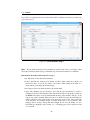
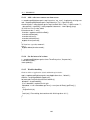
Here you can define LDAP (Lightweigth Directory Access Protocol) server entries. They
can be used to synchronize @enterprise organizational data with existing directory services. We provide a predefined LDAP schema and a corresponding mapping mechanism.
Customer specific synchronization semantics can be implemented as well. Details for such
mappings can be found in the programming manual.
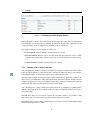
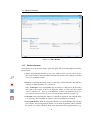
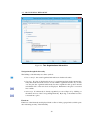
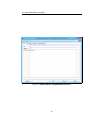
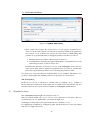
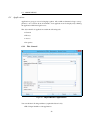
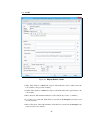
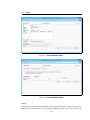
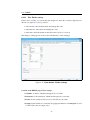
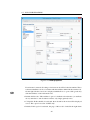
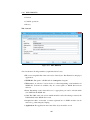
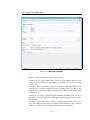
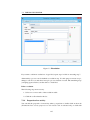
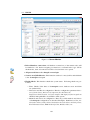
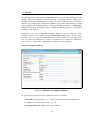
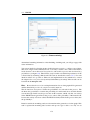
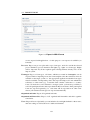
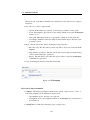
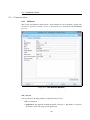
Tab: General
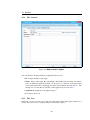
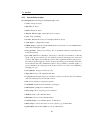
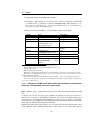
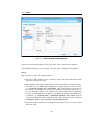
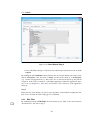
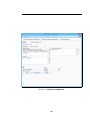
You can edit the following attributes (required fields are bold):
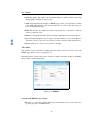
• Name: Name of the Server
• Server: Hostname of the LDAP Server
• Port: Port of the LDAP Server (port 389 is used as default)
• Direction: Direction of synchronization: either
– To LDAP or
– To @enterprise
• Search root: LDAP Root, e.g. dc=my,dc=org
• User: LDAP–Account, e.g. cn=admin,dc=my,dc=org
• Password: Password for the Account.
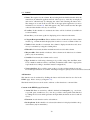
• Filter: LDAP Filter: allows to select just specific LDAP entries e.g.: (objectClass=*)
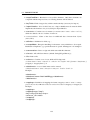
• LDAP Pagesize: with this parameter the result could be read in paged way, if the
result of read entries are too big (e.g. the search root is not deep enough).
• Class name: by specifying a class which implements com.groiss.ldap.DirectorySyncer,
one can realize proprietary schema mappings. @enterprise offers an implementation
for importing Active Directory users. For this purpose the class name
com.groiss.ldap.BasicUserDirectorySyncer must be entered (see section Active Directory Sync for more details).
• Parameter: Additional parameter for Active Directory Sync - see same named section
for more details.
• Description: free text.
• Check with timer: if checked, the LDAPDirSyncTask-Timer executes the synchronization automatically.
• Organizational units: if checked, Organizational Units are synchronized.
• Organization hierarchies: if checked, Organization Hierarchies are synchronized.
• Rights: if checked, Rights are synchronized.
195