1
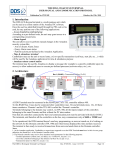
Network Effects Controller (NEC) The NEC is a multi-purpose controller with the following hardware: -LCD display and rotary push-button knob for user interface -SD/HC card slot to hold user generated lighting data and audio files -Network port to send lighting data to NDBs and synchronize with other NECs. -Single DMX port (2 RJ45 jacks) for sending DMX lighting data or receiving DMX commands. -Audio WAV file player and output jack -2 opto-isolated inputs (on RJ45 jacks) for triggering effects -Time of day clock to turn on/off automatically -Supports 8000 lights spread and 16 NDBs. The NEC can be set to operate in one of many different modes: 1. Effects Player Generates lighting effects and plays them. 2. Light Show Generates light show based on user selected effects and plays. Can play optional WAV files at same time. 3. File Player Plays preprogramed lighting files from SD card. Can play optional WAV files at same time. 4. Slave device Receives commands (via DDP, Art-Net or DMX) to play internally generated effects, lighting data files or audio WAV files. This mode is also used when synchronizing multiple NECs. 5. Triggered Player 2 input triggers can be set to play internal effects, lighting files or WAV files. An idle mode can play a 3rd file or effect. 6. ArtNet to DMX gateway Receives ArtNet packets and sends them out DMX port. 7. DMX to ArtNet gateway Receives DMX packets and sends them out as ArtNet packets 8. Utility Modes Play a WAV file from SD card. Auto-Configure NDBs. Reset NEC to factory settings. Update NEC firmware from SD card. Modes that play lighting data (Effects Player, Light Show, File Player, Slave Device and Triggered Player) can also be set to output to the DMX port instead of NDBs. In this case you are limited to 512 channels of output data (170 RGB lights). This can be used to control DMX dimmer boards and other DMX devices.