1
1. Description
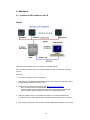
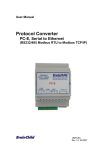
The Ethernet/Serial Converter enables serial devices, such as Modbus based IO modules
communicating on RS232/485 to be connected to a 10/100 Base-TX Ethernet network. The
Ethernet/Serial Converter can be configured to operate in a number of different modes
depending on the application. It can be configured as a transparent data link or it can perform
the gateway function of converting Modbus TCP messages to Modbus RTU messages.
The PC-E converters are factory programmed with a default IP address of 192.168.0.112.
This address must be changed before the converter is added to an existing Ethernet network.
The IP address in the converter should be unique in the network and can be changed via the
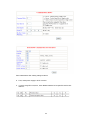
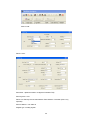
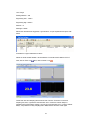
Web Server. Web server allows setting IP address, serial data format and operating modes.
The web server can be accessed by most web browsers like Internet explorer, Netscape etc.
PC-E supports FTP protocol which enables the web pages to be customized if required.
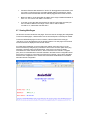
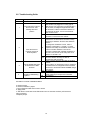
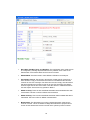
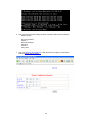
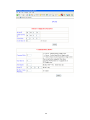
The web page address for viewing the setup parameters is http://192.168.0.112/index.htm the
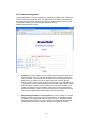
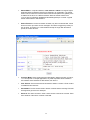
web page address for configuring the converter is http://192.168.0.112/ip.htm
The master device which is polling the modules must be configured with the IP address of the
converter and with the Modbus ID of the Modbus modules. As each RS485 network is
separate, it is possible to have repeated Modbus ID's on the RS485 networks. The IP address
differentiates between the different RS485 networks. Consequently, many hundreds of IO
modules may be added to an Ethernet network.
2. Operating Modes
2.1 Mode 0
Mode 0 is the standard server configuration for most Ethernet/serial converter applications.
This mode has been designed to service multiple sockets which enables up to 4 masters to
communicate with the slaves connected to the converter.
Each socket is serviced in turn, and any message in the socket is sent out on the serial port.
The converter then starts a timer waiting for a reply. When a reply is received the messages
is put into the initiating socket and send out on the Ethernet network. The converter then
checks the next socket. If no reply is received then the timer expires and the converter checks
the next socket. This timer is configured on the ip.htm web page and is labeled” Serial Reply
Timeout”.
The converter can also accept messages on UDP instead of TCP. Operation is the same and
does not need any special configuration.
There are a number of different configurations for this mode as follows:
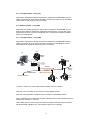
2.1.1 Modbus gateway – Using TCP
When used as a Modbus gateway the client must be configured to use Port 502. This is a
reserved port number for Modbus TCP applications and informs the converter that it must
implement the protocol conversion from Modbus TCP on the Ethernet network to Modbus
RTU on the serial network.
5