1
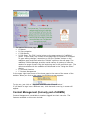
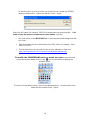
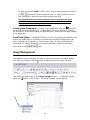
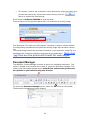
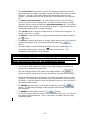
This screen is used to set up borders, insert descriptions, align the image, and set size and positioning. Once these values are set, press the button to activate the new settings. Don’t forget to SAVE and PUBLISH to save the page! The final option on the upload image screen is to overwrite an existing image. The “Overwrite if file with such name exists?” checkbox is used to indicate whether the image being uploaded should replace an existing image with the same name or not. The Upload Image screen also provides information on the maximum image file size allowed as well as the file extensions supported by the application. Note that .jpg files are the preferred format for web pages. Document Manager The radEditor Content Manager provides an option for managing documents. This option is located on the toolbar and is used to access the document manager. This option works like Image Manager does. PowerPoints and streaming videos can be uploaded to your website using this function. X To access the Document Manager screen, select the The document management screen displays. 23 button on the toolbar.