1
controlCUE Controllers | Connecting
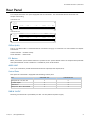
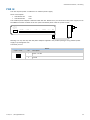
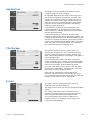
PWR IN
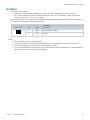
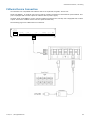
The unit requires power 24 VDC from an external power supply.
Power consumption
▪▪ controlCUE-one
▪▪ controlCUE-two
12 W
14 W
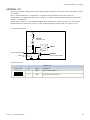
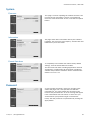
The standard power adapter is delivered with the unit. Attach the 2-pin connector of the power supply unit to
the PWR IN connector located on the rear panel and attach power cable to a power outlet.
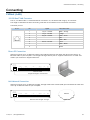
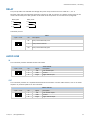
CUEnet (LAN)
default IP address
192.168.1.127
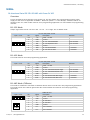
AUDIO LINE
IN
OUT
F. D.
L G R
L G R
1
IR/SERIAL
2
3
4
S G S G S G S G
SERIAL
1
+ G 1
2
3
4
5
GENERAL I/O
1 2 3 4 G
2
1
2
3
4
5
S S S S G
1
RELAY
2
NC C NO NC C NO
PWR IN
24 VDC
+ G
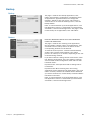
Warning: Use any unit only with the power adapter supplied in the product package. Using another power
supply may damage the unit.
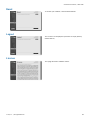
Connector pin out
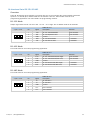
PWR IN
2-pin 3.5 mm
+ G
© CUE, a.s. | All Rights Reserved.
Pin
Description
+
Power +24 VDC
G
Ground
12