1
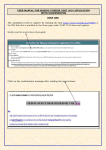
PAF Faculty User Manual
These are the steps to submit a PAF.
Note: You should log onto the network as yourself when you submit a PAF.
1. Open an Internet Browser. ( e.g. Internet Explorer).
Note: If you are doing this submission off-campus you must log into VPN first.
Login into VPN and continue the steps below.
2. Type paf.stjohns.edu on the URL line.
3. Click on:
4. The suggested naming convention for the submission name box is Last Name, First Name PAF
2014-2015. If you do not attach at least one file, you will receive an error message.
Note: You can only create one PAF Submission. You can edit and append to your PAF. Please
read the note that appears above the submission box.
5. Click Attach File.
6. Browse and choose file. Repeat steps 5 and 6 for additional files.
7. After all files are attached, click Save.
8. You receive an acknowledgement on the screen, once the PAF has been uploaded by the PAF
application:
9. You will also receive a Submission Confirmation email with the following information:
Any questions about submitting PAFs, please contact the E-Studio, Bent Hall Room 448, 718-990-6402
[email protected].