1
SCCS Introduction
4
5.3. When to make deltas
It is probably unwise to make a delta before every recompilation or test; otherwise, you tend to get a
lot of deltas with comments like “fixed compilation problem in previous delta” or “fixed botch in 1.3”.
However, it is very important to delta everything before installing a module for general use. A good technique is to edit the files you need, make all necessary changes and tests, compiling and editing as often as
necessary without making deltas. When you are satisfied that you have a working version, delta everything
being edited, re-get them, and recompile everything.
5.4. What’s going on: the info command
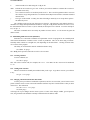
To find out what files where being edited, you can use:
sccs info
to print out all the files being edited and other information such as the name of the user who did the edit.
Also, the command:
sccs check
is nearly equivalent to the info command, except that it is silent if nothing is being edited, and returns nonzero exit status if anything is being edited; it can be used in an “install” entry in a makefile to abort the
install if anything has not been properly deltaed.
If you know that everything being edited should be deltaed, you can use:
sccs delta `sccs tell`
The tell command is similar to info except that only the names of files being edited are output, one per line.
All of these commands take a −b flag to ignore “branches” (alternate versions, described later) and
the −u flag to only give files being edited by you. The −u flag takes an optional user argument, giving only
files being edited by that user. For example,
sccs info −ujohn
gives a listing of files being edited by john.
5.5. ID keywords
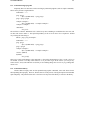
Id keywords can be inserted into your file that will be expanded automatically by get. For example, a
line such as:
static char SccsId[] = "%W%\t%G%";
will be replaced with something like:
static char SccsId[] = "@(#)prog.c 1.2
08/29/80";
This tells you the name and version of the source file and the time the delta was created. The string “@(#)”
is a special string which signals the beginning of an SCCS Id keyword.
5.5.1. The what command
To find out what version of a program is being run, use:
sccs what prog.c /usr/bin/prog
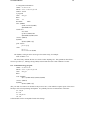
which will print all strings it finds that begin with “@(#)”. This works on all types of files, including binaries and libraries. For example, the above command will output something like:
prog.c:
prog.c
/usr/bin/prog:
prog.c
1.2
08/29/80
1.1
02/05/79
From this I can see that the source that I have in prog.c will not compile into the same version as the binary