1
SCCS Introduction
8
current directory regardless of the value of the −d flag.
9. Using SCCS on a Project
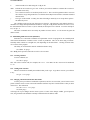
Working on a project with several people has its own set of special problems. The main problem
occurs when two people modify a file at the same time. SCCS prevents this by locking an s-file while it is
being edited.
As a result, files should not be reserved for editing unless they are actually being edited at the time,
since this will prevent other people on the project from making necessary changes. For example, a good
scenario for working might be:
sccs edit a.c g.c t.c
vi a.c g.c t.c
# do testing of the (experimental) version
sccs delget a.c g.c t.c
sccs info
# should respond "Nothing being edited"
make install
As a general rule, all source files should be deltaed before installing the program for general use.
This will insure that it is possible to restore any version in use at any time.
10. Saving Yourself
10.1. Recovering a munged edit file
Sometimes you may find that you have destroyed or trashed a file that you were trying to edit6.
Unfortunately, you can’t just remove it and re-edit it; SCCS keeps track of the fact that someone is trying to
edit it, so it won’t let you do it again. Neither can you just get it using get, since that would expand the Id
keywords. Instead, you can say:
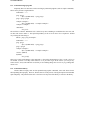
sccs get −k prog.c
This will not expand the Id keywords, so it is safe to do a delta with it.
Alternately, you can unedit and edit the file.
10.2. Restoring the s-file
In particularly bad circumstances, the SCCS file itself may get munged. The most common way this
happens is that it gets edited. Since SCCS keeps a checksum, you will get errors every time you read the
file. To fix this checksum, use:
sccs admin −z prog.c
11. Using the Admin Command
There are a number of parameters that can be set using the admin command. The most interesting of
these are flags. Flags can be added by using the −f flag. For example:
sccs admin −fd1 prog.c
sets the “d” flag to the value “1”. This flag can be deleted by using:
sccs admin −dd prog.c
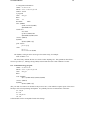
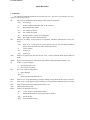
The most useful flags are:
6
Or given up and decided to start over.