1
Kramer Electronics, Ltd.
Preliminary
USER MANUAL
Model:
FC-200
XGA EDID Copier
Introduction
Contents
1
2
2.1
3
3.1
4
5
6
7
Introduction
Getting Started
Quick Start
Overview
Defining EDID
Defining the FC-200 XGA EDID Copier
Installing the Battery
Using the FC-200 XGA EDID Copier to Read and Write the EDID
Technical Specifications
1
1
2
3
3
4
5
5
7
Figures
Figure 1: FC-200 EDID Copier
Figure 2: Reading and Writing the EDID
4
5
Tables
Table 1: FC-200 EDID Copier Functions
Table 2: FC-200 XGA EDID Copier Technical Specifications
4
7
i
Introduction
1
Introduction
Welcome to Kramer Electronics! Since 1981, Kramer Electronics has been
providing a world of unique, creative, and affordable solutions to the vast range of
problems that confront the video, audio, presentation, and broadcasting
professional on a daily basis. In recent years, we have redesigned and upgraded
most of our line, making the best even better! Our 1,000-plus different models now
appear in 11 groups 1 that are clearly defined by function.
Thank you for purchasing the Kramer Pico TOOL™ FC-200 XGA EDID Copier
(and uploader) which is ideal for:
• Ensuring trouble free VGA transmission by copying an EDID block from a
display device to a Kramer compatible wall plate or twisted pair product
Each package includes the following items:
• The FC-200 XGA EDID Copier
• This user manual 2
• VGA cable 3
• PP3 9V battery
2
Getting Started
We recommend that you:
• Unpack the equipment carefully and save the original box and packaging
materials for possible future shipment
• Review the contents of this user manual
• Use Kramer high performance high-resolution cables 4
1 GROUP 1: Distribution Amplifiers; GROUP 2: Switchers and Matrix Switchers; GROUP 3: Control Systems; GROUP 4:
Format/Standards Converters; GROUP 5: Range Extenders and Repeaters; GROUP 6: Specialty AV Products; GROUP 7: Scan
Converters and Scalers; GROUP 8: Cables and Connectors; GROUP 9: Room Connectivity; GROUP 10: Accessories and Rack Adapters;
GROUP 11: Sierra Products
2 Download up-to-date Kramer user manuals from our Web site at http://www.kramerelectronics.com
3 Kramer model number C-MGM/MGM-1
4 The complete list of Kramer cables is on our Web site at http://www.kramerelectronics.com
1
Getting Started
2.1
Quick Start
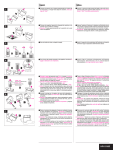
This quick start chart summarizes the basic setup and operation steps.
2
KRAMER: SIMPLE CREATIVE TECHNOLOGY
Overview
3
Overview
The Kramer Pico TOOLS™ FC-200 is an XGA 1 EDID (Extended Display
Identification Data, see Section 3.1) copier and uploader used to read and write
EDID to and from various devices. The FC-200 has a combined VGA input and
output on a single 15-pin HD computer graphics video connector.
The FC-200 is connected to a display device to capture (read and store) the EDID
from the display device 2. The FC-200 can then be connected to an interfacing
device (for example, the Kramer SV-301xl Wall Plate) to which it can write
(upload) the stored EDID information. This prevents the problem whereby a source
(for example, a PC) fails to output video because it was not connected to the
display device when attempting to read its EDID.
The FC-200 features:
• A 15-pin HD connector for input and output signals
• EDID READ and WRITE pushbuttons
• Power by a 9V internal battery
• An ON/OFF power switch and ON LED
• Visual indication of successful/unsuccessful read/write
To achieve the best performance:
• Use only good quality connection cables 3 to avoid interference,
deterioration in signal quality due to poor matching, and elevated noise
levels (often associated with low quality cables)
• Avoid interference from neighboring electrical appliances that may
adversely influence signal quality and position your FC-200 away from
moisture, excessive sunlight and dust
3.1
Defining EDID
EDID 4 is a data-structure that the display provides to describe its capabilities to a
graphics card connected to the display. The EDID enables the graphics card or
1 The actual resolution can be up to XGA
2 Some computers need to have the EDID information available when they boot up, otherwise the VGA output may be disabled
3 Available from Kramer Electronics on our Web site at http://www.kramerelectronics.com
4 EDID is defined by a standard published by the Video Electronics Standards Association (VESA)
3
Defining the FC-200 XGA EDID Copier
other source, such as a PC, to identify the characteristics of the monitor that is
connected to the output.
The EDID includes information, such as, the name of the manufacturer, product
type, timing data supported by the display, display size, luminance data, and (for
digital displays only) the pixel mapping data.
4
Defining the FC-200 XGA EDID Copier
Figure 1 and Table 1 define the FC-200.
Figure 1: FC-200 EDID Copier
Table 1: FC-200 EDID Copier Functions
#
1
2
3
4
5
4
Feature
EDID WRITE pushbutton
INPUT/OUTPUT 15-pin HD
connector
EDID READ pushbutton
ON LED
ON/OFF power switch
Function
Press to write the EDID to an EDID receiver
Connects to the VGA display during reading and to
the EDID receiver during writing
Press to acquire the EDID from the display source
Lights when the unit is switched on
Turns the FC-200 on or off
KRAMER: SIMPLE CREATIVE TECHNOLOGY
Installing the Battery
5
Installing the Battery
To install the battery:
1. Ensure that the FC-200 is turned off.
2. Using a Philips screwdriver, remove the two screws that retain the panel
bearing the ON/OFF switch and lay it aside.
3. Attach the battery connector to the battery taking care that the polarity is
correct. The connector fits the battery in one orientation only.
4. Slide the battery into the housing with the wires that exit the connector facing
the ON/OFF switch. Note that the battery can fit fully into the housing only if
the wires of the connector exit towards the switch.
5. Replace the panel, insert and tighten the retaining screws.
6
Using the FC-200 XGA EDID Copier to Read and Write the
EDID
Copying the EDID is a two step process consisting of:
1. Connecting the display device to the FC-200, reading the EDID, and
disconnecting the display.
2. Connecting the EDID receiver to the FC-200 and writing the EDID.
Figure 2: Reading and Writing the EDID
5
Using the FC-200 XGA EDID Copier to Read and Write the EDID
To read the EDID information:
1. Connect the FC-200 to the VGA connector on the display device (for
example, a projector), using the VGA cable 1 provided.
2. Turn the FC-200 on.
The ON LED lights continually, and the READ and WRITE buttons flash
alternately for approximately three seconds as the unit performs a self test.
Wait for the buttons to stop flashing.
3. Press the EDID READ button.
The EDID READ button flashes slowly for approximately 3 seconds while
the EDID information is read and stored in the non-volatile memory of the
FC-200. Slow flashing of the EDID READ button indicates a successful read
operation. When the button stops flashing, the EDID has been stored.
If the button flashes quickly, this indicates a failed read operation. Either the
connection has failed or the EDID is corrupt. Check the connection and repeat
this step.
4. Disconnect the display from the FC-200.
To write the EDID to the EDID receiver:
1. Connect the FC-200 to the VGA connector on the EDID receiver (for
example, a wall plate), using the VGA cable1 provided.
2. Turn the EDID receiver on.
3. Press the EDID WRITE button.
The EDID WRITE button flashes slowly for approximately 3 seconds while
the EDID information is written to the EDID receiver. Slow flashing of the
EDID WRITE button indicates a successful write operation. When the button
stops flashing, the EDID has been written.
If the button flashes quickly, this indicates a failed write operation. Either the
connection has failed or the EDID is corrupt. Check the connection and repeat
this step.
4. Turn the FC-200 off to extend battery life.
The power LED goes off.
Note: The FC-200 stores the EDID value that was last read even when the
power is off or the battery is disconnected.
1 The EDID is carried over pins 12 and 15 of the VGA connector, so the cable used for reading/writing must pass pins 12 and 15
6
KRAMER: SIMPLE CREATIVE TECHNOLOGY
Technical Specifications
7
Technical Specifications
Technical specifications of the FC-200 are listed in Table 2.
Table 2: FC-200 XGA EDID Copier Technical Specifications
INPUT/OUTPUT:
1 VGA on a 15-pin HD connector
CONTROLS:
Pushbuttons for EDID reading and writing
POWER SOURCE:
PP3 9V battery
DIMENSIONS:
6.2cm x 11.0cm x 2.4cm (2.4" x 4.3" x 0.9") W, D, H.
WEIGHT:
0.15kg (0.33lbs) approx.
ACCESSORIES:
VGA cable 2, PP3 9V battery
OPTIONS:
19” rack mount adapter
1
1 Specifications are subject to change without notice
2 Kramer model number C-MGM/MGM-1
7
LIMITED WARRANTY
Kramer Electronics (hereafter Kramer) warrants this product free from defects in material and workmanship under the
following terms.
HOW LONG IS THE WARRANTY
Labor and parts are warranted for seven years from the date of the first customer purchase.
WHO IS PROTECTED?
Only the first purchase customer may enforce this warranty.
WHAT IS COVERED AND WHAT IS NOT COVERED
Except as below, this warranty covers all defects in material or workmanship in this product. The following are not covered
by the warranty:
1. Any product which is not distributed by Kramer, or which is not purchased from an authorized Kramer dealer. If you are
uncertain as to whether a dealer is authorized, please contact Kramer at one of the agents listed in the Web site
www.kramerelectronics.com.
2. Any product, on which the serial number has been defaced, modified or removed, or on which the WARRANTY VOID
IF TAMPERED sticker has been torn, reattached, removed or otherwise interfered with.
3. Damage, deterioration or malfunction resulting from:
i) Accident, misuse, abuse, neglect, fire, water, lightning or other acts of nature
ii) Product modification, or failure to follow instructions supplied with the product
iii) Repair or attempted repair by anyone not authorized by Kramer
iv) Any shipment of the product (claims must be presented to the carrier)
v) Removal or installation of the product
vi) Any other cause, which does not relate to a product defect
vii) Cartons, equipment enclosures, cables or accessories used in conjunction with the product
WHAT WE WILL PAY FOR AND WHAT WE WILL NOT PAY FOR
We will pay labor and material expenses for covered items. We will not pay for the following:
1. Removal or installations charges.
2. Costs of initial technical adjustments (set-up), including adjustment of user controls or programming. These costs are the
responsibility of the Kramer dealer from whom the product was purchased.
3. Shipping charges.
HOW YOU CAN GET WARRANTY SERVICE
1. To obtain service on you product, you must take or ship it prepaid to any authorized Kramer service center.
2. Whenever warranty service is required, the original dated invoice (or a copy) must be presented as proof of warranty
coverage, and should be included in any shipment of the product. Please also include in any mailing a contact name,
company, address, and a description of the problem(s).
3. For the name of the nearest Kramer authorized service center, consult your authorized dealer.
LIMITATION OF IMPLIED WARRANTIES
All implied warranties, including warranties of merchantability and fitness for a particular purpose, are limited in duration to
the length of this warranty.
EXCLUSION OF DAMAGES
The liability of Kramer for any effective products is limited to the repair or replacement of the product at our option. Kramer shall
not be liable for:
1. Damage to other property caused by defects in this product, damages based upon inconvenience, loss of use of the product, loss
of time, commercial loss; or:
2. Any other damages, whether incidental, consequential or otherwise. Some countries may not allow limitations on how long an
implied warranty lasts and/or do not allow the exclusion or limitation of incidental or consequential damages, so the above
limitations and exclusions may not apply to you.
This warranty gives you specific legal rights, and you may also have other rights, which vary from place to place.
NOTE: All products returned to Kramer for service must have prior approval. This may be obtained from your dealer.
This equipment has been tested to determine compliance with the requirements of:
EN-50081:
EN-50082:
CFR-47:
"Electromagnetic compatibility (EMC);
generic emission standard.
Part 1: Residential, commercial and light industry"
"Electromagnetic compatibility (EMC) generic immunity standard.
Part 1: Residential, commercial and light industry environment".
FCC* Rules and Regulations:
Part 15: “Radio frequency devices
Subpart B Unintentional radiators”
CAUTION!
Servicing the machines can only be done by an authorized Kramer technician. Any user who makes changes or
modifications to the unit without the expressed approval of the manufacturer will void user authority to operate the
equipment.
Use the supplied DC power supply to feed power to the machine.
Please use recommended interconnection cables to connect the machine to other components.
* FCC and CE approved using STP cable (for twisted pair products)
8
KRAMER: SIMPLE CREATIVE TECHNOLOGY
For the latest information on our products and a list of Kramer
distributors, visit our Web site www.kramerelectronics.com
where updates to this user manual may be found.
We welcome your questions, comments, and feedback.
Safety Warning:
Disconnect the unit from the power supply before
opening/servicing.
Caution
Kramer Electronics, Ltd.
Web site: www.kramerelectronics.com
E-mail: [email protected]
P/N: 2900-000597 REV 1