1
Das
6 Fax
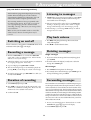
Sending faxes
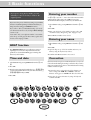
The following points are the most common causes of errors when
sending faxes! Don’t send
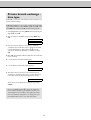
1 Dial the number you require.
2 Insert your documents face up into the document feed slot
(max. ten pages).
... pages from newspapers (printer’s ink).
... stapled pages or pages held together with paperclips. Remove all staples and clips before sending.
... creased or torn pages.
... wet pages or pages with corrections made with correction fluid; dirty pages or pages with a glossy or
laminated surface.
... pages joined with sticky tape or glue, with adhesive
stickers such as “post-it®” notes, or pages which are
too thin or too thick.
3 If you want to select a higher resolution, press FINE/PHOTO.
4 Press START. Transmission now begins. In case the connection is
not successful your fax machine will redial later.
5 If you want to interrupt transmission, press STOP.
... pages written in faint pencil, crayon, chalk or artist’s
charcoal.
Broadcast
Documents smaller than A5 risk getting stuck in the machine.
Write clearly and legibly. Only use pens with dark ink (black/
dark-blue, not yellow/orange/light green).
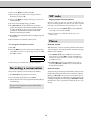
This feature is very useful, in case you want to send the same
document to more than one party (Circular send).
Documents printed on your fax machine are visible on the used
up ink film. In case of confidential texts the ink film should be
destroyed after usage.
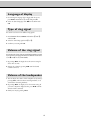
1 Insert the document face up into the document feed slot. If you
want to select a higher resolution, press FINE/PHOTO.
2 Select MENU 25. Press OK. The inserted document will
be stored into the memory.
3 Enter the first telephone number or e-mail address and
press OK. This will be your first entry in the recipient list.
Repeat the procedure until you have entered data for max.
five recipients.
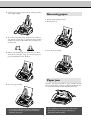
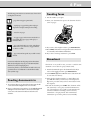
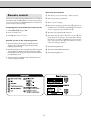
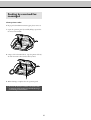
Feeding documents in
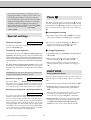
1 To avoid more than one page being fed at the same time, first fan
out the stack and then straighten it on a smooth surface.
4 To send the document press START. The document will be
sent successively to every party entered. If transmission to
one of the recipients is not possible your fax machine will
continue transmission according to the list and retry
transmission to the party missed. After transmission a
transmission report will be printed out automatically.
2 Insert your documents (max. 10 sheets) loosely with the printed
side up into the document feed slot. In case a document jam
occurs, remove the scanner from the device and remove the
document.
21