1
108
en | Troubleshooting transponders, points, receivers, and alert units
7.4
Security Escort
Receiver configuration dialog
Once the receiver and alert unit data for a transponder has been entered into the
Transponder Database, this dialog is used to verify that each receiver is working and is
properly addressed in the database. This setup tool identifies errors in the address switch
settings of receivers and alert units as well as data entry errors in the Transponder Database.
To Confirm the RF Reception
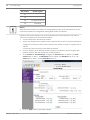
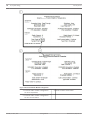
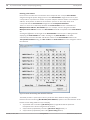
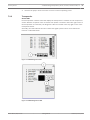
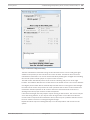
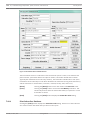
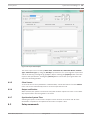
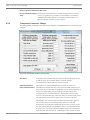
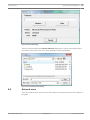
To confirm the RF reception, LED, sounder operation and location of each receiver, select
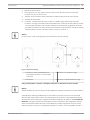
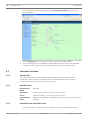
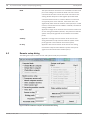
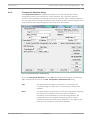
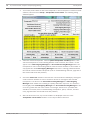
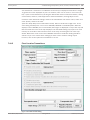
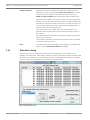
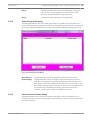
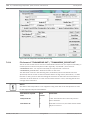
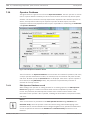
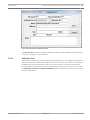
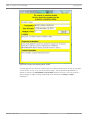
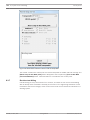
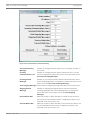
Receiver configuration from the Setup menu. The following dialog appears:
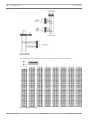
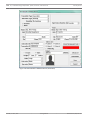
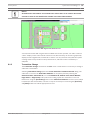
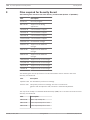
Figure 7.3: Receiver Configuration Dialog
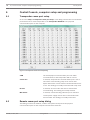
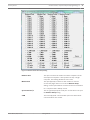
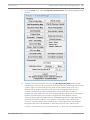
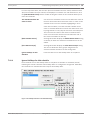
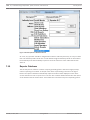
Select the desired transponder. Click on the [?] button next to the point number. A bus and
point grid will appear showing the programmed receivers. Click on the lowest point number
button. If the first receiver is point 0, click on the [0] button, or if the first receiver is point 1,
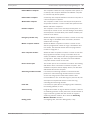
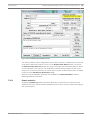
click on the [1] button. The point number will be automatically entered. Click the [Put this
receiver in setup mode] button. The red and green LEDs will light for the selected receiver on
the selected transponder.
2015.05 | V2.15.0 | DOC
Training Manual
Robert Bosch (SEA) Pte Ltd