1
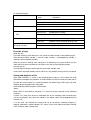
3. After turning on, if no indicator is on, that means no power, please turn off the unit,
recharge the battery, and then operate according to the first step.
4.Please turn off the power of HK52 before plug in/out USB data cable.
PC camera function
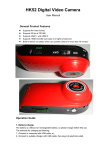
HK52 can also be used as PC camera. Install the driver software attached on the CD
before use. Turn the power switch ON, at the same time, press mode key to enter the
photographing mode with the red indicator being “On” constantly. Then connect HK52 to
computer with USB data cable, there will appear a standard video equipment on the
computer. This assembly can be used as a PC camera, or it may enter the charging mode
or U flash disk mode.
When PC camera is working, the battery can also be recharged at the same time.
In connect with stand, it can be used as a PC camera.
Some third-party application software can also view real-time video of PC camera and
save real-time video into the local computer, e.g. Amcap etc.
:Notes:
If do not connect with computer under the red indicator state, then it only can enter
charging mode or U flash disk mode
Power
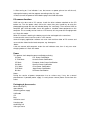
This product shall adopt the power certified by authority.
UL Mark
U.S. Power Certification
C-TICK Mark
Australia Power Certification
CE Mark
European Union Power Certification
GS Mark
German Power Certification
CCC Mark
China Power Certification
PSE Mark
Japan Power Certification
BS Mar
UK Power Certification
Notes:
During the service of power, temperature rise on surface may, if any, be a normal
phenomenon. If portable power supply is need, please remove power source from the
outlet.
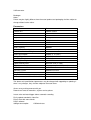
Packaging & Accessories
Micro SD card(TF)
Spare battery
Switching power supply
USB cable
CD
Bag
Valcro for stand
Hanging rope
Amounting nail
Silica gel sleeve



![[ENG] – User Manual – Fun3](http://vs1.manualzilla.com/store/data/005923067_1-4196d0dc74f449cecdfaee0ba5cc5697-150x150.png)