1
DAS-8000 ver. 2.5
Change of General Password
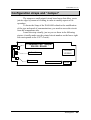
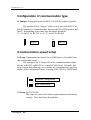
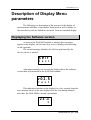
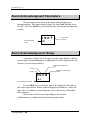
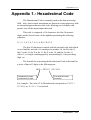
The next section of the Configuration Menu is the modification of
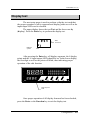
the Access Password (PASSWORD). On the upper display the last
password configured will be displayed, and on the lower one the message
PASS. Press the Increment and Shift keys to enter the new password.
0001
p a s s
Last configurated
PASSWORD
PassWord symbol
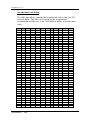
The access password allows the use of 10 digits, 0 to 9, and the
letters A, B, C, D, E and F, in any combination.
After modifying the password, press the Validation key to
confirm it or the Function key to leave without saving it.
NOTES:
•
The change of Password should be done associating it with some
number or word that is easy to remember, since you will use it to enter
the Configuration Menu very frequently.
•
If on the contrary, it is not going to be used for a long time, it is
advisable to write it in the Manual in case you need it in the future.
•
If you do forget your password, a procedure exists for returning to
the factory Password, that is not explained here, but can ask the supplier
of the DAS-8000 about the procedure.
Configuration / 128