1
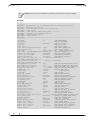
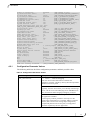
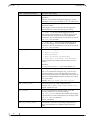
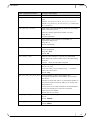
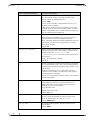
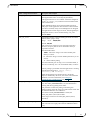
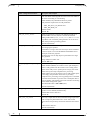
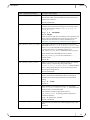
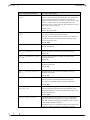
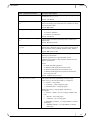
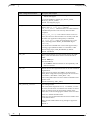
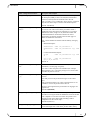
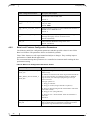
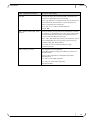
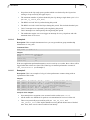
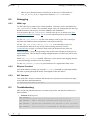
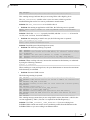
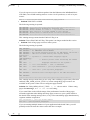
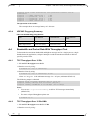
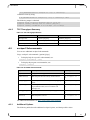
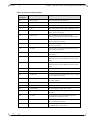
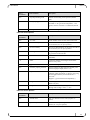
User Manual Rev 6.9.1 # LD_PRELOAD=libvma.so sockperf sr --tcp -i <server-ip> 14.Run the client by using: # LD_PRELOAD=libvma.so sockperf tp --tcp -i <server-ip> -m100 The following output is obtained: sockperf: Total of 8413778 messages sent in 1.100 sec sockperf: Summary: Message Rate is 7648873 [msg/sec] sockperf: Summary: BandWidth is 87.534 MBps (700.275 Mbps) A.4.3 TCP Throughput Summary Table 13: TCP Throughput Results A.5 Test 10 Gb Ethernet 10 Gb Ethernet + VMA Message Rate 1165457 [msg/sec] 7648873 [msg/sec] Bandwidth 13.338 MBps (106.701 Mbps) 87.534 MBps (700.275 Mbps) VMA Improvement 74.196 (562%) sockperf Subcommands You can use additional sockperf subcommands Usage: sockperf <subcommand> [options] [args] To display help for a specific subcommand, use: sockperf <subcommand> --help To display the program version number, use: sockperf --version Table 14: Available Subcommands Option Description For help, use help (h ,?) Display a list of supported commands. under-load (ul) Run sockperf client for latency under load test. # sockperf ul h ping-pong (pp) Run sockperf client for latency test in ping pong mode. # sockperf pp h playback (pb) Run sockperf client for latency test using playback of predefined traffic, based on timeline and message size. # sockperf pb h throughput (tp) Run sockperf client for one way throughput test. # sockperf tp h server (sr) Run sockperf as a server. # sockperf sr h For additional information, see http://code.google.com/p/sockperf/. A.5.1 Additional Options The following tables describe additional sockperf options, and their possible values. 51