1
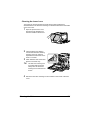
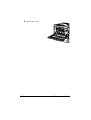
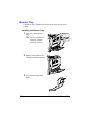
Replacing a Imaging Unit
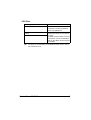
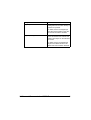
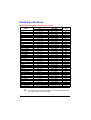
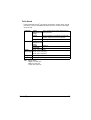
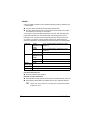
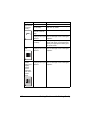
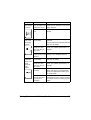
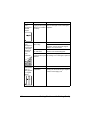
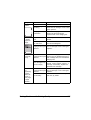
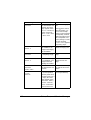
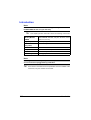
When replacing a imaging unit, refer to the following table. For optimum print
quality and performance, use only approved KONICA MINOLTA imaging units
for your specific printer type, as listed in the table below. You can find your
printer type and the imaging unit part numbers on the consumables reorder
label inside the front cover your printer.
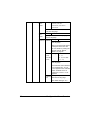
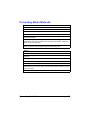
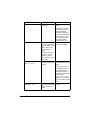
Printer
Type
AM
EU
AP
GC
"
Printer Parts
Number
4039 322
4039 224
4039 225
4039 226
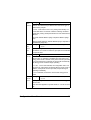
Imaging Unit Type
Imaging Unit
Parts Number
Imaging Unit - Black (K)
4062 211
Imaging Unit - Yellow (Y)
4062 311
Imaging Unit - Magenta (M)
4062 411
Imaging Unit - Cyan (C)
4062 511
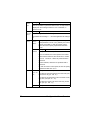
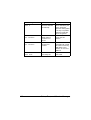
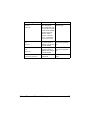
Imaging Unit - Black (K)
4062 213
Imaging Unit - Yellow (Y)
4062 313
Imaging Unit - Magenta (M)
4062 413
Imaging Unit - Cyan (C)
4062 513
Imaging Unit - Black (K)
4062 214
Imaging Unit - Yellow (Y)
4062 314
Imaging Unit - Magenta (M)
4062 414
Imaging Unit - Cyan (C)
4062 514
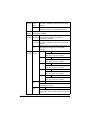
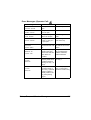
Imaging Unit - Black (K)
4062 216
Imaging Unit - Yellow (Y)
4062 316
Imaging Unit - Magenta (M)
4062 416
Imaging Unit - Cyan (C)
4062 516
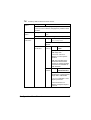
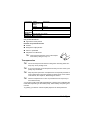
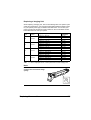
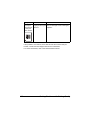
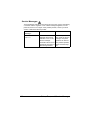
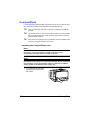
“I-UNIT” displayed in the control panel refers to the imaging unit.
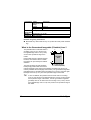
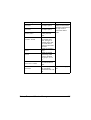
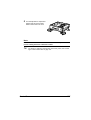
Note
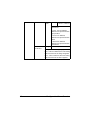
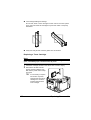
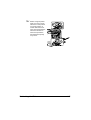
Do not touch the OPC drum
surface. This could lower image
quality.
K
Replacing Consumables
129