1
Zaxcom TRXLA2 Manual
Extended Menu
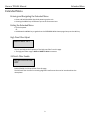
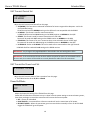
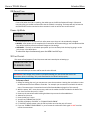
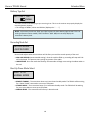
Group ID Set
REMOTE CONTROL
GROUP ID = 1
This allows you to set your TRXLA2 to a “GROUP” that will be controlled via ZaxNet.
So for example a TRX set to Group 1 will be controlled by a ZaxNet transmitter set to Group 1 and a Group
2 TRX will be controlled by a Group 2 ZaxNet transmitter. This allows a group of receivers to be controlled
without affecting others. This will also help if two or more people on set are sending ZaxNet commands
each person will be independent and won’t interfere with each other. Most users leave this set to 1 on all
of their Zaxcom products.
Group codes can be set from 1 to 99
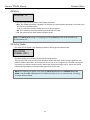
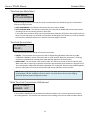
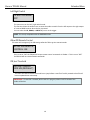
Unit ID Set
REMOTE CONTROL
UNIT CODE=ALL
This assigns a unique number identify the TRXLA2 within a particular group. This allows individual
transmitters in the same group to be independently controlled.
You can set this to ALL or assign a number from 1 to 200
16