1
Chapter 9: Tools
• Generate gate layouts (MoCMOS) Generates the layout for schematic cells in the Purple and Red
libraries (see Section 9−9). To use this command you must have a schematic in the current window.
The command then hierarchically scans the schematic looking for instances of the Purple and Red
library cells. When it finds such instances it generates layout for them and places the layout in a
library called "autoGenLibMOCMOS". If the cell already exists, it is not regenerated.
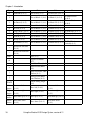
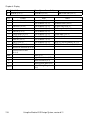
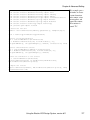
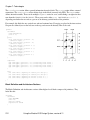
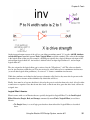
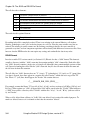
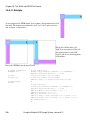
The gate layout generator recognizes these gates from the Purple and Red libraries:
inv
inv2i
inv2iKn
inv2iKp
invCLK
invCTLn
invHT
invK
invLT
inv_passgate
mullerC_sy
nand2
nand2HLT_sy
nand2LT
nand2LT_sy
nand2PH
nand2_sy
nand2en
nand2k
nand2LTen
nand2HTen
nand3
nand3LT
nand3LT_sy3
nand3LTen
nand3MLT
nand3en
nms1
nms1K
nms2
nms2K
nms2_sy
nms3_sy3
nor2
nor2kresetV
pms1
pms1K
pms2
pms2_sy
Using the Electric VLSI Design System, version 8.11
329