1
CSZ Dimension Series 60 UserÕs Manual
Operation
Watch the output percent simultaneously with watching the process
variable. Observe the nominal output values required to maintain
various process variable values (this may be done in manual mode
also). The reset value may be adjusted higher or lower so the output
percent is close to where it should be when the corresponding process
variable is achieved.
¥
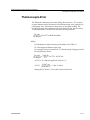
An approximate gain value for temperature control loops may be determined by this formula:
GAIN = .02 * ((output at temperature 1 - output at temperature 2)/
((temperature 1 - temperature 2)/(Input high limit - Input low limit)))
Unit Setup
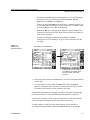
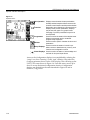
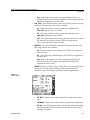
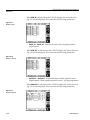
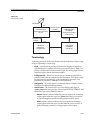
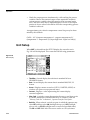
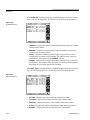
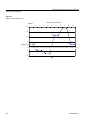
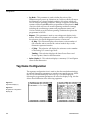
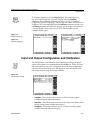
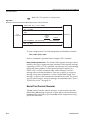
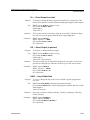
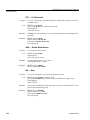
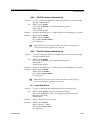
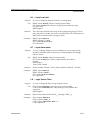
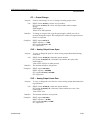
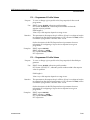
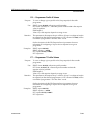
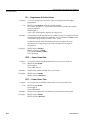
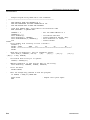
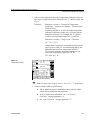
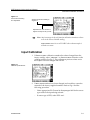
When UNIT is selected from the SETUP display, the screen shown in
Fig. 2-26 will be displayed. This screen has the following parameters:
Figure 2-26.
UNIT Display
2-30
¥
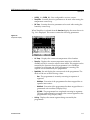
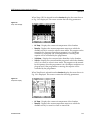
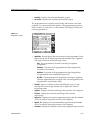
TimeODay - Set and display the real time in standard 24-hour
HH:MM:SS format.
¥
Date - Set and display the current date in standard MM/DD/YY
format.
¥
Access - Displays current access level (FULL, LIMITED, NONE). A
window will open to accept passcode entry.
¥
Contrast - Displays a value representing the current display
contrast/brightness.
¥
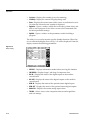
Mem_Card - A window opens that permits the user to read from, write
to, format, delete Þles or read the directory of a memory card. See
"Memory Card Slot" in Section 1, Operator Interface Description..
¥
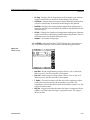
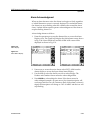
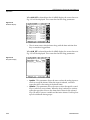
BackLite - When selected, a window opens in which the operator may
select SET and then select ON (backlight always on), OFF (backlight
always off), or CYCLE (backlight turns on and off at speciÞed times).
The ON and OFF Þelds allow the user to set the on/off cycle times.
HA090933U002