1
XL Meter™ Pro
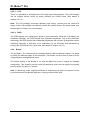
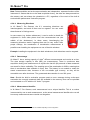
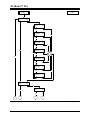
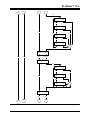
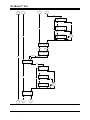
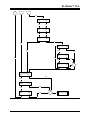
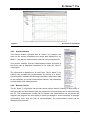
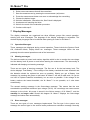
Figure 6
4.6.1
XL Vision 4.0 screensho
Synchronization
This function makes it possible that XL Vision™ 4.0 program can
show on the screen immediately the actual data displayed by XL
Meter™, and also the measurement results of every measurement.
This function enables, that the measurements results and state of
the device can be displayed immediately in XL Vision XL Vision™
4.0 program
The information is displayed on XL Info Panel. The XL Meter™ Pro
Gamma can proceed the synchronization by clicking on a button.
Synchronization contains the following information: the present state
of the equipment, the actual measurement number, the parameters
and the results of all measurements.
4.6.2
Remote Control
The XL Vision™ 4.0 program can provide remote control feature. Pushing of each button of
the instrument can be simulated from the program so full functionality can be achieved using
the PC. The measurement number can be chosen, the measurement can be started and
stopped (the program can also display a warning message to avoid overwriting a message
accidentally), then, with the help of synchronization, the measurement results can be
displayed on the screen.
© Inventure Automotive Electronics R&D, Inc.
XLMPUSREN73 – page 29