1
BOLIDE: User manual
BOLIDE Interface
Last update: 28 Sep 2007
___________________________________________________________________________________________________________
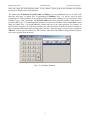
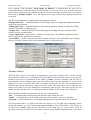
TRadioButton, TComboBox, TLabel, TEdit, TCounter, TBrowse define the
position number in the line of input file.
2.1. Properties of the components
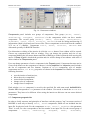
TForm has property Caption which defines the window title and menu in Main Window. The
separator “|” divides the names of the menu item and the submenu item which corresponds to this
window. If separator “|” is absent the menu items corresponds to window and no submenu items.
Menu and submenu items of Main Window are automatically contracted using the Caption
property of TForm components.
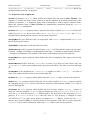
TPanel has Caption property which is placed in the center of panel. BevelWidth defines the
width of bevel. Align has several values: None, Top, Bottom, Left, Right and Client
which define the panel position relatively to the parent component.
TGroupBox has one difference only in comparison with TPanel component that Caption is
placed in the top-left corner.
TTabSheet components can be placed in one frame.
TRadioGroup is the receptacle for radio buttons. Caption defines the title in the top-left corner.
Columns – number of columns for radio buttons. ItemCount – is number of radio buttons. Item[0]…
- are titles of radio buttons. The number of the chosen radio button is saved to the input file.
TCheckBox has Caption property which defines the title of component. The state is saved to the
input file.
TRadioButton differs from the TCheckBox in such a way that user can choose only one
TRadioButton on the same window (panel, group box, tab sheet). The state is saved to the input
file.
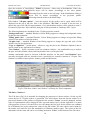
TComboBox is the dropdown list. ItemCount –is number of items. Item[0]… - are titles of
items. The number of chosen item is saved to the input file.
TLabel has Caption property which defines the title. Caption value is saved to the input file.
TEdit has Text property which defines the text in editor window. ReadOnly property forbids
the changing of text. TEdit can be used both for numerical value and text editing. Text value is
saved to the input file.
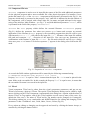
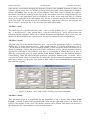
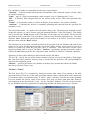
TCounter has Text property which defines the text in editor window. Digits – number of
digits for value presentation. Counter property defines two state of TCounter. If Counter is
set to the true then the using of “<|>”button leads to the increment or the decrement of Text
property. If Counter is set to false then the letter in Text property is changed to value
“0123456789.-E”. Use right mouse button for rotation of “<|>”button. In this case the “<|>”
button can be used for adding or removing letters in Text property. Text value is saved to input file.
TCounter can be used for numerical value only. Text value is saved to the input file.
8