1
Sawgrass Technologies, Inc.
SubliJet IQ® Getting Started Guide for the EPSON Stylus PRO 4880
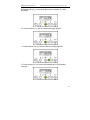
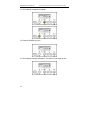
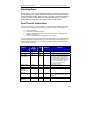
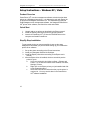
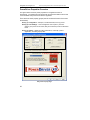
PowerDriver Properties Overview
The figures below show the printer properties for a registered version of
PowerDriver. The Advanced Color Options tab and the Print Palette functions will
not be available if the product has not been registered.
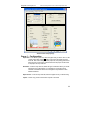
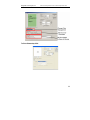
There are three main property groups (see the numbered boxes in the screen
shots below):
Group (1): Configuration – Set Paper, Transfer Substrate, and Copy Count
Group (2): Color Settings – Color management control options. (The Color
Options group comes in two modes, Easy and Advanced.) Both are described
below.
Group (3): Options – Utilities for printer maintenance, online help, product
registration, and setting input profiles.
1
3
2 (Easy Color Option)
Easy Color Property Page
22