1
Quick
Answer
The
Get Extra Columns in
Your Lookup Table
JON MCLAUGHLIN
The Do-It-Yourself Guide to Q&A
Q
&A’s Lookup commands are a valuable tool that can enhance and
streamline your data entry. Most often, they’re used to standardize
and automate entries made in database fields, thus minimizing
errors while maximizing efficiency.
The Lookup commands find and retrieve information contained in the
database’s Lookup Table, which you can access in Q&A for DOS by
following the File / Design a file / Program a file / Edit Lookup Table path, and in
Q&A for Windows by opening a database, then selecting File / Edit Lookup
Table. The Table consists of a Key or Key value column and four lookup value
columns.
The Key column is designed to contain a number, code or abbreviation
that corresponds to lookup data contained in the four adjacent columns on
the same row. (They’re numbered 1 through 4 at the top.) The four lookup
columns enable one Key column value to perform as many as four different
lookups. (See the Sidebar on page 3 for a simple example.)
August 2002
Volume 13 Number 8
1
Extra Lookup Table Columns
Jon McLaughlin
2
Editorial
2
Tip—Retrieve Every Nth Record
4
Sesame Seeds—New Programming
Features in Sesame
6
@Help—Edited by Bill Halpern
• Memory Error Printing Expanded Fields
• Multiple Selections from Pick Lists
• Q&A Win—Adding New Fields/Forms
• System Error in Q&A 3.0
• Duplicate ‘Records’ a Misnomer
• Same Printer in Windows and Q&A?
When just four isn’t enough
But what if you need more than four columns of lookup data? A common
example might be any database using an ID number to lookup name,
address, and phone information. This type of data might easily require at
least six fields in the database: First name, Last name, Street, City, State,
Zip, and Phone. Of course, with only four Lookup columns, a lookup like
this is not readily possible.
My workaround involves storing two or more lookup values in one
column, separated by something unique, like “///”. Then, during the
lookup, special programming is used that recognizes only the data to the left
or right of the separators.
8
Review—A Convenient Utility—
BAT2EXEC
9
Tip—Easier-to-Manage Pick-lists
MARBLE
PUBLICATIONS
.
For example, I’ll use column 1 in the
Lookup Table to contain the First and
Last name, formatted this way:
Jon///McLaughlin
Column 2 will contain the street
address.
Column 3 will contain the City and
State, like this:
My Town///WA
Finally, column 4 will contain the
ZipCode and Phone, like this:
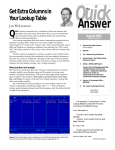
Figure 1. This Lookup Table contains a header row (to identify the data) and one lookup data
row with the Key value “502.” Notice how the data values are separated by “///”.
12335///888-987-6543
Continues on page 3