1
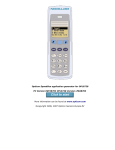
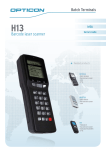
2 Introduction The TradCom ScannerApp is the application par excellence for easy ordering or stock management on TradCom. This software ensures efficiency gains in the ordering process and when managing your own stocks. The application consists of software to run on your PC in combination with two Opticon scanners, i.e. the small OPN2001 and the smart OPL9728. Below you will find a matrix to select the scanner that meets your functional requirements. floor stock management OPN2001 OPL9728 stock management by several people highly frequent use ordering in – out – inventory registration The OPN2001 is the scanner you need to order items from a catalogue or to replenish floor stocks. You can also use the OPL9728 for ordering, but it is especially useful for online stock management (in – out – inventories). The only requirements to use this application are: 1. You need a PC with an internet connection. 2. You have to be registered on TradCom (www.tradcom.com) and have a valid user name/password combination. Then, all you have to do is install the PC software to get started. This manual describes the installation and configuration of the PC software, as well as the operational use of both scanners. Do not hesitate to contact us in case of problems during the installation or when using the TradCom ScannerApp. TradCom Helpdesk phone : +32 (0)14 336 236 fax : +32 (0)14 336 235 [email protected] 3 / 17