1
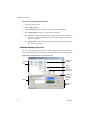
Chapter 16 Connecting Devices VMware has tested a variety of USB devices with Workstation 6.5. If the guest operating system has appropriate drivers, you can use PDAs, printers, storage (disk) devices, scanners, MP3 players, digital cameras, and memory card readers. USB human interface devices, such as the keyboard and mouse, can be handled though the virtual machine’s USB controller. If you do not select the option to show all USB input devices as removable devices, they appear in the virtual machine as a standard PS/2 keyboard and mouse, even though they are plugged into USB ports on the host. Enable the USB 2.0 Controller for a Virtual Machine The virtual machine’s USB ports are enabled by default, although support for high‐speed USB 2.0 devices is not enabled by default. Modems and certain streaming data devices, such as speakers and webcams, do not work properly unless you enable USB 2.0 support. Before you begin, perform one of the following tasks that apply to your configuration: Verify that the virtual machine is a Workstation 6 or higher virtual machine. On Windows XP guests, verify that the latest service pack is installed to use USB 2.0. If you use Windows XP with no service packs, the driver for the EHCI controller cannot be loaded. On a Windows 2000 host with USB 2.0 support, use the Microsoft USB 2.0 driver for the USB controller. Third‐party USB 2.0 drivers, such as those that some motherboard manufacturers provide, are not supported. See “Replace USB 2.0 Drivers on a Windows 2000 Host” on page 339. If you do not plan to use USB devices in a virtual machine, you can use the virtual machine settings editor to disable USB 2.0 support. To enable the USB 2.0 Controller for a virtual machine 1 Select the virtual machine. 2 Choose VM > Settings. 3 On the Hardware tab, select USB Controller. 4 Select the Enable high‐speed support for USB 2.0 devices check box and click OK. VMware, Inc. 335