1
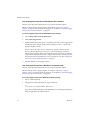
Workstation User’s Manual Rename Virtual Machine Computer Names Computer names must be unique on all virtual machines, otherwise the Integrated Virtual Debugger cannot find the appropriate virtual machine on the network. To rename virtual machine computer names 1 On the guest system, choose Start > Control Panel > System. 2 Select the Computer Name tab. 3 Click Change. 4 Type a unique name and click OK. Install the Remote Debug Monitor Manually on Windows 98 Guest Systems To enable debugging in a virtual machine, the Integrated Virtual Debugger shares the host folder that contains the Remote Debug Monitor, and runs that Remote Debug Monitor on the guest. On Windows 98, you cannot run the Remote Debug Monitor (or any executable file) from a shared folder. An attempt to do so generates the following error: The remote debugger is not properly installed. On a Windows ME or Windows 98 computer, the debugger cannot be run off a file share. Run the remote debugger setup. Manually install and start the msvsmon.exe Remote Debug Monitor executable file on the guest operating system before you start a debugging session. The msvsmon.exe is included in the Visual Studio 2005 installation CD. To install the Remote Debug Monitor manually on Windows 98 guest systems Do one of the following: 490 Create a mapping to a network share with the host where msvsmon.exe is located. Install msvsmon.exe from the Visual Studio 2005 installation CD. VMware, Inc.