1
7. Troubleshooting
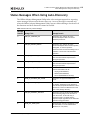
Unsupported Driver
7. Troubleshooting
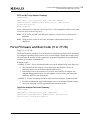
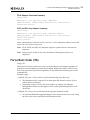
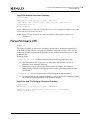
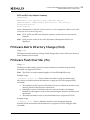
The Force Firmware (/ff), Force Boot (/fb), and the Force Firmware and Boot Code (/f)
switches take precedence over the /downgrade, /update, and /rewrite switches. If /ff,
/fb, or /f are used, the /downgrade, /update, and /rewrite switches are ignored.
The following examples illustrate this behavior:
1. ./elxflash /ff /update
a. /update is ignored.
b. Performs a Force Firmware operation on all installed and supported adapters.
2. ./elxflash /fb /update
a. /update is ignored.
b. Performs a Force Boot Code operation on all installed and supported adapters.
3. ./elxflash /ff /downgrade
a. /downgrade is ignored
b. Performs a Force Firmware operation on all installed and supported adapters.
4. /elxflash /fb / downgrade
a. /downgrade is ignored.
b. Performs a Force Boot Code operation on all installed and supported adapters.
5. ./elxflash /ff /rewrite
a. /rewrite is ignored
b. Performs a Force Firmware operation on all installed and supported adapters.
6. ./elxflash /fb / rewrite
a. /rewrite is ignored.
b. Performs a Force Boot Code operation on all installed and supported adapters.
Unsupported Driver
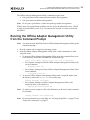
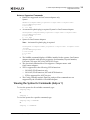
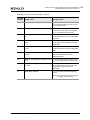
The Offline Adapter Management Utility outputs an error similar to the following if an
unsupported driver is installed on the system:
elxflash: no supported Emulex HBA's found - Return Code=1
If an error similar to the above occurs, verify that the correct version of the driver is
installed. The supported drivers and Linux distributions are listed in this document.
Updating Adapters without Boot Code
The Offline Adapter Management Utility reports an adapter's Boot Code version as
“NONE” when the adapter does not have boot code installed. The Offline Adapter
Management Utility does not update, downgrade, or rewrite the boot area if boot code
is not present, but firmware will still be updated or downgraded without boot code.
You can force a boot code download using auto-discovery or the fwmatrix.txt file.
Offline and Online Adapter Management Utilities Version 6.1 User Manual
P008003-01A Rev. A
69