1
User Manual ofiVMS-4200 Client Software
Contents
Notices .......................................................................................................................................... 1
Contents ........................................................................................................................................... 2
Chapter1. Overview .............................................................................................................. 4
1.1 Description .................................................................................................................... 4
1.2 Features & Functions ................................................................................................. 4
Chapter2. Update Info......................................................................................................... 5
Chapter3. Starting iVMS-4200 ........................................................................................ 6
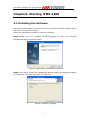
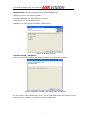
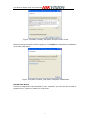
3.1 Installing the Software ............................................................................................. 6
3.2 Uninstalling the Software ...................................................................................... 11
3.3 User Registration ...................................................................................................... 12
3.4 Import Camera Wizard ........................................................................................... 13
3.5 User Login ................................................................................................................... 16
3.6 Control Panel Introduction .................................................................................... 17
3.7 Account Management.............................................................................................. 20
Chapter4. Adding Devices ............................................................................................... 22
4.1 Adding Device ............................................................................................................ 22
4.1.1 Adding Device ................................................................................................ 22
4.1.2 Device Configuration ................................................................................... 24
4.2 Adding a Stream Media Server ........................................................................... 25
4.3 Adding a Camera Group......................................................................................... 26
Chapter5. Live View & Control ..................................................................................... 28
5.1 Main View Interface ................................................................................................. 28
5.2 Starting Live View .................................................................................................... 30
5.3 Capture in Live View................................................................................................ 31
5.4 PTZ Control ................................................................................................................. 32
5.4.1 Preset ................................................................................................................ 34
5.4.2 Pattern .............................................................................................................. 34
5.4.3 Patrol ................................................................................................................. 35
5.5 Alarm / Event View .................................................................................................. 36
5.5.1 View Alarm /Event Information ............................................................... 36
5.5.2 Alarm Log Linkage........................................................................................ 38
Chapter6. Recording ........................................................................................................... 40
6.1 Local Recording ......................................................................................................... 40
6.2 Storage Server Recording ..................................................................................... 40
6.2.1 Adding Storage Server ............................................................................... 40
6.2.2 Setting Storage Server Recording Schedule ...................................... 42
6.3 Remote Recording .................................................................................................... 45
Chapter7. Playback ............................................................................................................. 47
7.1 Playback of Local Stored Files ............................................................................. 47
7.2 Instant Playback ....................................................................................................... 48
7.3 Event Playback .......................................................................................................... 50
2