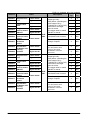
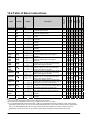
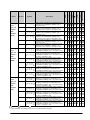
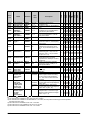
1
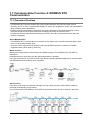
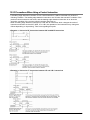
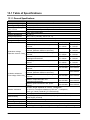
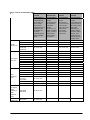
When using the FP0R in the same specifications as FP0
The FP0R supports an operation mode "FP0 compatibility mode". Using this mode enables to use the
programs of the FP0 as they are.
In the FP0 compatibility mode, the programs except some programs can operate with the same
specifications as the FP0.
Note:
The FP0 compatibility mode is not available for the F32 type.
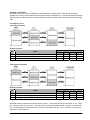
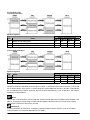
The speed of arithmetic processing in the FP0 compatibility mode is the same as the FP0R, so the
timing for processing the program may differ from the original timing for the FP0 program.
If you want to execute the program in the condition close to the original timing, set a constant scan or
insert a program that does not affect the external operation to adjust the timing.
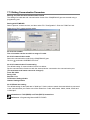
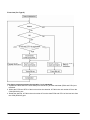
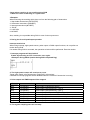
How to use FP0 compatibility mode
Download the programs uploaded from the FP0 or the programs that the model code is created as the
FP0, using an applicable programming tool for the FP0R A confirmation message will be shown on the
tool, and the mode will be automatically changed to the FP0 compatibility mode.
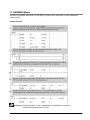
Tools supporting FP0 compatibility mode
FPWIN GR Ver. 2.80 or later/FPWIN Pro Ver.6.10 or later
Restrictions on switching to FP0 compatibility mode
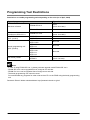
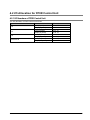
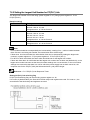
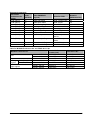
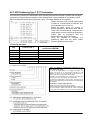
For downloading the FP0 programs to the FP0R in the FP0 compatibility mode, the model setting for the
FP0 programs should match the model type of the FP0R as the table below.
Model setting for FP0 program
C10
C14
C16
C32
T32
Applicable FP0R model
C10RM, C10RS, C10CRM, C10CRS
C14RM, C14RS, C14CRM, C14CRS
C16T, C16P, C16CT, C16CP
C32T, C32P, C32CT, C32CP
T32T, T32P, T32CT, T32CP