1
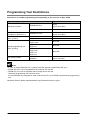
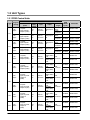
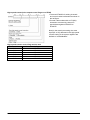
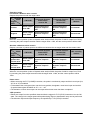
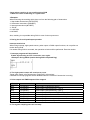
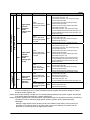
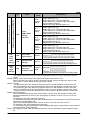
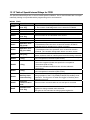
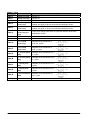
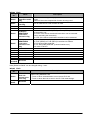
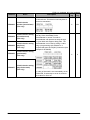
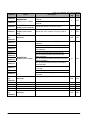
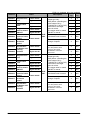
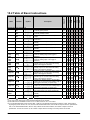
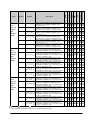
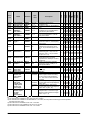
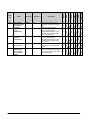
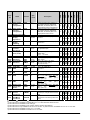
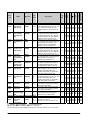
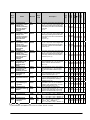
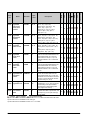
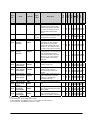
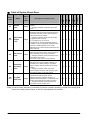
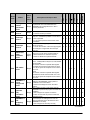
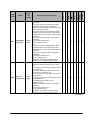
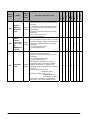
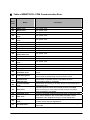
15.4 Table of Error codes Difference in ERROR display There are differences in the way errors are displayed depending on the model. Model Display Display method FP1,FP-M,FP2,FP3,FP10SH LED ERROR. Continually lit FPΣ,FP0, FP0R, FP-X LED ERROR/ALARM Flashes/contunually lit FP-e Screen display ERR. Continually lit Error Confirmation When ERROR Turns ON When the “ERROR” on the control unit (CPU unit) turns on or flashes, a self-diagnostic error or syntax check error has occurred. Confirm the contents of the error and take the appopriate steps. -Error Confirmation Method Procedure:1.Use the programming tool software to call up the error code. By executing the “STATUS DISPLAY”, the error code and content of error are displayed. 2.Check the error contents in the table of error codes using the error code ascertained above. -Syntax check error This is an error detected by the total check function when there is a syntax error or incorrect setting written in the program. When the mode selector is switched to the RUN mode, the total check function automatically activates and eliminates the possibility of incorrect operation from syntax errors in the program. When a syntax check error is detected -ERROR turns on or flashes. -Operation will not begin even after swirching to the RUN mode. -Remote operation cannot be used to change to RUN mode. Clearing a syntax check error By changing to the PROG.mode, the error will clear and the ERROR will turn off. Steps to take for syntax error Change to the PROG. mode, and then execute the total check function while online mode with the programming tool connected. This will call up the content of error and the address where the error occurred. Correct the program while referring to the content of error. 15-68