1
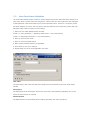
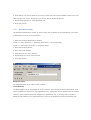
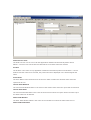
5.7.2. Completing the Internet Page Report Type Setup
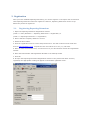
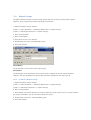
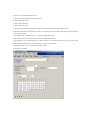
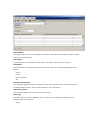
The URL Path is the Internet Address of the report. The Printing Destination is the destination
where the report will print. An Internet Page report can only be printed to screen.
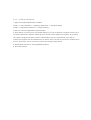
5.7.3. Completing the Great Plains Report Type Setup
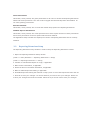
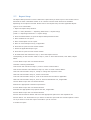
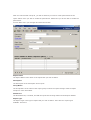
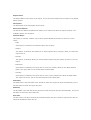
The Report Product is any application installed in Microsoft Dynamic Great Plains™. Once a product
has been selected, the Product ID will be displayed in the field alongside the Report Product field.
The Report Name is the name of the Microsoft Dynamic Great Plains™. report. The Printing
Destination is the destination where the report will print. The available destinations are as follows:
Screen
The report will print to the screen if this option is selected.
Printer
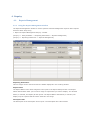
The report will print to a printer if this option is selected. If this option is selected, the Printer
Name and Description fields become available. The Printer Name is the name of the printer. The
Description is the description of the printer. The printers that were defined in the Printer Definition
window are the printers that are available for selection in this window. Refer to printer Definition
for
more information. Please note that the printers selected in this window will override the printers
assigned to the Users in the User Default Printer window.
Screen and Printer
The report will print to both the screen and the printer if this option is selected. If this option is
selected, the Printer Name and Description fields become available. The Printer Name is the name
of the printer. The Description is the description of the printer. The printers that were defined in
the Printer Definition window are the printers that are available for selection in this window. Refer
to printer Definition for more information. Please note that the printers selected in this window will
override the printers assigned to the Users in the User Default Printer window.
File
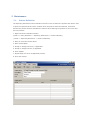
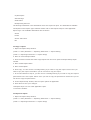
The report will print to a file if this option is selected. The report will print to the File Folder
specified in the Reporting Extensions Setup window. Refer to Reporting Extensions Setup for more
information. When this option is selected, the Next File Name, File Format, Increment and
Distribution List fields become available. The Next File Name will be the name of the next file that
is created. The File Format is the format that the file will be created in. The available formats are
as follows:
Text File
Tab Delimited
Comma Delimited