1
pixels in ssize. Larger im
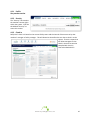
mages can be used but will only displayy 100x130. Deleting a photo – To delete a phhoto select the Delete Photto checkbox aand click tto remove th
he image. Adding/U
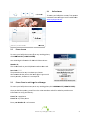
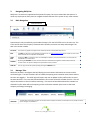
Updating Skkills To updatee member skiills click and the Skills and Craafts selection box will appeear. Select the appropriaate skills and ccrafts or add a new skill orr craft and click
. Note: N
Not all memb
bers will have tthe rights to add a new skkill or craft. Seee your systeem administraator if you need these righ
hts added to your member profile. 4.1.2 A
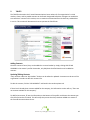
Adding/Updating Depen
ndents Addin
ng Depende
ents Addin
ng dependentts will give your manager insight about additiional responssibilities you m
may have to m
manage durin
ng a crisis. To add a dep
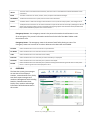
pendent, go tto the “Depen
ndents” form on your p
profile, enter a name in th
he name field,, then select tthe appro
opriate type from the drop
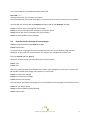
p down. Oncee the form is complete, click
. to add depen
ndents to thee list. dents Updaating Depend
To up
pdate dependents click and the in
nformation fo
or the dependen
nt will load into the Add a Dependent fo
orm. Update the information in the forrm and click
. If you w
would like to delete the deependent sim
mply click the inform
mation will be
e removed fro
om your RallyyPoint. next to his/her namee and 4.1.3 A
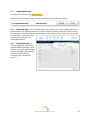
Adding/Updating Contact Informatiion The contaact informatio
on should be up to date att all times. Dissasters are dyynamic, and sso are preparedn
ness and reco
overy plans. M
Managers bro
oadcast missio
on critical info
ormation to tthe communication device
es you providee. You will no
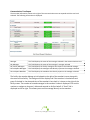
otice a “Prioritty” setting for the Email and Text Messsaging fields. Maanagers will decipher which device(s) th
he alerts are ssent to based
d on the priority setting. Generallyy, during an em
mergency thee broadcast w
will be sent to
o every devicee available to ensure a successful delivery. Adding/U
Updating Te
ext Messagin
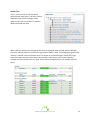
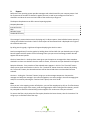
ng Adding aa Cell Phone Number To add a ccell phone nu
umber, enter the cell phone number includin
ng the area code in the “Number”” field. Choosse a Carrier frrom the drop down menu. To receive text messagges to the www.myrallypoint.com
13