1
EMP Driver
Adding Point and Viewing Data
4.3
Defining Your Driver Configuration
This step in the exercise has you:
■
■
■
■
■
■
1.
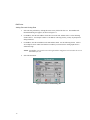
Define your driver’s channel communications.
Define your driver’s primary station number.
Define your driver’s hardware type.
Define your driver’s poll record.
Save and reload your driver configuration.
Place the AI1 block on scan.
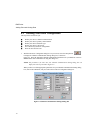
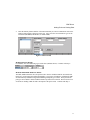
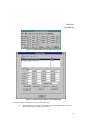
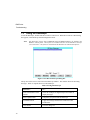
With the I/O Driver Configurator dialog box on your screen, select the Setup button,
,
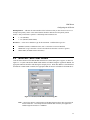
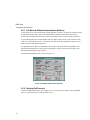
to display the Channel Communication Setting dialog box, as shown in
Figure 4-3. Enter the appropriate channel communication parameters for your hardware. Refer to
Section 5.2 for more information on using this dialog box.
NOTE: The parameters you enter into your Channel Communication Setting dialog box can
differ from what is presented in Figure 4-3.
When you have set all the appropriate parameters for your Channel Communication Setting dialog
box, click on the OK button, and you return to the I/O Driver Configurator dialog box.
Figure 4-3 Channel Communication Settings Dialog Box
10