1
EMP Driver
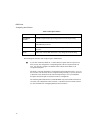
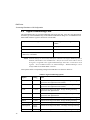
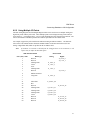
Configuring the I/O Driver
The...
Lets you...
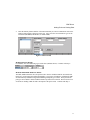
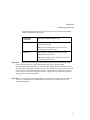
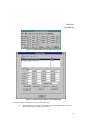
Poll Record Spreadsheet
Display configured poll records. Click any record to
set the Modbus I/O address or view the Modcell, Mod
30ML address for specific poll records.
Status Bar
Display the status of the <Caps Lock>, <Num Lock>
and <Scroll Lock> keys as well as a description of the
selected menu command.
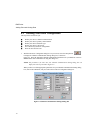
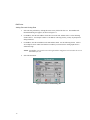
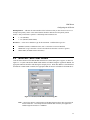
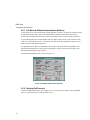
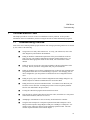
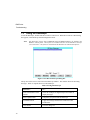
To enter data into the driver configuration worksheet, select commands from the menus on the menu
bar, as shown in Figure 5-1. Below is a summary of each available menu:
File menu — provides standard file commands, such as New, Open, Close, Save and Save As. The
Open, Save, and Save As commands allow you to select a File Type option. Use this option to select
either the extension for your driver configuration files or the .CSV extension for ASCII report files.
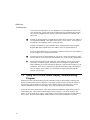
NOTE: At present, CSV files are not supported. If you save this configuration as a CSV file,
Modcell and MOD 30ML data will not be correct.
The Reload command updates the current configuration with the one in memory. This is necessary for
the rest of the system, such as Database Builder, to be able to see the new information. This will
temporarily stop SAC (Scan Alarm and Control) and the Driver, load the new driver configuration, and
restart SAC and the Driver.
NOTE: This feature is not supported on the Windows NT platform.
The File menu also lists the four most recent driver configuration files you have had open. Selecting
one of these files lets you open it without using the Open command.
The Exit command will allow you to close the I/O Driver configuration program.
View menu — provides toolbar and status bar display commands.
Options Menu — provides access to the Display Alarms command. This command allows you to
control the distribution of driver alarms to the alarm destinations enabled in the SCU, except the Alarm
Summary Display. By default, display of alarms is ENABLED. The Alarm Summary Display shows
communication errors as database block alarms, not driver alarms.
Help menu — provides access to Intellution’s on-line help system for the I/O Driver Configuration
program.
The I/O Driver Configuration program lets you open one driver configuration file at a time. Each
configuration file contains multiple poll records with limits based on available memory.
17