1
3.6
Checks Packages
Goanna Studio comes with a default package of checks that you can choose to enable via the Checks tab as described in Section 3.2.1. It is also possible to install more checks, specifically for the purpose of providing extra
conformance checking for selected C/C++ standards.
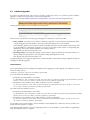
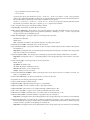
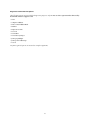
Goanna ships with the following checks packages:
• stdchecks (enabled by default): "Goanna Core" checks. This checks package contains a set of checks for
common C/C++ issues.
• security: Checks that are targetting well known security vulnerabilities.
• misrac2004: Dedicated checks for MISRA-C:2004 coding standard.
• misrac++2008: Dedicated checks for MISRA C++:2008 coding standard.
• misrac2012: Dedicated checks for MISRA C:2012 coding standard.
It is also possible to add custom checks packages to the analysis results. Contact Red Lizard Software for more
information about custom checks packages.
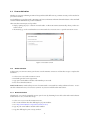
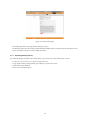
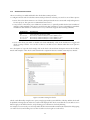
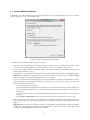
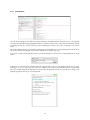
To access these options, click Goanna Preferences in Goanna menu and select the Checks Packages tab.
Figure 11: Goanna Checks Package Preferences
To enable a checks package, click the checks package you wish to enable from Available Packages list, then click Install.
To disable a checks package, click the checks package you wish to disable from Installed Packages list, then click
Uninstall.
If you have a custom checks package, then you can add it by clicking Add Package.
Important Note
Checks package operations are global and may affect analysis on all existing and new projects. Additionally, enabling a checks package will also change the default set of checks to be enabled for all existing and new projects.
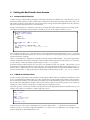
Installing or uninstalling checks packages, and adding custom checks packages may require User Account Control (UAC) approval on Windows Vista, Windows Server 2008 and later versions of Windows, as these operations
require write access to the installation directory of Goanna Studio.
20