1
HYDRA ETHERX Card User Manual
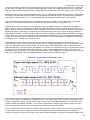
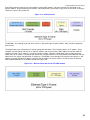
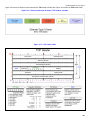
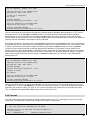
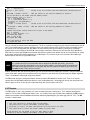
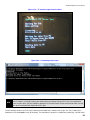
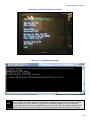
Figure 16.0 shows the Ethernet frame now with the UDP header and the data. Figure 17.0 shows the UDP header fields.
Figure 16.0 - Ethernet frame with IP header, UDP headers, and data.
Figure 17.0 – UDP header fields.
As you can see there is more information in these headers than what we described above but fortunately for us the
W5100 handles this for us.
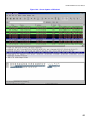
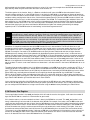
The best way to learn about the networking fields is to actually see them. Wireshark is a free program that not only acts as
a packet sniffer that grab every bit of Internet traffic coming and going on your computer but graphically breaks down each
header for inspection. Below is a screen grab of Wireshark capturing data on a request to a web server. The upper pane
shows the packets that have been grabbed (it shows these in real time as they come into the computer). The middle pane
then shows a header breakdown of the packet. The lower pane shows a complete hex dump of the entire data. Clicking
on a header in the middle pane will highlight the corresponding data in the hex dump. In the screen capture below the
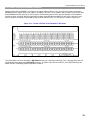
TCP header is highlighted. Try Wireshark for yourself. It is included in the CD under the downloads directory. Figure 18.0
shows a screen grab of Wireshark in action.
21