1
HYDRA ETHERX Card User Manual
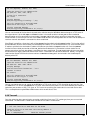
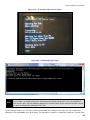
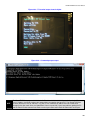
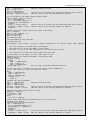
The “C” directory contains the TCP server C code and executable that is meant to run on your PC. The C code itself is
located on a file named main.c in the “C” directory. The executable is located in a subdirectory called “lcc”. You will notice
additional files in these directories and they are generated by the compiler. I used the LCC compiler to the code. You can
download this compiler at:
http://www.cs.virginia.edu/~lcc-win32/
It’s a free C compiler that anyone can use for free. Try it out!
7.5 Tic Tac Toe
The next example is an example of a TCP based game. For this example you will need two Hydras connected via the
EtherX cards. You can see the Tic Tac Toe game running on a local network on two Hydras in this YouTube clip:
http://www.youtube.com/watch?v=EqzG31wzOIE
The game is currently setup such that the server and the client are determined at startup by the players. The game will
then set the MAC and IP addresses based on whether that particular Hydra is a client or server. This is a handy way to
write one piece of code that will setup the EtherX card based on whether the EtherX card will be a client or server.
It is possible to run the game on two Hydras that are not on the same network. Simply configure your router to forward all
data for port 200 (port used by the Tic Tac Toe game) to the IP address of the EtherX card on the Hydra. This would allow
any two players on the internet to play the game.
The point of this game is to show when it is appropriate to use TCP for games. Turn based games (not real time) are ideal
for using TCP. Time is not critical in turn based games but the data is. Remember that TCP guarantees the delivery of
data. For a game like Tic Tac Toe we don’t care if our opponent’s new move takes an extra second to reach our Hydra but
we must receive the data. Data is only sent when the player makes a move. Thus, if we loose that data then we will never
know that it is our turn.
7.6 Squish Kevin
Squish Kevin is an example of a real time UDP based game. For this example you will need two Hydras connected via the
EtherX cards. The code is written so that the EtherX card is configured to a set MAC and IP address at start up. If you
happen to have two Hydras be sure that the MAC and IP addresses are different for each one. To play this game over the
internet configure your router to forward all data for port 200 (port used by the Squish Kevin game) to the IP address of
the EtherX card which is specified in the spin code.
The rules of the game are very simple. You are a blue circle on the screen and your opponent is a red circle on the
screen. The point is to move your circle over your opponent and hit any button in an attempt to “squish” him. If you
succeed you get a point. First player to five points win. You can see Squish Kevin in action on two Hydras on a local
network in this YouTube link:
http://www.youtube.com/watch?v=DNHr7VTmL8Q
The point of this game is to show when it is appropriate to use UDP for games. For Squish Kevin we don’t care as much if
th
we happen to loose a packet. There will be another packet along in another 1/16 of a second. Most likely the player will
never notice. Unlike Tic Tac Toe which only sent data when the player moved, Squish Kevin constantly sends data about
the players’ position and status. The real important thing is not the reliability of the data arrival but the speed at which the
data arrives. We want the data to reach the players as quick as possible. As soon as a player moves we want his
opponent on other Hydra to instantaneously see it. UDP will appear faster in real time games because the internet
devices won’t halt all transmissions after packet losses. Remember that UDP has no way of knowing whether transmitted
data has reached its destination properly. It just keeps sending hoping for the best.
51