1
User manual revision 5
Settings window
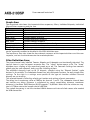
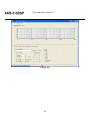
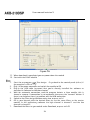
The settings window is under File > Settings… Measurement sampling rate sets the sample rate
used in the imported response files (typically 48kHz). Processor sampling rate is that of the
DSP hardware.
Note that this setting does not control the sampling rate of the
hardware. Rather, it informs the filter design application of what that sampling rate is. In short,
leave this at the standard value.
The select button opens a file dialogue box witch is not used in this application.
Work flow
Measurement
Measuring using the DSP unit set to “flat”
Perform impulse response measurements for each driver separately. Save the entire impulse
record truncation can be done later on the filter design program.
Measuring using an external amplifier
A separate amplifier may also be used for measuring the drivers, provided the amplifier’s
output impedance is as low as the DSP unit’s.
Importing response data
Select the tab for the channel you want to import and click “select”. The filter designer expects
the impulse response measurement as a text file with one sample per line.
There is no restriction on the absolute gain of the impulse response data. The only thing that
matters is that the absolute gain be the same for all three measurements. The filter designer
computes a gain offset based on all loaded responses to centre them collectively on the vertical
scale.
Truncating response data
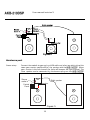
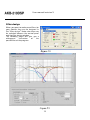
Switch to the impulse or step response graph.
17