1
User manual revision 5
Examples
Example 1: 2-channel stereo setup
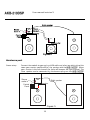
This example will guide you through setting up you 2 channel stereo system with the
, a
schematic presentation of similar setup is given in Figure 6. The master module is always the
one with the control panel connected.
First you got your 2 modules with no cables or speakers connected!.
Master
Ma
r
1.
2.
3.
4.
5.
6.
Plug in the power connector and switch the module to ON
Power up the module by the control panel or remote,Blue LED goes on
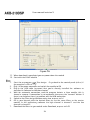
Start the pc program,
filter design
Plug in the USB cable (assumed that you’ve already installed the software as
described in the Software Installation chapter)
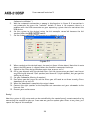
Wait for automatic connection, a popup is displayed as in Figure 8. If the software
doesn’t connect automatically press the “connect” button. If there is no response
there is a problem with the USB connection or your operating system that can not
detect the USB device
Set the system to the desired setup, for this example a 2 channel where the master
represents the Left speaker
Figure
r 15
7.
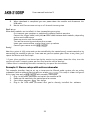
When needed set the desired input, for now just leave it Auto detect. Note that in auto
detect the USB source is selected when the module is connected to the pc
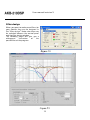
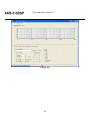
8. Switch to the Filter design Window under view, or press ctrl+f
9. Fill in your biquads with the desired filters, in this preliminary software the high
channel is channel 1 and the low channel is channel 2
10. Download the filters to you module under Download, or press ctrl+F9
23