1
RKP115 / RKP117 / RKP119
User Manual
1.
Table Of Content
1.
Table of Content
P.1
2.
Introduction
P.2
3.
Features
P.2
4.
Package Contents
P.3
5.
Optional Accessories
P.4
6.
Peripheral Products
P.4
7.
Important Safeguards
P.5
8.
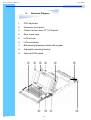
Structure Diagram
P.6
9.
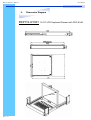
Dimension Diagram
RKP115-8/1601
RKP117-8/1601
RKP119-8/1601
P.7
P.8
P.9
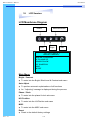
10. LCD Session
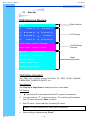
LCD Membrane Diagram
LCD OSD Control
P.11
P.11
P.12-13
Main Menu
Sub Menu
Resolution Settings
For Windows
For SUN Servers
P.14
P.15
11. KVM Session
Front View
Rear View
Installation Steps
Cascading
P.17
P.18
P.19
P.20
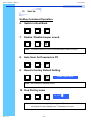
12. Start Up
HotKey Command
HotKey Command Operation
P.21
P.21
P.22-23
KVM On Screen Display Control
13. FAQ
P.24
P.25
P.26
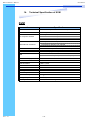
14. Technical Specification
P.27-28
OSD Structure Diagram
OSD Menu Operation
Rev. : 1.0
P.1