1
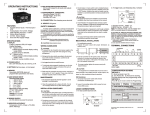
CONFIGURATION SCHEME
To enter configuration short terminals 9 & 10
and turn the power on.
Configure the unit as per the instructions below.
1. To select scale factor mantissa
KEY PRESS
Scale factor
mantissa
DISPLAY
Set between
0.00001 to 9.99999
as described below:
2. Press R/T
key to select scale
factor exponent
Press
Press
Press
100 = 1
Press
Press
1) Turn power off.
2) Remove link between terminal no 9 & 10.
3) Turn power on.
TO READ SCALE FACTOR ,
RESOLUTION & SPEED
DISPLAY
NAME /
DESCRIPTION
PRG
Scale Factor
(Mantissa)
-3
PRG
Scale Factor
(Exponent)
-2
PRG
Totaliser Least
Count
PRG
Maximum Input
Speed
2
10 = 100
10 = 0.01
10-1 = 0.1
Least count = 1
Least count = 0.1
Least count = 0.01
Press
5. Press R/T
key to complete
setting, display will go to step 1
(scale factor mantissa setting).
To quit configuration:
KEY PRESS
R AT E
selec
TO TA L
PRG
R/T
RC102
Slow speed
(maximum 30 hz )
10 1 = 10
3. Press R/T
key to select
totaliser resolution
Totaliser
resolution
Fast speed
(maximum 2500 hz)
Press
(MOMENTARY)
10 = 0.001
Press
Max. input
frequency
DESCRIPTION
The blinking digit increments by 1 for every press
of the key & rolls over from 9 to 0. The blinking
digit shifts to next digit (right) for every press of
key. Using these keys user can set the required
value.
Scale factor
exponent
4. Press R/T
key to select max.
input frequency
NOTE: Maximum display time is 3 sec. If the key
is pressed again within 3 sec of previous key
press, display shows next parameter, otherwise
it shows rate or total as per selection.
TYPICAL APPLICATION:
Objective: To display: a. The total length of cord (in
meters) that has passed over the measuring
wheel
b. The delivery rate of cord (meters / minute).
Data available:
The proximity switch generates 1 pulse /
revolution of the measuring wheel. The diameter
of the wheel is 10cm.
Measuring
Wheel
Proximity
Switch
Calculations
Circumference of the wheel = 3.14285 x 0.1 =
0.314285m.
Therefore the length of rope delivered per
revolution is 0.314285m.
Since the proximity switch gives one pulse per
revolution, the display should increment by
0.314285 for every pulse. Therefore, scale factor
= 0.314285.
Set scale factor mantissa = 3.14285 & exponent =
10-1
The RC102C will show rate in meters / minute &
total in meters.
Example 2: If 60 PPR encoder is fitted instead of
proximity.
Length of rope delivered per revolution is
0.314285m.
Number of pulses per revolution = 60.
Length of rope delivered / pulse = 0.314285 / 60 =
0.005238m.
The display should increment by 0.005238 for
every pulse. Therefore, scale factor = 5.23800 x
10-3
Set scale factor mantissa = 5.23800 & exponent =
10-3 for the required display.
(Specifications subject to change as development
is a continuous process).
Selec Controls Pvt. Ltd., India.
(Formerly Selectron Process Controls Pvt. Ltd.)
Tel:91-22-28476443, Fax:91-22-28471733,
Website: www.selecindia.com
E- mail: [email protected].
Document name: Operating / 0809 / RC102C / ver3 OP191-V03 (Page 2 of 2)