1
OPERATING INSTRUCTIONS
VAF32
CT Current
Programmable from 5 to 1000 A
!
CAUTION: Read complete instruction prior to
installation and operation of the unit.
Burden
0.2 VA Max. per phase.
!
CAUTION: Risk of electric shock.
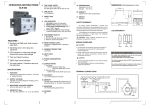
MECHANICAL INSTALLATION:
Resolution
0.01, 0.1, 1 (Depends on CT ratio)
WIRING GUIDELINES
CAUTION:
1. To prevent the risk of electric shock power supply to the
equipment must be kept OFF while doing the wiring
arrangement.
!
Parameter measured
Parameters
Phase
Voltage
VL-N, VL-L
Vavg , Vavg
L-N
Current
I1, I2, I3, Iavg
Frequency
Hz
3.Connectors screws must be tightened after
Installation.
Unit
V
L-L .
2. Wiring shall be done strictly according to the terminal
layout. Confirm that all connections are correct.
For installing the meter follow the instructions given
below.
1. Prepare the panel cutout with proper dimensions
as shown below :
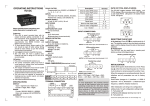
OVERALL DIMENSIONS (All dimensions in mm)
I
3. Use lugged terminals.
96 x 96
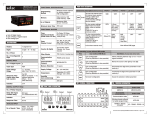
FEATURES
= Display : 3 line, 3 digits per line .
Hz
Accuracy Table:
Measurement
Accuracy (in %)
1
= Bar graph for current indication.
Line to neutral voltage VL-N
= Auto / manual page scrolling.
Line to line voltage VL-L
= Programable CT primary current.
Average voltage V L-N & VL-L
1
Phase current I
2
Average current Iavg
2
Frequency
1
= Accuracy class 1.
SPECIFICATIONS
Display
Liquid crystal display .
3 line, 3 digit per line to show all parameters.
Bar graph for current indication.
Display update time
2 Sec
Electrical input type
3 phase 4 wire and single phase.
Rated input voltage
Line to neutral : 150 to 270 VAC max.
Rated input current
Nominal 5 A max.
Frequency range
50/60 Hz, ± 5%
1
4. To eliminate electromagnetic interference use of
wires with adequate ratings and twists of the same in
equal size shall be made.
5. Cable used for connection to power source, must
have a cross section of 1.5 mm2 . These wires shall have
Current carrying capacity of 5A.
MAINTENANCE
Humidity
85% non condensing.
Mounting
Panel mounting.
Weight
180 gms
SAFETY SUMMARY
All safety related codifications, symbols and instructions
that appear in this operating manual or on the equipment
must be strictly followed to ensure the safety of the
operating personnel as well as the instrument. If the
equipment is not handled in a manner specified by the
manufacturer it might impair the protection provided by the
equipment.
B
Panel Cutout
D
G
C
DIM A
MODEL
VAF32
B
C
D
96 96
5
47 65 92 92
E
F
G
1. The equipment should be cleaned regularly to avoid
blockage of ventilating parts.
2. Clean the equipment with a clean soft cloth . Do not
Temperature
Operating: 0 to 50 oC
Storage: -20 to 75 oC
E F
A
2. Push the meter into the panel cutout. Secure the
meter in its place by pushing the clamp on the rear
use Isopropyl alcohol or any other cleaning agent.
side. The screws of the pane of the clamp must be
in the farthest forward slot.
INSTALLATION GUIDELINES
! CAUTION:
1. This equipment, being built-in-type, normally becomes
a part of main control panel and in such case the
terminals do not remain accessible to the and user
after installation and internal wiring.
2. Conductors must not come in contact with the internal
circuitry of the equipment or else it may lead to a
safety hazard that may in turn endanger life or cause
electrical shock to the operator.
! CAUTION:
1. The equipment shall not be installed in environmental
Conditions other than those mentioned in this manual.
2.Thermal dissipation of equipment is met through
Ventilation holes provided on chassis of equipment.
Such ventilation holes shall not be obstructed else it
can lead to a safety hazard.
3. For proper sealing, tighten the screws evenly with
required torque.
!
CAUTION:
The equipment in its installed state must not
come in close proximity to any heating sources,
caustic vapors, oils, steam, or other unwanted
process by-products.
EMC Guidelines:
1.Use proper input power cables with shortest
connections.
2.Layout of connecting cables shall be away from
any internal EMI source.
Document name: Operating/0801/VAF32/ OP-224- Page 1 of 3
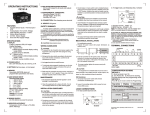
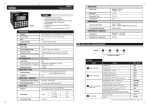
Keys Description
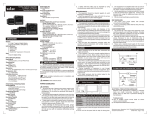
TERMINAL CONNECTIONS:
Display Parameter Page Description
There are two methods to scroll through the
Sr
No
VAF 32
CT1
S1
S2
CT2
S1
S2
CT3
S1
S2
N
R
Y
B
To scroll through the
1 pages in forward
direction.
To scroll through the
2 pages in reverse
direction.
To toggle between
3 auto/manual scrolling.
+
to next pages
+
to previous
pages
(A/M) for three
second
PAGE 2:
different parameter pages on the display.
1) Auto mode.
2) Manual mode.
Auto mode:
In auto mode, it allows you to monitor all
A1
50
pages sequentially after 5 seconds without any
50
key press . Each page contains 3 parameters.
The parameter pages are shown below.
A3
50
3
NOTE : By default the unit works in auto mode.
To enter in
4 configuration mode.
(PRG) + (A/M)
for three second
To increase and
PAGE
5 decrease
the CT
Primary value.
+
A/M
Increase
Decrease
PRG
+
CONFIGURATION SCHEME
N
R
Y
B
FRONT PANEL DESCRIPTION
Manual mode:
In manual mode, using the +
keys
different parameter pages can be viewed. In
the manual mode the displayed page is seen
until you manually change the page. This is
described below.
NOTE :
1) Continuous pressing
(PRG) + (A/M)
for three second initiates the programming
mode.
When meter turns to manual mode display shows
momentarily.
Key press
When meter turns to auto mode display shows
momentarily.
Display
Description
2. To configure CT primary
Default setting:
VAF32
PAGE
A/M
PRG
Display shows current of each phase.
4) I1 ~
1) A1
~ 2.5 i.e. 50%
2) A2
5) I2 ~
~ 5 i.e. 100%
3) A3
6) I3 ~
~ 6.25 i.e. 125%
*CT primary set at 5.
Press
to go in to next page
+
PAGE 3:
PAGE 1:
CT Primary
Press
50
+
Range: 5 to 1000 A
/
*Display shows
When CT is 1000
50
50
50
50
VAF32
PAGE
A/M
PRG
Bar Graph Indication
In VAF 32, the bar graph shows the percentage
of current flowing through the load.
The rated input current of the unit is nominal 5A.
The Bar graph shows up to 150 % of rated input
current.
NOTE :
makes update
Continuous operation of
+
speed faster in 3 stage after 7 seconds.
In CT ratio programming, for value up to 100, value
changes in step of 1 and for value greater than 100,
value changes in steps of 5.
50
50
50
50
VAF32
PAGE
A/M
PRG
Display shows line to neutral voltage (VL-N) .
NOTE :
1) Press
(PRG) +
(A/M) Key for 3 seconds to
exit programming mode.
2) The unit will auto exit programming mode if no key
pressed for 60 sec.
1) V1-N (VRN)
2) V2-N (VYN)
3) V3-N (VBN)
4) I1 ~
~ 2.5 i.e. 50%
5) I2 ~
~ 5 i.e. 100%
6) I3 ~
~ 6.25 i.e. 125%
*CT primary set at 5.
Press
+
VAF32
to go in to next page
PAGE
A/M
PRG
Display shows 1) Average voltage VL-N
2) Average Current
3) Frequency
4) I1 ~
~ 2.5 i.e. 50%
5) I2 ~
~ 5 i.e. 100%
6) I3 ~
~ 6.25 i.e. 125%
*CT primary set at 5
Press
+
to go in to next page
Document name: Operating/0801/VAF32/ OP-224- Page 2 of 3
PAGE DESCRIPTION (CONTINUED)
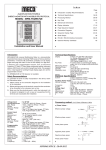
WIRING DIAGRAM
PAGE 4:
3 PHASE 4-WIRE WIRING DIAGRAM
LINE
S1
S1
S1
S2
LOAD
L1
S2
L2
S2
L3
50
N
50
V1
I1
CT
S2
50
S1
V2
VAF32
V3
I2
S1
PRG
Display shows line to line voltage (VL-L)
1) V12 (VRY)
2) V23 (VYB)
3) V31 (VRB)
Press
Press
S2
I3
4) I1 ~
~ 2.5 i.e. 50%
5) I2 ~
~ 5 i.e. 100%
6) I3 ~
~ 6.25 i.e. 125%
*Digits1, 2 & 3 within the doted circle ( ) blink (Rate:1.7 sec ON,
0.3 sec OFF), showing line voltage parameters.
**CT primary set at 5.
+
to go in to next page
VN
S1
CT
A/M
CT
S2
PAGE
SINGLE PHASE WIRING DIAGRAM
LINE
S1
S2
LOAD
L
N
PAGE 5:
S2
CT
V1
I1
S1
V2
V3
S2
I2
50
CT
50
S1
50
VN
I3
S1
CT
S2
VAF32
PAGE
A/M
Display shows 1) Average Voltage VL-L
2) Average Current
3) Frequency
PRG
4) I1 ~
~ 2.5 i.e. 50%
5) I2 ~
~ 5 i.e. 100%
6) I3 ~
~ 6.25 i.e. 125%
*Digits1, 2 & 3 within the doted circle ( ) blink (Rate:1.7 sec ON,
0.3 sec OFF), showing line voltage parameters.
**CT primary set at 5.
Press
+
to go in to first page
(Specifications subject to change as
development is a continuous process.)
Selec Controls Pvt. Ltd., India,
Tel:91-22-28476443, Fax:91-22-28471733,
Toll free: 1800 227353
Website: www.selecindia.com
E- mail: [email protected].
Document name: Operating/0801/VAF32/ OP-224 Page 3A/M
of 3
PRG