1
22 of 73
2.6 Accessing DynaLink from Outside the Local Network
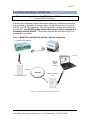
This section applies if the DynaLink device is attached to an Ethernet network.
This section does not apply if you:
1. are using an external RS-232 modem (WS100 only)
2. a cellular network
3. direct computer connection
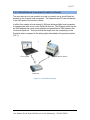
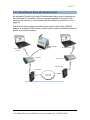
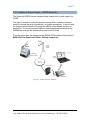
To access the DynaLink device from outside your network (i.e. outside the local
LAN) you will need to setup port forwarding. Most, if not all, routers have this
capability. Check your router manual or the router’s manufacturer for instruction
on how to setup this up.
You will need to setup your router to forward any incoming traffic from the
internet (WAN) IP address to the local (LAN) IP address of DynaLink using port
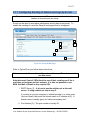
80 or port 8080. To use another port other than 80 or 8080, go to the
Setup>Webserver page and enter a number other than 8080 in the “Extra
webserver port” field. The DynaLink always listens to port 80.
The DynaLink device must have a static LAN IP address for port forwarding
to work.
Your internet service provider (ISP) also may block access to port 80 so confirm
with your ISP if you are having problems.
Most routers use port 80 to provide a web interface to configure the router’s
settings but most will automatically move the port they use from 80 to another
port if you use port 80 for port forwarding. Check with your router manufacturer.
You internet service provider must provide you with a static WAN IP
address. This is the IP address that you would use to access the DynaLink
device from the internet. If it is not static a dynamic DNS service can be used
such as www.dyndns.com (not covered in this manual).
Once port forwarding has been setup to access the DynaLink device, on a
remote computer type the WAN or internet IP address (not the local or LAN IP
address) or the DNS URL followed by a colon, followed by a port number. For
example: “24.124.154.456:8080” or “abc.dyndns.org:8080. Firefox and Internet
Explorer assume port 80 if you leave the colon and port number out.
User Manual for the DynaLink Remote Genset Monitoring – WS100/WS200