1
1. CONTENTS
1. CONTENTS ......................................................................................................................3
2. DESCRIPTION OF DEVICE OPERATION....................................................................4
2.1 Device designation......................................................................................................4
2.2 Device structure ..........................................................................................................4
2.3 Arrangements of device operation ..............................................................................5
2.4 Marking and sealing....................................................................................................5
2.5 Description and operation of the device component elements ...................................5
3. WORK WITH THE DEVICE ...........................................................................................8
3.1 Assembly of the device...............................................................................................8
3.2 The device in operating position...............................................................................10
3.3 Preparation for scanning ...........................................................................................11
3.4 Set parameters of scanning .......................................................................................12
3.5 The operation of scanning.........................................................................................14
3.6 Detection of movement.............................................................................................16
3.7 General recommendations ........................................................................................19
3.8 Functioning of “Start-Stop” button...........................................................................19
3.9 Device Switching off and Disassembling. ................................................................19
3.10 Viewing files...........................................................................................................20
3.11 Settings....................................................................................................................23
4. File Transfer from BUOI into a computer.......................................................................25
5. Work with SK «Око-2» along with using a notebook. ...................................................28
6. Requirements on safe operation and electromagnetic compatibility...............................29
7. Technical maintenance. ...................................................................................................29
7.1 General instructions. .................................................................................................29
7.2 Maintenance procedure.............................................................................................29
8. Routine Servicing. ...........................................................................................................30
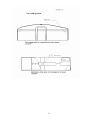
9. Storing .............................................................................................................................30
10. Transportation................................................................................................................31
11. Utilization ......................................................................................................................31
3