1
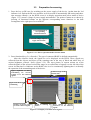
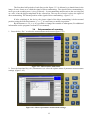
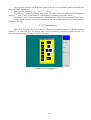
To set up date and time one should set up date and time in corresponding items from which the
timer will start counting out.
Item selection is made by "←", "→", "↑", "↓"keys.
To change the value of a selected item, press an "Enter" key, thereafter you can change the
value by "↑" или "↓"keys. Termination of a value change is enabled by pressing "Enter".
To change a value of timer counting out, you should chose “Use” key and press an "Enter" key.
A time setting window is closed by pressing an Enter key while an Exit key is selected or by
pressing an Esc key.
3.11.3 Testing keys
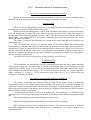
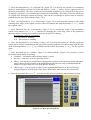
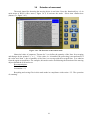
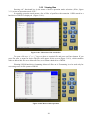
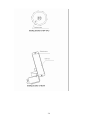
Press a “4” functional key («Тest. Key.») a display for testing operation of a BUOI keyboard
(figure 3.11.3). When the keys are pressed, their view on a screen is colored in a different color. To
enter the Main menu an ESC. Key is held for 4 seconds.
Figure 3.11.3. Testing keys
24