1
SFT-INTSRV Integration Server
Operation | en
15
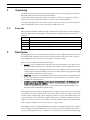
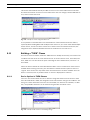
This means that this Rule will only be TRUE if camera 2 loses video within 30 seconds after
line A4 becomes HIGH. If camera 2 looses video before the Line changes, the Rule will NOT be
true, and no action will result.
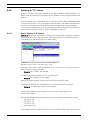
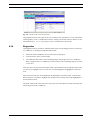
Fig. 8.12 Example IF Clause Using Extended Truth
It is important to understand the uses and limitations of the Extended Truth time feature,
especially when building Rules with multiple Action clauses. If you create a Rule with multiple
Action clauses, and do not select at least one of them to have an Extended Truth time, the
Integration Server Software will label the Rule as invalid and an error will occur.
8.11
Building a "THEN" Clause
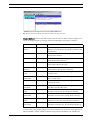
Once the IF clause is written, define the THEN clause to identify the action(s) to be taken if all
conditions set forth in the IF clause have been met. From the Clauses menu, select Add, and
then, THEN. You can also select the pane containing the list of THEN clauses, and click + on
the toolbar.
Select the device that will be associated with this Rule. Choices include most of the Devices
available when entering IF clauses, plus miscellaneous utilities and the option to write to a
Log File. Some choices are only visible if the associated Device has been installed. Once the
Device is selected, a list of possible events or clauses is displayed for selection.
8.11.1
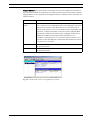
Device Options in THEN Clauses
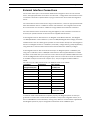
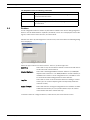
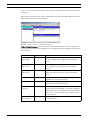
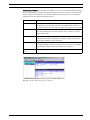
Com Port: This action allows the user to define a string that will be sent out the PC’s COM
Port. When this Rule is TRUE, the Integration Server will send the string to the COM Port. The
string can contain information stored in a local variable (see Section 8.13: Variables). In addition, non-printable characters can be entered using brackets and ASCII codes.
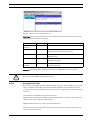
Fig. 8.13 Example THEN Clause for Transmitting Strings
Bosch Security Systems, Inc.
User Manual
F01U065436 | 1.0 | 2007.03