1
System Description
Ascom VoWiFi System
4.3
TD 92313EN
WLAN Functions
Common WLAN functions, such as roaming and user authentication, are handled by thirdparty products. Therefore specific configuration information must be required from the
vendors. For details, see Ascom Configuration Notes for third-party products.
4.3.1
Roaming
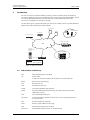
To enable a user to move freely within the WLAN, see section 5.2 Access Point (AP) on page
23, careful cell planning must be performed before installation of the APs. Each AP provides
radio coverage for a certain area, a micro-cell. Since radio coverage is declining as the user
moves farther away from the AP it is important that the cells overlap.
In a WLAN with multiple APs, users can move freely once they have associated and
authenticated themselves to the network. This means that mobile devices will move in and
out of range of the various WLAN cells, searching and associating with the strongest RF
signal as they move across the network.
From an IEEE 802.11 perspective, WLAN roaming consists of the following steps:
1
Search
2
Pre-authentication (if key caching is used; otherwise authentication)
3
Re-association
4.3.2
Association
Before the authentication can take place, the mobile device need to be associated with an
AP.
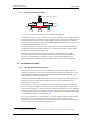
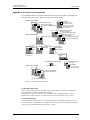
Each AP in the network transmit beacons that the mobile devices listens to. The mobile
device, in this case a VoWiFi Handset, sends an association request to the AP with the
strongest RF signal. By comparing the ESSID, the AP verifies that the VoWiFi Handset is
allowed to associate with the AP and sends an acknowledgement. Communication between
the IP VoWiFi Handset and the AP is hereby established.
4.3.3
Authentication
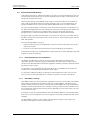
Authentication is the process of verifying the credentials of a mobile device trying to access
the network. In a secure WLAN system additonal user authentication can be handled by a
RADIUS server.
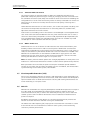
When the association process between the VoWiFi Handset and the AP is finished, the
VoWiFi Handset sends an authentication request. The request is forwarded by the AP to the
RADIUS server where parameters such as User Name and password are verified before
network communication is allowed.
Once authenticated, the information is stored in the Controller (in a Controller-based
solution) to shorten the process.
7 September 2011 / Ver. G
21