1
Intelligent Keyboard Instruction Manual
I. Keyboard Overview
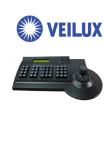
The keyboard is used for controlling the intelligent dome. The keyboard is the main device between operator
and device in the monitoring system. It can be regarded as the main control keyboard and as the vice control
keyboard.
1. Liquid Crystal Display the LCD display board is regarded as interface between operator and device. It is
direct, convenient, easy to follow and conveys large amounts of information.
2. Proportion Joystick1 (Options: PTZ control joystick and PT control joystick
Use this joystick to operate high-speed dome. It is easy to use with good handling and flexible
maneuvering.
3. The lock function of the keyboard can prevent unauthorized users to operate the keyboard.
4. Provide RS485 control output signal and also offer the standard RS232 control signal.
II. Intelligent Keyboard Technical Parameters
1. Communication baud rate: 1200 bps;2400 bps;4800 bps;9600 bps
2. Protocol: PWT protocol, PELCO_D, PELCO_P
3. Data Format: N,8,1
4. Power input: AC/DC 9V-12V
5. Max controlled dome camera: 1024 2
6. Power: 5W
III. Intelligent Keyboard Drawing
3.1 Intelligent Keyboard Connection
Insert one end of keyboard data line into keyboard port B on the right of its back panel. Insert the other end into
wire box. The picture is as below:
Keyboard Line
1
Proportion Joystick: The speed of the joystick is a direct ratio to the running speed of the dome camera.
2.
The keyboard can set up to 1024 sole addresses. However, it does not control 1024 dome cameras directly. The strength and
weakness of the RS485 control signal determines the speed dome quantity. It can control up to 1024 VPTZ dome cameras
through signal compensation devices. The RS485 can control 32 dome cameras at most if it has no signal compensation.
2