1
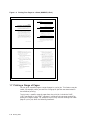
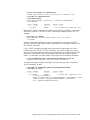
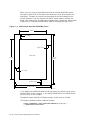
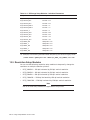
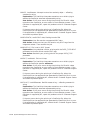
This example sets the margins as follows:
Top margin
10 points
Bottom margin
10 points
Left margin
60 points
Right margin
10 points
11.1.7 Specifying the Order of Page Spots to Use
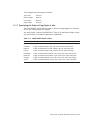
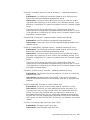
The PAGEORDER option sets the order in which the pages appear on the sheet,
that is, the reading order of the pages.
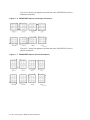
You must supply a value to PAGEORDER. Table 11–3 describes the eight values
that can be used. The default page order is RightDown.
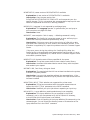
Table 11–3 PAGEORDER Option Values
Value
Description
RightDown
Pages are ordered left to right, top row first, then moving down.
LeftDown
Pages are ordered right to left, top row first, then moving down.
RightUp
Pages are ordered left to right, bottom row first, then moving up.
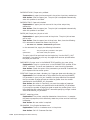
LeftUp
Pages are ordered right to left, bottom row first, then moving up.
DownRight
Pages are ordered top to bottom, left column first, then moving right.
DownLeft
Pages are ordered top to bottom, right column first, then moving left.
UpRight
Pages are ordered bottom to top, left column first, then moving right.
UpLeft
Pages are ordered bottom to top, right column first, then moving left.
Using Layup to Modify Printed Documents 11–11